Home › Health & Fitness

 US
US
1 of 1 storefronts
Content in en-US
Content in en-US
Information
Apple ID6752813889
Bundle IDcom.sgesdev.blineatest03
SellerSeller
Min iOS18.0
Min macOS15.0
Device familiesiphone, ipad
Released2025-10-15
Copyright© 2025 SGES DEV LLC
Privacy policyLink ↗
Preview 2 platforms
iPhone 8 images



iPad 6 images


What’s New Version 9.6
• Redesigned Focus Score: a beautiful new gauge that shows your focus at a glance, with a trend arrow so you can track your progress over time.
• Refreshed look: a softer new shield, a glassy tab bar, and our signature blue-to-purple gradient across progress bars and icons.
• Smarter App Limits: each limit now runs independently—editing one no longer resets the others—plus clearer status readouts.
• Better Screen Time: cleaner permission and empty states, so you always know exactly what's happening.
• Polished onboarding and paywall with clearer, more honest copy.
• Stability fixes: squashed stuck-block bugs, overnight schedule issues, and midnight app-limit glitches for a smoother, more reliable experience.
Quiet the noise. Find your focus. - The Hush Team
Description
Your phone shouldn't control you.
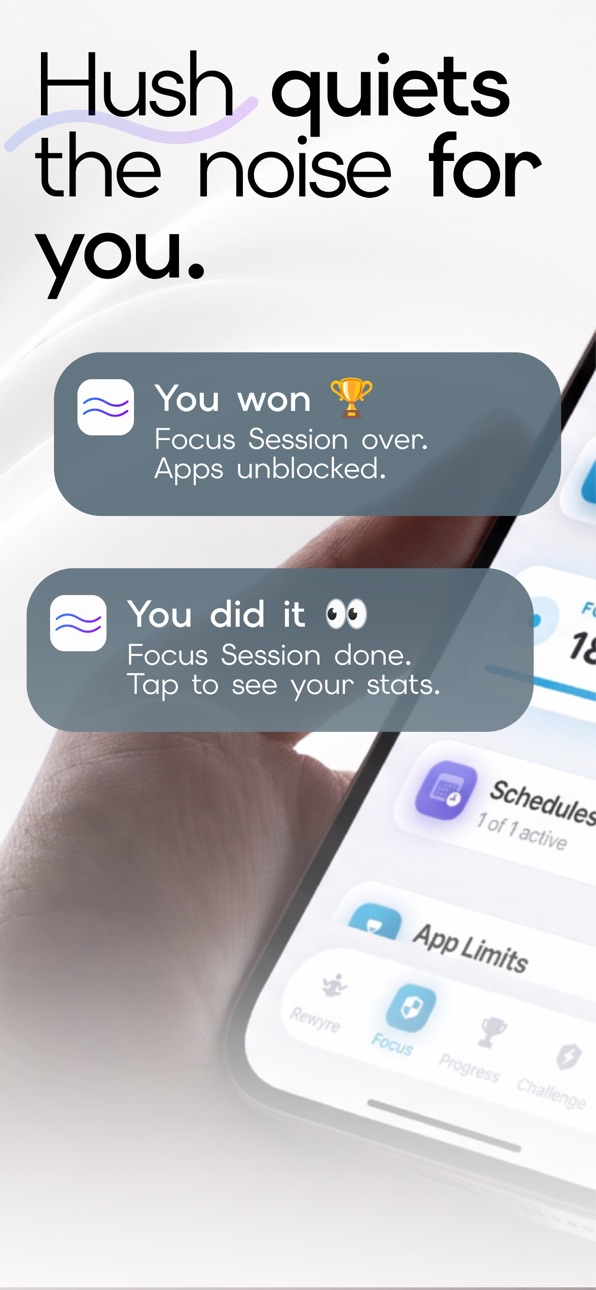
Hush helps you take back control from infinite scroll, social media addiction, and constant notifications. Block distracting apps, track your usage, and build the discipline to focus on what actually matters.
WHY HUSH WORKS
Unlike basic app blockers, Hush combines intelligent blocking with a structured behavior change system. You're not just blocking apps - you're rewiring your relationship with your phone.
CORE FEATURES
- Smart App Blocking - Block Instagram, TikTok, or any app stealing your focus
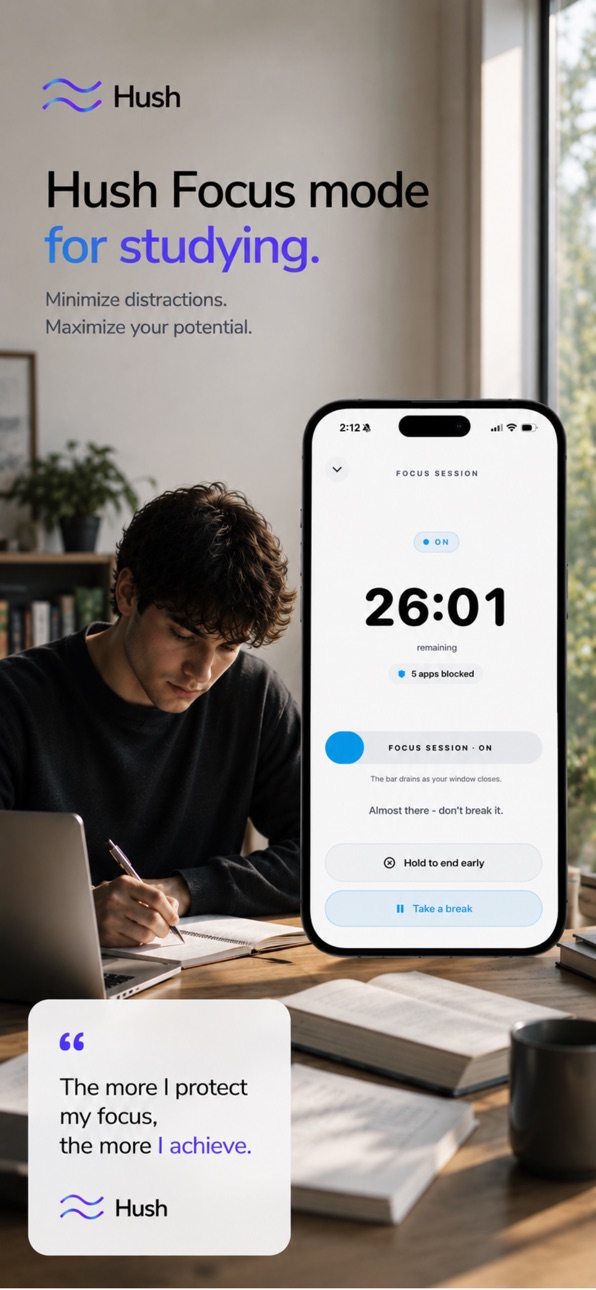
- Focus Sessions - Lock in for a set time and get things done
- Deep Focus - Lock in with no escape hatch when you're serious
- Focus Schedules & App Limits - Auto-block by time of day and cap your daily usage
- Real-Time Screen Time Tracking - See exactly where your time goes
- The 45-Day Hush Challenge - A structured reset that builds lasting habits
- Daily Reflections & Check-Ins - Simple commitments that create accountability
- Progress & Streaks - Watch your screen time drop and your streaks build
- Milestone System - Unlock achievements as you hit 7, 14, 30, and 60-day marks
- AI Focus Coach - Support in your weakest moments, anytime
BUILT FOR PEOPLE WHO ARE SERIOUS
We're not here to make dopamine addiction easier to manage. We're here to help you quit cheap dopamine for good. No gentle nudges. No gamified distractions. Just a tool that works for anyone ready to take their focus back.
THE 45-DAY HUSH CHALLENGE
Our signature 45-Day Challenge replaces willpower with structure. Daily standards, weekly milestones, and a clear path from phone-dependent to phone-independent. It's not easy - but that's the point.
WHO THIS IS FOR
Hush is for anyone who:
- Wastes hours scrolling and wants it to stop
- Knows their phone habits are killing their productivity
- Is tired of "gentle reminder" apps that don't work
- Wants discipline and accountability, not motivation
- Is ready to commit to real change
WHAT YOU GET
Free: Basic app blocking, screen time tracking, daily reflections & check-ins
Plus: Unlimited focus schedules & app limits, Deep Focus, Allowlist mode, 7-day trends & insights, guided meditations, and your AI focus coach
START YOUR RESET
Your phone can be a tool or a tyrant. The choice is yours.
Download Hush. Take back your time. Build the discipline to focus on what matters.
"Finally an app that doesn't baby you. Hush is the only screen time app that actually worked for me." - Jake, 28
"The 45-Day Challenge changed everything. I'm down from 7 hours to 2 hours daily." - Marcus, 32
Terms of Use: https://sgeslabs.com/pages/rewyre-terms-of-use
Privacy Policy: https://sgeslabs.com/pages/rewyre-privacy-policy
In-App Purchases US pricing
Hush Pro Subscription
Rewyre Pro · Yearly 3-day free trial$29.99
Rewyre Weekly · 7 days$14.99
Rewyre Monthly · Monthly$12.99
Hush Yearly Premium · Yearly 7-day free trial$79.99
Hush Monthly Premium · Monthly 3-day free trial$14.99
One-Time Purchases
Unlock Apps$0.99
Lifetime Premium$9.99
Rewyre Lifetime Full Access$99.99
Hush Plus Lifetime$149.00
Capabilities
In-App Purchases
Accessibility
ipadiphonemacrealityDevicetvoswatch
Version history 22 versions
Build 887836659v9.62026-07-06 16:13:29
• Redesigned Focus Score: a beautiful new gauge that shows your focus at a glance, with a trend arrow so you can track your progress over time.
• Refreshed look: a softer new shield, a glassy tab bar, and our signature blue-to-purple gradient across progress bars and icons.
• Smarter App Limits: each limit now runs independently—editing one no longer resets the others—plus clearer status readouts.
• Better Screen Time: cleaner permission and empty states, so you always know exactly what's happening.
• Polished onboarding and paywall with clearer, more honest copy.
• Stability fixes: squashed stuck-block bugs, overnight schedule issues, and midnight app-limit glitches for a smoother, more reliable experience.
Quiet the noise. Find your focus. - The Hush Team
Build 887711987v9.52026-07-03 23:20:51
A sharper, more focused Rewyre:
• Redesigned around 3 simple tabs — Home, Focus, and You
• Reflect is now free for everyone
• More reliable app blocking, limits, and focus schedules
• Smoother session timers, widgets, and daily check-ins
• Dozens of stability and performance fixes under the hood
Keep rewiring. Your attention is worth fighting for.
Build 886410355v9.02026-06-03 11:34:09
- Introducing Quiet Time — schedule a window where your distracting apps stay locked, so you can focus, rest, or wind down without the pull of your phone.
- New Quiet Time widget — add it to your Home Screen to see whether Quiet Time is on, your next scheduled window, and a live countdown while it's running.
- Lock Screen & Dynamic Island — follow the countdown from your Lock Screen and Dynamic Island while Quiet Time is active.
- Tap the widget to jump straight into Rewyre.
- Performance improvements and bug fixes.
Build 885974977v8.82026-05-22 16:31:04
1. Bug fixes
Build 885435539v8.62026-05-09 02:21:37
Adjust tracking for creators
Build 884825748v8.22026-04-24 02:30:30
1. Added Redeem code feature
Build 883350800v7.42026-03-22 13:30:32
bugs fixes and technical update
Build 882489546v7.22026-02-24 20:16:25
1) Updated daily view of yesterday’s screen time
2) Gentle scroll notifications to break mindless loops
3) UI & UX improvements for a faster, calmer app
Build 882037325v6.22026-02-09 16:32:02
1) Daily view of yesterday’s screen time
2) Gentle scroll notifications to break mindless loops
3) UI & UX improvements for a faster, calmer app
Build 881511391v5.82026-01-16 21:52:39
Screen Time Blocking: Block distracting apps while you reset.
iCloud Backup: Your streak is protected. Never lose progress.
Performance Boost: Faster, smoother and more reliable.
Build 881401799v5.62026-01-13 11:31:48
Updated screenshots that better reflect the Rewyre experience
Refined language throughout the app for more clarity and focus
Subtle visual polish for a smoother, more thoughtful feel
Build 881130211v5.52026-01-09 05:04:00
Enhanced customer experience with updated UI and UX improvements.
Build 880747649v5.12025-12-17 22:21:19
UI and UX updates/upgrades.
Build 880663053v5.02025-12-16 22:31:34
The Protocol just got sharper.
Enhanced Protocol Circles, build habits that compound
New milestone celebrations to mark real progress
Community features now live, find your brotherhood
Performance improvements across the board
Your comeback starts now.
Build 880500998v4.82025-12-10 17:10:35
Fixed an issue where daily Protocol task checkmarks would reset when leaving and returning to the app.
Build 880360747v4.62025-12-08 11:35:20
Introducing Community, an anonymous space to share your journey and support others.
Build 880203739v4.22025-12-02 23:16:32
UI & UX upgrades for an overall smoother functioning app.
Build 880090092v4.02025-11-26 20:03:43
Stability improvements and a smoother experience.
Build 880005443v3.02025-11-25 02:03:36
- Smoother startup experience with refined animations
- Improved visual consistency throughout the app
- Minor bug fixes and performance improvements
Build 879791655v2.82025-11-17 21:42:51
UI upgrades, UX upgrades and minor bug fixes.
Build 879469577v2.62025-11-05 22:53:27
Small UI and UX updates, Fixed the Double Loading Screen Bug.
Build 878294964v2.42025-10-15 20:13:35
Price history by region
Currency
Show
Columns
Search
Availability 1 of 1 storefronts
| Region | Language | Price | Ratings | Avg | Version |
|---|---|---|---|---|---|
| US | en-US | Free | 77 | 4.7 | 9.6 |
Change log 26 changes · US
✎
releaseNotes updated
• Redesigned Focus Score: a beautiful new gauge that shows your focus at a glance, with a trend arrow so you can track your progress over time.
• Refreshed look
✎
description updated
Your phone shouldn't control you.
Hush helps you take back control from infinite scroll, social media addiction, and constant notifications. Block distracting a
✎
subtitle updated
App Blocker, Digital Detox
✎
name updated
Hush: Screen Time Control
◆
Version 9.6 released
• Redesigned Focus Score: a beautiful new gauge that shows your focus at a glance, with a trend arrow so you can track your progress over time.
• Refreshed look: a softer new shield, a glassy tab bar, and our signature blue-to-purple gradie
◆
Version 9.5 released
A sharper, more focused Rewyre:
• Redesigned around 3 simple tabs — Home, Focus, and You
• Reflect is now free for everyone
• More reliable app blocking, limits, and focus schedules
• Smoother session timers, widgets, and daily check-ins
•
◆
Version 9.0 released
- Introducing Quiet Time — schedule a window where your distracting apps stay locked, so you can focus, rest, or wind down without the pull of your phone.
- New Quiet Time widget — add it to your Home Screen to see whether Quiet Time is on,
◆
Version 8.8 released
1. Bug fixes
◆
Version 8.6 released
Adjust tracking for creators
◆
Version 8.2 released
1. Added Redeem code feature
◆
Version 7.4 released
bugs fixes and technical update
◆
Version 7.2 released
1) Updated daily view of yesterday’s screen time
2) Gentle scroll notifications to break mindless loops
3) UI & UX improvements for a faster, calmer app
◆
Version 6.2 released
1) Daily view of yesterday’s screen time
2) Gentle scroll notifications to break mindless loops
3) UI & UX improvements for a faster, calmer app
◆
Version 5.8 released
Screen Time Blocking: Block distracting apps while you reset.
iCloud Backup: Your streak is protected. Never lose progress.
Performance Boost: Faster, smoother and more reliable.
◆
Version 5.6 released
Updated screenshots that better reflect the Rewyre experience
Refined language throughout the app for more clarity and focus
Subtle visual polish for a smoother, more thoughtful feel
◆
Version 5.5 released
Enhanced customer experience with updated UI and UX improvements.
◆
Version 5.1 released
UI and UX updates/upgrades.
◆
Version 5.0 released
The Protocol just got sharper.
Enhanced Protocol Circles, build habits that compound
New milestone celebrations to mark real progress
Community features now live, find your brotherhood
Performance improvements across the board
Your comeba
◆
Version 4.8 released
Fixed an issue where daily Protocol task checkmarks would reset when leaving and returning to the app.
◆
Version 4.6 released
Introducing Community, an anonymous space to share your journey and support others.
◆
Version 4.2 released
UI & UX upgrades for an overall smoother functioning app.
◆
Version 4.0 released
Stability improvements and a smoother experience.
◆
Version 3.0 released
- Smoother startup experience with refined animations
- Improved visual consistency throughout the app
- Minor bug fixes and performance improvements
◆
Version 2.8 released
UI upgrades, UX upgrades and minor bug fixes.
◆
Version 2.6 released
Small UI and UX updates, Fixed the Double Loading Screen Bug.
◆
Version 2.4 released