Home › Finance

 FRNot Available
Information
Preview 2 platforms
iPhone 9 images




iPad 5 images



What’s New Version 1.4.1
App lock is now available!
· Authenticate with PIN, pattern, or biometrics.
· Register password or security questions for recovery if the PIN is lost.
· Set lock timing.
· Lock data is encrypted and stored only on the device. Without a backup method, recovery may be difficult.
Fixed an issue where some card messages were registered in an abnormal format.
Description
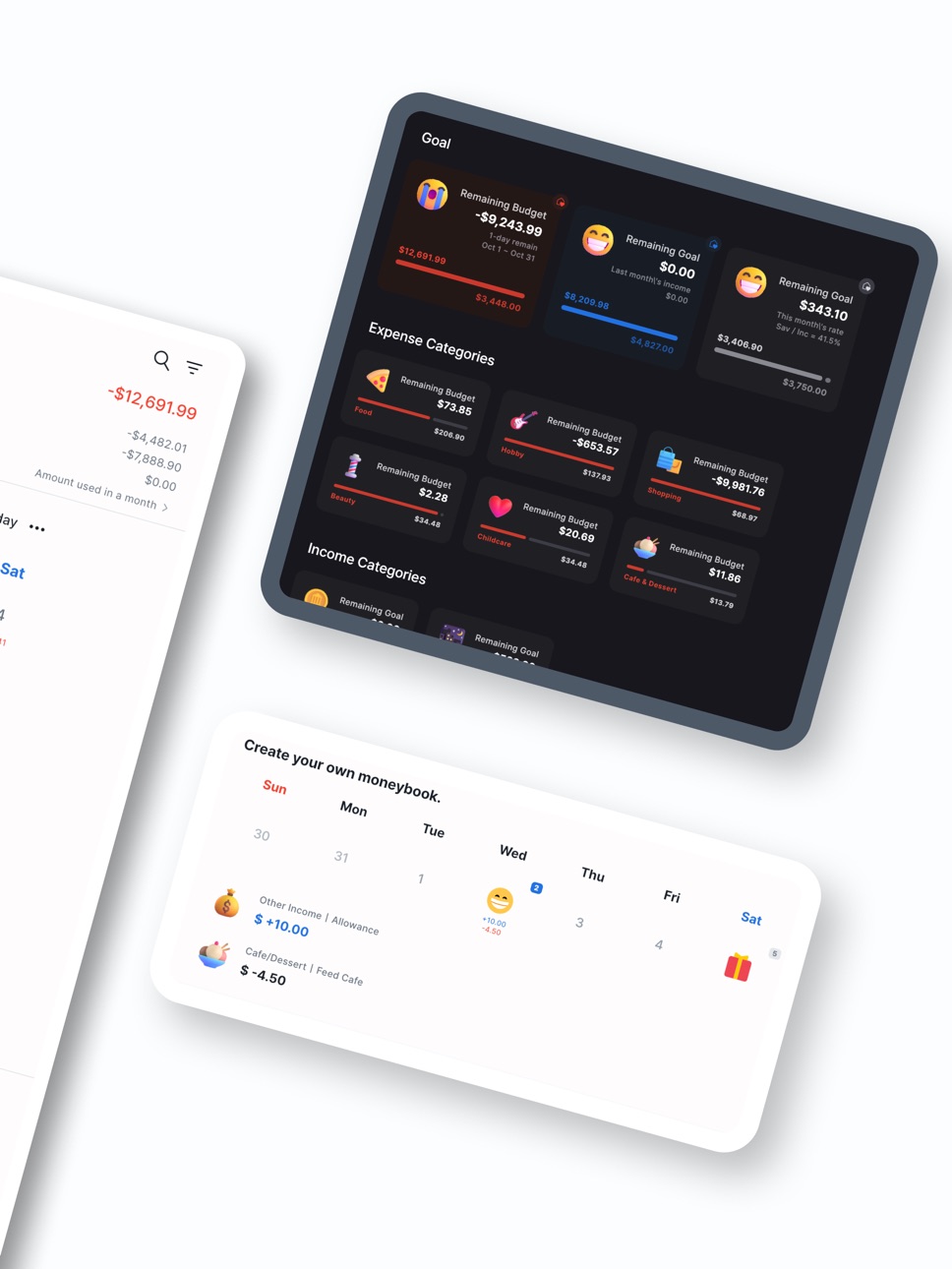
● Theme Function to Create Your Own Cute MoneyBook
· You can customize the colors, backgrounds, and emojis to your liking.
· Use various icons to create a cute MoneyBook.
· You can also register your own icons by using the gallery or taking photos.
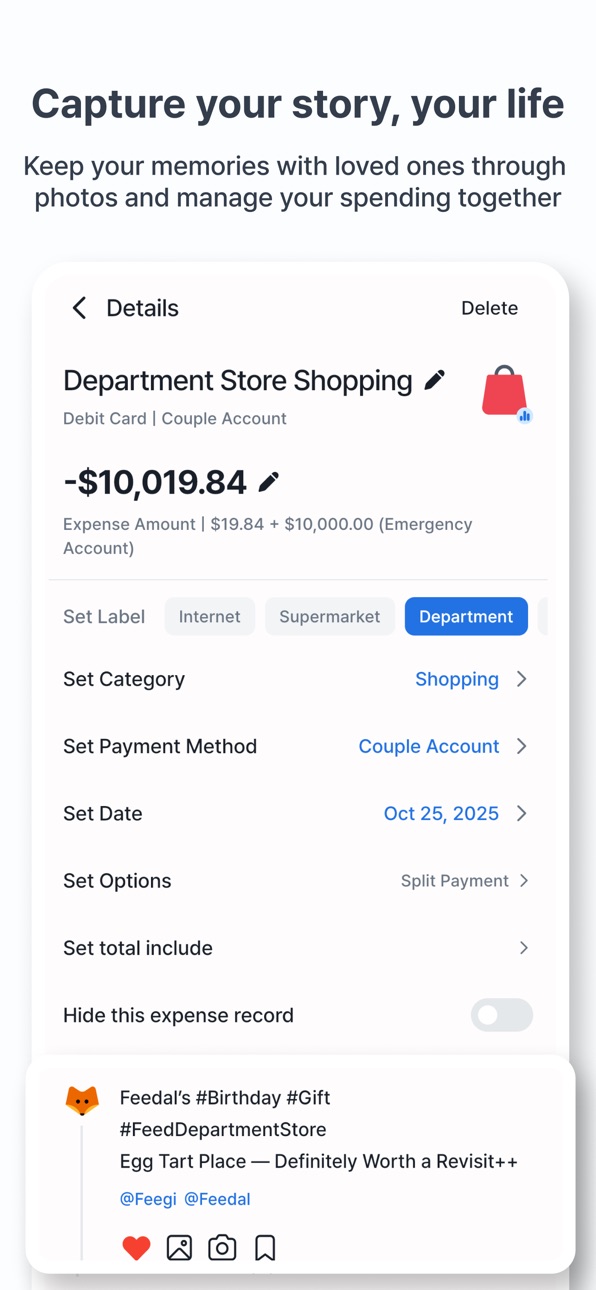
● A feed screen where you can reminisce about your MoneyBook entries
· Customize your income, expenses, and savings entries in your personal feed.
· Record who you were with and follow them to see everything at a glance.
· You can register up to three photos per MoneyBook entry.
· View only the entries with registered photos in a separate collection.
· If you add notes or hashtags, you can also view them in the feed.
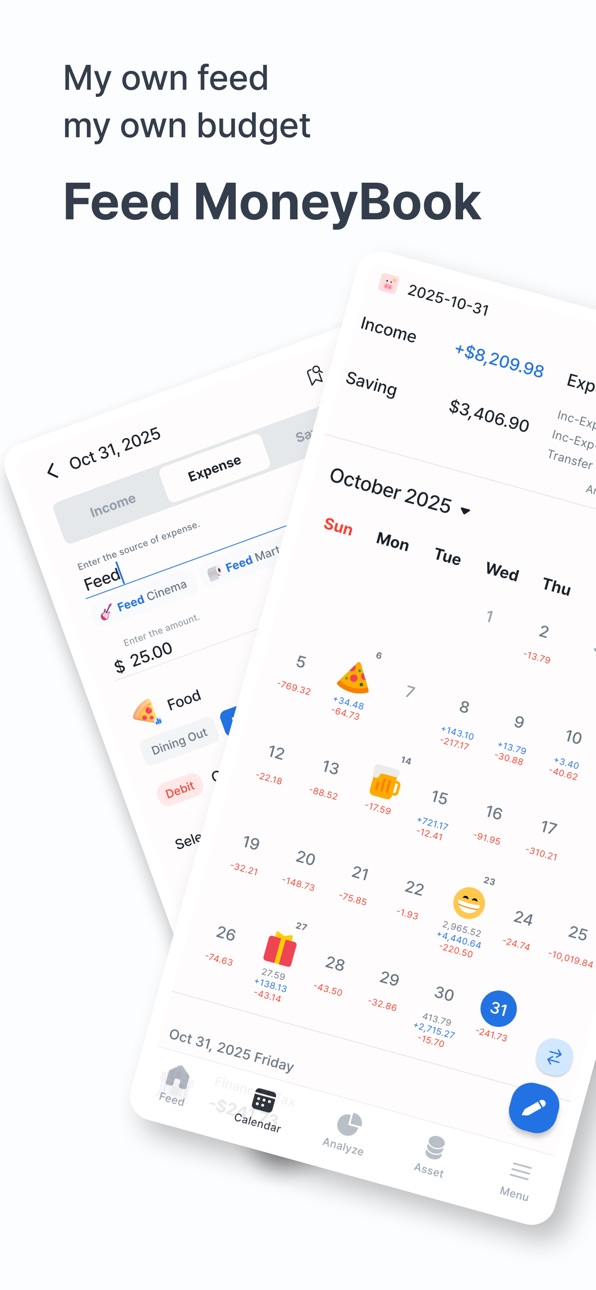
● A Clean but Powerful Calendar Screen
· View a clear summary of your entries for the entire month or just for a selected date.
· Select a range to see the entries and totals for that period.
· Use the filter function to view only the entries you want.
· Quickly search using tags or places of use.
● Easy-to-Use Entry Screen
· Quickly enter income, expenses, and savings with auto-focus.
· Easily input previous entries with the autocomplete feature.
· Register entries not only in the default currency but also in foreign currencies.
· Leave complex calculations to the handy calculator
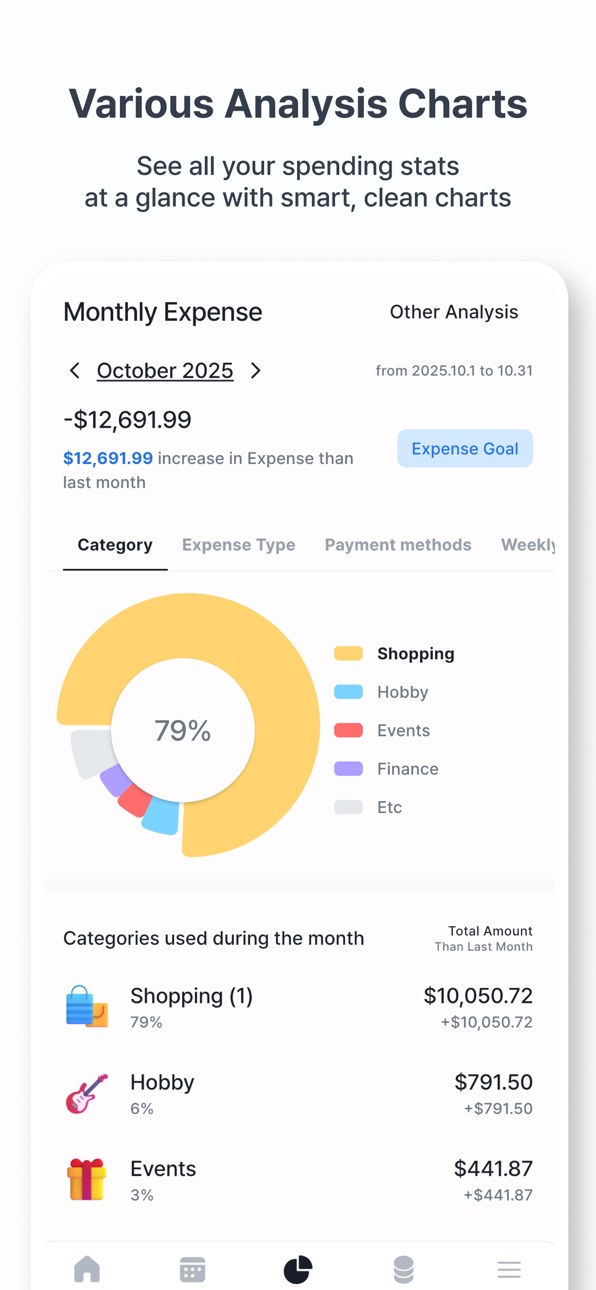
● Analysis Screen to Check Your Status from All Angles
· Analyze your data easily and enjoyably with various charts.
· View detailed analyses of your income, expenses, and savings entries.
· Compare income/expenses, income/savings, and expenses/savings side by side.
· Choose to view weekly, monthly, or yearly analyses.
· We also provide analysis for foreign currency entries.
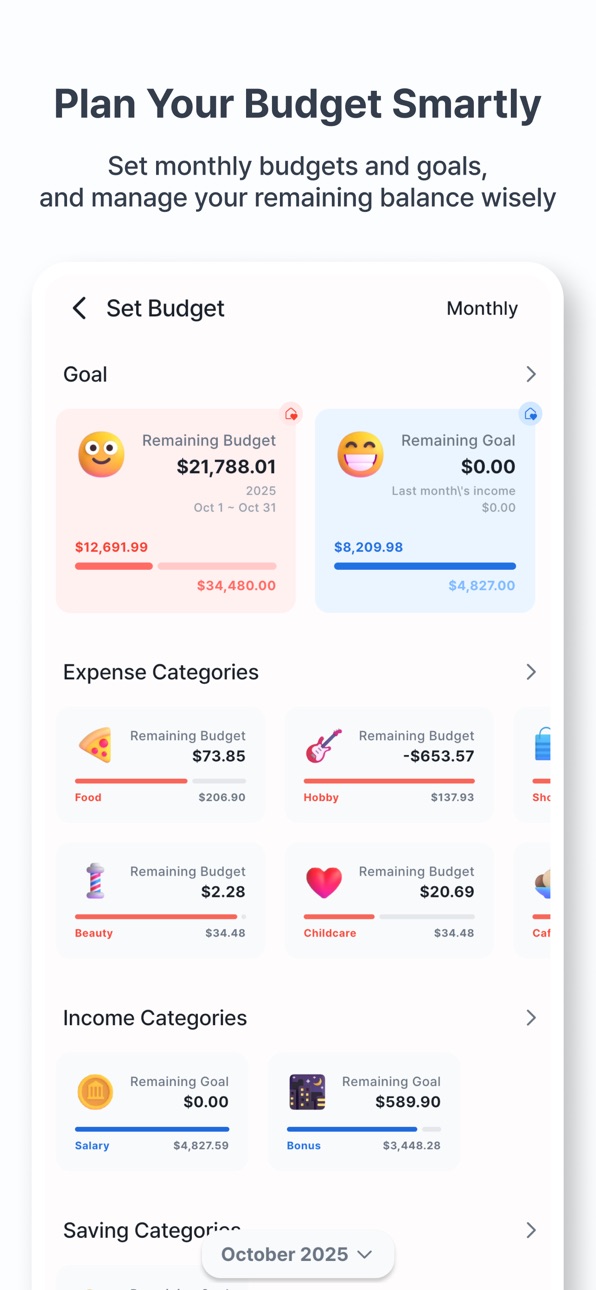
· Set target amounts to increase your income/savings and reduce your expenses.
● Menu Screen for Managing Your Data
· Manage categories, payment methods, and the people you were with.
· Change the app to various languages, with more languages to be supported in the future.
· Change the app's default currency; any other currency will be recognized as foreign.
· Easily back up and restore your data via email or file.
· Reset your data to its original state.
● And Many More Features
· You can navigate to the detailed screen from anywhere to edit your entries. Changes are reflected in real time.
· Landscape mode is supported, and we are continuously improving to support various form factors.
· The app is designed to work smoothly even when the screen is zoomed in for users with low vision.
· You can use the app without a network connection. Network usage is only for Firebase analytics and displaying ads in the free version.
* Developer's Tip: If ads are bothersome, try using the app without a network connection. If that's still inconvenient, consider upgrading to the paid version.
● Additional Information
· There is no server for the Feed MoneyBook. All data is stored solely in the app, and it will be deleted if you uninstall the app.
· To optimize storage space, photos imported from the gallery are not stored in the app. If you delete them from the gallery, they will no longer be visible in the app.
· Feed MoneyBook does not require any personal information.
● Paid Version
· The paid version is ad-free.
· Exclusive features will be added to the paid version in the future.
● Permissions
[Required Permissions]
· None
[Optional Permissions]
· Camera: Needed to take and register photos or icons.
Accessibility
ipadiphonemacrealityDevicetvoswatch
Version history 8 versions
Build 884958313v1.4.12026-04-27 22:17:05
App lock is now available!
· Authenticate with PIN, pattern, or biometrics.
· Register password or security questions for recovery if the PIN is lost.
· Set lock timing.
· Lock data is encrypted and stored only on the device. Without a backup method, recovery may be difficult.
Fixed an issue where some card messages were registered in an abnormal format.
Build 883915335v1.4.02026-03-30 20:16:15
New features for repeat entries.
· View registered and scheduled entries.
· Bulk edit repeat entries.
· Edit repeat period and timing.
· Quickly create repeats from existing entries.
[Menu > App Settings] added.
· Show entry time.
· Toggle memo display.
Hidden entries can be included in totals.
Search with #tags when adding entries.
Build 882723118v1.3.92026-02-24 06:58:27
Foreign currency asset support added.
· Currency can be changed in the asset management screen.
· Foreign currency entries can be added in transfers and balance adjustments.
· Exchange rate support will be added later.
Transfers can now be added to recurring data.
Multiple delete, mark as read, and mark all as read options added in Messages/Notifications.
A clear-all button added to the merchant input field.
Build 882694124v1.3.82026-02-23 21:12:08
Foreign currency asset support added.
· Currency can be changed in the asset management screen.
· Foreign currency entries can be added in transfers and balance adjustments.
· Exchange rate support will be added later.
Transfers can now be added to recurring data.
Multiple delete, mark as read, and mark all as read options added in Messages/Notifications.
A clear-all button added to the merchant input field.
Build 881087010v1.3.72025-12-30 09:55:12
New features have been added to the Assets screen.
· Filter deposits, withdrawals, and points by payment method.
· Add notes to each asset to record important details or purposes.
Notifications are now available on iPhone.
· Set a reminder time to regularly record entries.
· Get notified on scheduled dates for ledger entries or credit card payment days.
Some bugs have been fixed.
· Fixed an issue where cloud restore did not work properly.
· Fixed an issue where bracket patterns were not recognized correctly in messages and notifications.
Build 880020078v1.3.62025-11-24 00:22:14
· Label totals for category sublabels are now available in the Analyze screen. Long-press a category to view totals by label.
· Fixed an issue where data restore did not work properly.
· Fixed an issue where SMS/notifications were recognized twice.
Build 879615549v1.3.52025-11-10 04:17:37
Feed MoneyBook is now available on the App Store!
· Added daily analysis to the analysis screen.
· Added daily budget to the budget screen.
· Label order can now be changed in the category edit screen.
· Increased the maximum number of labels to 10.
· Added option to reset photos only in the reset screen.
Bug fixes:
· Fixed issue where monthly repeats on the last day did not work properly.
· Fixed issue where amounts were not detected when messages or notifications contained line breaks.
Build 878178940v1.3.42025-11-07 17:18:04
No pricing data captured yet — comparisons appear once the app has paid storefronts or in-app purchases.
Availability 9 of 10 storefronts
| Region | Language | Price | Ratings | Avg | Version |
|---|---|---|---|---|---|
 AU AU | en-AU | Free | 0 | — | 1.4.1 |
 CA CA | en-CA | Free | 0 | — | 1.4.1 |
 DE DE | de-DE | Free | 0 | — | 1.4.1 |
 ES ES | es-ES | Free | 0 | — | 1.4.1 |
 GB GB | en-GB | Free | 0 | — | 1.4.1 |
 IE IE | en-GB | Free | 0 | — | 1.4.1 |
 IT IT | it | Free | 0 | — | 1.4.1 |
 NZ NZ | en-AU | Free | 0 | — | 1.4.1 |
 US US | en-US | Free | 0 | — | 1.4.1 |
Not available in: FR
Change log 12 changes · US
✎
releaseNotes updated
App lock is now available!
· Authenticate with PIN, pattern, or biometrics.
· Register password or security questions for recovery if the PIN is lost.
· Set loc
✎
description updated
● Theme Function to Create Your Own Cute MoneyBook
· You can customize the colors, backgrounds, and emojis to your liking.
· Use various icons to create a cute
✎
subtitle updated
My own feed, my own budget
✎
name updated
Feed MoneyBook
◆
Version 1.4.1 released
App lock is now available!
· Authenticate with PIN, pattern, or biometrics.
· Register password or security questions for recovery if the PIN is lost.
· Set lock timing.
· Lock data is encrypted and stored only on the device. Without a back
◆
Version 1.4.0 released
New features for repeat entries.
· View registered and scheduled entries.
· Bulk edit repeat entries.
· Edit repeat period and timing.
· Quickly create repeats from existing entries.
[Menu > App Settings] added.
· Show entry time.
· Toggle
◆
Version 1.3.9 released
Foreign currency asset support added.
· Currency can be changed in the asset management screen.
· Foreign currency entries can be added in transfers and balance adjustments.
· Exchange rate support will be added later.
Transfers can now be
◆
Version 1.3.8 released
Foreign currency asset support added.
· Currency can be changed in the asset management screen.
· Foreign currency entries can be added in transfers and balance adjustments.
· Exchange rate support will be added later.
Transfers can now be
◆
Version 1.3.7 released
New features have been added to the Assets screen.
· Filter deposits, withdrawals, and points by payment method.
· Add notes to each asset to record important details or purposes.
Notifications are now available on iPhone.
· Set a reminder
◆
Version 1.3.6 released
· Label totals for category sublabels are now available in the Analyze screen. Long-press a category to view totals by label.
· Fixed an issue where data restore did not work properly.
· Fixed an issue where SMS/notifications were recognize
◆
Version 1.3.5 released
Feed MoneyBook is now available on the App Store!
· Added daily analysis to the analysis screen.
· Added daily budget to the budget screen.
· Label order can now be changed in the category edit screen.
· Increased the maximum number of lab
◆
Version 1.3.4 released