Home › Graphics & Design

 US
US
1 of 1 storefronts
Content in en-US
Content in en-US
Information
Preview 2 platforms
iPhone 5 images


iPad 5 images


What’s New Version 1.60
Now add photos of your finished artwork and view them in your personal gallery.
Description
Artists Reference is made for painters, illustrators, and traditional artists who work with real materials, not pixels. It gives you the digital reference tools you need while you're creating physical art.
Key Features
- Gallery: Take a photo of your finished work, add a frame, and view them all together in your personal gallery.
- Value Study Mode: Instantly view your reference in 7-value scale to see shadows and highlights or greyscale to see tone and contrast clearly.
- Gridlines: Helps get your under-sketch down accurately.
- Side-by-Side View: Compare your reference and your canvas at the same time, optimized for tablets and stands.
- Crop and Frame Tools: Adjust composition and aspect ratio of your reference to match your canvas before you begin.
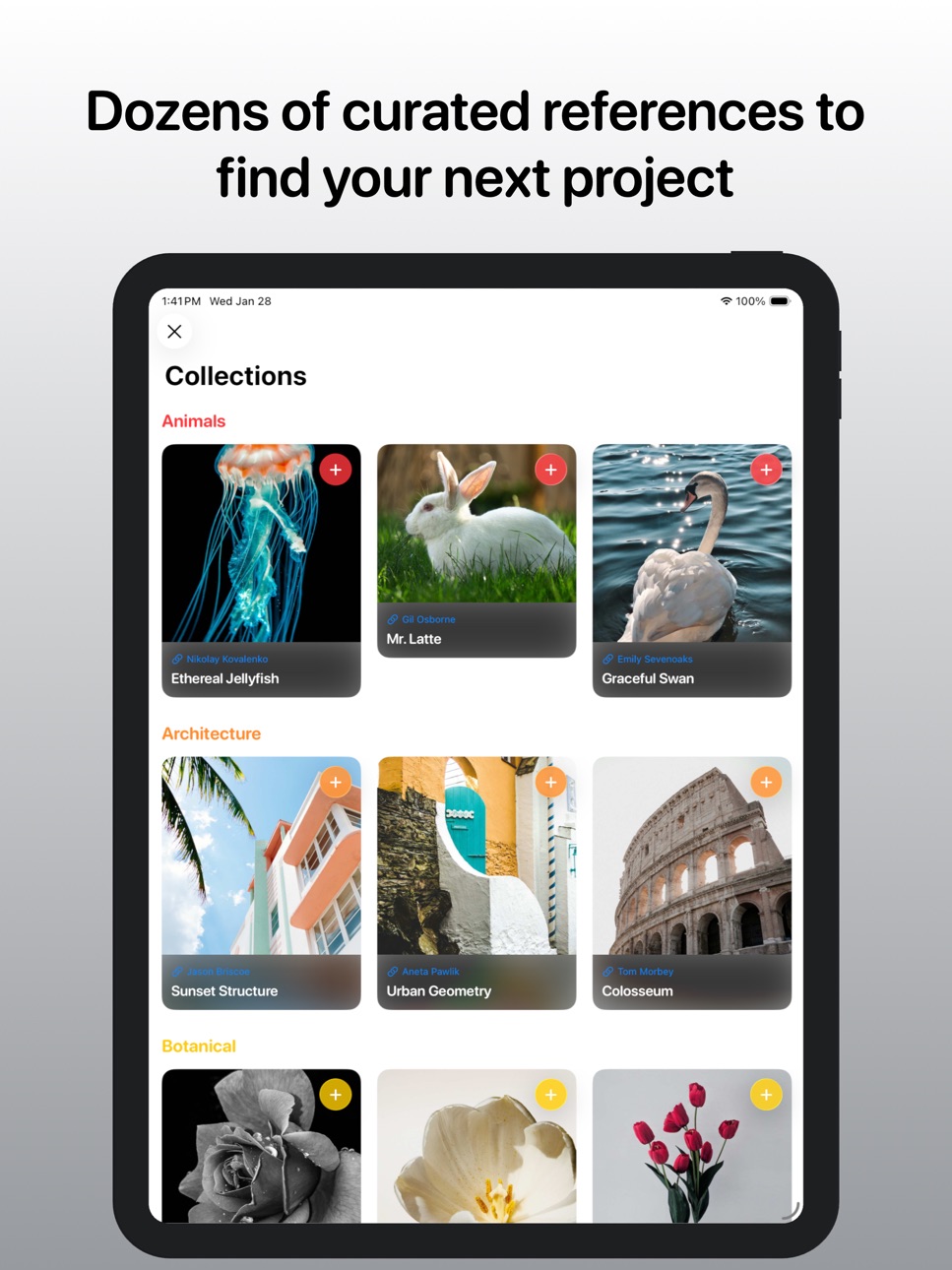
- Collections: Curated starter projects to help you practice and improve, including Animals, Architecture, Botanical, Figure, Landscape, Master Study, Portrait, and Still Life.
- Color harmonies: Experiment with color harmonies to define the feeling if your piece and save swatches
- Offline Friendly: Works anywhere, even in the studio or outdoors.
- Clean, Focused Design: No ads. No clutter. Just the reference tools you need.
- All of your artwork is private and only saved in your personal icloud. No artwork is visble to the internet or AI models
Made for Traditional Artists
Whether you're painting with oils, gouache, watercolor, or charcoal, Artists Reference helps you translate what you see into confident compositions and balanced values. Start with curated Collections to build your skills, or bring your own references for any project.
No AI art is used for any of the starter project references in this app. All photos are attributed to the original artists with links to their portfolio.
In-App Purchases US pricing
One-Time Purchases
Lifetime Full Access$14.99
Capabilities
In-App Purchases
Accessibility
ipadiphonemacrealityDevicetvoswatch
Version history 16 versions
Build 885056555v1.602026-05-28 14:40:41
Now add photos of your finished artwork and view them in your personal gallery.
Build 884023894v1.542026-04-20 08:57:16
Refined some small branding things like screenshots and name.
Build 883197072v1.532026-04-01 04:54:45
New collection for "skulls"
Fixed an issue where rotating the device within a project, closed the project
Build 882385826v1.522026-02-14 01:25:16
Added a new color harmonies tool in the secondary reference panel.
Build 882093253v1.512026-02-03 12:56:30
Added starter projects under a new “Collections” feature, including:
- Animals
- Architecture
- Botanical
- Figure
- Landscape
- Master Study
- Portrait
- Skill Life
Appending to the last update, added the ability to redeem offer codes from the paywall screen.
Build 881468320v1.502026-02-02 06:53:25
Added starter projects under a new “Collections” feature, including:
- Animals
- Architecture
- Botanical
- Figure
- Landscape
- Master Study
- Portrait
- Skill Life
Build 881263159v1.432026-01-13 07:08:20
Completely rewrote the cloud sync to fix issue where projects only synced per device but did not sync across devices using the same iCloud Account. Removed image cropping due to remaining sync issues while I troubleshoot and fix in the next few versions.
Build 881080253v1.422026-01-04 01:28:21
- Added onboarding flow
- Added activity stats to settings
- New app icon options (paid)
- Reached feature completion to add IAP to create more than 3 projects
Build 880873511v1.412025-12-26 02:26:54
- Added onboarding flow
- Added activity stats to settings
- New app icon options (paid)
- Reached feature completion to add IAP to create more than 3 projects
Build 880451340v1.402025-12-20 11:53:23
- Added onboarding flow
- Added activity stats to settings
- New app icon options (paid)
- Reached feature completion to add IAP to create more than 3 projects
Build 880219940v1.312025-12-07 22:12:08
- Added color mixing matrix and explaination to secondary reference
- Moved the close button to the top left to match iOS best practice
- Cleaned up filters to remove options that returned low quality results
Build 880084913v1.302025-11-29 01:32:42
- Language localization to Chinese, Japanese, Spanish, German, French, and Italian.
- Fixed bug where grid colors were not readable.
- Fixed bug where app would crash when opening exampl app.
- Added feedback button to email
Build 879910440v1.212025-11-24 21:38:35
- Fixed sync issues
- Clarify what reference is the button is adding (primary or secondary)
- Added numbers to the grid
- New UI when no project is open on iPad
- Consistent close button styles
Build 879439728v1.22025-11-19 12:42:36
- Added the ability to search for reference photos
- Added more value scale options
- Changed value scale colors to greyscale
- More crisp value scale break points
Build 878898668v1.12025-10-31 22:21:20
- Added settings > choose new app icon
- Added settings > choose light or dark appearance
- Fixed typos in app store screenshots
- Added ability to open value study in full screen
- Full screen modal is not zoomable
Build 878140161v1.02025-10-12 09:41:01
Price history by region
Currency
Show
Columns
Search
Availability 1 of 1 storefronts
| Region | Language | Price | Ratings | Avg | Version |
|---|---|---|---|---|---|
| US | en-US | Free | 3 | 4.7 | 1.60 |
Change log 20 changes · US
✎
releaseNotes updated
Now add photos of your finished artwork and view them in your personal gallery.
✎
description updated
Artists Reference is made for painters, illustrators, and traditional artists who work with real materials, not pixels. It gives you the digital reference tools
✎
subtitle updated
Grid, Values, & Color Harmony
✎
name updated
Art Reference
◆
Version 1.60 released
Now add photos of your finished artwork and view them in your personal gallery.
◆
Version 1.54 released
Refined some small branding things like screenshots and name.
◆
Version 1.53 released
New collection for "skulls"
Fixed an issue where rotating the device within a project, closed the project
◆
Version 1.52 released
Added a new color harmonies tool in the secondary reference panel.
◆
Version 1.51 released
Added starter projects under a new “Collections” feature, including:
- Animals
- Architecture
- Botanical
- Figure
- Landscape
- Master Study
- Portrait
- Skill Life
Appending to the last update, added the ability to redeem offer codes fro
◆
Version 1.50 released
Added starter projects under a new “Collections” feature, including:
- Animals
- Architecture
- Botanical
- Figure
- Landscape
- Master Study
- Portrait
- Skill Life
◆
Version 1.43 released
Completely rewrote the cloud sync to fix issue where projects only synced per device but did not sync across devices using the same iCloud Account. Removed image cropping due to remaining sync issues while I troubleshoot and fix in the next
◆
Version 1.42 released
- Added onboarding flow
- Added activity stats to settings
- New app icon options (paid)
- Reached feature completion to add IAP to create more than 3 projects
◆
Version 1.41 released
- Added onboarding flow
- Added activity stats to settings
- New app icon options (paid)
- Reached feature completion to add IAP to create more than 3 projects
◆
Version 1.40 released
- Added onboarding flow
- Added activity stats to settings
- New app icon options (paid)
- Reached feature completion to add IAP to create more than 3 projects
◆
Version 1.31 released
- Added color mixing matrix and explaination to secondary reference
- Moved the close button to the top left to match iOS best practice
- Cleaned up filters to remove options that returned low quality results
◆
Version 1.30 released
- Language localization to Chinese, Japanese, Spanish, German, French, and Italian.
- Fixed bug where grid colors were not readable.
- Fixed bug where app would crash when opening exampl app.
- Added feedback button to email
◆
Version 1.21 released
- Fixed sync issues
- Clarify what reference is the button is adding (primary or secondary)
- Added numbers to the grid
- New UI when no project is open on iPad
- Consistent close button styles
◆
Version 1.2 released
- Added the ability to search for reference photos
- Added more value scale options
- Changed value scale colors to greyscale
- More crisp value scale break points
◆
Version 1.1 released
- Added settings > choose new app icon
- Added settings > choose light or dark appearance
- Fixed typos in app store screenshots
- Added ability to open value study in full screen
- Full screen modal is not zoomable
◆
Version 1.0 released