Home › Developer Tools

 US
US
1 of 1 storefronts
Content in en-US
Content in en-US
Information
Preview 3 platforms
iPhone 4 images



iPad 4 images


Mac 4 images


What’s New Version 1.8
1. redesigned the user interface to adapt to iPhone devices
2. bug fix
Description
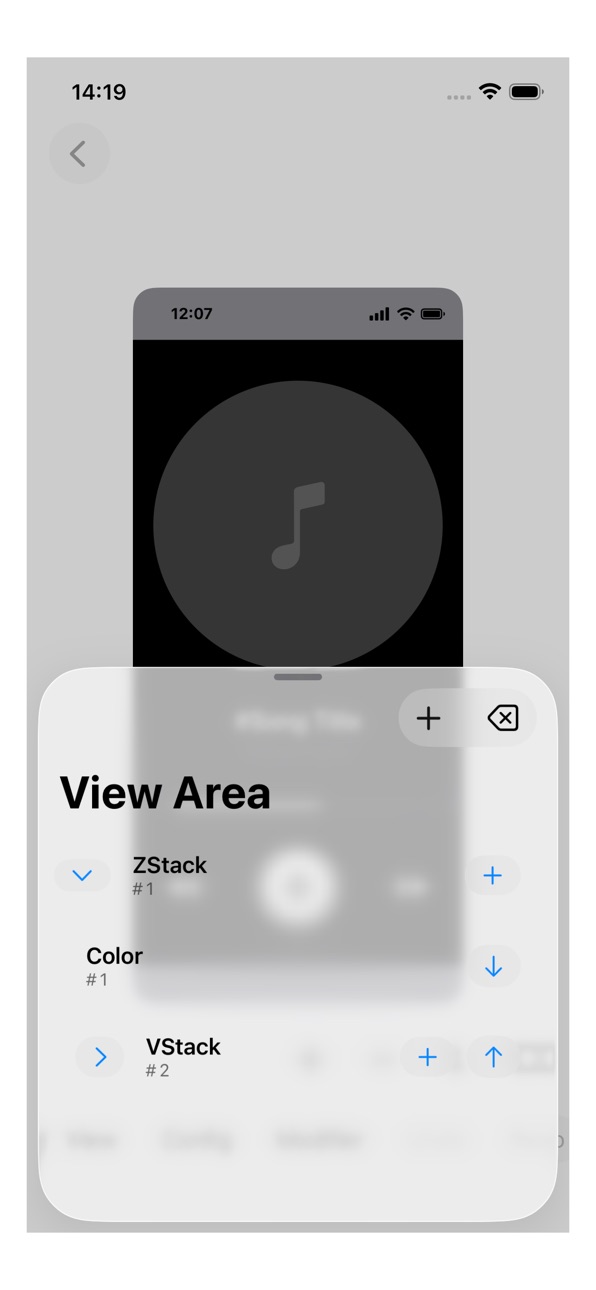
DesignToCode is a powerful yet lightweight ipadOS app for SwiftUI interface design. It helps you build user interfaces visually while following the exact logic of Apple’s SwiftUI framework. With its clear editor, you can add Views, adjust Modifiers, and preview layouts in real time—ideal for developers, designers, and anyone learning SwiftUI.
Key Features:
- SwiftUI View Support – Create layouts with VStack, HStack, ZStack, Text, Shape (Circle, Rectangle, RoundedRectangle, Capsule, Ellipse), Color, GlassEffectContainer and Spacer.
- Modifier Control – Apply Frame, FixedSize, ForegroundStyle, Background, Mask, Overlay, Font, and more—just like you would in SwiftUI code.
- Instant Preview – See your interface update immediately after each change. Perfect for experimenting with layout, color, and typography.
- SwiftUI Code Generator – Copy the SwiftUI code of your design directly to the clipboard. Save time by skipping the manual step of translating design ideas into code.
- Supports Liquid Glass - compatible with iOS 26.
For macOS Developers – Whether you’re prototyping, teaching, or building production-ready apps, DesignToCode accelerates your SwiftUI workflow.
I created DesignToCode for my own daily development work, and I use it constantly. More Views, Modifiers, and advanced tools will be added in future updates.
If you’re looking for a SwiftUI visual editor, an interface builder for ipadOS, or a fast way to generate SwiftUI code, DesignToCode will help you design and develop apps more efficiently.
Accessibility
ipadiphonemacrealityDevicetvoswatch
Version history 3 versions
Build 883691922v1.82026-03-24 21:29:01
1. redesigned the user interface to adapt to iPhone devices
2. bug fix
Build 883006449v1.72026-03-04 17:12:38
1. UI Fix.
2. Add Tips.
Build 878431935v1.22025-09-28 08:24:14
No pricing data captured yet — comparisons appear once the app has paid storefronts or in-app purchases.
Availability 1 of 1 storefronts
| Region | Language | Price | Ratings | Avg | Version |
|---|---|---|---|---|---|
| US | en-US | Free | 2 | 2.5 | 1.8 |
Change log 7 changes · US
✎
releaseNotes updated
1. redesigned the user interface to adapt to iPhone devices
2. bug fix
✎
description updated
DesignToCode is a powerful yet lightweight ipadOS app for SwiftUI interface design. It helps you build user interfaces visually while following the exact logic
✎
subtitle updated
Visual Mobile Interface Design
✎
name updated
DesignToCode for SwiftUI
◆
Version 1.8 released
1. redesigned the user interface to adapt to iPhone devices
2. bug fix
◆
Version 1.7 released
1. UI Fix.
2. Add Tips.
◆
Version 1.2 released