Home › Productivity

 US
US
1 of 1 storefronts
Content in en-US
Content in en-US
Information
Preview 1 platform
iPhone 5 images



What’s New Version 1.2
- Smarter writing flow: Autocomplete behaves again, so your ideas stay focused on what you meant to say.
- Save it your way: A new Save pill keeps edits at your fingertips, while background autosave quietly protects every tweak.
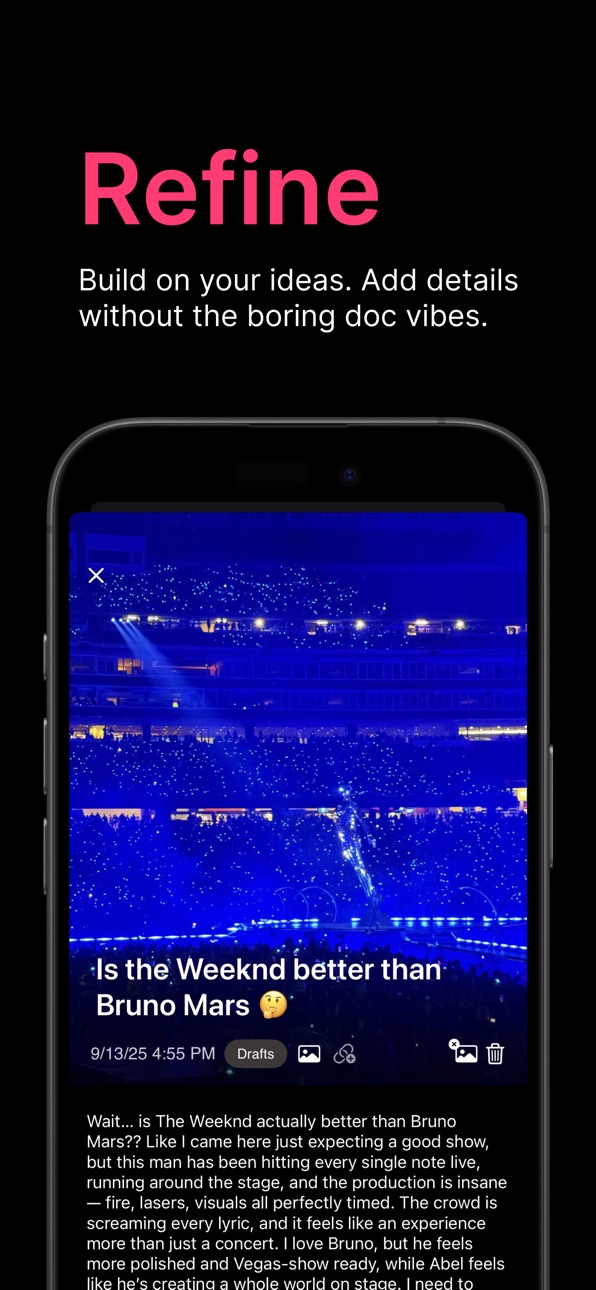
- Sharpened idea view: Media still shines, but descriptions get more breathing room and a larger type size for easier reading.
- Power tools for collectors: The library’s new Select mode lets you batch delete or recategorize notes in one smooth sweep.
Description
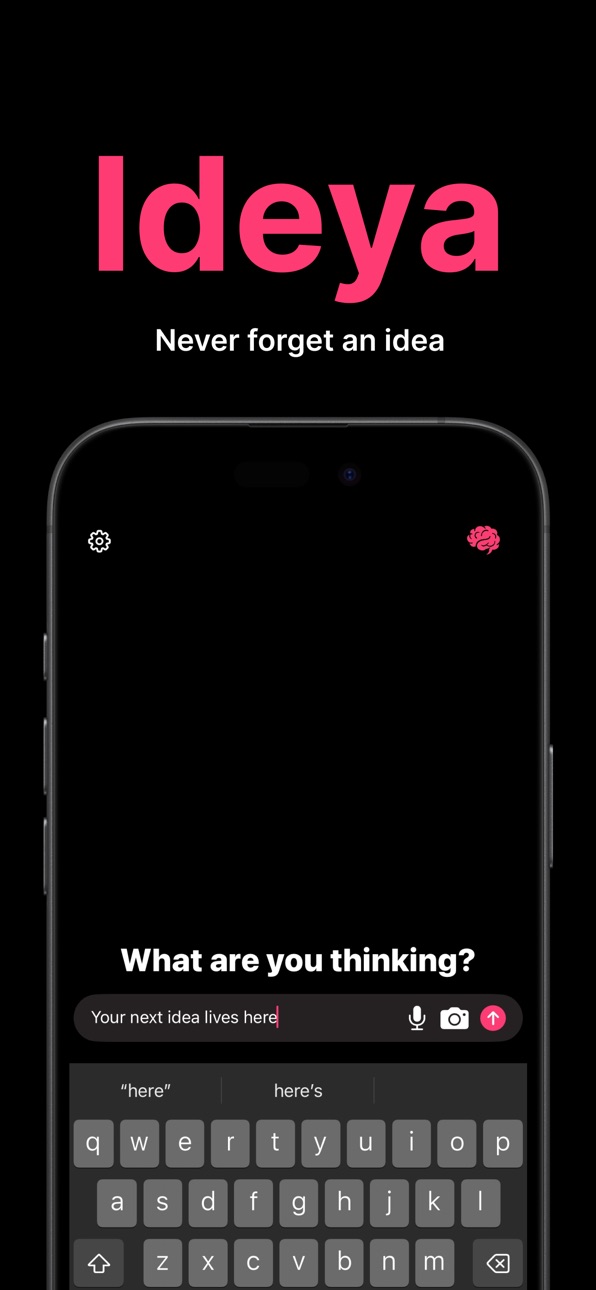
Ideya – Capture Ideas Instantly
Transform fleeting thoughts into organized brilliance with the fastest idea capture app on iOS.
Effortless Multi-Modal Capture
Capture ideas exactly how they come to you: snap a photo, record a voice memo, or jot down a quick note. Ideya’s lightning-fast interface ensures you never lose another brilliant thought — whether you’re brainstorming in a meeting, walking down the street, or lying in bed with midnight inspiration.
Visual Organization That Works
Organize your creativity with Ideya’s intuitive grid system. Browse ideas as beautiful cards in a grid layout and create custom spaces for different projects — from work to personal goals.
Lightning-Fast Performance
Built offline-first for speed and reliability. No internet required, no sync delays, no loading screens. Every idea is private and instantly accessible.
Smart Content Management
- Camera integration: instantly capture inspiration, whiteboards, or sketches
- Voice memos: record high-quality audio on the go
- Category organization: group ideas into spaces like “Work Projects,” “Creative Writing,” or “Personal Goals”
Local-First Design
Your ideas stay yours. Everything is stored locally on your device.
Professional Productivity Features
Perfect for entrepreneurs, writers, designers, students, and creators. Create unlimited spaces to separate work from personal projects in a clean, distraction-free interface.
Seamless Editing Experience
Expand on raw thoughts, add context, or combine related ideas in a beautiful full-screen editor that helps you turn sparks of inspiration into actionable plans.
Key Features
- Multi-modal capture: camera, voice, and text
- Visual organization: grid layout with custom spaces
- Offline-first: no internet required
- Lightning-fast: sub-second launch and capture
- Clean design: distraction-free interface
- Cross-project organization: separate spaces for every area of life
Perfect For
- Entrepreneurs capturing business opportunities
- Writers collecting story concepts and inspiration
- Designers saving visual references and creative concepts
- Students organizing research and study notes
- Content Creators capturing content ideas and workshopping them
- Professionals managing work concepts and innovations
- Anyone who wants to never lose another great idea
Upgrade to Founder’s Edition - $6.99/month auto-renewing
Unlock unlimited cards and spaces with Founder’s Edition. Support ongoing development while accessing premium features built for power users.
Download Ideya today and never lose another brilliant idea.
Terms of Service: https://ideya.app/terms-of-service
Privacy Policy: https://ideya.app/privacy-policy
In-App Purchases US pricing
Ideya Subscriptions Subscription
Founder's Edition · Monthly$6.99
Capabilities
In-App Purchases
Accessibility
ipadiphonemacrealityDevicetvoswatch
Version history 3 versions
Build 879068773v1.22025-10-21 06:30:21
- Smarter writing flow: Autocomplete behaves again, so your ideas stay focused on what you meant to say.
- Save it your way: A new Save pill keeps edits at your fingertips, while background autosave quietly protects every tweak.
- Sharpened idea view: Media still shines, but descriptions get more breathing room and a larger type size for easier reading.
- Power tools for collectors: The library’s new Select mode lets you batch delete or recategorize notes in one smooth sweep.
Build 879007133v1.12025-10-17 18:39:58
- Built rich list editing: dash/number/“!” triggers now render bullets, numbered steps, and todos with proper formatting, auto-balancing the sequence when items are
inserted or removed, and keeping the cursor positioned while typing.
- Added hyperlink intelligence: the editor detects URLs, styles them with Ideya pink, and preserves link metadata so tapping opens the target instantly.
- Introduced smart capture from the input bar: on send we parse plain text, detect lists, links, and voice transcriptions, then auto-fill title and description per the
30‑character rules—short notes stay as titles, longer copy drops into descriptions, lists get rich formatting, and link-only posts generate friendly titles.
Build 877987243v1.02025-09-23 19:58:28
Price history by region
Currency
Show
Columns
Search
Availability 1 of 1 storefronts
| Region | Language | Price | Ratings | Avg | Version |
|---|---|---|---|---|---|
| US | en-US | Free | 18 | 4.6 | 1.2 |
Change log 7 changes · US
✎
releaseNotes updated
- Smarter writing flow: Autocomplete behaves again, so your ideas stay focused on what you meant to say.
- Save it your way: A new Save pill keeps edits at your
✎
description updated
Ideya – Capture Ideas Instantly
Transform fleeting thoughts into organized brilliance with the fastest idea capture app on iOS.
Effortless Multi-Modal Capture
✎
subtitle updated
Never lose an idea.
✎
name updated
Ideya.
◆
Version 1.2 released
- Smarter writing flow: Autocomplete behaves again, so your ideas stay focused on what you meant to say.
- Save it your way: A new Save pill keeps edits at your fingertips, while background autosave quietly protects every tweak.
- Sharpened
◆
Version 1.1 released
- Built rich list editing: dash/number/“!” triggers now render bullets, numbered steps, and todos with proper formatting, auto-balancing the sequence when items are
inserted or removed, and keeping the cursor positioned while typing.
- Ad
◆
Version 1.0 released