Home › Developer Tools

 US
US
1 of 1 storefronts
Content in en-US
Content in en-US
Information
Preview 3 platforms
iPhone 7 images


iPad 4 images

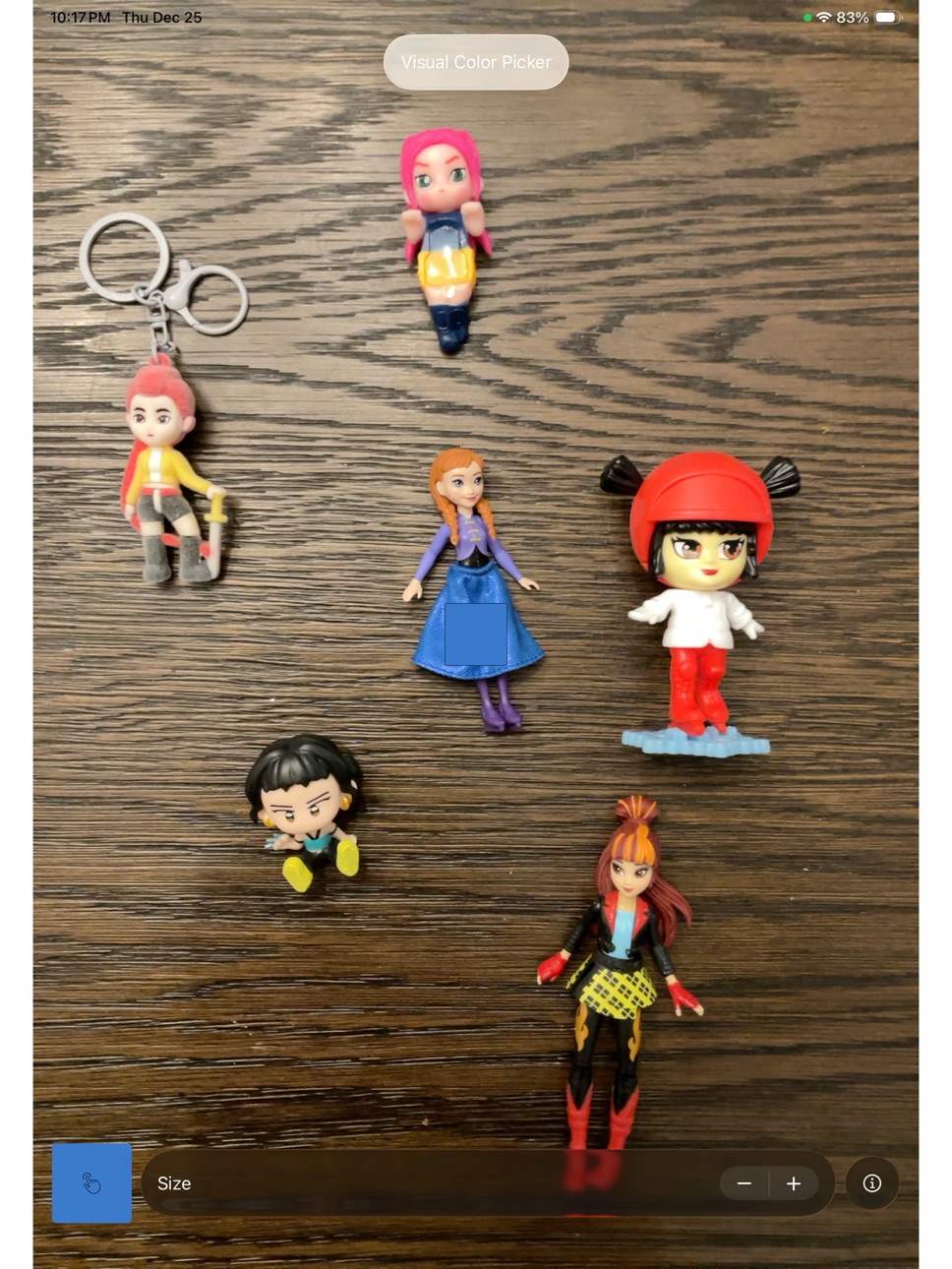


Mac 2 images


What’s New Version 3.1
Polished webpage and SVG generation
Description
AI Color Picker
Color palette tools are everywhere—but AI Color Picker is built differently.
Developed from the ground up using the latest AI and Apple-native technologies, AI Color Picker helps you generate professional, production-ready color palettes designed for modern creative and AI-driven workflows.
Whether you’re:
• designing a kitchen or interior space
• building a new brand or business idea
• crafting UI, product visuals, or marketing assets
• or simply exploring creativity through AI-assisted color prompting
this app gives you palettes that are intentional, consistent, and ready to use.
AI Color Picker isn’t just about picking colors—it’s about creating a foundation. Your palettes can be fed directly into downstream AI tools, no-code platforms, and design systems to maintain visual consistency across everything you build. From AI prompts to branding systems to exportable files, your colors stay coherent wherever they go.
In a world where branding and visual consistency matter more than ever, AI Color Picker gives your upstream AI the context it needs to stay on-brand.
Create once. Reuse everywhere. Design with confidence.
Accessibility
ipadiphonemacrealityDevicetvoswatch
Version history 6 versions
Build 881716042v3.12026-01-22 01:58:09
Polished webpage and SVG generation
Build 881399782v3.02026-01-12 13:58:25
More accessible palette generation options.
Build 881131253v2.22026-01-01 00:25:30
Larger font on landing page and pinch gesture installed to change color picker size / area.
Build 881104820v2.12025-12-31 04:54:03
Dark mode fix, slightly better UX on the picker.
Build 881009190v2.02025-12-30 13:16:18
What’s New
• New Visual Color Picker – Pick colors directly from images and live visuals with pixel-level accuracy
• Advanced Apple-Native Processing – Powered by Core Image + Metal for fast, GPU-accelerated pixel sampling
• Foundation Models Integration – Smarter color interpretation and intent-aware palette generation
• Liquid Glass UI – A refined, modern interface that feels responsive and immersive
• Performance & Stability Improvements – Faster rendering, smoother interactions, fewer bugs
Build 878148889v1.02025-11-19 08:39:15
No pricing data captured yet — comparisons appear once the app has paid storefronts or in-app purchases.
Availability 1 of 1 storefronts
| Region | Language | Price | Ratings | Avg | Version |
|---|---|---|---|---|---|
| US | en-US | Free | 0 | — | 3.1 |
Change log 10 changes · US
✎
releaseNotes updated
Polished webpage and SVG generation
✎
description updated
AI Color Picker
Color palette tools are everywhere—but AI Color Picker is built differently.
Developed from the ground up using the latest AI and Apple-native
✎
subtitle updated
A foundational pocket tool
✎
name updated
Color Palette Creator
◆
Version 3.1 released
Polished webpage and SVG generation
◆
Version 3.0 released
More accessible palette generation options.
◆
Version 2.2 released
Larger font on landing page and pinch gesture installed to change color picker size / area.
◆
Version 2.1 released
Dark mode fix, slightly better UX on the picker.
◆
Version 2.0 released
What’s New
• New Visual Color Picker – Pick colors directly from images and live visuals with pixel-level accuracy
• Advanced Apple-Native Processing – Powered by Core Image + Metal for fast, GPU-accelerated pixel sampling
• Foundation Mod
◆
Version 1.0 released