Home › Productivity

 US
US
1 of 1 storefronts
Content in en-US
Content in en-US
Information
Preview 2 platforms
iPhone 5 images


iPad 5 images



What’s New Version 2.4
- updated setup flow to address common issues of confusion
- made setup flow easier to read
- added iPad pictures
Description
Your phone, but boring on purpose.
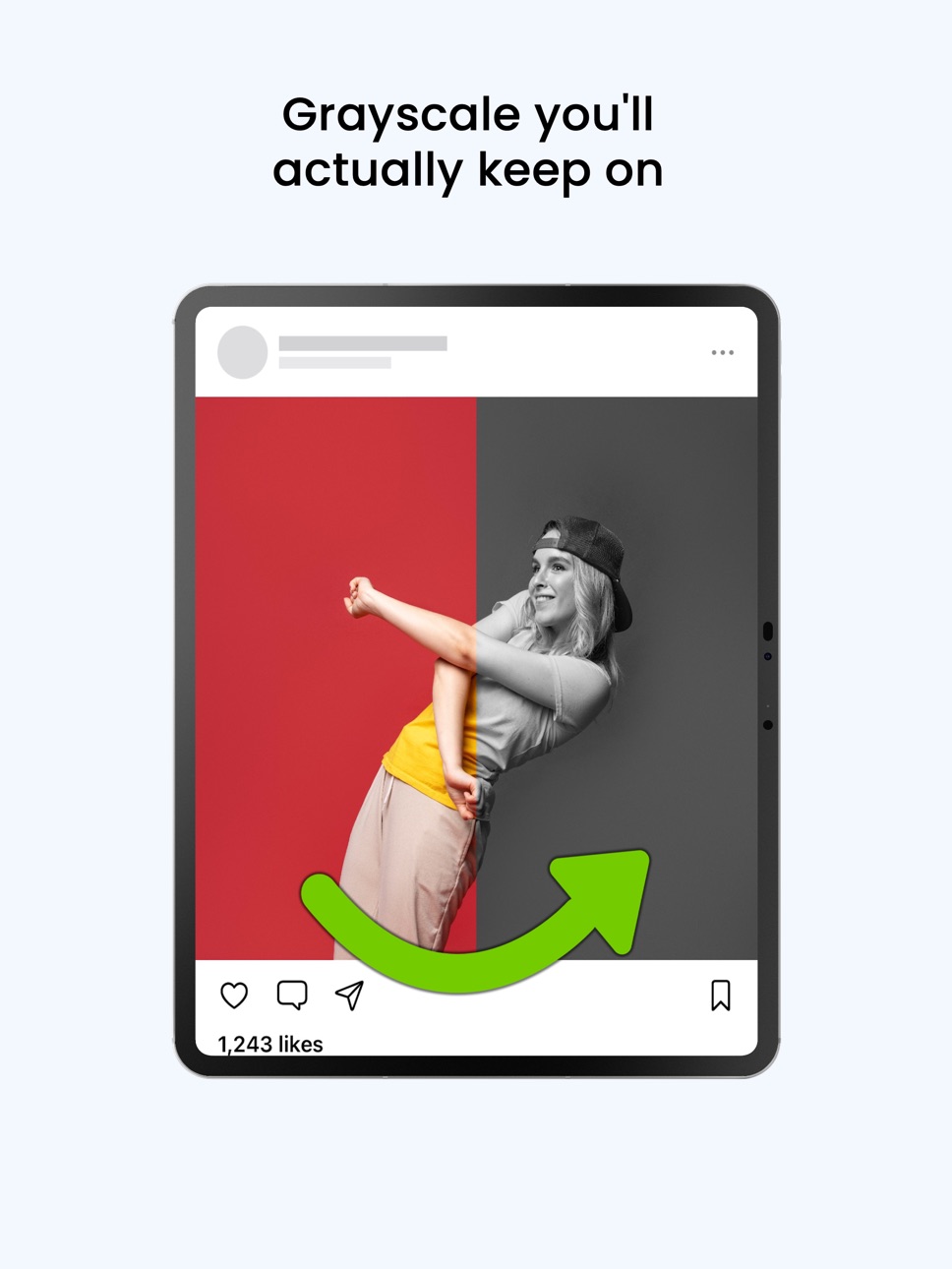
Friction Frog puts one slow breath between you and the apps that waste your day, then turns the addicting ones black & white so they're less stimulating. The blocking and grayscale are free forever.
-How it works-
Breathe before you scroll:
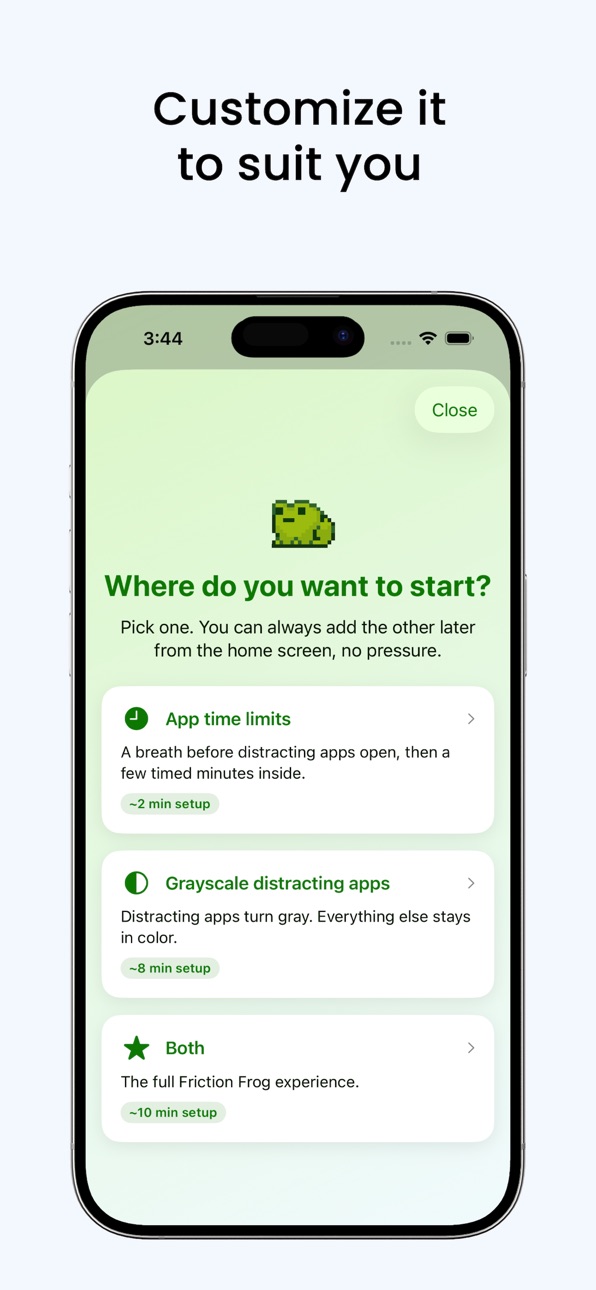
- Pick the apps you want to slow down (TikTok, Instagram, YouTube, etc.). Try to open one and Friction Frog asks you to pause for a short breathing exercise first. You get a few minutes, then it locks again. Just enough friction to break the autopilot.
Grayscale, your way:
Color is what makes the scroll so hard to put down. Friction Frog walks you through two setups:
- Whole phone in grayscale, with color exceptions for the apps you need (Photos, Camera, Maps).
- Or keep your phone in color and gray out only the addicting apps.
No more triple-tapping the side button and forgetting to switch it back.
Limits that fit you:
- Set your own time window per app, one app's "quick check" might be 1 minute, another's 30. You decide.
Why Friction Frog:
- Truly free. Multi-app blocking and every grayscale feature are free forever.
- Reliable. Built to just work, every time. No mystery failures, no easy bypasses.
- On your side. No ads, no exploitation. The business isn't built on keeping you hooked.
Built for:
- People trying to get better
Made by one person who had the same problem and used this system to fix it for himself (Hi. That's me, Will.).
Download the app, take a breath, and get a little of your day back.
Accessibility
ipadiphonemacrealityDevicetvoswatch
Version history 6 versions
Build 887818980v2.42026-07-06 10:14:40
- updated setup flow to address common issues of confusion
- made setup flow easier to read
- added iPad pictures
Build 887114880v2.32026-06-22 08:55:50
- Changed app pictures in App Store.
- Significantly improved UI in tutorial flow for simplicity
- Reordered Home Screen
Build 887066420v2.2.12026-06-17 20:44:54
- On home screen, added "Start grayscale setup" and removed "Test setup"
- Added "message the developer" feature
- Fixed faulty greyscale detection
- Credited Artist and Designer
- New Photos in App Store
- New App Store name/promotional text/description/keywords
Build 887009891v2.22026-06-16 16:23:32
- Updated "Edit color exceptions" to show a better guide
- Reorganized "Hard Mode" layout and made a better guide
Build 886934693v2.12026-06-14 08:49:03
In version 2.1, fixed a bug where the blocker waited 2 seconds to unblock so many unblocks failed. This is fixed now. It also ensures the breathing animation closes before reopening the app.
Also changed display and setting name to "Friction Frog" (used to be "Friction 2").
Build 877792352v1.02026-06-13 07:59:12
No pricing data captured yet — comparisons appear once the app has paid storefronts or in-app purchases.
Availability 1 of 1 storefronts
| Region | Language | Price | Ratings | Avg | Version |
|---|---|---|---|---|---|
| US | en-US | Free | 2 | 5.0 | 2.4 |
Change log 10 changes · US
✎
releaseNotes updated
- updated setup flow to address common issues of confusion
- made setup flow easier to read
- added iPad pictures
✎
description updated
Your phone, but boring on purpose.
Friction Frog puts one slow breath between you and the apps that waste your day, then turns the addicting ones black & white
✎
subtitle updated
Grayscale & Mindful Limits
✎
name updated
Friction Frog: App Blocker
◆
Version 2.4 released
- updated setup flow to address common issues of confusion
- made setup flow easier to read
- added iPad pictures
◆
Version 2.3 released
- Changed app pictures in App Store.
- Significantly improved UI in tutorial flow for simplicity
- Reordered Home Screen
◆
Version 2.2.1 released
- On home screen, added "Start grayscale setup" and removed "Test setup"
- Added "message the developer" feature
- Fixed faulty greyscale detection
- Credited Artist and Designer
- New Photos in App Store
- New App Store name/promotional te
◆
Version 2.2 released
- Updated "Edit color exceptions" to show a better guide
- Reorganized "Hard Mode" layout and made a better guide
◆
Version 2.1 released
In version 2.1, fixed a bug where the blocker waited 2 seconds to unblock so many unblocks failed. This is fixed now. It also ensures the breathing animation closes before reopening the app.
Also changed display and setting name to "Fricti
◆
Version 1.0 released