Home › Graphics & Design

 US
US
1 of 1 storefronts
Content in en-US
Content in en-US
Information
Apple ID6751762579
Bundle IDcom.audityapps.light
SellerSeller
Min iOS17.0
Min macOS14.0
Device familiesiphone, ipad
Released2025-09-21
Copyright© 2026 Audity Apps LLC
Privacy policyLink ↗
Preview 2 platforms
iPhone 6 images


iPad 4 images



What’s New Version 3.9
Bug fixes and performance improvements.
Description
Projection Mapping. Reinvented for iPhone and iPad.
Lazy Lighting makes projection mapping simple, affordable, and accessible to everyone.
No computer. No expensive software. Just your iPhone or iPad and any projector. From small portable models to professional systems.
Connect directly with HDMI, USB-C, or Lightning, or go completely wireless using AirPlay. Map walls, stages, sculptures, or any surface in minutes with an intuitive, touch-based interface. Whether you’re an artist, musician, or just experimenting at home, Lighting gives you the creative freedom of full projection mapping anywhere.
Map Anything, Anywhere
Lazy Lighting brings powerful projection mapping tools into a portable, easy-to-use app.
You can project onto irregular surfaces, objects, or multiple panels without needing a laptop or complex setup.
Simply aim your projector, open the app, and start shaping your visuals. Drag corners to fit perfectly, cut out areas with masking tools, and layer effects in real time. The entire mapping process is designed around direct touch interaction. Fast, precise, and incredibly intuitive.
Key Features
Projection Mapping Tools – Cut, mask, and warp visuals to perfectly match any surface or object.
Draw Mode – Create visuals by hand in real time using a fluid drawing engine.
Video Import – Load and map your own videos directly from your device’s library.
Custom Shapes – Import vector outlines or logos to map specific designs or stage elements.
Dual Channels – Mix, layer, and crossfade between two independent visuals for dynamic live control.
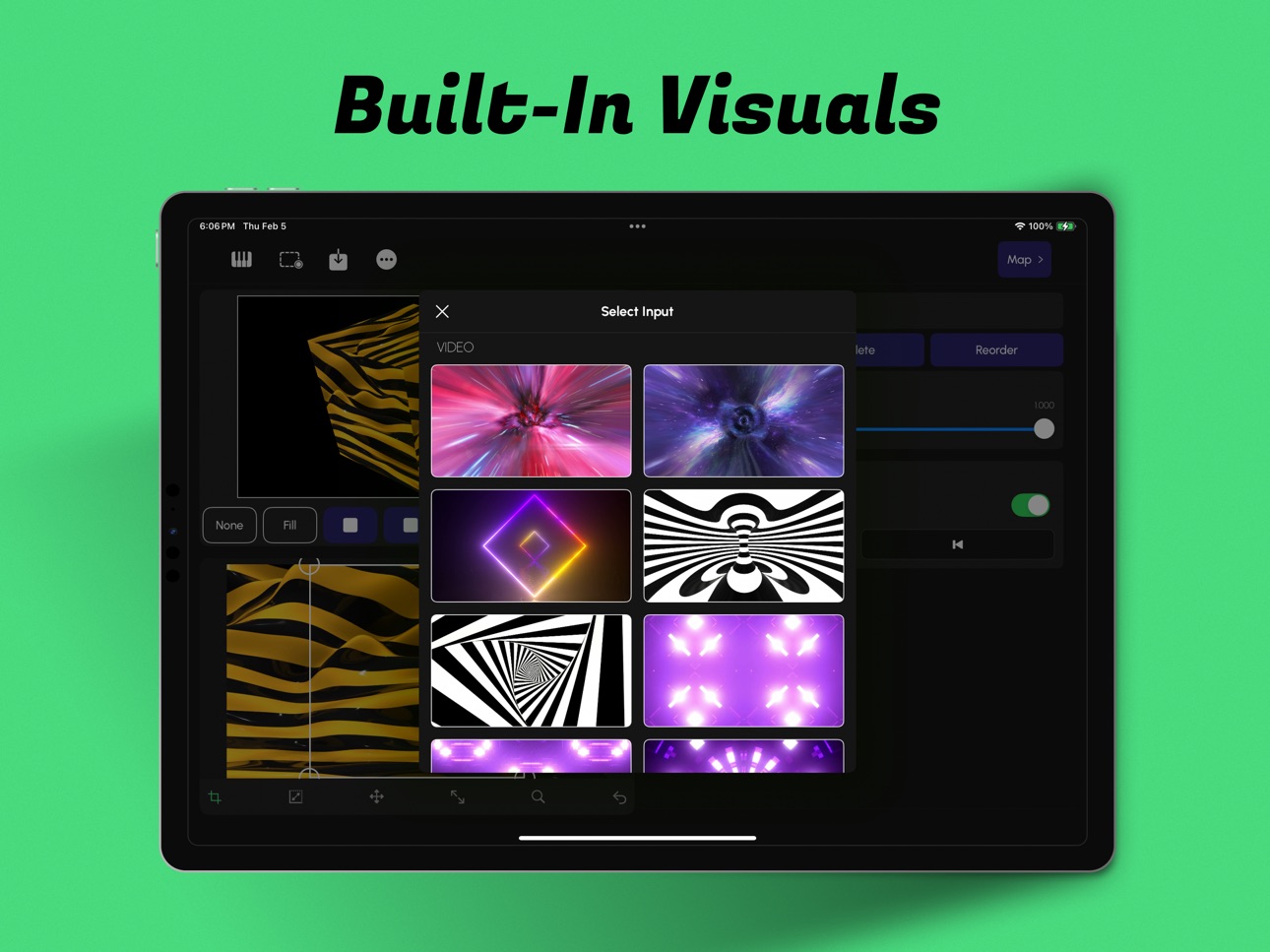
Built-In Effects – Access a library of real-time visual effects including kaleidoscopes, tunnels, color morphs, and distortions.
External Display Output – Project full-resolution visuals while keeping your control interface private.
Wireless and Wired Compatibility – Works with AirPlay, HDMI, USB-C, and Lightning connections.
Everything runs in real time, fully optimized for Apple’s graphics hardware, ensuring smooth playback even during complex visual setups.
For Every Creator and Every Setup
Artists and Creators – Bring walls, canvases, and sculptures to life with moving light.
Bands and Performers – Add projection to your stage show without extra hardware or setup.
Installations and Galleries – Design immersive spaces that react and evolve with light.
Event Organizers – Transform venues, festivals, or exhibits with dynamic mapped visuals.
Home Projection – Create ambient visuals for relaxation, parties, or decoration.
Holiday Displays – Design your own Halloween, Christmas, or themed light shows effortlessly.
Whether you’re using a $100 portable projector or a high-end stage setup, Lazy Lighting adapts perfectly to your hardware and environment.
Simple Design, Professional Results
Lazy Lighting is built around real-time performance and creative flow. The interface is clean, fast, and responsive, allowing you to stay focused on your visuals instead of menus and settings.
Every parameter updates instantly, giving you complete control over colors, shapes, and movement. Because all rendering happens live, no two performances are ever the same. Every show feels organic, fluid, and unique.
The Future of Projection Mapping
Lazy Lighting brings the art of projection mapping into the modern era. Powerful enough for professionals, yet simple enough for anyone to use.
It replaces complicated desktop workflows with a touch-first design built specifically for iPhone and iPad.
You can create, perform, and project anywhere: no laptop, no cables, no extra equipment.
From living room experiments to professional stage productions, Lazy Lighting delivers stunning real-time visuals that anyone can create.
Lazy Lighting – Projection Mapping, Live Visuals, and Real-Time Video Effects.
The easiest way to project, map, and perform with any projector, anywhere.
Terms of Use: https://sites.google.com/view/lazylighting-terms
Privacy Policy: https://sites.google.com/view/lazylighting-privacy
In-App Purchases US pricing
Lazy Lighting Pro Subscription
Monthly 7-day free trial$7.99
Yearly 7-day free trial$49.99
One-Time Purchases
Lazy Lighting Pro$129.99
Capabilities
In-App Purchases
Accessibility
ipadiphonemacrealityDevicetvoswatch
Version history 13 versions
Build 883102225v3.92026-05-21 07:12:26
Bug fixes and performance improvements.
Build 883056001v3.72026-03-06 00:15:45
Bug fixes and performance improvements.
Build 882974696v3.62026-03-04 02:09:17
Bug fixes and performance improvements.
Build 882533661v3.52026-02-18 13:29:08
Bug fixes and performance improvements.
Build 882439424v3.32026-02-14 23:51:37
Bug fixes and performance improvements.
Build 882180330v3.22026-02-12 13:10:54
Bug fixes and performance improvements.
Build 882138068v3.12026-02-04 09:46:33
Bug fixes and performance improvements.
Build 881140494v2.62026-01-03 01:16:15
Bug fixes and performance improvements.
Build 880430161v2.52025-12-10 15:19:50
Bug fixes and performance improvements.
Build 879327755v2.22025-10-30 05:02:05
Bug fixes and performance improvements.
Build 879239606v2.12025-10-27 22:52:15
Fixed several major crashes for improved stability.
Added a new Simple Controls Panel for faster adjustments.
Optimized the overall mapping workflow for smoother setup.
Added the ability to delete polygons directly in edit mode.
Projection mapping is now smoother, faster, and more reliable than ever.
Build 878728363v2.02025-10-21 06:29:31
iPhone is now live! Use lazy Lighting
Build 877713615v1.22025-09-22 04:05:03
Price history by region
Currency
Show
Columns
Search
Availability 1 of 1 storefronts
| Region | Language | Price | Ratings | Avg | Version |
|---|---|---|---|---|---|
| US | en-US | Free | 286 | 4.5 | 3.9 |
Change log 17 changes · US
✎
releaseNotes updated
Bug fixes and performance improvements.
✎
description updated
Projection Mapping. Reinvented for iPhone and iPad.
Lazy Lighting makes projection mapping simple, affordable, and accessible to everyone.
No computer. No expe
✎
subtitle updated
Projection Mapping
✎
name updated
Lazy Lighting
◆
Version 3.9 released
Bug fixes and performance improvements.
◆
Version 3.7 released
Bug fixes and performance improvements.
◆
Version 3.6 released
Bug fixes and performance improvements.
◆
Version 3.5 released
Bug fixes and performance improvements.
◆
Version 3.3 released
Bug fixes and performance improvements.
◆
Version 3.2 released
Bug fixes and performance improvements.
◆
Version 3.1 released
Bug fixes and performance improvements.
◆
Version 2.6 released
Bug fixes and performance improvements.
◆
Version 2.5 released
Bug fixes and performance improvements.
◆
Version 2.2 released
Bug fixes and performance improvements.
◆
Version 2.1 released
Fixed several major crashes for improved stability.
Added a new Simple Controls Panel for faster adjustments.
Optimized the overall mapping workflow for smoother setup.
Added the ability to delete polygons directly in edit mode.
Projection
◆
Version 2.0 released
iPhone is now live! Use lazy Lighting
◆
Version 1.2 released