Home › Books

 US
US
1 of 1 storefronts
Content in en-US
Content in en-US
Information
Preview 2 platforms
iPhone 3 images


iPad 3 images


What’s New Version 1.5.2
Improved playback behavior.
Description
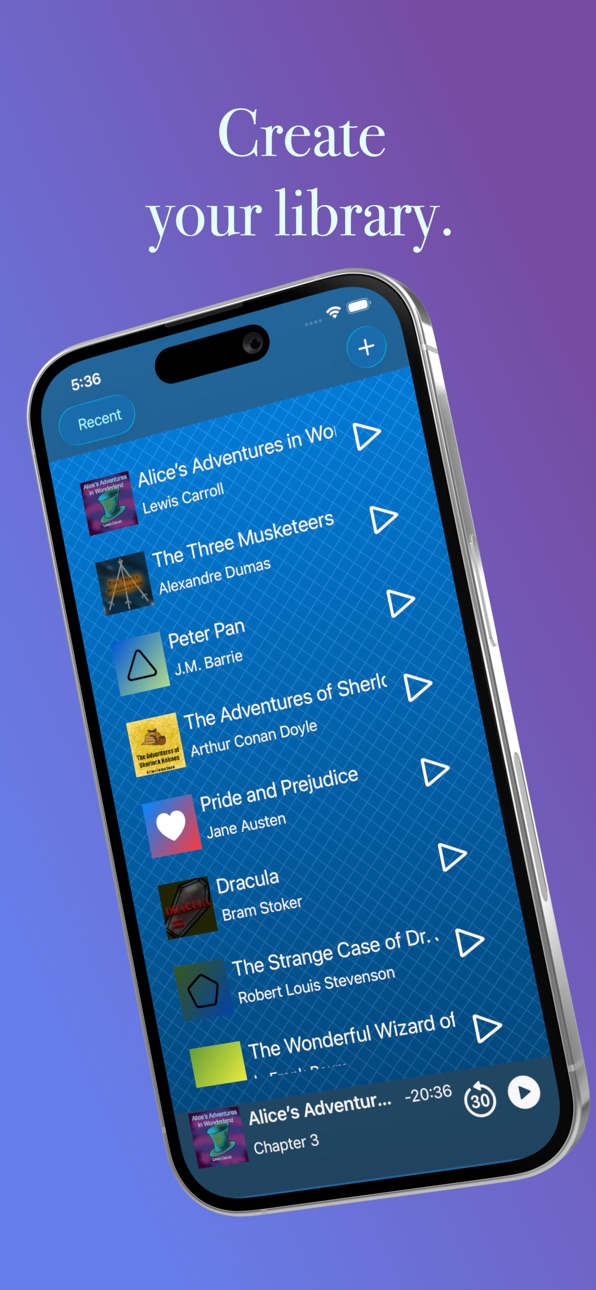
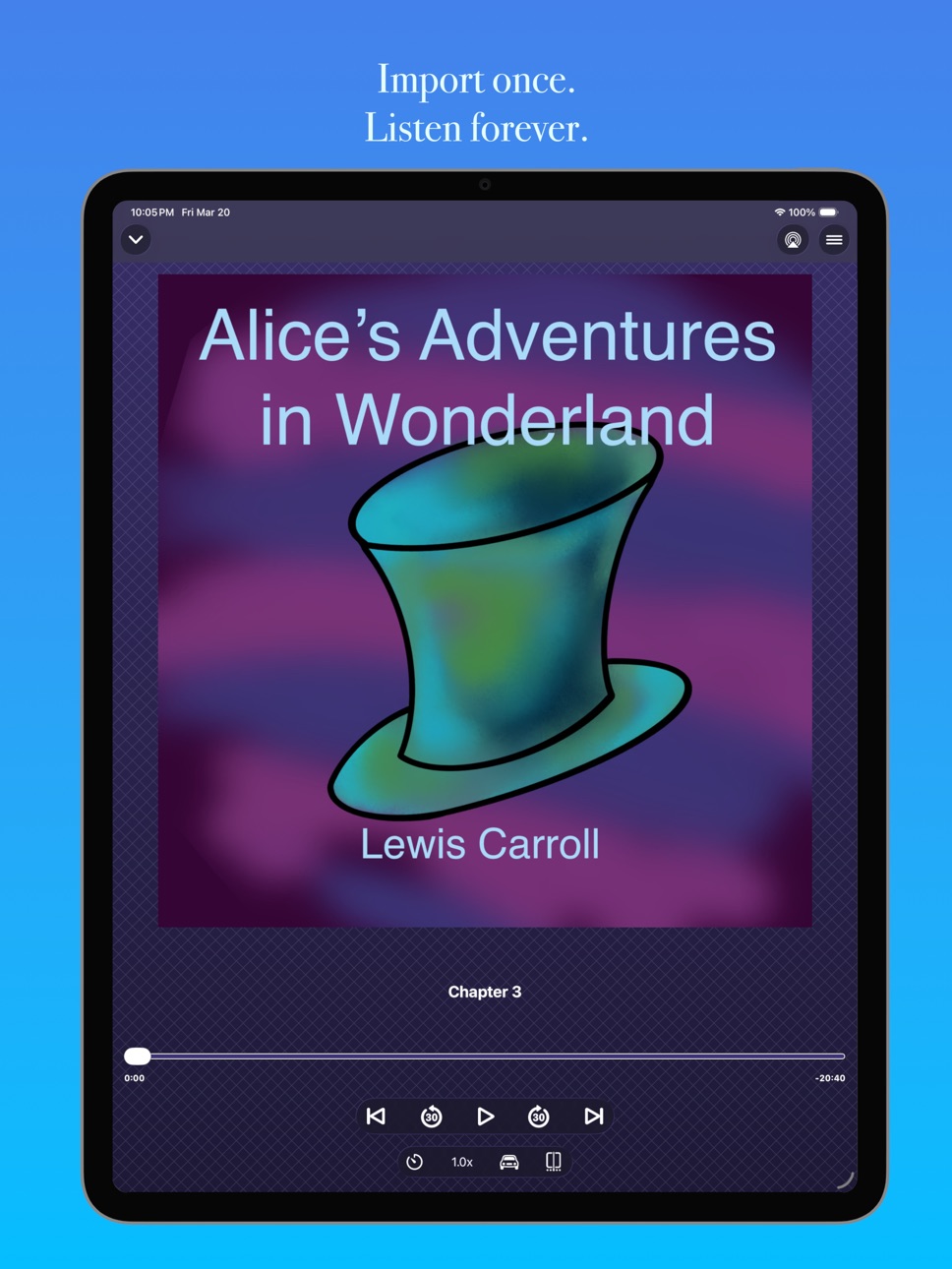
AudioBookIt turns your personal audio files into a polished audiobook experience. Import folders of MP3, M4B, M4A, or WAV files and listen to them like professional audiobooks, with chapters, saved progress, and simple offline playback.
Build a local audio library for the stories, novels, courses, lectures, podcasts, recordings, fiction, and nonfiction you already have. AudioBookIt keeps your place automatically, so you can always pick up right where you left off.
Designed for simplicity and focus, AudioBookIt includes:
• Automatic progress tracking across all your files
• Chapter ordering for folders of audio
• Playback speed controls to match your pace
• Clean, distraction-free interface built for long-form listening
• Sleep timers to control how long you listen
• Car Mode with larger controls for listening on the go
• CarPlay support to control playback from your car
Whether you're revisiting classic stories, listening to lectures, organizing downloaded courses, or archiving live recordings, AudioBookIt helps you enjoy your audio on your own terms.
Import your first audiobook today for free!
Terms of Use: https://www.apple.com/legal/internet-services/itunes/dev/stdeula/
Capabilities
In-App Purchases
Accessibility
ipadiphonemacrealityDevicetvoswatch
Version history 11 versions
Build 886506558v1.5.22026-06-04 20:49:22
Improved playback behavior.
Build 886303375v1.5.12026-06-01 15:03:08
• Fixed a crash around CarPlay being disconnected.
Build 886034439v1.5.02026-05-28 18:44:21
• Support for subscription trials
• Bug fixes where layouts were clipping
Build 885789017v1.4.12026-05-20 18:46:30
Bug fixes around file loading issues. If a file can't be loaded then you are now alerted to that issue more consistently.
Build 883772585v1.4.02026-03-27 18:35:46
CarPlay support is here! This version also now lets you long press on a book to go to its edit state instead of just swiping the list.
Bug Fixes:
• The chapter list from the playback screen now always shows the active chapter
• Images now keep their aspect ratio when picked to be a book's artwork
• Fixed a crash that could occur while using the custom artwork tool
• When importing a large number of files that aren't downloaded to device you can now always see the controls to try to download them
Build 883404337v1.3.02026-03-17 22:24:00
• New control on playback screen to let you seek to specific parts of a chapter
• When using Siri you can now skip forward or back custom amounts instead of always 30 seconds
• When using Siri you can tell her to jump to a specific time of the current chapter
Build 883359561v1.2.02026-03-14 20:14:08
Features:
• Auto suggestion of book title and author
• Extraction of more audio file metadata to improve general experience
• Quick renaming to let you mass rename chapters quickly
• Auto generated cover images instead of needing to manually create one for audiobooks without an associated image
Bug Fixes:
• Chapter text should now always show up when starting book playback
• When you edit a book (including the one you are listening to) it will now preserve its playback state
Build 882762175v1.1.02026-03-02 19:50:36
New Features:
• Sleep timers have been added so you can control how long you want to listen to a book before it automatically stops playing.
• Car Mode has been added which lets you have the most basic of controls when driving in order to stay safe while listening to your books.
Bug Fixes:
• System controls should no longer desyncing from the app
• The progress bar should no longer sometimes get stuck when moved
Build 880025982v1.0.22025-12-03 00:35:34
Squashed some more bugs while getting new features ready.
Build 879786761v1.0.12025-11-15 16:22:47
Squashed some bugs.
Build 877529339v1.0.02025-11-13 00:55:12
No pricing data captured yet — comparisons appear once the app has paid storefronts or in-app purchases.
Availability 1 of 1 storefronts
| Region | Language | Price | Ratings | Avg | Version |
|---|---|---|---|---|---|
| US | en-US | Free | 2 | 5.0 | 1.5.2 |
Change log 15 changes · US
✎
releaseNotes updated
Improved playback behavior.
✎
description updated
AudioBookIt turns your personal audio files into a polished audiobook experience. Import folders of MP3, M4B, M4A, or WAV files and listen to them like professi
✎
subtitle updated
Import folders, listen offline
✎
name updated
AudioBookIt: Audiobook Player
◆
Version 1.5.2 released
Improved playback behavior.
◆
Version 1.5.1 released
• Fixed a crash around CarPlay being disconnected.
◆
Version 1.5.0 released
• Support for subscription trials
• Bug fixes where layouts were clipping
◆
Version 1.4.1 released
Bug fixes around file loading issues. If a file can't be loaded then you are now alerted to that issue more consistently.
◆
Version 1.4.0 released
CarPlay support is here! This version also now lets you long press on a book to go to its edit state instead of just swiping the list.
Bug Fixes:
• The chapter list from the playback screen now always shows the active chapter
• Images now
◆
Version 1.3.0 released
• New control on playback screen to let you seek to specific parts of a chapter
• When using Siri you can now skip forward or back custom amounts instead of always 30 seconds
• When using Siri you can tell her to jump to a specific time of
◆
Version 1.2.0 released
Features:
• Auto suggestion of book title and author
• Extraction of more audio file metadata to improve general experience
• Quick renaming to let you mass rename chapters quickly
• Auto generated cover images instead of needing to manuall
◆
Version 1.1.0 released
New Features:
• Sleep timers have been added so you can control how long you want to listen to a book before it automatically stops playing.
• Car Mode has been added which lets you have the most basic of controls when driving in order to s
◆
Version 1.0.2 released
Squashed some more bugs while getting new features ready.
◆
Version 1.0.1 released
Squashed some bugs.
◆
Version 1.0.0 released