Home › Productivity

 US
US
1 of 1 storefronts
Content in en-US
Content in en-US
Information
Preview 2 platforms
iPhone 5 images




iPad 1 image

What’s New Version 2.3.1
- Major redesign throughout the app
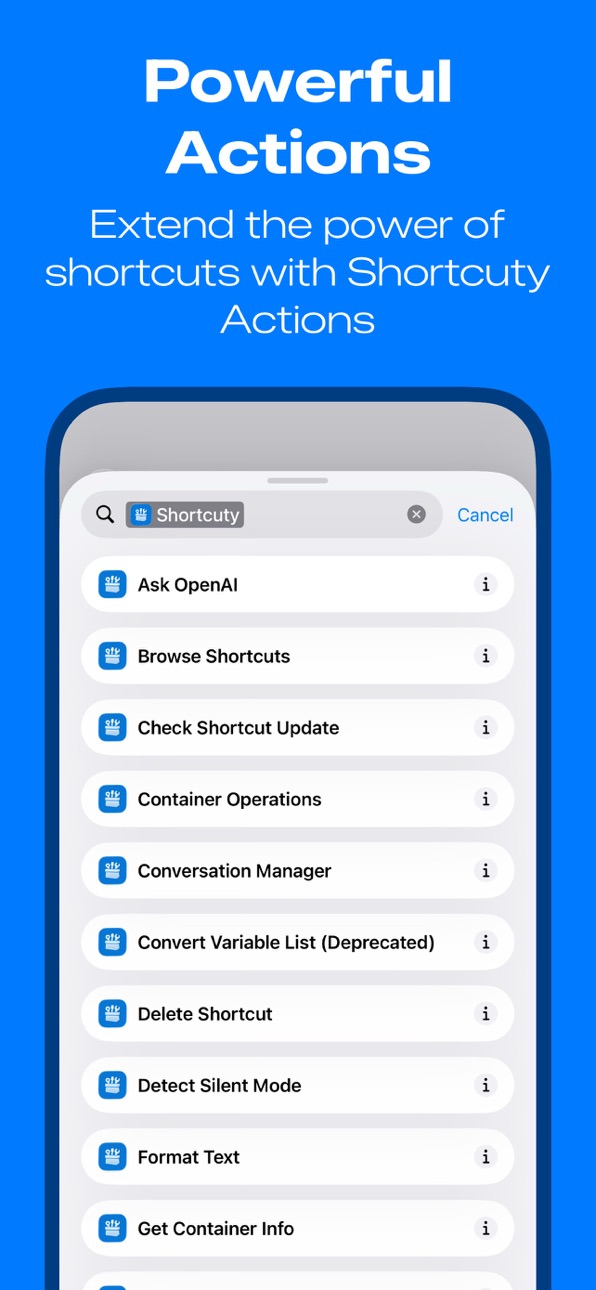
- Multiple new shortcut actions
Description
Transform your iPhone into a productivity powerhouse with Shortcuty – the
ultimate community for iOS Shortcuts enthusiasts.
DISCOVER AMAZING SHORTCUTS
• Browse user-created shortcuts across popular categories
• Find trending and popular automations that save time daily
• Search by functionality, category, or creator
BUILD & SHARE YOUR CREATIONS
• Submit your own shortcuts to help the community
• Update existing shortcuts with new versions and features
• Showcase your automation skills to fellow users
• Get feedback and suggestions from other creators
CONNECT WITH THE COMMUNITY
• Follow your favorite shortcut creators
• Like and comment on shortcuts you find useful
• Build your reputation as a trusted shortcut developer
FEATURES THAT MATTER
• Clean, intuitive interface designed for easy browsing
• Detailed shortcut information including screenshots and descriptions
• Version tracking and update notifications
Whether you're new to iOS automation or a seasoned pro, Shortcuty
connects you with a vibrant community of creators who are passionate
about making life easier through clever shortcuts.
Shortcuty is not affiliated with or endorsed by Apple Inc or Shortcuts. We are a 3rd party community.
EULA: https://www.apple.com/legal/internet-services/itunes/dev/stdeula/
In-App Purchases US pricing
Adfree Subscription Subscription
AdFree Monthly · Monthly$0.99
One-Time Purchases
Small Tip$0.99
Medium Tip$2.99
Large Tip$4.99
Generous Tip$9.99
Capabilities
In-App Purchases
Accessibility
ipadiphonemacrealityDevicetvoswatch
Version history 25 versions
Build 885835077v2.3.12026-05-29 04:38:29
- Major redesign throughout the app
- Multiple new shortcut actions
Build 884437552v2.32026-05-18 11:42:15
- Now you can watch translation progress in real time
- Redesigned the notification screen UI to better match the rest of the app, and to ensure notification text is no longer cut off
- You can now collapse and expand super long description text, so you aren't forced to scroll all the way to the bottom to view comments
- Other minor adjustments to the UI to improve the app design
- Fixed a few minor bugs in the app backend
Build 883277362v2.2.22026-03-11 23:32:08
- Improved translation system
- Fixed some weird UI issues that would occur under certain conditions
- Improved the look of screenshots on shortcut listings
Build 883156547v2.2.12026-03-09 06:49:12
- Redesigned search tab
- Improved app cache management
- Improved Apple Intelligence based translation system
Build 881646991v2.22026-01-19 21:45:32
- you can now preview description markdown before it is submitted
Build 881441147v2.1.62026-01-13 06:55:53
- Fixed an issue causing Vietnamese localization to not enable
Build 881426988v2.1.52026-01-12 16:25:54
- Added Vietnamese localization
Build 881230130v2.1.42026-01-05 23:50:09
- Bug fixes
Build 881195612v2.1.32026-01-04 16:26:37
- Fixed a couple minor UI issues
Build 881183813v2.1.22026-01-03 23:59:22
In order to keep Shortcuty sustainable and free for everyone, non intrusive ads have been implemented. There is also a way to remove ads and still support Shortcuty.
Build 881144811v2.1.12026-01-02 02:45:08
- Fixed an issue in with the notifications menu
- A couple minor UI fixes
Build 881049852v2.12025-12-29 00:55:22
- Added back the “Auto Updater Tool” that was removed in 2.0.0
- Introduced a new “About this shortcut” section that shows required apps and permissions for each shortcut. This will only show on shortcuts submitted or updated after this feature was introduced.
Build 880895667v2.0.32025-12-22 03:59:58
- Fixed a few bugs
Build 880888945v2.0.22025-12-21 23:02:37
- Fixed a few bugs
Build 880785016v2.0.02025-12-18 01:36:50
- Fresh new app design
- Added support for multiple languages
- Added AI powered post translation, enabling you to view posts in your native language (Requires Apple Intelligence and iOS 26)
Build 880820317v2.0.12025-12-18 22:19:15
- Fresh new app design
- Added support for multiple languages
- Added AI powered post translation, enabling you to view posts in your native language (Requires Apple Intelligence and iOS 26)
Build 880429812v1.5.62025-12-08 03:55:05
- Fixed a bug causing the profile customization page save button to not appear
- Fixed a bug where you weren't able to delete social links from your profile after adding them
Build 880423415v1.5.52025-12-07 19:36:42
- Adjusted the UI
- Fixed a bug where the share button sometimes wouldn't work
- Fixed a bug that would sometimes cause the page to go blank when viewing shortcuts from the profile tab
Build 880186543v1.5.42025-11-29 00:22:06
- Added new feeds to browsing page to make discoverability easier
- Adjusted shortcut detail pages
Build 880161452v1.5.32025-11-28 02:52:09
- UI Adjustments
Build 880125520v1.5.22025-11-27 04:44:02
Minor UI Tweaks
Build 880087145v1.5.12025-11-26 02:17:57
Minor UI improvements
Build 879993233v1.5.02025-11-22 06:52:00
- Added new "Auto Updater" creator tool that can have Shortcuty auto add the Shortcuty version checking api to your shortcuts! With options for both the API method and shortcut action method.
Build 879922647v1.4.72025-11-20 04:23:29
- UI improvements
Build 879850521v1.4.62025-11-17 23:57:42
- New discovery actions in Shortcuts
Use Shortcuty directly from the Shortcuts app to work with content from the Shortcuty catalog. You can:
- Browse trending and recent shortcuts
- Search by name or keyword
- Fetch details for a specific shortcut (name, description, version, category, and more)
- List available categories
- Open a shortcut or creator profile in the Shortcuty app
- Auto-updating shortcuts
The Creator Tools screen now includes a clearer guide for adding an update checker to your shortcuts, with two supported approaches:
- A URL-based method that works even if the user does not have Shortcuty installed
- A Shortcuty action–based method that triggers a native update flow in the app when a new version is available
Price history by region
Currency
Show
Columns
Search
Availability 1 of 1 storefronts
| Region | Language | Price | Ratings | Avg | Version |
|---|---|---|---|---|---|
| US | en-US | Free | 29 | 5.0 | 2.3.1 |
Change log 29 changes · US
✎
releaseNotes updated
- Major redesign throughout the app
- Multiple new shortcut actions
✎
description updated
Transform your iPhone into a productivity powerhouse with Shortcuty – the
ultimate community for iOS Shortcuts enthusiasts.
DISCOVER AMAZING SHORTCUTS
✎
subtitle updated
Discover & Share iOS Shortcuts
✎
name updated
Shortcuty
◆
Version 2.3.1 released
- Major redesign throughout the app
- Multiple new shortcut actions
◆
Version 2.3 released
- Now you can watch translation progress in real time
- Redesigned the notification screen UI to better match the rest of the app, and to ensure notification text is no longer cut off
- You can now collapse and expand super long description
◆
Version 2.2.2 released
- Improved translation system
- Fixed some weird UI issues that would occur under certain conditions
- Improved the look of screenshots on shortcut listings
◆
Version 2.2.1 released
- Redesigned search tab
- Improved app cache management
- Improved Apple Intelligence based translation system
◆
Version 2.2 released
- you can now preview description markdown before it is submitted
◆
Version 2.1.6 released
- Fixed an issue causing Vietnamese localization to not enable
◆
Version 2.1.5 released
- Added Vietnamese localization
◆
Version 2.1.4 released
- Bug fixes
◆
Version 2.1.3 released
- Fixed a couple minor UI issues
◆
Version 2.1.2 released
In order to keep Shortcuty sustainable and free for everyone, non intrusive ads have been implemented. There is also a way to remove ads and still support Shortcuty.
◆
Version 2.1.1 released
- Fixed an issue in with the notifications menu
- A couple minor UI fixes
◆
Version 2.1 released
- Added back the “Auto Updater Tool” that was removed in 2.0.0
- Introduced a new “About this shortcut” section that shows required apps and permissions for each shortcut. This will only show on shortcuts submitted or updated after this fe
◆
Version 2.0.3 released
- Fixed a few bugs
◆
Version 2.0.2 released
- Fixed a few bugs
◆
Version 2.0.1 released
- Fresh new app design
- Added support for multiple languages
- Added AI powered post translation, enabling you to view posts in your native language (Requires Apple Intelligence and iOS 26)
◆
Version 2.0.0 released
- Fresh new app design
- Added support for multiple languages
- Added AI powered post translation, enabling you to view posts in your native language (Requires Apple Intelligence and iOS 26)
◆
Version 1.5.6 released
- Fixed a bug causing the profile customization page save button to not appear
- Fixed a bug where you weren't able to delete social links from your profile after adding them
◆
Version 1.5.5 released
- Adjusted the UI
- Fixed a bug where the share button sometimes wouldn't work
- Fixed a bug that would sometimes cause the page to go blank when viewing shortcuts from the profile tab
◆
Version 1.5.4 released
- Added new feeds to browsing page to make discoverability easier
- Adjusted shortcut detail pages
◆
Version 1.5.3 released
- UI Adjustments
◆
Version 1.5.2 released
Minor UI Tweaks
◆
Version 1.5.1 released
Minor UI improvements
◆
Version 1.5.0 released
- Added new "Auto Updater" creator tool that can have Shortcuty auto add the Shortcuty version checking api to your shortcuts! With options for both the API method and shortcut action method.
◆
Version 1.4.7 released
- UI improvements
◆
Version 1.4.6 released
- New discovery actions in Shortcuts
Use Shortcuty directly from the Shortcuts app to work with content from the Shortcuty catalog. You can:
- Browse trending and recent shortcuts
- Search by name or keyword
- Fetch details fo