Home › Productivity

 US
US
1 of 1 storefronts
Content in en-US
Content in en-US
Information
Preview 2 platforms
iPhone 10 images






iPad 1 image

What’s New Version 1.8.0
• Block & Hide: distracting apps can now disappear from your Home Screen entirely, not just show a block screen. Tap "Block" in any rule to switch it to "Block & Hide" — apps vanish when the rule kicks in and come back automatically when your break ends.
• Time-of-day scheduling is now free for everyone — set exactly when your rules turn on and off, no upgrade needed.
Description
ScrollBump – Stop Doomscrolling, Take Control of Your Phone
Do you find yourself endlessly scrolling through social media, news apps, or videos without realizing how much time has passed? Tired of relying on willpower alone to resist your phone? scrollBump is here to help. Unlike apps that just track usage or give reminders, scrollBump makes your phone doomscrollproof by adding short, intentional pauses that prevent mindless scrolling and help you reclaim focus. Reduce screen time, improve digital wellbeing, and build healthy phone habits—all without frustration or guilt.
How ScrollBump Works
ScrollBump inserts brief pauses that you can’t skip. These interruptions stop mindless scrolling and give your brain a chance to reset, helping you make conscious choices about your time. Over time, they retrain habits, reduce phone addiction, and encourage mindful, intentional usage. By turning habitual app use into a conscious choice, scrollBump helps you regain control over your time and mental clarity.
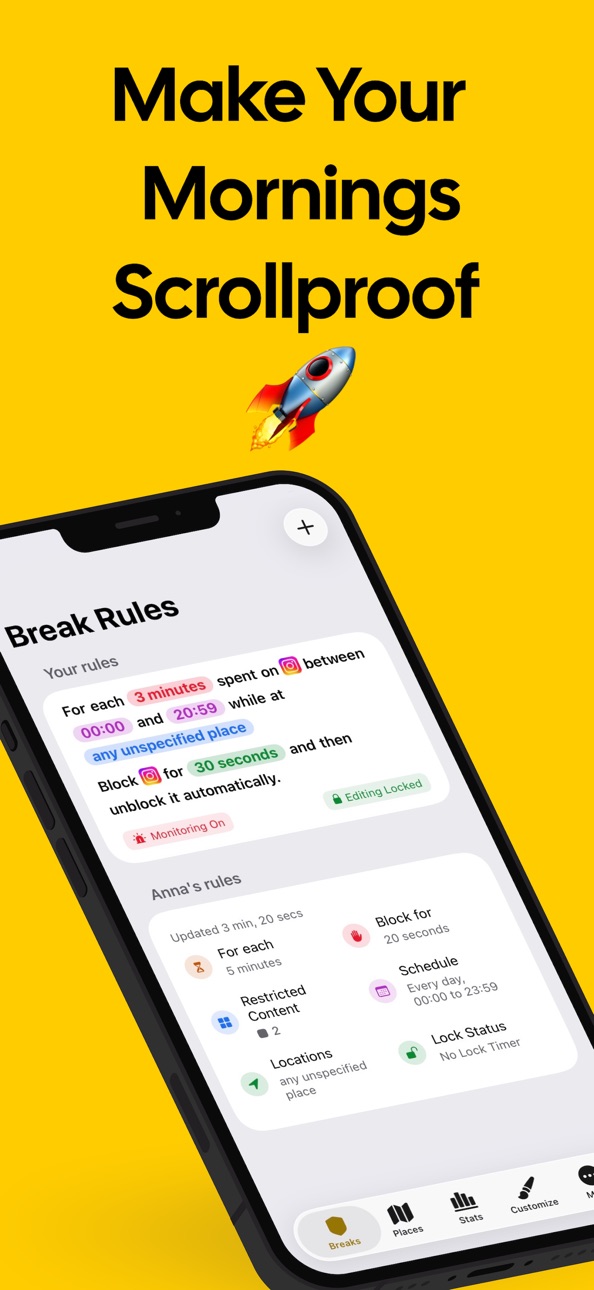
Customizable Break Rules
scrollBump adapts to your lifestyle. Create rules based on:
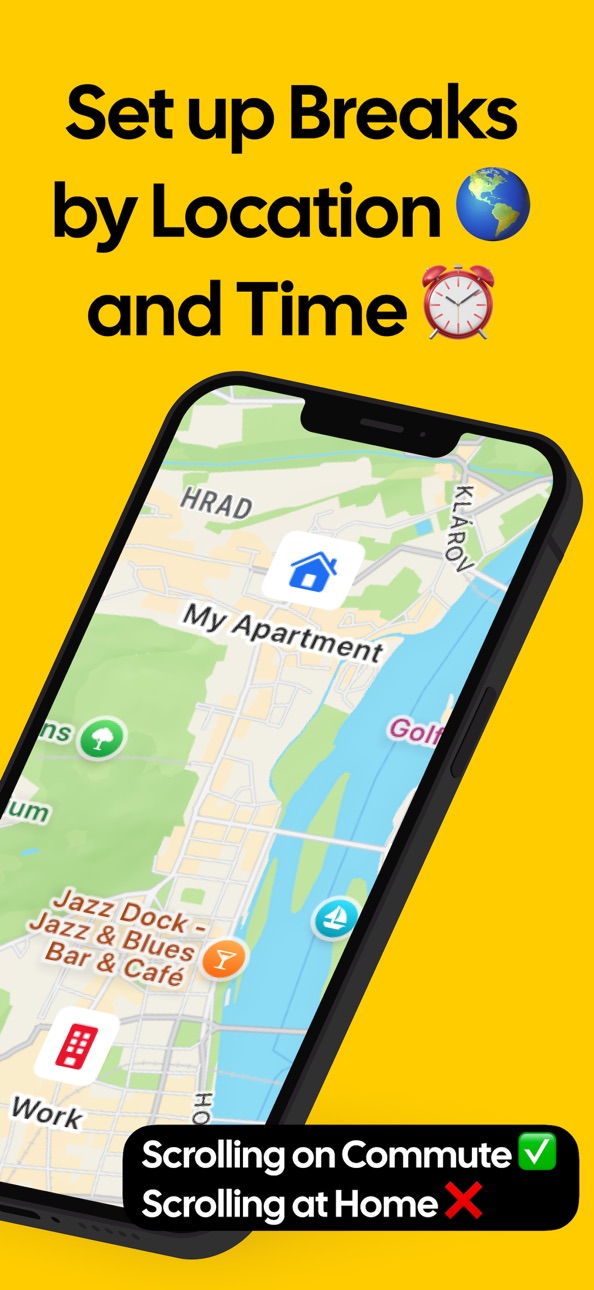
• Time of day: Schedule breaks during work, study, or evening hours to stay focused and improve sleep.
• Location: Reduce distractions in places like your office, bedroom, or during meals.
• App-specific rules: Target the apps that take most of your attention while leaving essential apps accessible.
Features for Digital Wellbeing
• Flexible scheduling: Adjust break rules anytime to match your routines.
• Minimalist interface: Non-intrusive design keeps the focus on intentional usage.
Why ScrollBump Is Different
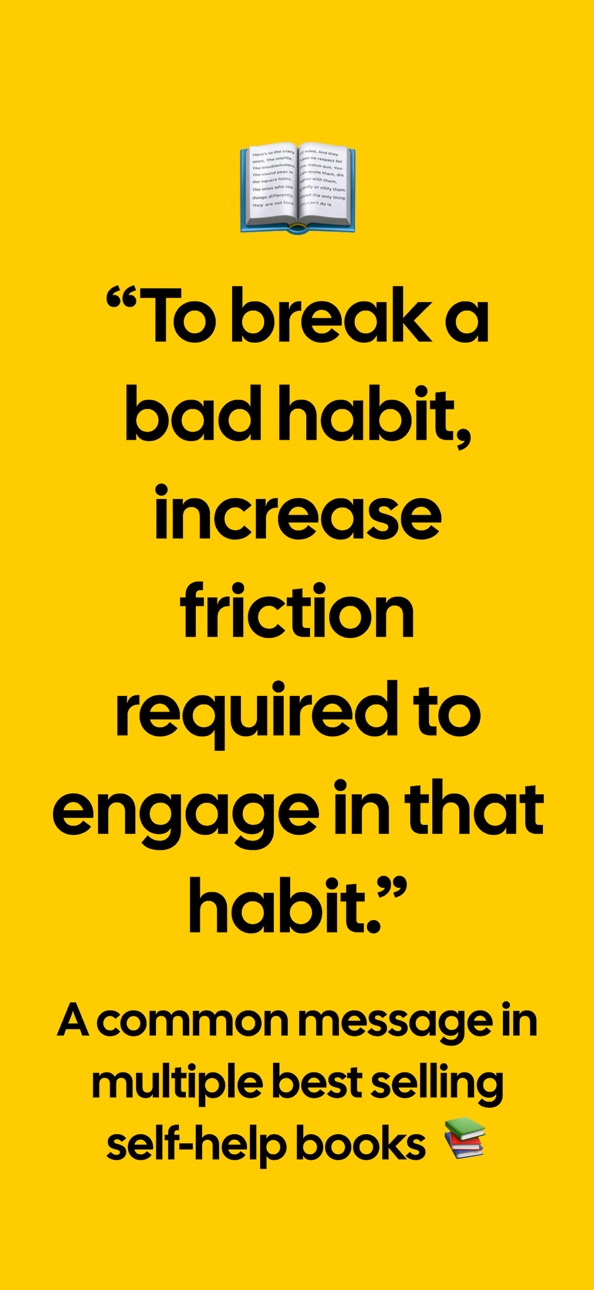
Most social media detox apps block access entirely—but that often backfires, as people uninstall them when they need the app. scrollBump works differently: it gently slows scrolling, so your phone helps you make healthier choices without extreme restrictions. scrollBump changes the environment around your phone usage. By adding friction to automatic scrolling, prevention is consistent and reliable. You don’t have to rely on willpower—your phone itself helps you make healthier choices. The result: less doomscrolling, reduced digital fatigue, and a healthier relationship with your devices.
Who Needs ScrollBump
• Anyone struggling with phone addiction or social media fatigue
• Students, professionals, or creators who want distraction-free focus
• People looking to reclaim attention and productivity
• Anyone seeking mindful scrolling habits, digital balance, or a sustainable social media detox
Benefits You’ll Notice
• Reduced doomscrolling and excessive app usage
• Improved focus, productivity, and attention span
• Lower stress, anxiety, and digital fatigue
• Healthier phone habits without extreme restrictions or guilt
• Reliable prevention of habitual scrolling
• Greater awareness of how you spend time on your phone
Take Control of Your Digital Life
scrollBump is your personal digital coach, helping you make your phone doomscrollproof and your usage intentional. With friction-based breaks, location- and time-specific rules, and flexible scheduling, you can enjoy a balanced relationship with your phone. Over time, scrollBump trains your brain to pause, reflect, and make intentional decisions about your attention. Reclaim hours previously lost to endless feeds and feel more present, productive, and focused every day.
Make Your Phone Work for You
Stop scrolling automatically. Start using your time intentionally. With ScrollBump, every tap becomes a conscious choice, every session more mindful, and every break a step toward digital freedom. Download ScrollBump today and reclaim focus, attention, and peace of mind—one intentional break at a time. Perfect for screen time control, digital detox, phone addiction recovery, productivity, focus, mental health, and digital wellbeing.
Terms of Use (EULA): https://www.apple.com/legal/internet-services/itunes/dev/stdeula/
Privacy Policy: https://www.scrollbump.com/privacy-policy.html
In-App Purchases US pricing
scrollBumpPro Subscription Subscription
scrollBumpPro (Yearly) · Yearly 2-month free trial$4.99
scrollBumpPro (Monthly) · Monthly 1-month free trial$1.99
One-Time Purchases
scrollBumpPro Lifetime$22.99
Capabilities
In-App Purchases
Accessibility
ipadiphonemacrealityDevicetvoswatch
Version history 22 versions
Build 887155633v1.8.02026-06-21 09:59:40
• Block & Hide: distracting apps can now disappear from your Home Screen entirely, not just show a block screen. Tap "Block" in any rule to switch it to "Block & Hide" — apps vanish when the rule kicks in and come back automatically when your break ends.
• Time-of-day scheduling is now free for everyone — set exactly when your rules turn on and off, no upgrade needed.
Build 886619894v1.7.02026-06-08 12:15:46
• Rule locking is now free — Set an unlock timer on any Break Rule at no cost. No subscription required.
• Stay-in-App locking (Pro) — Upgrade your lock: the unlock countdown only runs while ScrollBump is open. Step away from the app and the timer resets,
removing the easy workaround.
• Monitoring error banner — A floating banner now appears when a rule's monitoring gets out of sync, with a one-tap fix to restore it.
• Feedback improvements — Your email address is now pre-filled in the feedback form so we can actually reply to you.
• Bug fixes — Fixed a bug where locked rules could briefly appear unlocked.
Build 886447651v1.6.32026-06-04 08:17:56
• Resolved an application crash related to dependency and compiler version compatibility.
• Fixed an issue that could allow users to select a break start time later than the configured end time in a break rule.
Build 884369819v1.6.22026-04-11 15:52:43
• Added an option to disable automatic dismissal of expired shields. When disabled, rule monitoring restarts immediately instead of waiting 30 seconds. However, expired shields must then be dismissed manually by tapping them. This setting is recommended if you’re experiencing shield-related bugs.
Build 884194118v1.6.12026-04-07 17:48:26
• Fixed a stale break rule monitoring indicator in the UI
Build 882204491v1.6.02026-02-09 14:35:51
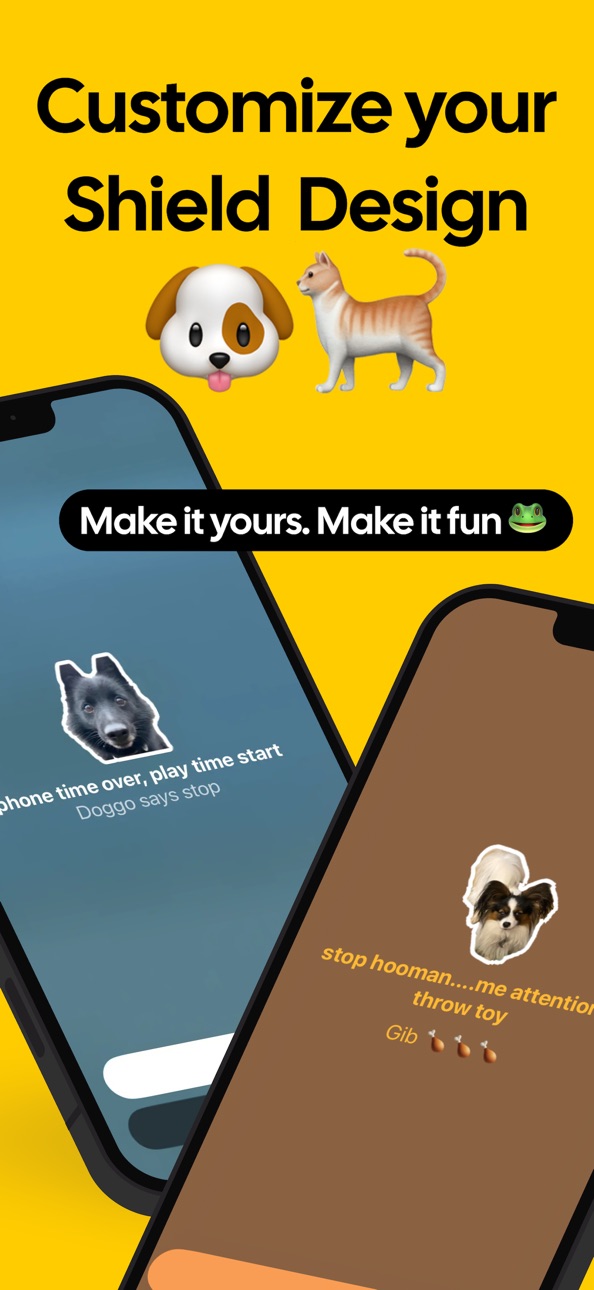
• New Feature: Choose shield design for each break rule separately or use random on each trigger!
• Added the ability to duplicate rules
• Fixed feedback submission form
Build 881901762v1.5.12026-01-27 21:58:02
• Resolved an issue where the shield was not consistently removed after the break period elapsed.
• Improved break rule editing behavior to ensure the default lock duration is preserved unless explicitly changed.
Build 881323781v1.5.02026-01-12 17:10:56
New: Accountability Partners
Invite trusted partners to view your break rules and receive updates when they change—so someone else can hold you accountable and help you act with intention.
Improved Performance
Fixed stuttering in the Break view for a smoother experience.
Build 880923209v1.4.02026-01-06 02:29:02
• Added support for weekly schedules of break rules.
• Fixed an issue where the shield was not removed from a website when the break rule time schedule ended.
Build 880782738v1.3.02025-12-18 18:45:25
• Added support for blocking websites!
Build 880486097v1.2.02025-12-10 14:51:40
New: Get a clear breakdown of your screen time — minutes spent in each app, notifications per app, and how often you picked up your device. View everything in a clean 9-day activity chart.
Build 880354535v1.1.32025-12-07 10:07:32
• Improved the reliability of background location updates
Build 880153562v1.1.22025-11-29 07:42:17
• Long pressing a break rule now shows a delete dialogue.
• Made the wording for locking a rule easier to understand.
• Merged all toggles needed for submitting a shield design into a single control.
• Fixed crash when tapping 'Explore Pro'·
Build 880118832v1.1.12025-11-27 12:24:22
Fixed an issue preventing the “Submit Shield Design” button from appearing on iOS 18.
Build 879681756v1.1.02025-11-24 17:09:27
New Feature: Create custom shield design with your own photo and color theme!
Build 879180248v1.0.62025-10-29 12:52:21
• Added lifetime access option
• Improved layout on iPad
• Updated sections "More" and "About"
• Updated App Store Screenshots
• Added option to filter adult content
Build 878542574v1.0.52025-09-30 17:56:52
• App Store Localization Into Czech And Polish
Build 878494401v1.0.42025-09-29 17:41:03
• New Shield Design
• Automatic rule re-locking after 48 hours
Build 878465966v1.0.32025-09-27 15:34:50
• new app icon
Build 878388604v1.0.22025-09-24 16:41:49
• Updated App Store Name & Subtitle
Build 878262387v1.0.12025-09-19 17:01:41
• Improved monitoring errors handling
• Fixed Rule View UI overlap with Cancel and Activate buttons
• Added support for iOS 17
Build 877137372v1.02025-09-17 06:46:01
Price history by region
Currency
Show
Columns
Search
Availability 1 of 1 storefronts
| Region | Language | Price | Ratings | Avg | Version |
|---|---|---|---|---|---|
| US | en-US | Free | 8 | 5.0 | 1.8.0 |
Change log 26 changes · US
✎
releaseNotes updated
• Block & Hide: distracting apps can now disappear from your Home Screen entirely, not just show a block screen. Tap "Block" in any rule to switch it to "Block
✎
description updated
ScrollBump – Stop Doomscrolling, Take Control of Your Phone
Do you find yourself endlessly scrolling through social media, news apps, or videos without realizi
✎
subtitle updated
Stop Scrolling Less Screentime
✎
name updated
ScrollBump: Reduce Screen Time
◆
Version 1.8.0 released
• Block & Hide: distracting apps can now disappear from your Home Screen entirely, not just show a block screen. Tap "Block" in any rule to switch it to "Block & Hide" — apps vanish when the rule kicks in and come back automatically when yo
◆
Version 1.7.0 released
• Rule locking is now free — Set an unlock timer on any Break Rule at no cost. No subscription required.
• Stay-in-App locking (Pro) — Upgrade your lock: the unlock countdown only runs while ScrollBump is open. Step away from the app and th
◆
Version 1.6.3 released
• Resolved an application crash related to dependency and compiler version compatibility.
• Fixed an issue that could allow users to select a break start time later than the configured end time in a break rule.
◆
Version 1.6.2 released
• Added an option to disable automatic dismissal of expired shields. When disabled, rule monitoring restarts immediately instead of waiting 30 seconds. However, expired shields must then be dismissed manually by tapping them. This setting i
◆
Version 1.6.1 released
• Fixed a stale break rule monitoring indicator in the UI
◆
Version 1.6.0 released
• New Feature: Choose shield design for each break rule separately or use random on each trigger!
• Added the ability to duplicate rules
• Fixed feedback submission form
◆
Version 1.5.1 released
• Resolved an issue where the shield was not consistently removed after the break period elapsed.
• Improved break rule editing behavior to ensure the default lock duration is preserved unless explicitly changed.
◆
Version 1.5.0 released
New: Accountability Partners
Invite trusted partners to view your break rules and receive updates when they change—so someone else can hold you accountable and help you act with intention.
Improved Performance
Fixed stuttering in the Break
◆
Version 1.4.0 released
• Added support for weekly schedules of break rules.
• Fixed an issue where the shield was not removed from a website when the break rule time schedule ended.
◆
Version 1.3.0 released
• Added support for blocking websites!
◆
Version 1.2.0 released
New: Get a clear breakdown of your screen time — minutes spent in each app, notifications per app, and how often you picked up your device. View everything in a clean 9-day activity chart.
◆
Version 1.1.3 released
• Improved the reliability of background location updates
◆
Version 1.1.2 released
• Long pressing a break rule now shows a delete dialogue.
• Made the wording for locking a rule easier to understand.
• Merged all toggles needed for submitting a shield design into a single control.
• Fixed crash when tapping 'Explore Pro'
◆
Version 1.1.1 released
Fixed an issue preventing the “Submit Shield Design” button from appearing on iOS 18.
◆
Version 1.1.0 released
New Feature: Create custom shield design with your own photo and color theme!
◆
Version 1.0.6 released
• Added lifetime access option
• Improved layout on iPad
• Updated sections "More" and "About"
• Updated App Store Screenshots
• Added option to filter adult content
◆
Version 1.0.5 released
• App Store Localization Into Czech And Polish
◆
Version 1.0.4 released
• New Shield Design
• Automatic rule re-locking after 48 hours
◆
Version 1.0.3 released
• new app icon
◆
Version 1.0.2 released
• Updated App Store Name & Subtitle
◆
Version 1.0.1 released
• Improved monitoring errors handling
• Fixed Rule View UI overlap with Cancel and Activate buttons
• Added support for iOS 17
◆
Version 1.0 released