Home › Utilities

 US
US
USen-US DEde-DE
 AUen-AU
 CAen-CA
 NLnl
NLnl GBen-GB
 FRfr-FR
 ITit
ITit ATde-DE
 DKen-GB
 ESes-ES
 INen-GB
 CHde-CH
 IEen-GB
 NZen-AU
 PLen-GB
 SKen-GB
 ZAen-GB
 AEen-GB
 BEen-GB
 FIen-GB
 HKzh-Hant-HK
 HUen-GB
 ILen-GB
 ISen-GB
 JPja
JPja MDen-GB
 NOen-GB
 PTpt-PT
 RUru
RUru SEsv
SEsv SGen-GB
 SIen-GB
 TRen-GB
 AFen-GB
 AIen-GB
 ALen-GB
 AMen-GB
 AOen-GB
 AZen-GB
 BAen-GB
 BGen-GB
 BHen-GB
 BMen-GB
 BNen-GB
 BOes-MX
 BTen-GB
 BYen-GB
 CNzh-Hans-CN
 CRes-MX
 CVen-GB
 CYen-GB
 CZen-GB
 EEen-GB
 EGen-GB
 FJen-GB
 FMen-GB
 GAfr-FR
 GEen-GB
 GMen-GB
 GRen-GB
 HRen-GB
 IDen-GB
 IQen-GB
 JOen-GB
 KEen-GB
 KGen-GB
 KHen-GB
 KRko
KRko KWen-GB
 KYen-GB
 KZen-GB
 LAen-GB
 LBen-GB
 LCen-GB
 LKen-GB
 LRen-GB
 LTen-GB
 LUen-GB
 LVen-GB
 MEen-GB
 MKen-GB
 MMen-GB
 MNen-GB
 MOzh-Hant-HK
 MRen-GB
 MTen-GB
 MVen-GB
 MWen-GB
 MXes-MX
 MYen-GB
 MZen-GB
 NEen-GB
 NGen-GB
 NPen-GB
 NRen-GB
 OMen-GB
 PAes-MX
 PGen-GB
 PHen-GB
 PKen-GB
 PWen-GB
 PYes-MX
 QAen-GB
 ROen-GB
 RSen-GB
 RWen-GB
 SAen-GB
 SBen-GB
 SLen-GB
 SNen-GB
 TCen-GB
 THen-GB
 TJen-GB
 TMen-GB
 TOen-GB
 TWzh-Hant-TW
 UAen-GB
 UYen-GB
 UZen-GB
 VCen-GB
 VEes-MX
 VGen-GB
 VNen-GB
 VUen-GB
 XKen-GB
 YEen-GB
127 of 127 storefronts
Content in en-US
Content in en-US
Information
Apple ID6749824842
Bundle IDnet.ericmann.parachute.Parachute-Backup
SellerSeller
Min iOS18.0
Min macOS15.0
Device familiesiphone, ipad
Released2025-08-14
Copyright© 2026 Leitmotif GmbH
Privacy policyLink ↗
Icon history 2 versions
Current←
 Previous
Preview 2 platforms
iPhone 8 images

1 older version


1 older version


1 older version


1 older version


1 older version


iPad 8 images

1 older version
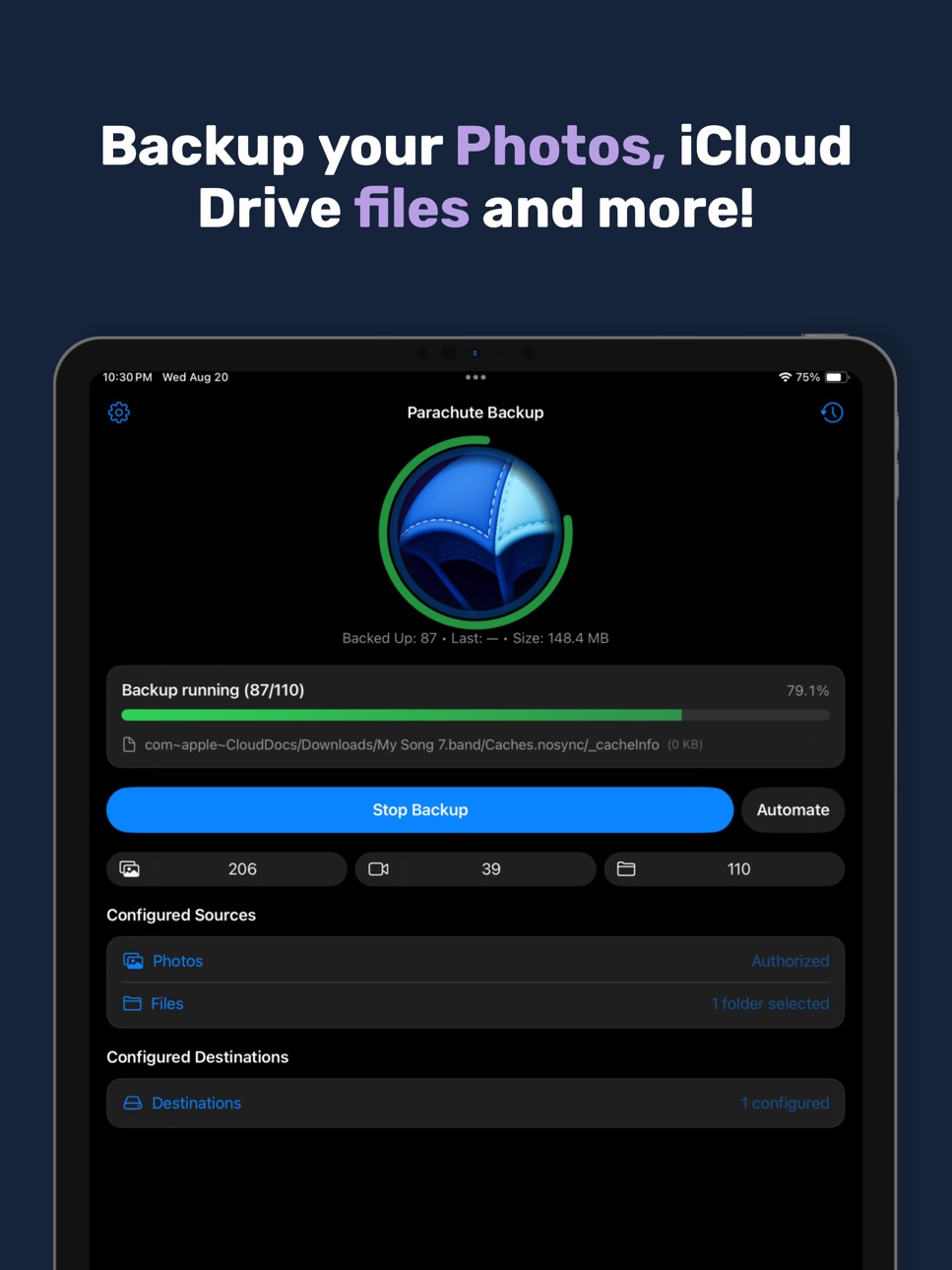

1 older version


1 older version


1 older version


1 older version


What’s New Version 1.8.2
* Backups now start immediately. We’ve eliminated an expensive duplicate filename scan before each backup.
* We removed unnecessary verification steps after writing files, resulting in much faster backups to slow storage such as SMB shares and NAS devices.
* Note: on iOS/iPadOS 26.5 and later we’ve noticed that the modification date of photos and videos changes unexpectedly. For example, simply viewing a photo in the Photos app updates its modification date. As a result, Parachute Backup backs it up again the next time it runs. We have not yet found a workaround for this iOS issue.
* Added a workaround for an issue that could cause files backed up to NAS devices to be marked as invisible.
* Smaller fixes and improvements.
Description
Parachute is your backup companion for iCloud Photos and iCloud Drive. It backs up your memories — photos, videos, and documents — to storage you control, whether that’s an external drive, Google Drive, OneDrive, S3 Buckets, network drives/NAS, external hard drives and more. With Parachute, you get peace of mind and full ownership of your data, free from lock-in.
Your Data, Your Way
• Back up your entire iCloud Photos library (including Shared Albums) and folders from iCloud Drive.
• Preserve originals in full resolution, all adjustment data, and the current edited versions.
• Works with USB drives, NAS/SMB/SFTP mounts, Google Drive, S3 Buckets, OneDrive, external hard drives and more
Key Features
• Backups can be triggered from the main screen to any of your backup destinations
• Automate backups with Shortcuts integration and Schedules
• Privacy-first: transfers handled via Apple’s Files extensions — your credentials never touch our app.
• Supports full-quality media: Live Photos + videos, RAW images, bursts, edits, and slow motion.
Why It Matters
• iCloud sync ≠ backup — deletions, expired storage, or sync errors can mean permanent loss.
• Parachute safeguards your digital life from accidents and disasters.
• Your files are stored in normal folders you can browse and restore from directly — no special tools needed.
One time purchase. No Lock-In.
• One-time purchase unlocks all backup functionality — no recurring fees.
• Your data stays in your storage, not ours.
• No accounts, no telemetry, no background bloat.
FAQ Highlights
Q: Does Parachute ever delete files from iCloud?
A: Never. It’s strictly read-only.
Q: Can I restore without Parachute?
A: Yes. Backups are just normal folders — copy them back with Finder anytime.
Q: What if a file is corrupted in iCloud?
A: Parachute flags any unexportable items so you know exactly what couldn’t be saved.
Q: Can it back up non-iCloud folders?
A: Yes. Add any folder via the iOS/iPadOS file picker
By downloading Parachute Backup, you agree to Apple's Terms of Use (https://www.apple.com/legal/internet-services/itunes/dev/stdeula/) and our Privacy Policy (https://parachuteapps.com/privacy).
Accessibility
ipadiphonemacrealityDevicetvoswatch
Version history 22 versions
Build 887798669v1.8.22026-07-07 20:06:32
* Backups now start immediately. We’ve eliminated an expensive duplicate filename scan before each backup.
* We removed unnecessary verification steps after writing files, resulting in much faster backups to slow storage such as SMB shares and NAS devices.
* Note: on iOS/iPadOS 26.5 and later we’ve noticed that the modification date of photos and videos changes unexpectedly. For example, simply viewing a photo in the Photos app updates its modification date. As a result, Parachute Backup backs it up again the next time it runs. We have not yet found a workaround for this iOS issue.
* Added a workaround for an issue that could cause files backed up to NAS devices to be marked as invisible.
* Smaller fixes and improvements.
Build 887408794v1.82026-06-26 04:41:01
* The Photos backup engine has been completely rewritten for improved reliability and compatibility.
* Photos Backup Settings have been redesigned to make advanced options easier to understand. You can now always see exactly how many items will be backed up.
* Photos Backup Settings and backup results are now identical between Parachute Backup for Mac and Parachute Backup Mobile.
* Added a one-time migration notice explaining the new Photos backup layout.
* Redesigned iCloud Drive Settings: Source Folders for iCloud Drive backups have been completely redesigned for improved usability. Always see exactly what will be backed up, and how many items there are in each group.
* iCloud Drive backups no longer stall on folders ending in “nosync”.
* The Live Activity now updates correctly during the Preparing phase.
* Corrected backup sizes shown in History.
Build 886371214v1.7.12026-06-01 17:58:23
* Fixed an issue that prevented some users from completing onboarding
* Avoids processing original photo and video data when only metadata has changed
* Improved the efficiency of iCloud Photos backups to cloud destinations
* Reduced memory usage during iCloud Photos backups
* Additional performance improvements when preparing and resuming iCloud Photos backups
Build 886006686v1.72026-05-26 05:12:59
This release includes major improvements to Destinations
* Completely redesigned setup flow for S3 and S3-compatible destinations
* Added support for optional S3 path prefixes
* S3 Storage Class settings are now correctly applied
* Fixed OneDrive authentication persistence
* Additional improvements and bug fixes
Build 885255950v1.62026-05-05 05:06:24
* New Quiet Mode, similar to Parachute Backup for Mac. Errors during a backup are now collected and reported once at the end.
* Improved error messages and options when not using Quiet Mode.
* Filenames containing a percent sign are now correctly backed up to S3-compatible storage.
* Fixed a crash when entering a custom S3 URL containing whitespace.
* Various improvements to the Parachute Backup Live Activity.
Enjoying Parachute Backup? A quick review on the App Store helps a lot.
Build 884798078v1.5.32026-04-22 21:04:06
- Fixed a potential crash when iCloud Photos does not provide a file name.
- Incremental backups no longer re-download photo data that has already been backed up.
- Now uses the device time zone to determine the correct destination folder for photos
If you like Parachute Backup, please consider leaving a review. That helps us a lot. Thanks!
Build 884595793v1.5.22026-04-17 04:58:22
- Improved many aspects of the Run Backup screen.
- Error messages during backup are now more informative.
- Parachute Backup no longer asks for notification permissions on first launch.
- Fixed an issue where multiple app windows could be opened on iPad.
If you like Parachute Backup, please consider leaving a review. That helps us a lot. Thanks!
Build 884338577v1.5.12026-04-10 05:38:39
Bug fixes and improvements.
If you like Parachute Backup, please consider leaving a review. That helps us a lot. Thanks!
Build 878712596v1.3.42025-10-07 17:36:41
Minor improvements and fixes
Build 877656117v1.3.32025-08-29 19:14:10
Improve formatting of progress when dynamic island is expanded
Build 877636253v1.3.22025-08-28 14:56:58
S3 buckets now support custom, non-AWS endpoints
Real-time progress updates, improved background resuming, and longer background execution.
Improvements to Shortcut-triggered backups
Other fixes and improvements
Build 877597382v1.3.12025-08-27 15:00:40
S3 buckets now support custom, non AWS endpoints
Improvements to Shortcut-triggered backups
Other fixes and improvements
Build 877527755v1.32025-08-26 23:19:35
Live activities and dynamic island progression are now updated throughout the backup process
Improved background backup continuation
Other bug fixes and improvements
Build 877463001v1.2.42025-08-23 23:47:08
AWS S3 Bucket Support - back up your files & photos to your S3 buckets
OneDrive authentication refresh fixes
Other bug fixes and improvements
Build 877424947v1.2.32025-08-21 22:11:48
Start notifications when triggered via Shortcuts
New counts for files, photos and videos on home screen
Scheduling is now done through Shortcuts & Automation
Better handling for Shortcuts being called while app is not active
Build 877396237v1.2.22025-08-20 12:50:09
Bug fixes for background processing request creation
Build 877348608v1.2.12025-08-19 22:17:55
Keep track of your backup progress with subtle audio progress to check back on your backup and take action if needed
You can now more easily pause and resume backups, and failed backups are now resumable
Improvements for backups being triggered from Shortcuts
New Shortcut option to check the current backup status
Remove the unnecessary GoogleDrive folder that gets created inside of your Google Drive destination
Improvements for iCloud Drive file downloads
Fix issue where large Google Drive files were loaded into memory
Fix issue where destinations may not be available when a Shortcut triggered a backup, Parachute will now attempt to reconnect prior to running backup
Fix issue where shortcuts to start files backup may not always prompt for the source folder
Fix for background notification label
Build 877323175v1.22025-08-18 12:15:15
Automate With Shortcuts!
Create custom schedules and automate backups with Shortcuts integration. Trigger backups when you arrive home, run backups on triggered by custom automations, and more!
Improvements to percentage reporting and progress states
Fix for schedule being lost after repeated force-closing
Fix for background processing not continuing in some scenarios
Build 877314758v1.1.22025-08-17 12:38:45
Scheduled destination picker now also shows the folder name for easier reference
Improvements to the Google Drive authentication process when being signed out
Improvements to background processing wake and schedule triggering
Additional performance improvements
Build 877297774v1.1.12025-08-16 14:32:02
Improvements to photo settings persistence & shared albums
More accurate export counts for photo exports
Disabling live photos now still exports the non-live photo
Faster preparation phase when using default photo export settings
Build 877263532v1.12025-08-15 22:54:05
Microsoft OneDrive support! Backup your data to OneDrive.
Faster backup resuming when background tasks are paused
Better labeling for photo backup settings
Better detection of incompatible backup destinations
Better labeling for local storage destinations
Other improvements and fixes
Build 877132605v1.02025-08-14 12:08:38
Price history by region
Currency
Show
Columns
Search
App performance US
Availability 127 of 127 storefronts
| Region | Language | Price | Ratings | Avg | Version |
|---|---|---|---|---|---|
| US | en-US | USD 9.99 | 70 | 4.4 | 1.8.2 |
| DE | de-DE | EUR 9.99 | 45 | 4.3 | 1.8.2 |
| AU | en-AU | AUD 14.99 | 14 | 4.6 | 1.8.2 |
| CA | en-CA | CAD 12.99 | 14 | 4.7 | 1.8.2 |
| NL | nl | EUR 9.99 | 13 | 4.3 | 1.8.2 |
| GB | en-GB | GBP 9.99 | 12 | 4.3 | 1.8.2 |
| FR | fr-FR | EUR 9.99 | 8 | 4.4 | 1.8.2 |
| IT | it | EUR 9.99 | 4 | 5.0 | 1.8.2 |
| AT | de-DE | EUR 9.99 | 3 | 4.7 | 1.8.2 |
| DK | en-GB | DKK 89 | 3 | 4.7 | 1.8.2 |
| ES | es-ES | EUR 9.99 | 3 | 3.0 | 1.8.2 |
| IN | en-GB | INR 999 | 3 | 4.0 | 1.8.2 |
| CH | de-CH | CHF 9 | 2 | 5.0 | 1.8.2 |
| IE | en-GB | EUR 9.99 | 2 | 5.0 | 1.8.2 |
| NZ | en-AU | NZD 19.99 | 2 | 5.0 | 1.8.2 |
| PL | en-GB | PLN 49.99 | 2 | 3.5 | 1.8.2 |
| SK | en-GB | EUR 9.99 | 2 | 4.0 | 1.8.2 |
| ZA | en-GB | ZAR 199.99 | 2 | 5.0 | 1.8.2 |
| AE | en-GB | AED 39.99 | 1 | 5.0 | 1.8.2 |
| BE | en-GB | EUR 9.99 | 1 | 5.0 | 1.8.2 |
| FI | en-GB | EUR 9.99 | 1 | 5.0 | 1.8.2 |
| HK | zh-Hant-HK | HKD 88 | 1 | 5.0 | 1.8.2 |
| HU | en-GB | HUF 4490 | 1 | 5.0 | 1.8.2 |
| IL | en-GB | ILS 34.9 | 1 | 5.0 | 1.8.2 |
| IS | en-GB | USD 9.99 | 1 | 5.0 | 1.8.2 |
| JP | ja | JPY 1500 | 1 | 5.0 | 1.8.2 |
| MD | en-GB | USD 9.99 | 1 | 5.0 | 1.8.2 |
| NO | en-GB | NOK 129 | 1 | 5.0 | 1.8.2 |
| PT | pt-PT | EUR 9.99 | 1 | 5.0 | 1.8.2 |
| RU | ru | RUB 899 | 1 | 3.0 | 1.8.2 |
| SE | sv | SEK 129 | 1 | 5.0 | 1.8.2 |
| SG | en-GB | SGD 14.98 | 1 | 5.0 | 1.8.2 |
| SI | en-GB | EUR 9.99 | 1 | 5.0 | 1.8.2 |
| TR | en-GB | TRY 499.99 | 1 | 5.0 | 1.8.2 |
| AF | en-GB | USD 9.99 | 0 | — | 1.8.2 |
| AI | en-GB | USD 9.99 | 0 | — | 1.8.2 |
| AL | en-GB | USD 9.99 | 0 | — | 1.8.2 |
| AM | en-GB | USD 9.99 | 0 | — | 1.8.2 |
| AO | en-GB | USD 9.99 | 0 | — | 1.8.2 |
| AZ | en-GB | USD 9.99 | 0 | — | 1.8.2 |
| BA | en-GB | EUR 9.99 | 0 | — | 1.8.2 |
| BG | en-GB | EUR 9.99 | 0 | — | 1.8.2 |
| BH | en-GB | USD 9.99 | 0 | — | 1.8.2 |
| BM | en-GB | USD 9.99 | 0 | — | 1.8.2 |
| BN | en-GB | USD 9.99 | 0 | — | 1.8.2 |
| BO | es-MX | USD 9.99 | 0 | — | 1.8.2 |
| BT | en-GB | USD 9.99 | 0 | — | 1.8.2 |
| BY | en-GB | USD 11.99 | 0 | — | 1.8.2 |
| CN | zh-Hans-CN | CNY 68 | 0 | — | 1.8.2 |
| CR | es-MX | USD 9.99 | 0 | — | 1.8.2 |
| CV | en-GB | USD 9.99 | 0 | — | 1.8.2 |
| CY | en-GB | EUR 9.99 | 0 | — | 1.8.2 |
| CZ | en-GB | CZK 199 | 0 | — | 1.8.2 |
| EE | en-GB | EUR 9.99 | 0 | — | 1.8.2 |
| EG | en-GB | EGP 399.99 | 0 | — | 1.8.2 |
| FJ | en-GB | USD 9.99 | 0 | — | 1.8.2 |
| FM | en-GB | USD 9.99 | 0 | — | 1.8.2 |
| GA | fr-FR | USD 9.99 | 0 | — | 1.8.2 |
| GE | en-GB | USD 9.99 | 0 | — | 1.8.2 |
| GM | en-GB | USD 9.99 | 0 | — | 1.8.2 |
| GR | en-GB | EUR 9.99 | 0 | — | 1.8.2 |
| HR | en-GB | EUR 9.99 | 0 | — | 1.8.2 |
| ID | en-GB | IDR 169000 | 0 | — | 1.8.2 |
| IQ | en-GB | USD 9.99 | 0 | — | 1.8.2 |
| JO | en-GB | USD 9.99 | 0 | — | 1.8.2 |
| KE | en-GB | USD 9.99 | 0 | — | 1.8.2 |
| KG | en-GB | USD 9.99 | 0 | — | 1.8.2 |
| KH | en-GB | USD 9.99 | 0 | — | 1.8.2 |
| KR | ko | KRW 17000 | 0 | — | 1.8.2 |
| KW | en-GB | USD 9.99 | 0 | — | 1.8.2 |
| KY | en-GB | USD 9.99 | 0 | — | 1.8.2 |
| KZ | en-GB | KZT 5990 | 0 | — | 1.8.2 |
| LA | en-GB | USD 9.99 | 0 | — | 1.8.2 |
| LB | en-GB | USD 9.99 | 0 | — | 1.8.2 |
| LC | en-GB | USD 9.99 | 0 | — | 1.8.2 |
| LK | en-GB | USD 9.99 | 0 | — | 1.8.2 |
| LR | en-GB | USD 9.99 | 0 | — | 1.8.2 |
| LT | en-GB | EUR 9.99 | 0 | — | 1.8.2 |
| LU | en-GB | EUR 9.99 | 0 | — | 1.8.2 |
| LV | en-GB | EUR 9.99 | 0 | — | 1.8.2 |
| ME | en-GB | EUR 9.99 | 0 | — | 1.8.2 |
| MK | en-GB | USD 9.99 | 0 | — | 1.8.2 |
| MM | en-GB | USD 9.99 | 0 | — | 1.8.2 |
| MN | en-GB | USD 9.99 | 0 | — | 1.8.2 |
| MO | zh-Hant-HK | USD 9.99 | 0 | — | 1.8.2 |
| MR | en-GB | USD 9.99 | 0 | — | 1.8.2 |
| MT | en-GB | EUR 9.99 | 0 | — | 1.8.2 |
| MV | en-GB | USD 9.99 | 0 | — | 1.8.2 |
| MW | en-GB | USD 9.99 | 0 | — | 1.8.2 |
| MX | es-MX | MXN 149 | 0 | — | 1.8.2 |
| MY | en-GB | MYR 49.9 | 0 | — | 1.8.2 |
| MZ | en-GB | USD 9.99 | 0 | — | 1.8.2 |
| NE | en-GB | USD 9.99 | 0 | — | 1.8.2 |
| NG | en-GB | NGN 14900 | 0 | — | 1.8.2 |
| NP | en-GB | USD 9.99 | 0 | — | 1.8.2 |
| NR | en-GB | USD 9.99 | 0 | — | 1.8.2 |
| OM | en-GB | USD 9.99 | 0 | — | 1.8.2 |
| PA | es-MX | USD 9.99 | 0 | — | 1.8.2 |
| PG | en-GB | USD 9.99 | 0 | — | 1.8.2 |
| PH | en-GB | PHP 599 | 0 | — | 1.8.2 |
| PK | en-GB | PKR 2900 | 0 | — | 1.8.2 |
| PW | en-GB | USD 9.99 | 0 | — | 1.8.2 |
| PY | es-MX | USD 9.99 | 0 | — | 1.8.2 |
| QA | en-GB | QAR 39.99 | 0 | — | 1.8.2 |
| RO | en-GB | RON 39.99 | 0 | — | 1.8.2 |
| RS | en-GB | EUR 9.99 | 0 | — | 1.8.2 |
| RW | en-GB | USD 9.99 | 0 | — | 1.8.2 |
| SA | en-GB | SAR 39.99 | 0 | — | 1.8.2 |
| SB | en-GB | USD 9.99 | 0 | — | 1.8.2 |
| SL | en-GB | USD 9.99 | 0 | — | 1.8.2 |
| SN | en-GB | USD 9.99 | 0 | — | 1.8.2 |
| TC | en-GB | USD 9.99 | 0 | — | 1.8.2 |
| TH | en-GB | THB 399 | 0 | — | 1.8.2 |
| TJ | en-GB | USD 9.99 | 0 | — | 1.8.2 |
| TM | en-GB | USD 9.99 | 0 | — | 1.8.2 |
| TO | en-GB | USD 9.99 | 0 | — | 1.8.2 |
| TW | zh-Hant-TW | TWD 320 | 0 | — | 1.8.2 |
| UA | en-GB | USD 4.99 | 0 | — | 1.8.2 |
| UY | en-GB | USD 9.99 | 0 | — | 1.8.2 |
| UZ | en-GB | USD 9.99 | 0 | — | 1.8.2 |
| VC | en-GB | USD 9.99 | 0 | — | 1.8.2 |
| VE | es-MX | USD 9.99 | 0 | — | 1.8.2 |
| VG | en-GB | USD 9.99 | 0 | — | 1.8.2 |
| VN | en-GB | VND 299000 | 0 | — | 1.8.2 |
| VU | en-GB | USD 9.99 | 0 | — | 1.8.2 |
| XK | en-GB | EUR 9.99 | 0 | — | 1.8.2 |
| YE | en-GB | USD 9.99 | 0 | — | 1.8.2 |
Change log 30 changes · US
✎
releaseNotes updated
* Backups now start immediately. We’ve eliminated an expensive duplicate filename scan before each backup.
* We removed unnecessary verification steps after wri
▣
App icon changed
▣
Screenshots updated
◆
Version changed
1.8 → 1.8.2
◆
Version 1.8.2 released
* Backups now start immediately. We’ve eliminated an expensive duplicate filename scan before each backup.
* We removed unnecessary verification steps after writing files, resulting in much faster backups to slow storage such as SMB shares
✎
releaseNotes updated
* The Photos backup engine has been completely rewritten for improved reliability and compatibility.
* Photos Backup Settings have been redesigned to make advan
✎
description updated
Parachute is your backup companion for iCloud Photos and iCloud Drive. It backs up your memories — photos, videos, and documents — to storage you control, wheth
✎
subtitle updated
For iCloud Photos & Drive
✎
name updated
Parachute Backup Mobile
◆
Version 1.8 released
* The Photos backup engine has been completely rewritten for improved reliability and compatibility.
* Photos Backup Settings have been redesigned to make advanced options easier to understand. You can now always see exactly how many items
◆
Version 1.7.1 released
* Fixed an issue that prevented some users from completing onboarding
* Avoids processing original photo and video data when only metadata has changed
* Improved the efficiency of iCloud Photos backups to cloud destinations
* Reduced memory
◆
Version 1.7 released
This release includes major improvements to Destinations
* Completely redesigned setup flow for S3 and S3-compatible destinations
* Added support for optional S3 path prefixes
* S3 Storage Class settings are now correctly applied
* Fixed On
◆
Version 1.6 released
* New Quiet Mode, similar to Parachute Backup for Mac. Errors during a backup are now collected and reported once at the end.
* Improved error messages and options when not using Quiet Mode.
* Filenames containing a percent sign are now cor
◆
Version 1.5.3 released
- Fixed a potential crash when iCloud Photos does not provide a file name.
- Incremental backups no longer re-download photo data that has already been backed up.
- Now uses the device time zone to determine the correct destination folder f
◆
Version 1.5.2 released
- Improved many aspects of the Run Backup screen.
- Error messages during backup are now more informative.
- Parachute Backup no longer asks for notification permissions on first launch.
- Fixed an issue where multiple app windows could be
◆
Version 1.5.1 released
Bug fixes and improvements.
If you like Parachute Backup, please consider leaving a review. That helps us a lot. Thanks!
◆
Version 1.3.4 released
Minor improvements and fixes
◆
Version 1.3.3 released
Improve formatting of progress when dynamic island is expanded
◆
Version 1.3.2 released
S3 buckets now support custom, non-AWS endpoints
Real-time progress updates, improved background resuming, and longer background execution.
Improvements to Shortcut-triggered backups
Other fixes and improvements
◆
Version 1.3.1 released
S3 buckets now support custom, non AWS endpoints
Improvements to Shortcut-triggered backups
Other fixes and improvements
◆
Version 1.3 released
Live activities and dynamic island progression are now updated throughout the backup process
Improved background backup continuation
Other bug fixes and improvements
◆
Version 1.2.4 released
AWS S3 Bucket Support - back up your files & photos to your S3 buckets
OneDrive authentication refresh fixes
Other bug fixes and improvements
◆
Version 1.2.3 released
Start notifications when triggered via Shortcuts
New counts for files, photos and videos on home screen
Scheduling is now done through Shortcuts & Automation
Better handling for Shortcuts being called while app is not active
◆
Version 1.2.2 released
Bug fixes for background processing request creation
◆
Version 1.2.1 released
Keep track of your backup progress with subtle audio progress to check back on your backup and take action if needed
You can now more easily pause and resume backups, and failed backups are now resumable
Improvements for backups being trigg
◆
Version 1.2 released
Automate With Shortcuts!
Create custom schedules and automate backups with Shortcuts integration. Trigger backups when you arrive home, run backups on triggered by custom automations, and more!
Improvements to percentage reporting and prog
◆
Version 1.1.2 released
Scheduled destination picker now also shows the folder name for easier reference
Improvements to the Google Drive authentication process when being signed out
Improvements to background processing wake and schedule triggering
Additional per
◆
Version 1.1.1 released
Improvements to photo settings persistence & shared albums
More accurate export counts for photo exports
Disabling live photos now still exports the non-live photo
Faster preparation phase when using default photo export settings
◆
Version 1.1 released
Microsoft OneDrive support! Backup your data to OneDrive.
Faster backup resuming when background tasks are paused
Better labeling for photo backup settings
Better detection of incompatible backup destinations
Better labeling for local stora
◆
Version 1.0 released