Home › Productivity

 US
US
1 of 1 storefronts
Content in en-US
Content in en-US
Information
Preview 2 platforms
iPhone 6 images



iPad 6 images


What’s New Version 1.5.0
Hey everyone, reminds has been updated again! Here are some highlights from this release:
- Added a new quick-format toolbar in the editor, making it easier to apply headings, quotes, code blocks, formulas, and more
- Table editing is now supported on mobile, including row/column adjustments, alignment, and other common actions
- Code blocks now support language selection, making technical notes easier to read and organize
- Improved AI usage indicators in the editor, with clearer display of remaining usage and membership benefits
- Optimized the MindPilot conversation scrolling experience for smoother and more stable long-chat viewing
- Improved startup, sync, and local data access performance, resulting in faster app launch and content loading
- Enhanced tag selection interactions, making tag input and confirmation more intuitive
- Fixed stability issues in scenarios such as WeChat login/callbacks and voice recording
- Fixed various issues including AI quota detection, code highlighting loading, ordered list numbering display, and note link title updates
- Additional UI refinements and bug fixes
- Additional UI refinements and bug fixes
Description
reminds is an AI-powered card-based note-taking app designed for lifelong learners. Through effortless capture, rich connections, scientific review, and convenient retrieval, it helps passionate thinkers turn every note into a stepping stone for the future — enabling lifelong learning and lifelong growth.
Core Features
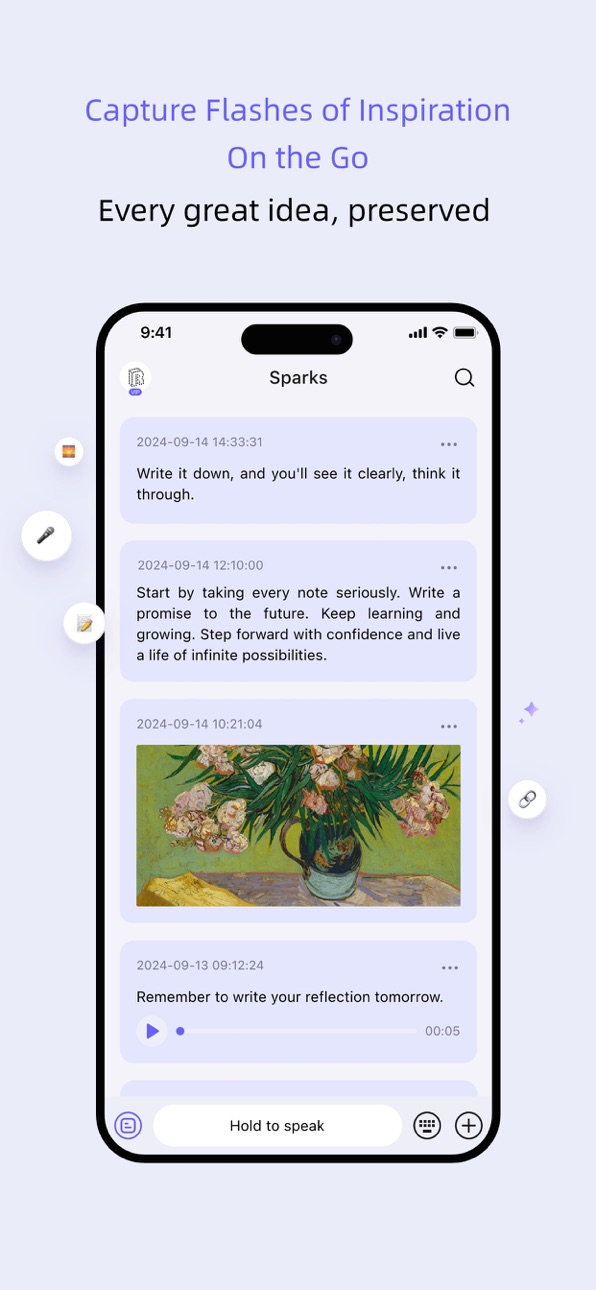
[Capture] Effortless, Pressure-Free Recording
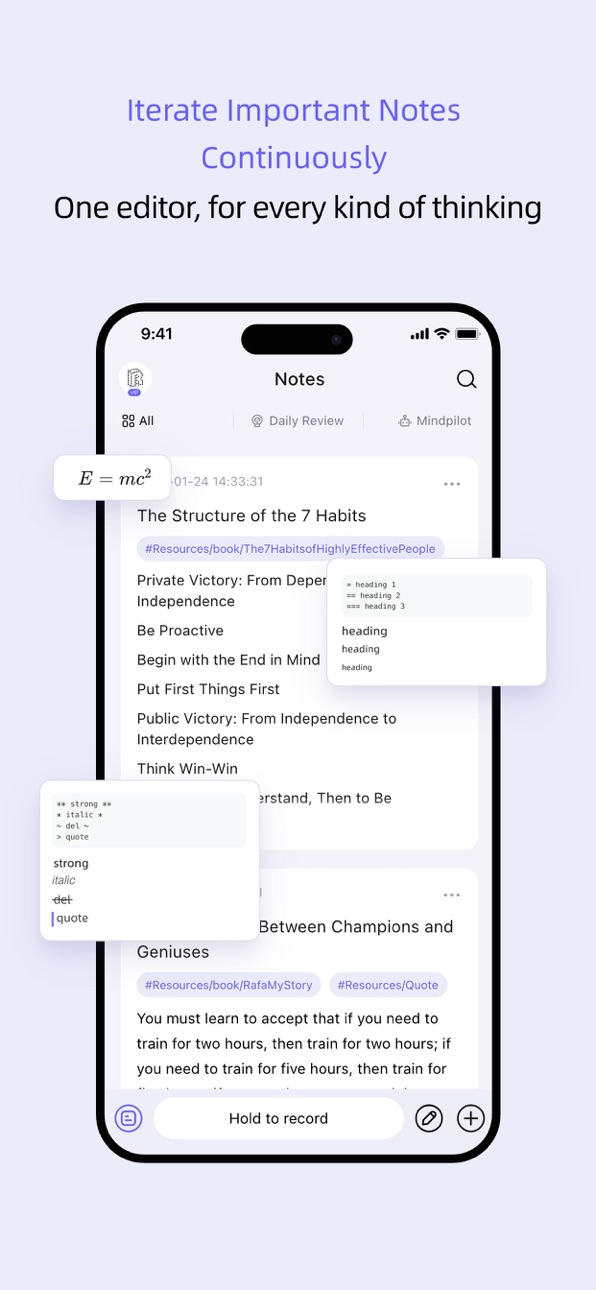
Two forms of capture: "Fleetings" and "Notes"
· Fleetings: Voice, images, or text — capture thoughts anytime, anywhere without worrying about format or interrupting your flow
· Notes: Deep processing and systematic organization with Markdown editing and bi-directional links — comprehensive, rich, and flexible
[Connect] Rich and Diverse Connections
Build an externalized cognitive network through bi-directional links between note cards, fostering cognitive iteration
· Global Knowledge Galaxy reveals the full picture of your knowledge
· Local Knowledge Galaxy shows connections around individual concepts
[Review] Scientific and Intelligent Review
Effectively combat forgetting and truly transform important content into long-term memory
· Scientifically scheduled review intervals based on the Ebbinghaus forgetting curve
· Cloze deletion-style reviews that create productive "friction" for deeper recall
[Retrieve] Quick and Convenient Access
Notes aren't just for storage — reducing the cost of finding them increases the chance of actually using them
· Multi-dimensional search by tags, links, dates, keywords, and more to easily locate notes you expect to find
· AI-powered conversations to gain unexpected inspiration through chat
Highlighted Features
· WeRead Sync: Automatically sync highlights to Fleetings for easy organization and efficient distillation of reading insights
· Powerful Editor: Markdown support, LaTeX math syntax, and code blocks
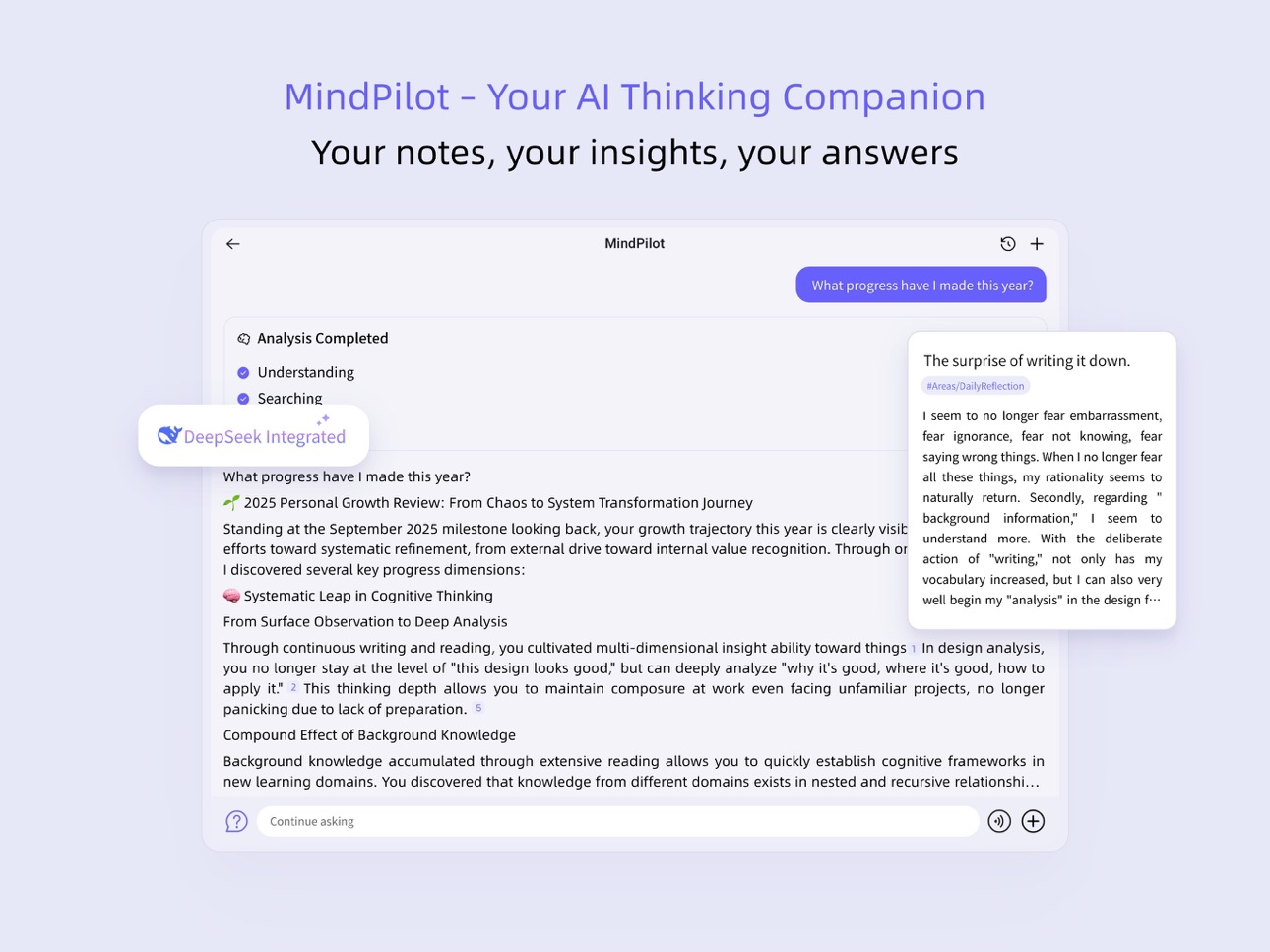
· MindPilot AI Chat: Note-based answers that enhance thinking and exploration
· Personalized AI Agents: MindPilot goes beyond Q&A to complete specific tasks
· Focus Mode: Enjoy undisturbed, focused thinking
Peace of Mind
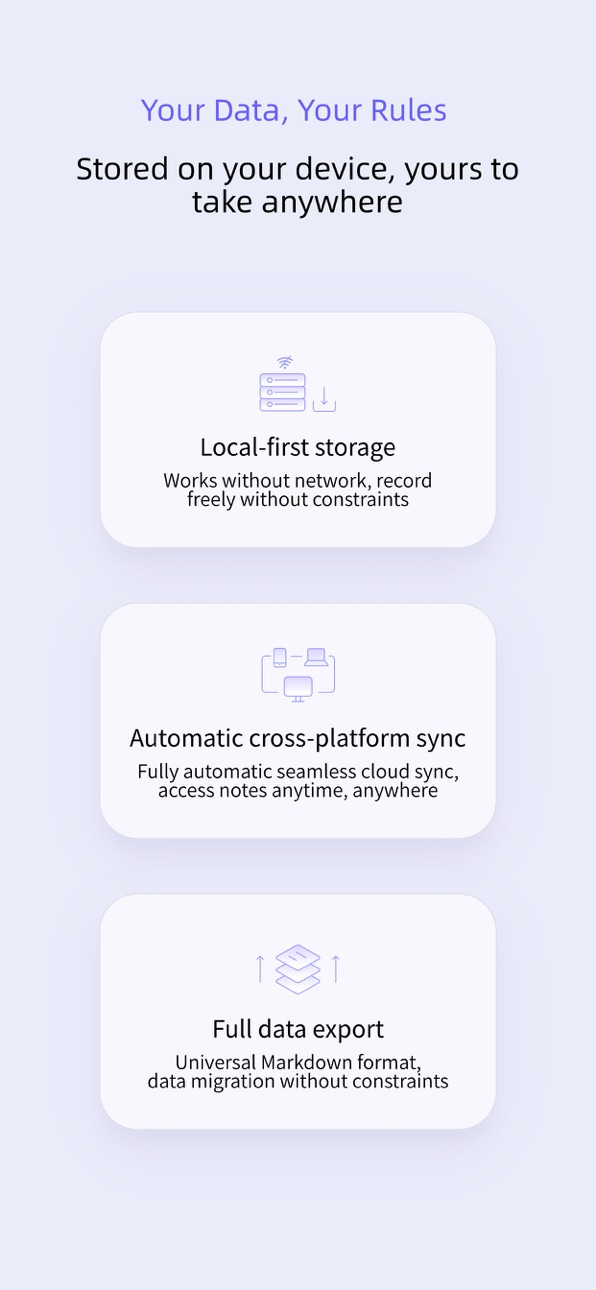
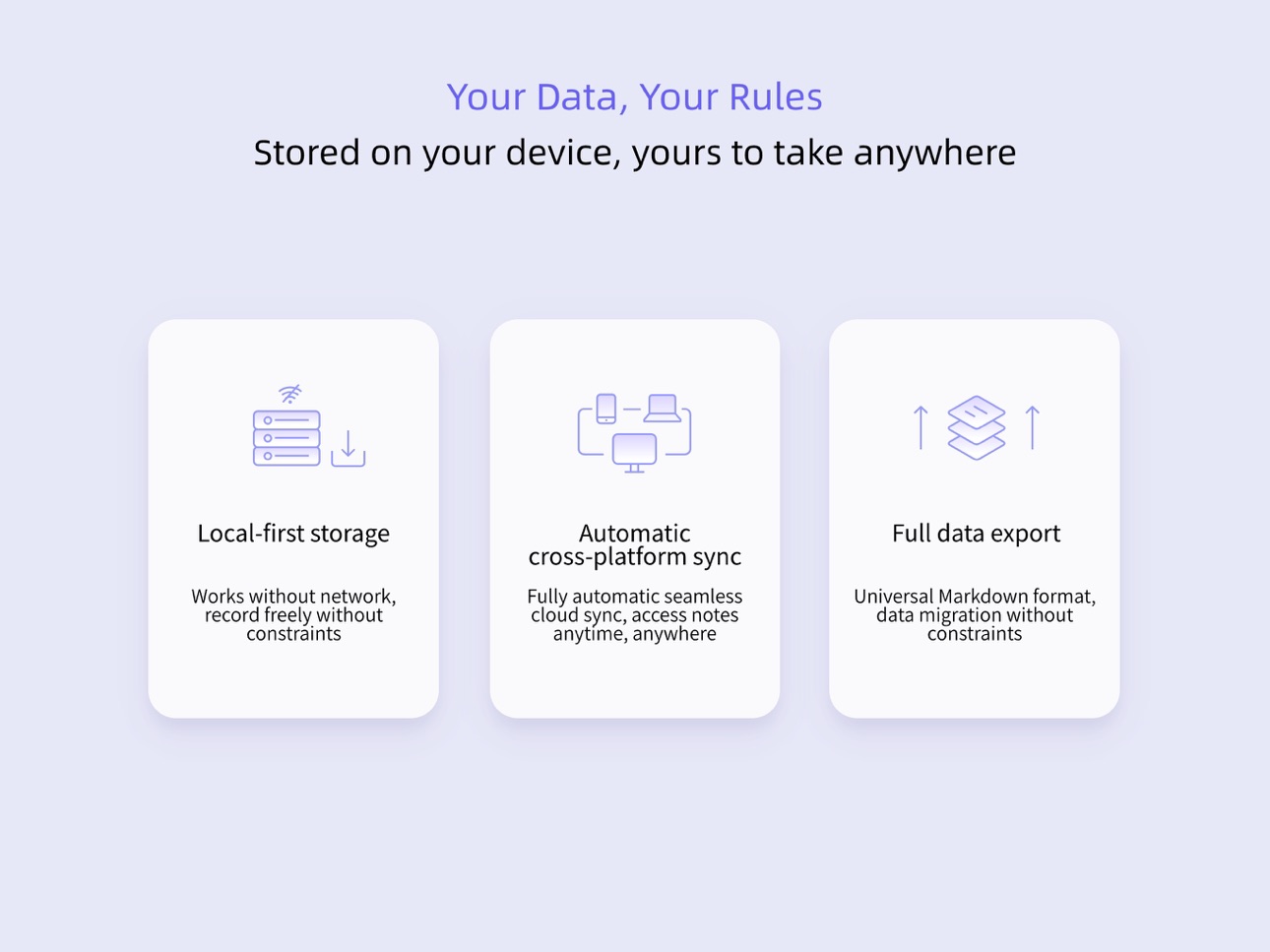
· Local-first storage — record with confidence even without internet
· Seamless multi-device sync — smooth recording anytime, anywhere
· Universal Markdown format with full data export at any time — migrate without restrictions
Our Philosophy
· For personal use: A card-based note tool designed for individuals — no social interactions or collaboration, just your own dedicated thinking space
· Built for short cards: Designed and optimized for brief card-style notes, ideally under 400 characters
· Reliable AI: AI grounded solely in your note content — the more you record, the smarter and more attuned reminds becomes
In an era of rapid change, maintaining reflection and critical thinking is the path to self-growth.
Privacy Policy: https://reminds-app.com/doc/content/9f9732af-6e07-405c-b205-079995ead21a
Subscription Policy: https://reminds-app.com/doc/content/f8a0e529-053e-4c13-a1a3-4251cac2a96a
Questions? Contact the reminds team: hello@reminds.ai
Capabilities
In-App Purchases
Accessibility
ipadiphonemacrealityDevicetvoswatch
Version history 9 versions
Build 886050769v1.5.02026-05-23 22:14:15
Hey everyone, reminds has been updated again! Here are some highlights from this release:
- Added a new quick-format toolbar in the editor, making it easier to apply headings, quotes, code blocks, formulas, and more
- Table editing is now supported on mobile, including row/column adjustments, alignment, and other common actions
- Code blocks now support language selection, making technical notes easier to read and organize
- Improved AI usage indicators in the editor, with clearer display of remaining usage and membership benefits
- Optimized the MindPilot conversation scrolling experience for smoother and more stable long-chat viewing
- Improved startup, sync, and local data access performance, resulting in faster app launch and content loading
- Enhanced tag selection interactions, making tag input and confirmation more intuitive
- Fixed stability issues in scenarios such as WeChat login/callbacks and voice recording
- Fixed various issues including AI quota detection, code highlighting loading, ordered list numbering display, and note link title updates
- Additional UI refinements and bug fixes
- Additional UI refinements and bug fixes
Build 883646372v1.4.02026-03-23 21:44:29
Key updates in this version:
- Link fleetings now display webpage titles and summaries for quick reference
- Startup speed optimized for faster and smoother launches
- Animation and scrolling performance improved for a silkier experience
- Editor toolbar layout adjusted for easier access to common actions
- Fleeting cards now show creation time for more intuitive information display
- Highlight marker colors optimized in dark mode for more comfortable reading
- Review sync strategy optimized for more efficient syncing
- Fixed multiple issues including data loading and sorting errors in offline mode
- Other minor improvements and bug fixes
Build 880578449v1.3.02025-12-16 02:00:20
- 全新深色模式,夜间使用更护眼,小组件同步适配
- 支持英文语言,可在设置中自由切换
- 修复编辑笔记后搜索结果未及时更新的问题
- 修复回顾页面小眼睛长按异常
- 修复从微信返回时误触发分享
- 修复平板分屏布局问题
- 其它细节优化与问题修复
Build 880034071v1.2.02025-11-24 21:49:13
这个版本主要更新了以下功能:
- 小组件功能:
- 通过小组件进行闪念的记录,更快捷、更方便
- 将置顶笔记放到桌面小组件,重要事项更清晰、更直观
- 新的闪念记录方式:支持通过别的App分享图片、文字、链接到闪念中
- 草稿箱功能:闪念、笔记编辑中途退出回来可以继续接着编辑,更安心
- 图片查看器:支持闪念、笔记中的图片点开看大图,并可以进行缩放等操作
- 优化标签同步逻辑,在桌面端的修改可以及时同步到移动端
- 其它一些Bug修复和体验优化,更丝滑了
Build 879708840v1.1.02025-11-12 20:33:47
新的版本来了,欢迎大家体验、反馈:
- 冷启动速度优化,优化后有明显的提升,打开更快了
- 闪念卡片新增左滑手势,更加方便加工闪念为笔记
- 新用户onboarding优化,闪念->笔记双轨记录感知更明显
- 编辑器工具栏增加“撤回/重做“操作相关的工具入口
- 优化默认字体,确保在不同平台上的显示更友好
- 通知中支持应用内跳转,更加方便快捷
- 优化语音闪念文件保存流程,更加稳定可靠
- 修复编辑器中文本选择时光标跳动的问题
- 优化编辑器中插件的加载,打开更加顺滑
- 其它细节的完善,体验更好了
Build 879352484v1.0.02025-10-30 21:36:44
- 全面支持“分享”功能,各个场景中都可以分享
- 回顾支持“今天不想填空”,回顾更加轻松无压力
- 重构底部栏的适配逻辑,对各种手机都有更好地适配性
- 其它细节的优化、完善
第一个较为正式的版本,欢迎大家试用、反馈!
Build 878907341v0.0.42025-10-14 21:54:26
- 新增字体大小设置功能
- 新增列表缩进控制功能
- 新增闪念同步设置页面
- 新增加奖励中心
- 重新设计了语音录制界面
- 修复了笔记搜索分页问题
- 修复了多个输入法相关问题
- 修复了语音录制和转写相关的多个问题
- 修复了界面显示的一些问题
- 性能优化,体验更好
Build 878780372v0.0.22025-10-09 22:33:01
- 修复了语音闪念/笔记在被电话/通知打断时状态异常的问题
- UI细节的优化
Build 876951990v0.0.12025-10-08 22:28:24
No pricing data captured yet — comparisons appear once the app has paid storefronts or in-app purchases.
Availability 1 of 1 storefronts
| Region | Language | Price | Ratings | Avg | Version |
|---|---|---|---|---|---|
| US | en-US | Free | 0 | — | 1.5.0 |
Change log 13 changes · US
✎
releaseNotes updated
Hey everyone, reminds has been updated again! Here are some highlights from this release:
- Added a new quick-format toolbar in the editor, making it easier to
✎
description updated
reminds is an AI-powered card-based note-taking app designed for lifelong learners. Through effortless capture, rich connections, scientific review, and conveni
✎
subtitle updated
Think Better, Learn Forever
✎
name updated
reminds - AI Card Notes
◆
Version 1.5.0 released
Hey everyone, reminds has been updated again! Here are some highlights from this release:
- Added a new quick-format toolbar in the editor, making it easier to apply headings, quotes, code blocks, formulas, and more
- Table editing is now
◆
Version 1.4.0 released
Key updates in this version:
- Link fleetings now display webpage titles and summaries for quick reference
- Startup speed optimized for faster and smoot
◆
Version 1.3.0 released
- 全新深色模式,夜间使用更护眼,小组件同步适配
- 支持英文语言,可在设置中自由切换
- 修复编辑笔记后搜索结果未及时更新的问题
- 修复回顾页面小眼睛长按异常
- 修复从微信返回时误触发分享
- 修复平板分屏布局问题
- 其它细节优化与问题修复
◆
Version 1.2.0 released
这个版本主要更新了以下功能:
- 小组件功能:
- 通过小组件进行闪念的记录,更快捷、更方便
- 将置顶笔记放到桌面小组件,重要事项更清晰、更直观
- 新的闪念记录方式:支持通过别的App分享图片、文字、链接到闪念中
- 草稿箱功能:闪念、笔记编辑中途退出回来可以继续接着编辑,更安心
- 图片查看器:支持闪念、笔记中的图片点开看大图,并可以进行缩放等操作
- 优化标签同步逻辑,在桌面端的修改可以及时同步到移动端
- 其它一些Bug修复和体验优化,更丝滑了
◆
Version 1.1.0 released
新的版本来了,欢迎大家体验、反馈:
- 冷启动速度优化,优化后有明显的提升,打开更快了
- 闪念卡片新增左滑手势,更加方便加工闪念为笔记
- 新用户onboarding优化,闪念->笔记双轨记录感知更明显
- 编辑器工具栏增加“撤回/重做“操作相关的工具入口
- 优化默认字体,确保在不同平台上的显示更友好
- 通知中支持应用内跳转,更加方便快捷
- 优化语音闪念文件保存流程,更加稳定可靠
- 修复编辑器中文本选择时光标跳动的问题
- 优化编辑器中插件的加载,打开更加顺滑
-
◆
Version 1.0.0 released
- 全面支持“分享”功能,各个场景中都可以分享
- 回顾支持“今天不想填空”,回顾更加轻松无压力
- 重构底部栏的适配逻辑,对各种手机都有更好地适配性
- 其它细节的优化、完善
第一个较为正式的版本,欢迎大家试用、反馈!
◆
Version 0.0.4 released
- 新增字体大小设置功能
- 新增列表缩进控制功能
- 新增闪念同步设置页面
- 新增加奖励中心
- 重新设计了语音录制界面
- 修复了笔记搜索分页问题
- 修复了多个输入法相关问题
- 修复了语音录制和转写相关的多个问题
- 修复了界面显示的一些问题
- 性能优化,体验更好
◆
Version 0.0.2 released
- 修复了语音闪念/笔记在被电话/通知打断时状态异常的问题
- UI细节的优化
◆
Version 0.0.1 released