Home › Graphics & Design

 US
US
1 of 1 storefronts
Content in en-US
Content in en-US
Information
Apple ID6749490698
Bundle IDcom.muratcanaslan.icphoto
SellerSeller
Min iOS16.0
Min macOS13.0
Device familiesiphone
Released2025-09-03
Copyright© 2025 Nine Tails Lab
Privacy policyLink ↗
Preview 1 platform
iPhone 6 images


What’s New Version 1.0.6
- UI/UX improvements
Description
IC Photo Singapore simplifies the process of taking and preparing official ID photos—all from your smartphone. Whether you’re applying for a Singapore document or an international visa, the app ensures your photo is formatted precisely to government specifications—quickly, affordably, and without leaving your home.
Snap a picture or upload one from your gallery, and IC Photo Singapore will handle the rest: it automatically clears the background, crops the photo, and resizes it to match official standards like 35×45 mm or 400×514 pixels. Your final image is delivered in high resolution, suitable for both digital use and printing.
Compatible with a wide range of Singaporean documents:
• IC Photo Singapore
• Passport (digital or printed submission)
• NRIC
• Driving Licence
• Citizenship & Identity Certificates
• Work passes such as the Employment Pass and S Pass
• Visa applications (local and international)
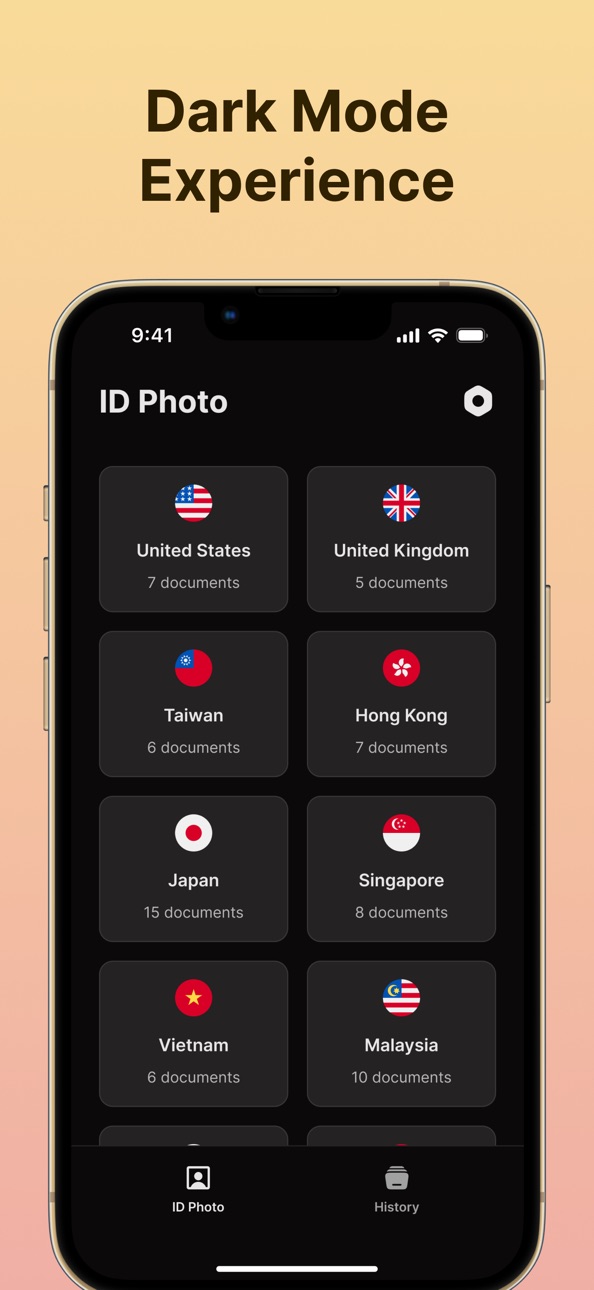
Beyond Singapore, the app also supports a variety of global ID formats. Whether you’re preparing photos for the United States, United Kingdom, Taiwan, Hong Kong, Japan, Vietnam, Malaysia, South Korea, or Thailand, IC Photo Singapore intelligently adapts to the required photo dimensions and rules of each country—making it a truly international tool for personal documentation.
You can subscribe on a weekly or monthly basis, with region-specific pricing. Subscriptions renew automatically unless canceled in advance.
We take your privacy seriously. Please refer to our official documents below for more information:
Privacy Policy: https://ninetailslab.com/icphoto/privacy
Terms and Conditions: https://ninetailslab.com/icphoto/terms
Need help or have suggestions? Reach us anytime at infoappnine@gmail.com
Capabilities
In-App Purchases
Accessibility
ipadiphonemacrealityDevicetvoswatch
Version history 7 versions
Build 882937558v1.0.62026-04-05 19:09:57
- UI/UX improvements
Build 880369187v1.0.52025-12-26 00:46:14
- Minor improvements
Build 880336483v1.0.42025-12-04 22:58:23
- Minor improvements
Build 880152971v1.0.32025-11-29 01:47:27
- Minor improvements
Build 879966981v1.0.22025-11-22 08:20:05
- Minor improvements
Build 877837486v1.0.12025-11-11 23:42:24
- Added AI Headshot feature for professional photo generation
- Introduced full Dark Mode support
- Optimized for iOS 26 with improved performance and stability
Build 876928554v1.0.02025-09-04 04:05:03
No pricing data captured yet — comparisons appear once the app has paid storefronts or in-app purchases.
Availability 1 of 1 storefronts
| Region | Language | Price | Ratings | Avg | Version |
|---|---|---|---|---|---|
| US | en-US | Free | 2 | 3.5 | 1.0.6 |
Change log 11 changes · US
✎
releaseNotes updated
- UI/UX improvements
✎
description updated
IC Photo Singapore simplifies the process of taking and preparing official ID photos—all from your smartphone. Whether you’re applying for a Singapore document
✎
subtitle updated
Passport Size Photo Maker
✎
name updated
IC Photo Singapore Passport
◆
Version 1.0.6 released
- UI/UX improvements
◆
Version 1.0.5 released
- Minor improvements
◆
Version 1.0.4 released
- Minor improvements
◆
Version 1.0.3 released
- Minor improvements
◆
Version 1.0.2 released
- Minor improvements
◆
Version 1.0.1 released
- Added AI Headshot feature for professional photo generation
- Introduced full Dark Mode support
- Optimized for iOS 26 with improved performance and stability
◆
Version 1.0.0 released