Home › Productivity

 US
US
1 of 1 storefronts
Content in en-US
Content in en-US
Information
Preview 2 platforms
iPhone 9 images




iPad 8 images


What’s New Version 0.3.0
Improved performance and stability;
Minor bug fixes;
Main screen redesign;
Description
Ultimate Planner is a flexible digital planner app for iPad and iPhone, built for handwriting, calendar planning, tasks, notes, habits, goals, routines, and personal organization. Plan your day, week, month, and year on visual planner pages, write naturally with Apple Pencil or your finger, type text when needed, and sync your real schedule with Apple Calendar and Google Calendar.
Use Ultimate Planner as your daily planner, weekly planner, monthly planner, yearly planner, task planner, habit tracker, goal planner, note-taking app, and visual calendar planner in one simple planning system. It is designed for people who want the feel of a real planner with the flexibility of a modern productivity app.
More than a to-do list, Ultimate Planner gives you real planner pages for daily schedules, weekly routines, monthly plans, yearly goals, notes, trackers, budgets, meal planning, projects, journaling, wellness, study, work, and home organization. It helps you build a planner that fits the way you actually plan.
Ultimate Planner is not a static PDF planner. You can customize layouts, add pages, create multiple planners, change covers and themes, sync calendar events, type text, use checkboxes, add images, paste content, write by hand, and continue planning across future years without rebuilding your planner from scratch.
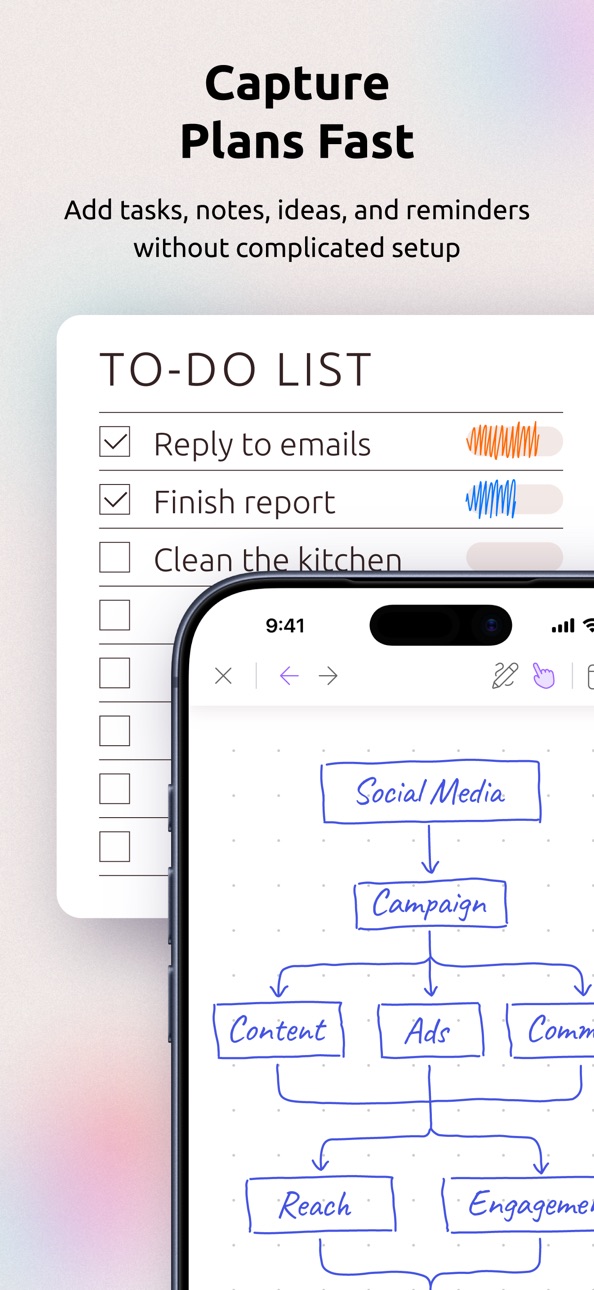
Capture plans without friction. Add tasks, notes, ideas, reminders, routines, and calendar events, then organize everything into daily, weekly, monthly, yearly, or custom planner pages when you are ready. Ultimate Planner is flexible enough for detailed planning, but simple enough to keep using every day.
Key Features:
• Digital planner app for iPad and iPhone
• Handwriting with Apple Pencil or finger
• Apple Calendar sync and Google Calendar sync
• Daily planner, weekly planner, monthly planner, quarterly planner, and yearly planner pages
• 500+ flexible planner layouts, templates, and page designs
• Checklists, reminders, recurring plans, and routines
• Habit tracker, goal planner, routine tracker, progress tracker, and wellness planner pages
• Notes, journals, sketches, stickers, images, handwriting, typed text, and pasted content
• Budget planner, meal planner, project planner, student planner, teacher planner, ADHD-friendly planner pages, and more
• Light and dark mode, planner themes, covers, colors, fonts, and custom sections
• Multiple planners for work, study, home, wellness, school, projects, and personal life
• Cross-device and cross-platform sync
• Offline planning support when you do not have internet access
Use Ultimate Planner for:
• Daily planning and time blocking
• Weekly routines and recurring tasks
• Monthly planning and long-term goals
• Work planning, project planning, and meeting notes
• Budget planning, expense tracking, and personal finance organization
• Meal planning, grocery planning, wellness planning, habits, and journaling
• ADHD planning, visual planning, flexible routines, and personal productivity
• Notes, checklists, schedules, trackers, and custom planner pages
Ultimate Planner helps you organize your life without forcing you into one rigid productivity system. Start free and build a digital planner that works the way you do.
Subscriptions:
- App subscriptions are paid on either monthly or yearly intervals
- Payment will be charged to iTunes Account at confirmation of purchase
- Subscription automatically renews unless auto-renew is turned off at least 24-hours before the end of the current period
- Account will be charged for renewal within 24-hours prior to the end of the current period, and identify the cost of the renewal
- Subscriptions may be managed by the user and auto-renewal may be turned off by going to the user's iTunes Account Settings after purchase
- Any unused portion of a free trial period will be forfeited when the user purchases a subscription
- Privacy Policy: https://ultimate-planner.app/privacy/
- Terms of Service: https://ultimate-planner.app/terms/
In-App Purchases US pricing
All In One Access Subscription
(Yearly) · Yearly$39.99
Monthly$4.99
Capabilities
In-App Purchases
Accessibility
ipadiphonemacrealityDevicetvoswatch
Version history 12 versions
Build 887925102v0.3.02026-07-08 22:33:11
Improved performance and stability;
Minor bug fixes;
Main screen redesign;
Build 886452302v0.2.52026-06-03 18:33:29
- Major cloud data sync bug fix
- Minor UI/UX fixes and improvements
Build 886210284v0.2.32026-05-27 21:30:48
- Added more planner customization options, including font size and font weight;
- You can now add images into the planner from your device gallery;
- Navigation is now smoother with one-finger panning support;
- Improved experience for smaller-screen devices;
- Faster loading for the editor and bookshelf;
- Improved event creation and calendar interactions;
- Better swipe navigation between pages;
- Multiple fixes, UI/UX and performance improvements for a smoother experience;
Build 885048987v0.2.22026-04-29 20:24:29
Drawing Mode:
- New Lasso tool: select, move, rotate, and resize your handwriting or drawings
- Copy & paste any text block, image, or drawing within the same planner or across planners
- Paste text and images from other apps — everything syncs across your devices just like stickers
Navigation Mode:
- Tap anywhere to start typing — no need to switch modes or create a text block
- Interact with checkboxes and track habits (mood, water, and more)
- Rename any page or block title
- Quickly add events by tapping the calendar “+” icon
Bug Fixes & Improvements:
- Fixed incorrect event dates when Sunday is set as the start of the week
- Fixed inverted panning during pinch-to-zoom
- General UI/UX improvements
Build 882458195v0.2.12026-02-15 19:10:36
- Multiple bug fixes and UI/UX improvements;
- Double-tap on screen to switch between writing tool and eraser has been disabled due to instability;
- FAQ has been added to the Support screen;
Build 882317492v0.2.02026-02-10 20:38:31
- Handwriting data storage and performance significantly optimized;
- New quick-action: double-tap on screen in writing mode to quickly switch between the eraser and last used writing tool;
- New quick-action: double-tap on Apple Pencil in writing mode to quickly switch between the eraser and last used writing tool;
- Better floating handwriting settings menu UI on smartphones;
- Other minor bug fixes and UI/UX improvements;
Build 881719408v0.1.52026-01-22 01:58:22
- Added a Pocket format for users who primarily plan on their smartphones. This format is optimized for small screens, with simplified layouts, fewer fine details, larger font sizes, and a slightly adjusted aspect ratio to maximize usable screen space.
- Improved communication around the status of cloud sync
- Minor UI/UX fixes and improvements
Build 881298640v0.1.42026-01-08 02:29:13
- Minor bug fixes and UI/UX fixes
- Improved app updates system
- Performance improvements
Build 880956485v0.1.32025-12-23 23:49:52
- Multi-language for planners: now you can choose your preferred language for your planners. Available languages are: English, German, French, Italian, Spanish, Dutch, and Portuguese.
- Minor UI improvements and bug fixes
Build 880742644v0.1.22025-12-17 05:39:28
Bug fixes and UI improvements
Build 876859897v0.1.02025-12-12 08:02:06
Build 880593718v0.1.12025-12-12 21:17:19
- Multiple bug fixes
- Major UI/UX improvements
- 20+ New custom fonts for text elements
- Recurring calendar events support
Price history by region
Currency
Show
Columns
Search
Availability 1 of 1 storefronts
| Region | Language | Price | Ratings | Avg | Version |
|---|---|---|---|---|---|
| US | en-US | Free | 3 | 5.0 | 0.3.0 |
Change log 16 changes · US
✎
releaseNotes updated
Improved performance and stability;
Minor bug fixes;
Main screen redesign;
✎
description updated
Ultimate Planner is a flexible digital planner app for iPad and iPhone, built for handwriting, calendar planning, tasks, notes, habits, goals, routines, and per
✎
subtitle updated
Where Paper Meets Digital
✎
name updated
Ultimate Planner App
◆
Version 0.3.0 released
Improved performance and stability;
Minor bug fixes;
Main screen redesign;
◆
Version 0.2.5 released
- Major cloud data sync bug fix
- Minor UI/UX fixes and improvements
◆
Version 0.2.3 released
- Added more planner customization options, including font size and font weight;
- You can now add images into the planner from your device gallery;
- Navigation is now smoother with one-finger panning support;
- Improved experience for sma
◆
Version 0.2.2 released
Drawing Mode:
- New Lasso tool: select, move, rotate, and resize your handwriting or drawings
- Copy & paste any text block, image, or drawing within the same planner or across planners
- Paste text and images from other apps — everything s
◆
Version 0.2.1 released
- Multiple bug fixes and UI/UX improvements;
- Double-tap on screen to switch between writing tool and eraser has been disabled due to instability;
- FAQ has been added to the Support screen;
◆
Version 0.2.0 released
- Handwriting data storage and performance significantly optimized;
- New quick-action: double-tap on screen in writing mode to quickly switch between the eraser and last used writing tool;
- New quick-action: double-tap on Apple Pencil in
◆
Version 0.1.5 released
- Added a Pocket format for users who primarily plan on their smartphones. This format is optimized for small screens, with simplified layouts, fewer fine details, larger font sizes, and a slightly adjusted aspect ratio to maximize usable s
◆
Version 0.1.4 released
- Minor bug fixes and UI/UX fixes
- Improved app updates system
- Performance improvements
◆
Version 0.1.3 released
- Multi-language for planners: now you can choose your preferred language for your planners. Available languages are: English, German, French, Italian, Spanish, Dutch, and Portuguese.
- Minor UI improvements and bug fixes
◆
Version 0.1.2 released
Bug fixes and UI improvements
◆
Version 0.1.1 released
- Multiple bug fixes
- Major UI/UX improvements
- 20+ New custom fonts for text elements
- Recurring calendar events support
◆
Version 0.1.0 released