Home › Books

 US
US
1 of 1 storefronts
Content in en-US
Content in en-US
Information
Apple ID6749012209
Bundle IDcom.passionex.pantascan2
SellerSeller
Min iOS17.6
Min macOS14.6
Device familiesiphone
Released2025-07-29
Copyright© 2025 Passion-EX. All rights reserved.
Privacy policyLink ↗
Preview 1 platform
iPhone 9 images





What’s New Version 2.1.122
2.1.122 What’s New
1. Added a feature to save OCR results as page-by-page TXT files and export them as a ZIP file.
2. Refactored the PDF-to-EPUB conversion flow to improve conversion stability and processing reliability.
3. Added a Delete Book button in the book popup, with folder size shown before full deletion.
Description
PantaScan 2 – Cheetah-fast On-Device OCR Scanner
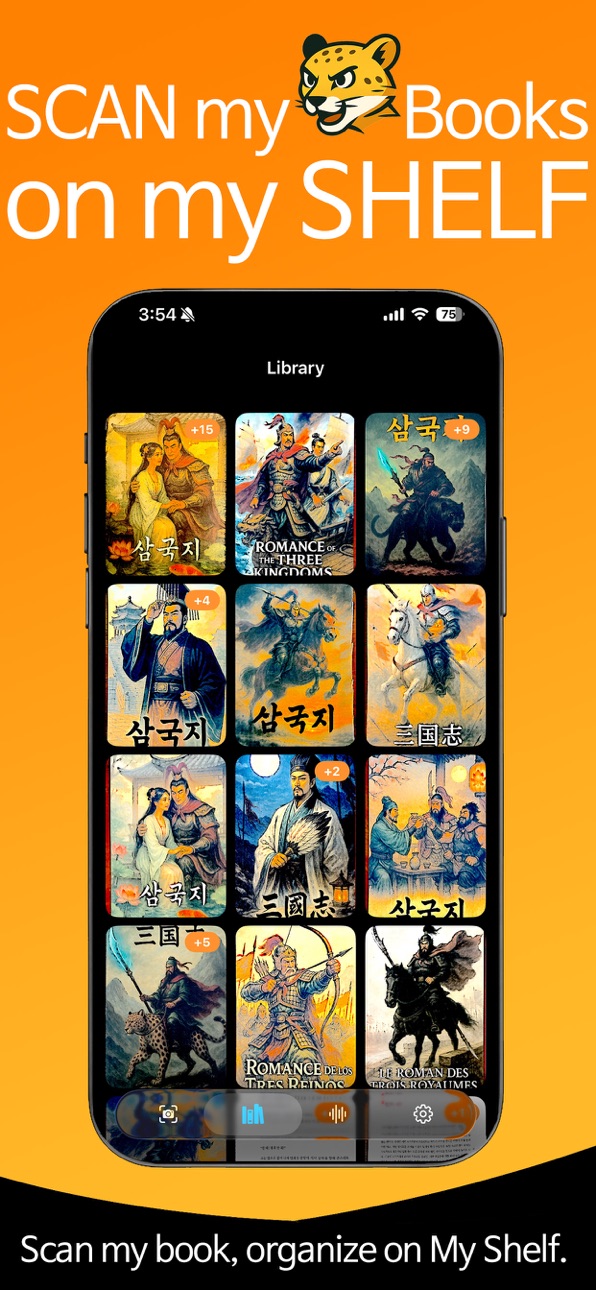
Just tap. AI auto-detects the page, captures 2 pages at once, corrects curves, trims margins, runs OCR, and saves as a crisp, print-ready PDF.
One shot, two pages done. Get clear text instantly with AI auto-enhancement + OCR.
Open your book and see real-time correction as you scan.
Both pages are captured cleanly in a single scan.
Works fully offline — no server, no Wi-Fi, even in airplane mode.
Auto book detection – Detects open books automatically
Real-time correction – Fixes distortion and tilt as you capture
“5-No” OCR – No server, no upload, no data leak, no Wi-Fi, no worries
Margin cleanup – Creates clean, easy-to-read documents
Ultra-light PDFs – OCR-based, searchable, tiny file size
100% on your device. A fully local, fast, and secure scanner.
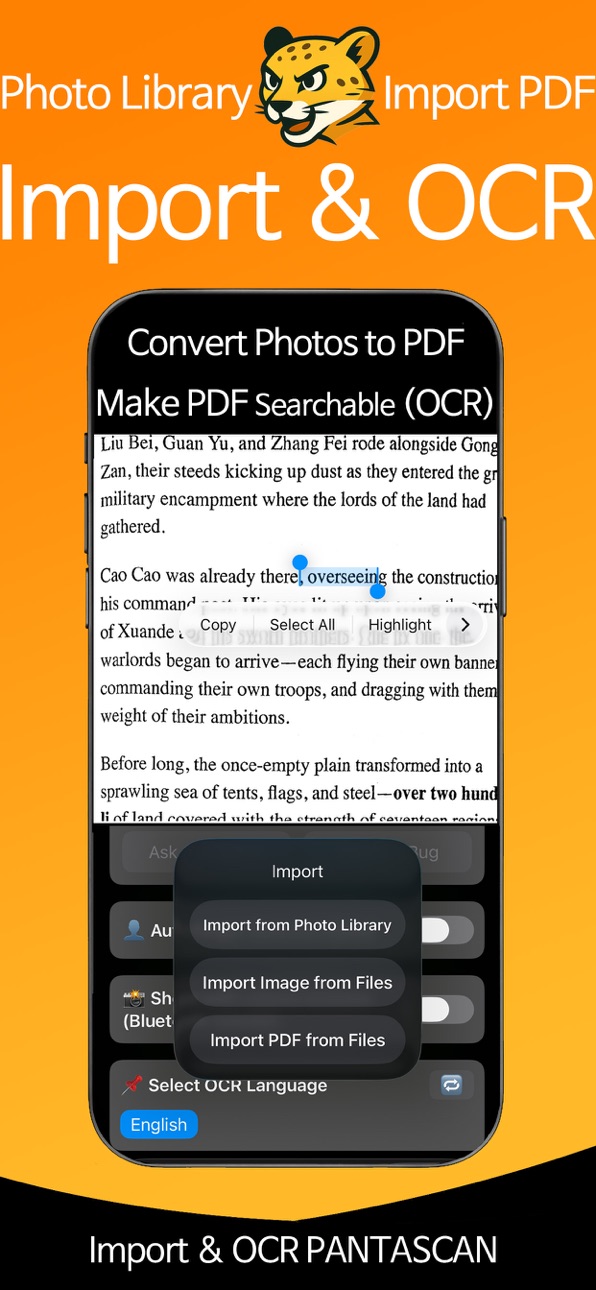
Import external files – Clean margins, reflow text, make them searchable
Turn into audiobooks – Listen to your scanned books with TTS.
Capabilities
In-App Purchases
Accessibility
ipadiphonemacrealityDevicetvoswatch
Version history 20 versions
Build 882558013v2.1.1222026-02-18 23:10:15
2.1.122 What’s New
1. Added a feature to save OCR results as page-by-page TXT files and export them as a ZIP file.
2. Refactored the PDF-to-EPUB conversion flow to improve conversion stability and processing reliability.
3. Added a Delete Book button in the book popup, with folder size shown before full deletion.
Build 882278625v2.1.1212026-02-09 20:54:46
2.1.120 Update - New: PDF → EPUB conversion is now supported.
- Location: Available at the bottom of the Settings menu.
- Easily convert your documents into lightweight, reading-friendly EPUB format.
- Note: The current version exports text-only EPUB.
Build 881983202v2.1.1192026-02-08 21:34:10
Old-device support and Bluetooth shutter bug fix
Added compatibility support for legacy devices:
iPad 9th gen (iPad12,1 / iPad12,2)
iPad 8th gen (iPad11,6 / iPad11,7)
iPhone SE (2nd gen) (iPhone12,8)
iPhone SE (3rd gen) (iPhone14,6)
Fixed Bluetooth remote shutter behavior:
Volume-shutter now stays at a fixed mid-level (0.5) to ensure consistent trigger detection.
Updated volume-change handling to prevent it from snapping back to max.
Build 879604270v2.1.1182025-11-09 07:23:37
2025.11.08 Update (v2.1.118)
- Improved TTS auto voice selection and added support for more OCR languages.
- Enhanced automatic finger removal with device-optimized detection and cleanup speed.
- Refined iOS 26-only Liquid Glass UI for a smoother visual experience.
- “My Shelf” & settings improvements: manage your books more easily and access settings faster.
- Better performance on older iPhones with optimized memory and frame pipelines.
- Other minor bug fixes and stability improvements.
Build 878603659v2.1.1172025-10-02 16:16:18
2025.10.02 Update (v2.1.117)
Improved auto-selection of TTS voices for reading
Enhanced automatic finger removal: faster detection, mode is saved and auto-restored
iOS 26 Liquid Glass UI: smoother visuals and more consistent interactions
“My Library” added & better Settings accessibility: manage books in My Library; easier access to Settings
Logout reliability: fixed cases where logout wasn’t reflected on screen
Performance improvements on older iPhones: optimized memory and frame pipeline for faster feel
Misc.: various bug fixes and stability improvements
Build 878075814v2.1.1142025-09-15 13:56:35
v2.1.114 Update (EN)
1. TTS Book Viewer: Refined the display area for a cleaner layout, better readability, and tighter highlight alignment.
2. Scan-to-PDF: Renamed the menu to make the PDF export option easier to find.
Build 877940173v2.1.1132025-09-11 12:22:01
v2.1.113 — 2025-09-11 Release Notes
Reading just got better.
- Reading Mode Zoom: Pin in for crisp, detailed views.
- Refreshed Menu Colors: Cleaner, easier on the eyes.
- TTS for Scanned Books: Have your scanned pages read aloud.
Lightweight, faster, and smoother.
Update now and dive in!
Build 877698748v2.1.1092025-08-31 17:24:49
v2.1.109 2025-08-30 Release Notes
Sharper PDFs, a cleaner reader, clearer choices, and a smarter camera
(+ Improved color distinguishability in Light Mode.)
Highlights
- Action popup on book folders: Choose Read, Edit, Save, or Settings with a clear popup when tapping a folder
- Built-in reader: Smooth continuous scrolling with a streamlined interface for better readability
- Camera pause on screen changes: Automatically pauses when switching to Read/Edit and resumes seamlessly on return
Bug Fixes
- PDF export resolution: Fixed unintended downscaling so exports render at the intended resolution with crisper text and images
How to Use
- Finger Removal (Beta): Must be enabled in Settings before use (Path: Settings → Finger Removal (Beta))
Other
- UI refinements and overall stability/performance improvements
Build 877676521v2.1.1082025-08-29 22:42:06
v2.1.108 2025-08-29 Release Notes
Sharper PDFs, a cleaner reader, clearer choices, and a smarter camera
Highlights
- Action popup on book folders: Choose Read, Edit, Save, or Settings with a clear popup when tapping a folder
- Built-in reader: Smooth continuous scrolling with a streamlined interface for better readability
- Camera pause on screen changes: Automatically pauses when switching to Read/Edit and resumes seamlessly on return
Bug Fixes
- PDF export resolution: Fixed unintended downscaling so exports render at the intended resolution with crisper text and images
How to Use
- Finger Removal (Beta): Must be enabled in Settings before use (Path: Settings → Finger Removal (Beta))
Other
- UI refinements and overall stability/performance improvements
Build 877553454v2.1.1072025-08-26 00:20:41
v 2.1.107 (2025-08-26)
1. Auto-detect & remove fingers/toes
Automatically removes any fingers or toes that sneak into your book shots.( Toggle it on in the Paw settings (top-right).)
2. Bluetooth remote & volume-button shutter
Snap without looking at the screen—use an external Bluetooth remote or your device’s volume buttons.
3. Plus stability improvements and UX polish.
Build 877500521v2.1.1062025-08-24 08:44:22
Stronger PantaScan (v2.1.106 · 2025-08-23)
Now you can process photos/files created in other apps—right inside PantaScan!
[UI] Added Import External PDF (top-right Gear Paw Settings → bottom button)
[Processing] Convert imported PDFs/images into searchable PDFs via OCR
[Enhance] Margin removal & text re-generation now work on imported files, too
[UX] Paw (region) handles are cuter and more precise; imported files look straighter
Build 877367577v2.1.1042025-08-19 20:06:43
Cuter detection, straighter results. (2025-08-19 v2.1.104)
[UI] Area detection UI refinements: improved paw-shaped handles, updated region line colors and guide-line option, optimized menu layout
[Correction] De-warping algorithm improvements: pages lie flatter with reduced edge distortion
Build 877338559v2.1.1032025-08-18 22:02:11
Cuter detection, flatter pages. (2025-08-18 v2.1.103)
[UI] Region detection refresh: paw-shaped grab handles, customizable line colors, optional guide lines
[Dewarp] Improved curve-flattening for flatter pages and cleaner edges
[Stability] Minor bug fixes and performance optimizations
Build 877088558v2.1.1022025-08-08 21:51:30
Minor performance improvements applied.(20250808)
Build 877003335v2.1.1012025-08-06 13:30:35
Update: New scan tip popup added for better results!
We’ve added a helpful guide popup that shows you how to scan documents more clearly and accurately. If you wanted better results, this update is for you!
Build 876972454v2.0.992025-08-05 09:45:08
[PantaSCAN2 What’s New – 5th-AUG-2025 v2.00.99]
- Added a self-timer capture option
Automatically scan after a delay — hands-free and more convenient.
- Introduced a cheetah-style loading indicator
A smoother and faster scanning experience from start to finish.
- Improved PDF margin removal
Clean and precise document exports with better margin detection.
- Enhanced real-time detection performance
Faster and more efficient edge detection during scanning.
Build 876897835v2.0.982025-08-04 17:05:05
What's New in PantaScan 2 (2025.8.1)
Added Apple Sign-In for secure and simple login.
Premium upgrade now available for access to advanced features.
Removed the 10-page limit on PDF export for Premium users.
Improved UI and enhanced app stability for a better experience.
Update now and unlock the full power of PantaScan 2.
Build 876818652v2.0.962025-07-30 07:52:54
Minor user interface improvements for a smoother experience - 2025-07-30
Build 876829864v2.0.972025-07-30 17:04:31
• Added email feedback channel in Settings – tell us anything!
• Internal file structure reorganized for stability and clarity.
Build 876646179v2.0.952025-07-29 22:44:07
No pricing data captured yet — comparisons appear once the app has paid storefronts or in-app purchases.
Availability 1 of 1 storefronts
| Region | Language | Price | Ratings | Avg | Version |
|---|---|---|---|---|---|
| US | en-US | Free | 0 | — | 2.1.122 |
Change log 24 changes · US
✎
releaseNotes updated
2.1.122 What’s New
1. Added a feature to save OCR results as page-by-page TXT files and export them as a ZIP file.
2. Refactored the PDF-to-EPUB conversion flow
✎
description updated
PantaScan 2 – Cheetah-fast On-Device OCR Scanner
Just tap. AI auto-detects the page, captures 2 pages at once, corrects curves, trims margins, runs OCR, and sa
✎
subtitle updated
10min Book Scanner & AudioBook
✎
name updated
PantaScan 2: TTS Book Scanner
◆
Version 2.1.122 released
2.1.122 What’s New
1. Added a feature to save OCR results as page-by-page TXT files and export them as a ZIP file.
2. Refactored the PDF-to-EPUB conversion flow to improve conversion stability and processing reliability.
3. Added a Delete B
◆
Version 2.1.121 released
2.1.120 Update - New: PDF → EPUB conversion is now supported.
- Location: Available at the bottom of the Settings menu.
- Easily convert your documents into lightweight, reading-friendly EPUB format.
- Note: The current version exports text
◆
Version 2.1.119 released
Old-device support and Bluetooth shutter bug fix
Added compatibility support for legacy devices:
iPad 9th gen (iPad12,1 / iPad12,2)
iPad 8th gen (iPad11,6 / iPad11,7)
iPhone SE (2nd gen) (iPhone12,8)
iPhone SE (3rd gen) (iPhone14,6)
Fixed
◆
Version 2.1.118 released
2025.11.08 Update (v2.1.118)
- Improved TTS auto voice selection and added support for more OCR languages.
- Enhanced automatic finger removal with device-optimized detection and cleanup speed.
- Refined iOS 26-only Liquid Glass UI for a s
◆
Version 2.1.117 released
2025.10.02 Update (v2.1.117)
Improved auto-selection of TTS voices for reading
Enhanced automatic finger removal: faster detection, mode is saved and auto-restored
iOS 26 Liquid Glass UI: smoother visuals and more consistent interactions
“M
◆
Version 2.1.114 released
v2.1.114 Update (EN)
1. TTS Book Viewer: Refined the display area for a cleaner layout, better readability, and tighter highlight alignment.
2. Scan-to-PDF: Renamed the menu to make the PDF export option easier to find.
◆
Version 2.1.113 released
v2.1.113 — 2025-09-11 Release Notes
Reading just got better.
- Reading Mode Zoom: Pin in for crisp, detailed views.
- Refreshed Menu Colors: Cleaner, easier on the eyes.
- TTS for Scanned Books: Have your scanned pages read aloud.
Lightweig
◆
Version 2.1.109 released
v2.1.109 2025-08-30 Release Notes
Sharper PDFs, a cleaner reader, clearer choices, and a smarter camera
(+ Improved color distinguishability in Light Mode.)
Highlights
- Action popup on book folders: Choose Read, Edit, Save, or Settings wi
◆
Version 2.1.108 released
v2.1.108 2025-08-29 Release Notes
Sharper PDFs, a cleaner reader, clearer choices, and a smarter camera
Highlights
- Action popup on book folders: Choose Read, Edit, Save, or Settings with a clear popup when tapping a folder
- Built-in rea
◆
Version 2.1.107 released
v 2.1.107 (2025-08-26)
1. Auto-detect & remove fingers/toes
Automatically removes any fingers or toes that sneak into your book shots.( Toggle it on in the Paw settings (top-right).)
2. Bluetooth remote & volume-button shutter
Snap without
◆
Version 2.1.106 released
Stronger PantaScan (v2.1.106 · 2025-08-23)
Now you can process photos/files created in other apps—right inside PantaScan!
[UI] Added Import External PDF (top-right Gear Paw Settings → bottom button)
[Processing] Convert imported PDFs/images
◆
Version 2.1.104 released
Cuter detection, straighter results. (2025-08-19 v2.1.104)
[UI] Area detection UI refinements: improved paw-shaped handles, updated region line colors and guide-line option, optimized menu layout
[Correction] De-warping algorithm improvemen
◆
Version 2.1.103 released
Cuter detection, flatter pages. (2025-08-18 v2.1.103)
[UI] Region detection refresh: paw-shaped grab handles, customizable line colors, optional guide lines
[Dewarp] Improved curve-flattening for flatter pages and cleaner edges
[Stability]
◆
Version 2.1.102 released
Minor performance improvements applied.(20250808)
◆
Version 2.1.101 released
Update: New scan tip popup added for better results!
We’ve added a helpful guide popup that shows you how to scan documents more clearly and accurately. If you wanted better results, this update is for you!
◆
Version 2.0.99 released
[PantaSCAN2 What’s New – 5th-AUG-2025 v2.00.99]
- Added a self-timer capture option
Automatically scan after a delay — hands-free and more convenient.
- Introduced a cheetah-style loading indicator
A smoother and faster scanning experience
◆
Version 2.0.98 released
What's New in PantaScan 2 (2025.8.1)
Added Apple Sign-In for secure and simple login.
Premium upgrade now available for access to advanced features.
Removed the 10-page limit on PDF export for Premium users.
Improved UI and enhanced app st
◆
Version 2.0.97 released
• Added email feedback channel in Settings – tell us anything!
• Internal file structure reorganized for stability and clarity.
◆
Version 2.0.96 released
Minor user interface improvements for a smoother experience - 2025-07-30
◆
Version 2.0.95 released