Home › Photo & Video

 US
US
1 of 1 storefronts
Content in en-US
Content in en-US
Information
Apple ID6748865454
Bundle IDcom.ofksoftware.jpegwiz
SellerSeller
Min iOS17.0
Min macOS14.0
Device familiesiphone
Released2025-07-22
Copyright© 2025 Ömer Faruk Kazar
Privacy policyLink ↗
Preview 1 platform
iPhone 5 images



What’s New Version 1.0.6
Improvements have been made to enhance the user experience.
Description
Turn photos into PDFs. Convert any file format. All on your phone.
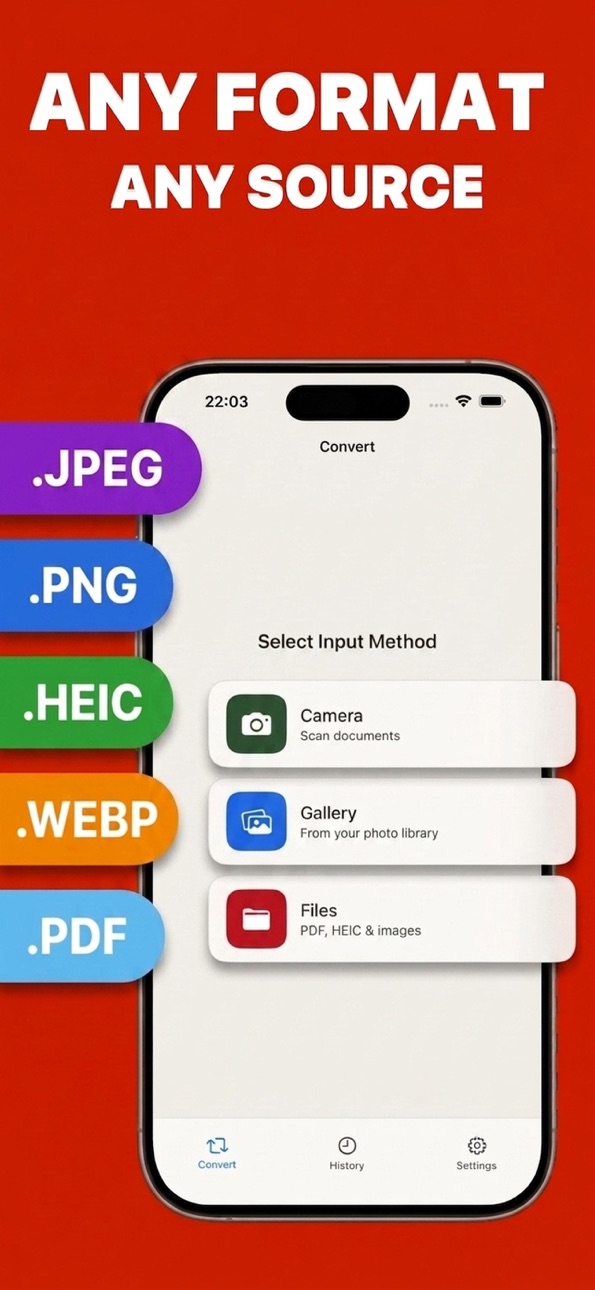
Conviq is the simplest way to convert pictures, scans, and documents between PDF, JPG, PNG, HEIC, and WebP, right from your iPhone. No uploads, no accounts, no waiting around.
WHAT YOU CAN DO
• Convert pictures to PDF — combine photos, screenshots, or scanned pages into one clean PDF
• Convert JPEG, PNG, and HEIC to PDF (and back again)
• Scan paper documents with your camera and turn them into PDFs instantly
• Batch convert dozens of files at once, with drag to reorder before you go
• Crop, rotate, straighten, and apply filters before converting
• Every format covered: PDF, JPG, PNG, HEIC, WebP
BUILT FOR REAL LIFE
Turn a stack of receipts into an expense report. Convert an iPhone photo that won't open on your work computer. Scan a signed contract on the go. Prep images for a form. Conviq handles it in a couple of taps.
PRIVATE BY DESIGN
Your conversions happen entirely on your device. Files aren't uploaded to a server, and Conviq doesn't collect your location or track you across other apps. What's on your phone stays on your phone, unless you choose to back it up yourself.
SIMPLE PRICING
Convert up to 3 files a day for free, no watermark, no catch. Upgrade to Conviq Pro for unlimited conversions, larger batches, and automatic iCloud backup of your conversion history.
Conviq Pro is offered as a weekly or annual auto-renewing subscription. Payment is charged to your Apple ID at confirmation of purchase. Subscriptions renew automatically unless canceled at least 24 hours before the end of the current period. Manage or cancel anytime in Settings.
Privacy Policy: https://omerfarukkazar.github.io/conviq-legal/privacy
Support: conviqapp@gmail.com
Terms of Use (Apple EULA): https://www.apple.com/legal/internet-services/itunes/dev/stdeula/
In-App Purchases US pricing
Premium Subscription
Annual Premium · Yearly$39.99
Weekly Premium · 7 days 3-day free trial$7.99
Conviq Premium - Weekly · 7 days$3.99
Conviq Premium – Annual · Yearly$19.99
Capabilities
In-App Purchases
Accessibility
ipadiphonemacrealityDevicetvoswatch
Version history 7 versions
Build 887501294v1.0.62026-06-27 16:34:37
Improvements have been made to enhance the user experience.
Build 887235040v1.0.52026-06-21 16:21:02
Bugfixes & Improvements
Build 887156851v1.0.42026-06-19 15:13:57
Updates have been made to improve user experience.
Build 886694523v1.0.32026-06-10 13:29:29
Improvements have been made to enhance the user interface and user experience.
Build 880623691v1.0.22025-12-13 00:58:13
Bugfixes & Improvements
Build 876656548v1.0.12025-07-24 17:14:49
Improvements & Bug Fixes
Build 876539519v1.02025-07-23 04:34:08
Price history by region
Currency
Show
Columns
Search
Availability 1 of 1 storefronts
| Region | Language | Price | Ratings | Avg | Version |
|---|---|---|---|---|---|
| US | en-US | Free | 1 | 5.0 | 1.0.6 |
Change log 11 changes · US
✎
releaseNotes updated
Improvements have been made to enhance the user experience.
✎
description updated
Turn photos into PDFs. Convert any file format. All on your phone.
Conviq is the simplest way to convert pictures, scans, and documents between PDF, JPG, PNG,
✎
subtitle updated
Picture, PNG, Photo & Scan
✎
name updated
JPEG to PDF Converter: Conviq
◆
Version 1.0.6 released
Improvements have been made to enhance the user experience.
◆
Version 1.0.5 released
Bugfixes & Improvements
◆
Version 1.0.4 released
Updates have been made to improve user experience.
◆
Version 1.0.3 released
Improvements have been made to enhance the user interface and user experience.
◆
Version 1.0.2 released
Bugfixes & Improvements
◆
Version 1.0.1 released
Improvements & Bug Fixes
◆
Version 1.0 released