Home › Photo & Video

 US
US
1 of 1 storefronts
Content in en-US
Content in en-US
Information
Apple ID6748589412
Bundle IDcom.redifyne.videotranslator
SellerSeller
Min iOS17.6
Min macOS14.6
Device familiesiphone, ipad
Released2025-07-17
Copyright© Redifyne LTD
Privacy policyLink ↗
Preview 2 platforms
iPhone 5 images




iPad 4 images


What’s New Version 2.6.4
Dramatically faster exports, plus captions that finally match what you see in the editor.
Faster Exports
- Exporting is now dramatically faster. Even a 20-minute video exports in seconds.
Preview & Export
- What you see is what you get. Captions in the editor now match your exported video exactly: spacing, line breaks, size, highlights, and effects.
- Captions stay in place. No more drifting between the preview and the exported video.
Captions
- Spot-on word highlighting that follows speech accurately and pauses when the speaker pauses.
- A more polished look. Softer shadows, smoothly rounded backgrounds, and sharper text at every size.
- Smarter sizing. Consistent across vertical and landscape videos, with a simple 1 to 100 size slider.
Timeline
- A clearer view. See the real frames across your clip, and portrait thumbnails now appear upright.
Tools & Editor
- Easier to find. The tool strip now hints when there is more to scroll, with cleaner edges.
Performance & Stability
- Smoother scrolling on long videos, lower memory use, and crash fixes.
Thanks for using Video Translator: Transcribly, the easy way to translate any video, generate subtitles, and transcribe video to text.
Description
Video Translator: Transcribly is your all-in-one AI-powered video translator and subtitle generator. Whether you’re a content creator, educator, social media editor, or just want to share a personal video in multiple languages. This is the fastest, easiest way to translate video, generate subtitles, and share your message globally.
Gone are the days of manually typing out captions or hiring expensive translators. With just a few taps, Transcribly can auto-caption any video, transcribe video to text, and translate it into 30+ languages, all while giving you full control over subtitle styling, export quality, and sharing options.
Why Use Video Translator: Transcribly?
- Import Any Video:
Select videos directly from your device and begin editing in seconds.
- Translate Captions to 30+ Languages:
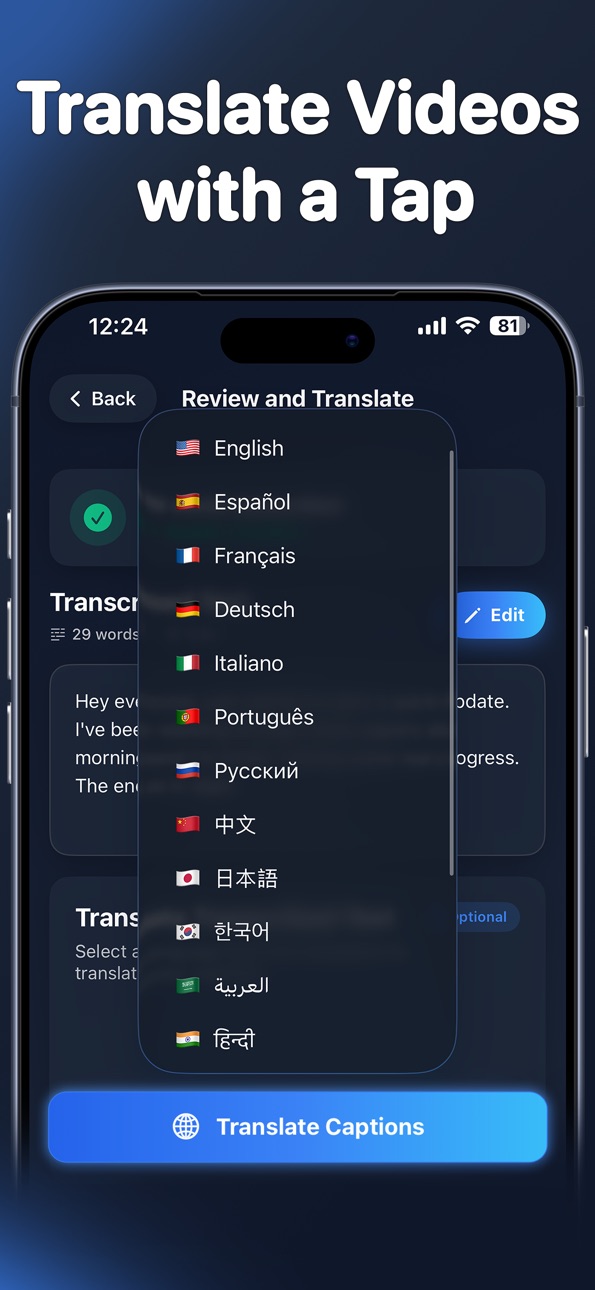
Easily use the video translate feature to reach global audiences. Our AI video translator works fast and accurately.
- Smart Subtitle Generation:
Automatically transcribe video to text using intelligent auto captions and speech recognition no need to type a word.
- Customize Styles and Fonts:
Personalize your subtitles captions for videos with stylish fonts, colors, and placements to match your brand or mood.
- Export in Full HD:
Download Video Translator: Transcribly now and transform how you caption, translate, and share your videos!
Subscriptions
- Yearly Subscription: $39.99 USD with a 3-day free trial (auto-renewable)
- Monthly Subscription: $9.99 USD with a 3-day free trial (auto-renewable)
- Weekly Subscription: $7.99 USD with a 3-day free trial (auto-renewable)
Prices may vary by region. Your subscription will automatically renew unless auto-renew is turned off at least 24 hours before the end of the current period. Subscriptions can be managed, and auto-renewal can be turned off by going to your Account Settings after purchase.
Privacy Policy: https://redifyne.net/Transcribly-app/Privacy.html
Terms of Use: https://redifyne.net/Transcribly-app/Terms.html
In-App Purchases US pricing
Unlock Premium Access Subscription
Monthly 3-day free trial$9.99
Yearly 3-day free trial$39.99
7 days 3-day free trial$7.99
Capabilities
In-App Purchases
Accessibility
ipadiphonemacrealityDevicetvoswatch
Version history 10 versions
Build 886950473v2.6.42026-06-16 10:36:28
Dramatically faster exports, plus captions that finally match what you see in the editor.
Faster Exports
- Exporting is now dramatically faster. Even a 20-minute video exports in seconds.
Preview & Export
- What you see is what you get. Captions in the editor now match your exported video exactly: spacing, line breaks, size, highlights, and effects.
- Captions stay in place. No more drifting between the preview and the exported video.
Captions
- Spot-on word highlighting that follows speech accurately and pauses when the speaker pauses.
- A more polished look. Softer shadows, smoothly rounded backgrounds, and sharper text at every size.
- Smarter sizing. Consistent across vertical and landscape videos, with a simple 1 to 100 size slider.
Timeline
- A clearer view. See the real frames across your clip, and portrait thumbnails now appear upright.
Tools & Editor
- Easier to find. The tool strip now hints when there is more to scroll, with cleaner edges.
Performance & Stability
- Smoother scrolling on long videos, lower memory use, and crash fixes.
Thanks for using Video Translator: Transcribly, the easy way to translate any video, generate subtitles, and transcribe video to text.
Build 886782416v2.6.32026-06-10 19:47:30
This update fixes several issues with saved drafts and exports:
- Your chosen caption style now stays saved when you leave the editor or export, drafts no longer reset to the default look
- Caption position is remembered correctly, captions placed at the top or center no longer jump back to the bottom when you reopen a draft
- Exported videos now show the same number of words per caption as in the editor
- Captions now appear the same size on vertical and horizontal videos
Thanks for using Transcribly!
Build 884725824v2.6.22026-04-20 22:19:16
Bug fixes and performance improvements.
Build 884439028v2.6.12026-04-16 20:43:17
- Crop & pan while trimming: adjust your video frame right in the trim step
- Faster workflow: transcription starts automatically after trimming, fewer steps to get your captions
- One tap Video Translation: translate video captions with one tap
- Available in 13 languages: full app localization with manual language override in Settings
- In-app feedback: share feedback without leaving the app
- Bug fixes & improvements
Build 883679082v2.5.12026-03-24 21:26:52
- Caption Styles
20+ new handcrafted caption templates with a redesigned visual browser. Outlines now render smooth and circular, and highlight backgrounds display correctly in preview and export, captions now will also keep a Sharper text on low-resolution exports.
- Video Editor Improvements
Redesigned playback controls with mute toggle. One-tap caption positioning (top, center, bottom). Editing controls now stay hidden until you tap a caption — less clutter, cleaner flow.
- On-Device Transcription
Longer videos now supported locally.
- Drafts & Export
Projects are now named after your caption text. Styles, positions, and captions save and restore reliably.
Build 883188544v2.42026-03-13 15:26:54
• Fixed an issue where the screen could lock during video export, which could cause exports to fail. The screen now stays on until the export is fully completed.
• Exports now keep a bitrate closer to the original video, resulting in file sizes similar to the source.
• Draft projects now save everything exactly as you left it.
• Translated captions now follow the real speech timing, improving word-by-word sync.
• Much faster translations and caption syncing.
• Free cloud captions for everyone. Free users can now generate captions using cloud processing at no cost.
• Automatic language detection. The app can now detect the spoken language in your video automatically, so you don’t need to select it manually.
• Improved translation accuracy. Translations stay aligned with the original caption segments for better captions subtitle sync.
• Overall reliability and performance improvements across transcription, translation, and caption timing.
Build 882202506v2.02026-02-05 21:53:02
- Updated UI interface, the app now has a more intuitive, easier to navigate, and more user-friendly design.
- Added 65+ caption styles, with option for word-by-word caption highlighting.
- Added a local transcription option.
- Free users can now create unlimited projects with only a 60-minute time limit, instead of a hard limit of 1 project
- Added full RTL language support.
- Fixed a bug with Chinese & Japanese captions, the app now fully supports CJK characters.
- Fixed video flickering issues on high-resolution videos.
- Fixed Caption position persistence, captions now stay in the same position when exported.
Build 877310572v1.5.12025-08-17 10:26:11
- Fixed exported video orientation so no more horizontal videos turning vertical!
- Fixed captions mismatch between UI and exported videos, now show correct captions positioning and font styling in exports
- Enhanced captions preview
- Fixed export issues with text coordinates, caption timing & animations
- Improved video quality scaling in export settings
- Faster caption processing, grouping, video loading & thumbnail generation
Build 876613258v1.52025-07-22 23:15:24
- HOTFIX -
- Fixed First caption flash/disappear bug in exported video
- Fixed Word-by-word mode overlapping captions issue and rapid transitions bugs
- Fixed Caption timing sync with actual spoken words
- Added Full sentence mode captions - New feature
- Editor Tools menus redesign for better UX
Build 876363438v1.42025-07-17 12:12:21
Price history by region
Currency
Show
Columns
Search
Availability 1 of 1 storefronts
| Region | Language | Price | Ratings | Avg | Version |
|---|---|---|---|---|---|
| US | en-US | Free | 20 | 4.3 | 2.6.4 |
Change log 14 changes · US
✎
releaseNotes updated
Dramatically faster exports, plus captions that finally match what you see in the editor.
Faster Exports
- Exporting is now dramatically faster. Even a 20-minu
✎
description updated
Video Translator: Transcribly is your all-in-one AI-powered video translator and subtitle generator. Whether you’re a content creator, educator, social media ed
✎
subtitle updated
Captions language translator
✎
name updated
Video Translator: Transcribly
◆
Version 2.6.4 released
Dramatically faster exports, plus captions that finally match what you see in the editor.
Faster Exports
- Exporting is now dramatically faster. Even a 20-minute video exports in seconds.
Preview & Export
- What you see is what you get. C
◆
Version 2.6.3 released
This update fixes several issues with saved drafts and exports:
- Your chosen caption style now stays saved when you leave the editor or export, drafts no longer reset to the default look
- Caption position is remembered correctly, caption
◆
Version 2.6.2 released
Bug fixes and performance improvements.
◆
Version 2.6.1 released
- Crop & pan while trimming: adjust your video frame right in the trim step
- Faster workflow: transcription starts automatically after trimming, fewer steps to get your captions
- One tap Video Translation: translate video captions with on
◆
Version 2.5.1 released
- Caption Styles
20+ new handcrafted caption templates with a redesigned visual browser. Outlines now render smooth and circular, and highlight backgrounds display correctly in preview and export, captions now will also keep a Sharper text
◆
Version 2.4 released
• Fixed an issue where the screen could lock during video export, which could cause exports to fail. The screen now stays on until the export is fully completed.
• Exports now keep a bitrate closer to the original video, resulting in file s
◆
Version 2.0 released
- Updated UI interface, the app now has a more intuitive, easier to navigate, and more user-friendly design.
- Added 65+ caption styles, with option for word-by-word caption highlighting.
- Added a local transcription option.
- Free users c
◆
Version 1.5.1 released
- Fixed exported video orientation so no more horizontal videos turning vertical!
- Fixed captions mismatch between UI and exported videos, now show correct captions positioning and font styling in exports
- Enhanced captions preview
- Fixe
◆
Version 1.5 released
- HOTFIX -
- Fixed First caption flash/disappear bug in exported video
- Fixed Word-by-word mode overlapping captions issue and rapid transitions bugs
- Fixed Caption timing sync with actual spoken words
- Added Full sentence mode captio
◆
Version 1.4 released