Home › Finance

 US
US
1 of 1 storefronts
Content in en-US
Content in en-US
Information
Apple ID6748205311
Bundle IDcom.ifta360
SellerSeller
Min iOS15
Min macOS12.0
Device familiesiphone, ipod
Released2025-08-17
Copyright2025 © Copyright, IFTA360
Privacy policyLink ↗
Preview 1 platform
iPhone 8 images


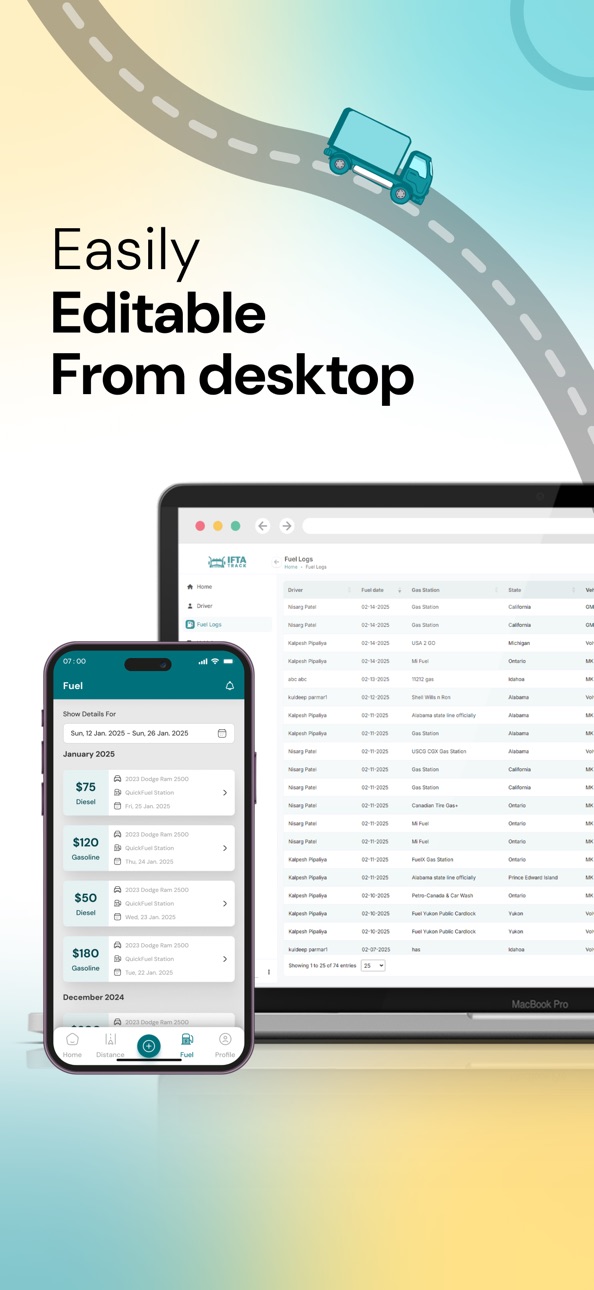


What’s New Version 2.0.0
This update improves trip tracking by preventing trips from stopping during short inactivity, ensuring more accurate distance logs. Driver email editing is now available in the app, and fuel entries can be added using an “Other” option without selecting a gas station. Offline mode and editing of ongoing trip locations have been removed to simplify the experience.
Description
Who Can Use IFTA360?
IFTA360 is designed primarily for business owners who manage a fleet of trucks and need to stay compliant with IFTA (International Fuel Tax Agreement) regulations. While business owners purchase the app, it is intended for their drivers to use daily. Business owners can purchase multiple licenses and assign them to their drivers, making it perfect for fleets of any size.
About IFTA360:
IFTA360 is a mobile solution for fleet operators, truck owners, and drivers, simplifying the process of IFTA tax reporting and fuel tracking. The app provides easy access to essential data like mileage, fuel consumption, state tax rates, and more. It integrates seamlessly into your fleet’s daily operations, ensuring compliance with IFTA, saving time, and reducing errors associated with manual reporting.
Key Features:
1. Mileage Tracking:
Track miles driven in each state or province. IFTA360 logs mileage automatically by state, ensuring compliance with IFTA reporting.
2. Fuel Consumption Monitoring:
Automatically log fuel purchases and track fuel usage per vehicle. This helps calculate fuel taxes accurately, reducing manual work.
3. Automated IFTA Reporting:
Generate IFTA reports quickly, summarizing mileage, fuel, and taxes by state. The app automates the calculations, minimizing errors.
4. Real-Time Tax Calculation:
IFTA360 adjusts tax calculations based on current fuel tax rates, mileage, and fuel consumption, ensuring accuracy and compliance.
5. Fleet Management for Owners:
Fleet owners can view reports, track miles, and fuel usage across their entire fleet, with an admin dashboard for managing operations.
6. Driver-Centric Features:
Drivers use the app to log trips and fuel purchases, focusing on driving instead of paperwork. The app automates mileage and fuel tracking.
7. Quarterly Reporting:
Automatically generate quarterly IFTA reports based on real-time data, which can be submitted directly from the app.
8. Manual Entry for Special Cases:
Drivers can manually input mileage or fuel data for cases where automatic tracking isn't available.
9. Comprehensive Dashboard:
View fleet activity, including mileage and fuel usage, ensuring IFTA compliance.
Why Choose IFTA360?
• Reduce Manual Effort: Automate IFTA tax filing, eliminating spreadsheets and paper forms.
• Real-Time Data: The app pulls live data for accurate mileage and fuel tracking.
• Easy-to-Use Interface: Designed for drivers, the app allows easy logging of miles and fuel without hassle.
• Compliance: Keep your fleet compliant with IFTA and avoid penalties by submitting accurate reports on time.
• Auto-State Boundary Detection: Automatically detects state boundaries and calculates miles covered in each state.
Get Started with IFTA360 Today:
Business owners can purchase the app, assign licenses to drivers, and let them easily log their trip and fuel data. Reports are filled out automatically, ready for submission when needed.
Download IFTA360 now and simplify your IFTA tax filing and fleet management with the industry’s most powerful tool.
Accessibility
ipadiphonemacrealityDevicetvoswatch
Version history 3 versions
Build 884234775v2.0.02026-04-15 10:08:27
This update improves trip tracking by preventing trips from stopping during short inactivity, ensuring more accurate distance logs. Driver email editing is now available in the app, and fuel entries can be added using an “Other” option without selecting a gas station. Offline mode and editing of ongoing trip locations have been removed to simplify the experience.
Build 877617561v1.0.12025-08-28 06:41:12
Added a “Don’t have an account? Sign up as a business owner” button on the login screen.
New users can now easily register as business owners.
Improved onboarding experience for fleet managers and drivers.
Minor bug fixes and performance improvements.
Build 876121956v1.02025-08-18 05:06:00
No pricing data captured yet — comparisons appear once the app has paid storefronts or in-app purchases.
Availability 1 of 1 storefronts
| Region | Language | Price | Ratings | Avg | Version |
|---|---|---|---|---|---|
| US | en-US | Free | 4 | 3.5 | 2.0.0 |
Change log 6 changes · US
✎
releaseNotes updated
This update improves trip tracking by preventing trips from stopping during short inactivity, ensuring more accurate distance logs. Driver email editing is now
✎
description updated
Who Can Use IFTA360?
IFTA360 is designed primarily for business owners who manage a fleet of trucks and need to stay compliant with IFTA (International Fuel Tax
✎
name updated
IFTA360
◆
Version 2.0.0 released
This update improves trip tracking by preventing trips from stopping during short inactivity, ensuring more accurate distance logs. Driver email editing is now available in the app, and fuel entries can be added using an “Other” option with
◆
Version 1.0.1 released
Added a “Don’t have an account? Sign up as a business owner” button on the login screen.
New users can now easily register as business owners.
Improved onboarding experience for fleet managers and drivers.
Minor bug fixes and performance
◆
Version 1.0 released