Home › Productivity

 US
US
1 of 1 storefronts
Content in en-US
Content in en-US
Information
Preview 2 platforms
iPhone 4 images


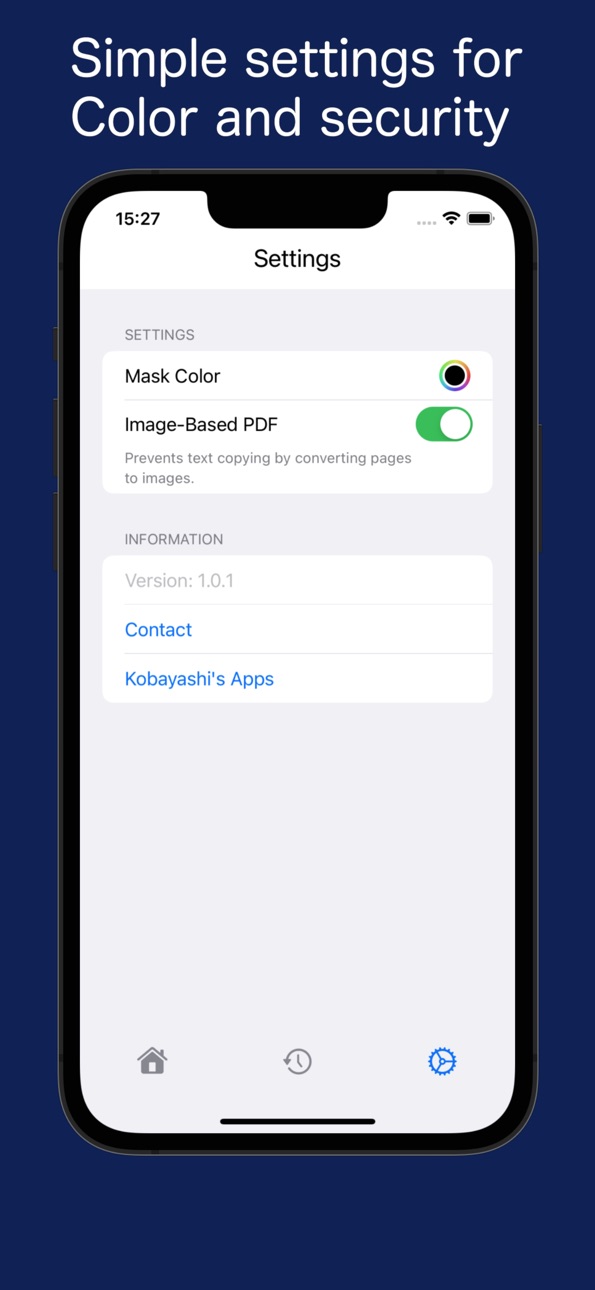
iPad 4 images


What’s New Version 1.3.3
Bug fixes and performance improvements.
Description
Protect your sensitive information before sharing files with others.
PDF Masker is a powerful security tool that lets you search and black out specific keywords across your PDF documents automatically.
Import any PDF directly from your device using the Share menu. Enter your target keywords, and the app instantly hides matching text so you can send your documents safely.
You can choose to export your final file as a searchable text-based PDF or as an image-based PDF. The image-based option is perfect when you want to permanently erase underlying text data so it can never be copied or recovered.
Key Features
- Smart Bulk Redaction: Enter a keyword and automatically mask every single match across the entire document.
- Multiple Keywords Support: Separate multiple terms using spaces or commas to clear different pieces of data at once.
- 100 Item History Tracker: Saves up to 100 of your frequently used keywords so you can reapply them with a single tap.
- Custom Redaction Colors: Change the color of your redaction blocks from classic blackout to white or any custom tone.
- Flexible File Loading: Easily load files from your system file picker, in-app web browser, or straight from other apps via the Share extension.
- 100 Percent Offline Security: All processing happens locally on your phone or tablet. Your private and confidential documents are never sent to external servers.
- Clean and Fast User Interface: Designed to be clean, fast, and simple for everyone, with no complex setup required.
Whether you are hiding account numbers, blurred names, personal addresses, or sensitive corporate contracts, PDF Masker helps you prevent data leaks on the go.
In-App Purchases US pricing
One-Time Purchases
Remove Ads$4.99
Capabilities
In-App Purchases
Accessibility
ipadiphonemacrealityDevicetvoswatch
Version history 9 versions
Build 887983803v1.3.32026-07-08 21:19:08
Bug fixes and performance improvements.
Build 887548274v1.3.22026-06-28 19:39:29
Performance improvements and bug fixes for a more stable experience.
Build 886090254v1.3.12026-05-28 08:49:21
Added an in-app purchase option to remove advertisements.
Build 884528093v1.2.32026-04-15 18:05:59
Bug fixes and performance improvements.
Build 877758802v1.2.22025-09-02 15:31:42
Improved stability when working with large PDFs.
Build 876543345v1.2.12025-07-22 05:59:03
Minor improvements and stability enhancements
Build 876462235v1.2.02025-07-18 17:52:45
- Added cancel support for redaction and PDF sharing processes.
You can now stop these processes partway through when needed.
- Includes minor bug fixes and overall performance improvements.
Build 876428194v1.1.02025-07-16 19:12:43
We’ve updated the app icon for a fresh new look.
Build 876051132v1.0.12025-07-09 14:35:31
Price history by region
Currency
Show
Columns
Search
Availability 1 of 1 storefronts
| Region | Language | Price | Ratings | Avg | Version |
|---|---|---|---|---|---|
| US | en-US | Free | 1 | 2.0 | 1.3.3 |
Change log 13 changes · US
✎
releaseNotes updated
Bug fixes and performance improvements.
✎
description updated
Protect your sensitive information before sharing files with others.
PDF Masker is a powerful security tool that lets you search and black out specific keyword
✎
subtitle updated
Bulk Redact and Blackout PDFs
✎
name updated
PDF Masker - Secure Redaction
◆
Version 1.3.3 released
Bug fixes and performance improvements.
◆
Version 1.3.2 released
Performance improvements and bug fixes for a more stable experience.
◆
Version 1.3.1 released
Added an in-app purchase option to remove advertisements.
◆
Version 1.2.3 released
Bug fixes and performance improvements.
◆
Version 1.2.2 released
Improved stability when working with large PDFs.
◆
Version 1.2.1 released
Minor improvements and stability enhancements
◆
Version 1.2.0 released
- Added cancel support for redaction and PDF sharing processes.
You can now stop these processes partway through when needed.
- Includes minor bug fixes and overall performance improvements.
◆
Version 1.1.0 released
We’ve updated the app icon for a fresh new look.
◆
Version 1.0.1 released