Home › Productivity

 US
US
1 of 1 storefronts
Content in en-US
Content in en-US
Information
Preview 2 platforms
iPhone 3 images


iPad 3 images


What’s New Version 1.3.4
Minor fixes and improvements.
Description
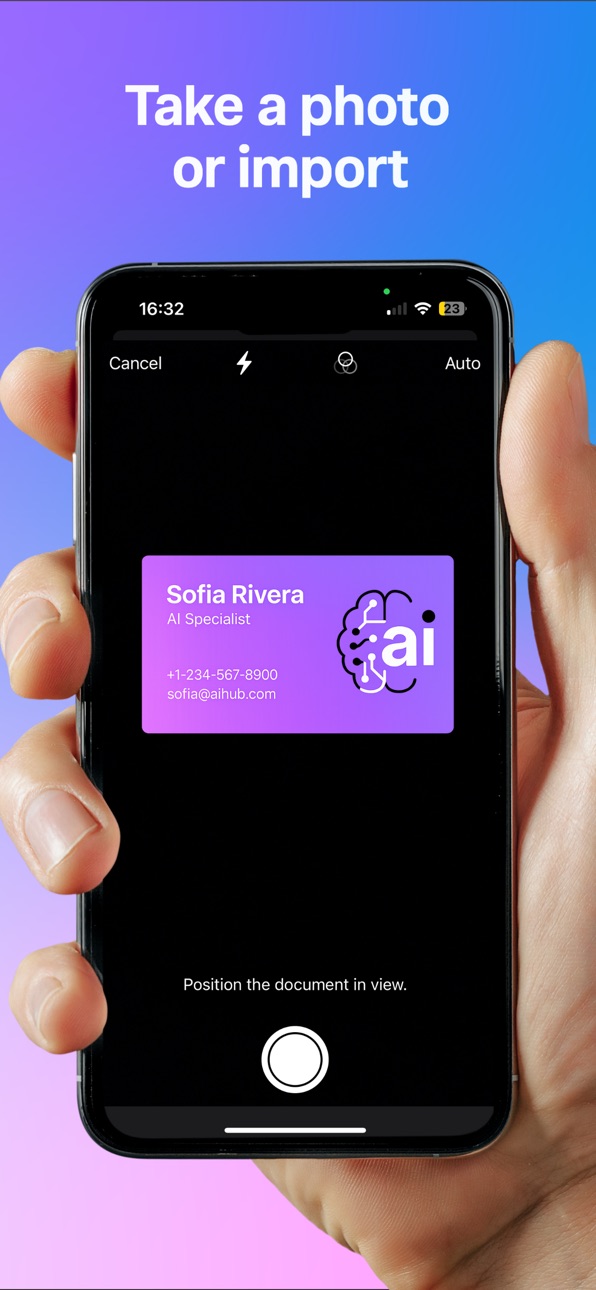
ContactScanner AI – The fastest way to turn any photo into a new contact.
Stop typing phone numbers and email addresses manually. With ContactScanner AI, you can instantly extract names, numbers, emails, companies, and addresses from:
- Business cards
- Email signatures
- Event badges
- Whiteboards or notes
Simply take a photo or choose one from your album. Within seconds, the contact is saved directly to your iPhone address book.
◆ Key Benefits:
• Save time – no manual typing.
• Works with all kinds of text layouts.
• Unlimited scans under fair use.
◆ Free & Paid Access:
The app includes 3 free scans so you can try ContactScanner AI right away.
Afterwards, continued use requires a purchase. Available options include:
- Monthly and yearly subscription plans (auto-renewable)
- A one-time lifetime purchase
*Exact prices are displayed in your local currency in the App Store at the time of purchase.*
Subscriptions renew automatically unless cancelled at least 24 hours before the end of the current period. You can manage or cancel your subscription anytime in your Apple ID settings.
◆ Privacy & Terms:
Privacy Policy: https://contactscanner.ai/privacy
Terms of Use: https://contactscanner.ai/terms
In-App Purchases US pricing
ContactScanner AI Subscription
Monthly Plan · Monthly$2.99
Annual Plan · Yearly$17.99
One-Time Purchases
Lifetime license$44.99
Capabilities
In-App Purchases
Accessibility
ipadiphonemacrealityDevicetvoswatch
Version history 12 versions
Build 887596222v1.3.42026-06-30 03:30:57
Minor fixes and improvements.
Build 887249875v1.3.32026-06-22 15:51:18
- Added a clearer company license request flow for teams and organizations.
- Refined the premium Gold appearance with improved contrast, surfaces, and banner styling.
- Improved subscription and settings layouts.
- Fixed several localization, dark mode, and visual polish issues.
Build 887208706v1.3.22026-06-20 16:42:30
This update adds a redesigned Gold theme, a smoother upgrade flow, refined app visuals, improved translations, and smaller stability improvements.
Build 887159361v1.3.12026-06-18 21:23:24
This update improves CRM integration and contact syncing.
- Improved support for HubSpot, Salesforce, and Zoho
- Clearer CRM connection and sync screens
- Improved manual syncing for selected contacts
- Stability improvements and minor bug fixes
Build 887037246v1.32026-06-17 07:29:45
New CRM integrations for HubSpot, Salesforce, and Zoho. You can now sync scanned contacts to your connected CRM, choose contacts manually from your history, and manage auto-sync per provider. This update also improves connection handling, sync feedback, and error messages.
Build 878720014v1.22025-10-08 06:13:28
-Updated for iOS 26 compatibility
-Added support for multiple addresses in a single scan
-Introduced Company Access with activation codes for organizations
Build 878202276v1.1.62025-09-18 09:13:50
Scans are now noticeably faster – results in just seconds.
Build 877651174v1.1.52025-08-29 16:24:13
-Minor fix to progress bar
Build 877586866v1.1.42025-08-27 06:11:30
In the iPhone screenshot preview, you can now directly analyze via Share → “Analyze with ContactScanner AI” – the image is instantly imported and processed. Convenient workflow: just screenshot email signatures and let the app analyze them.
Build 877536067v1.1.32025-08-26 06:06:00
-Added share extension
-Added action extension
-Improved slow connection alert UI
-Fixed 413 error
Build 877501026v1.1.22025-08-25 05:00:30
-Minor fixes to the slow-connection alert
-New mockup images
Build 875937477v1.1.12025-08-23 04:23:02
Price history by region
Currency
Show
Columns
Search
Availability 1 of 1 storefronts
| Region | Language | Price | Ratings | Avg | Version |
|---|---|---|---|---|---|
| US | en-US | Free | 0 | — | 1.3.4 |
Change log 16 changes · US
✎
releaseNotes updated
Minor fixes and improvements.
✎
description updated
ContactScanner AI – The fastest way to turn any photo into a new contact.
Stop typing phone numbers and email addresses manually. With ContactScanner AI, you c
✎
subtitle updated
Scan contacts from anything.
✎
name updated
ContactScanner AI
◆
Version 1.3.4 released
Minor fixes and improvements.
◆
Version 1.3.3 released
- Added a clearer company license request flow for teams and organizations.
- Refined the premium Gold appearance with improved contrast, surfaces, and banner styling.
- Improved subscription and settings layouts.
- Fixed several localizati
◆
Version 1.3.2 released
This update adds a redesigned Gold theme, a smoother upgrade flow, refined app visuals, improved translations, and smaller stability improvements.
◆
Version 1.3.1 released
This update improves CRM integration and contact syncing.
- Improved support for HubSpot, Salesforce, and Zoho
- Clearer CRM connection and sync screens
- Improved manual syncing for selected contacts
- Stability improvements and minor bug
◆
Version 1.3 released
New CRM integrations for HubSpot, Salesforce, and Zoho. You can now sync scanned contacts to your connected CRM, choose contacts manually from your history, and manage auto-sync per provider. This update also improves connection handling, s
◆
Version 1.2 released
-Updated for iOS 26 compatibility
-Added support for multiple addresses in a single scan
-Introduced Company Access with activation codes for organizations
◆
Version 1.1.6 released
Scans are now noticeably faster – results in just seconds.
◆
Version 1.1.5 released
-Minor fix to progress bar
◆
Version 1.1.4 released
In the iPhone screenshot preview, you can now directly analyze via Share → “Analyze with ContactScanner AI” – the image is instantly imported and processed. Convenient workflow: just screenshot email signatures and let the app analyze them.
◆
Version 1.1.3 released
-Added share extension
-Added action extension
-Improved slow connection alert UI
-Fixed 413 error
◆
Version 1.1.2 released
-Minor fixes to the slow-connection alert
-New mockup images
◆
Version 1.1.1 released