Home › Business

 US
US
 ATNot Available
 AUNot Available
 BENot Available
 CHNot Available
 DENot Available
 DKNot Available
 ESNot Available
 FRNot Available
 GBNot Available
 IENot Available
 ITNot Available
 LUNot Available
 NLNot Available
 NONot Available
 NZNot Available
 PTNot Available
 SENot Available
2 of 19 storefronts
Content in en-US
Content in en-US
Information
Apple ID6747693450
Bundle IDcom.letsgoup.uServeGo
SellerSeller
Min iOS18.0
Min macOS15.0
Device familiesiphone, ipad
Released2025-12-01
Copyright© Universal Processing LLC
Privacy policyLink ↗
Preview 2 platforms
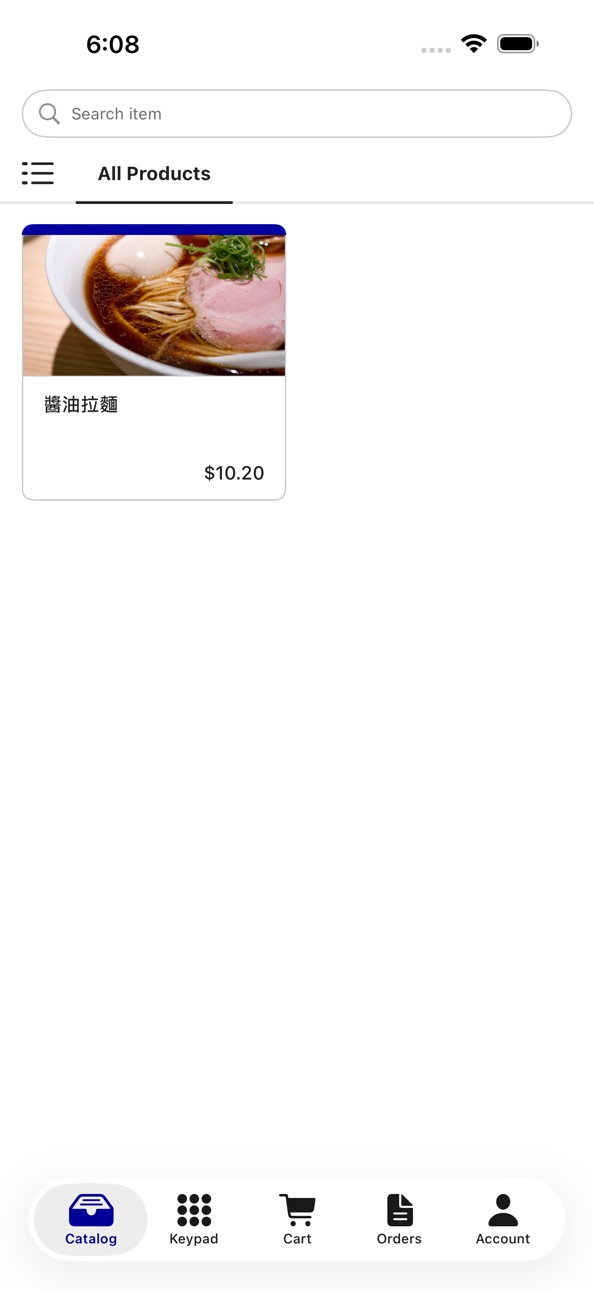
iPhone 5 images



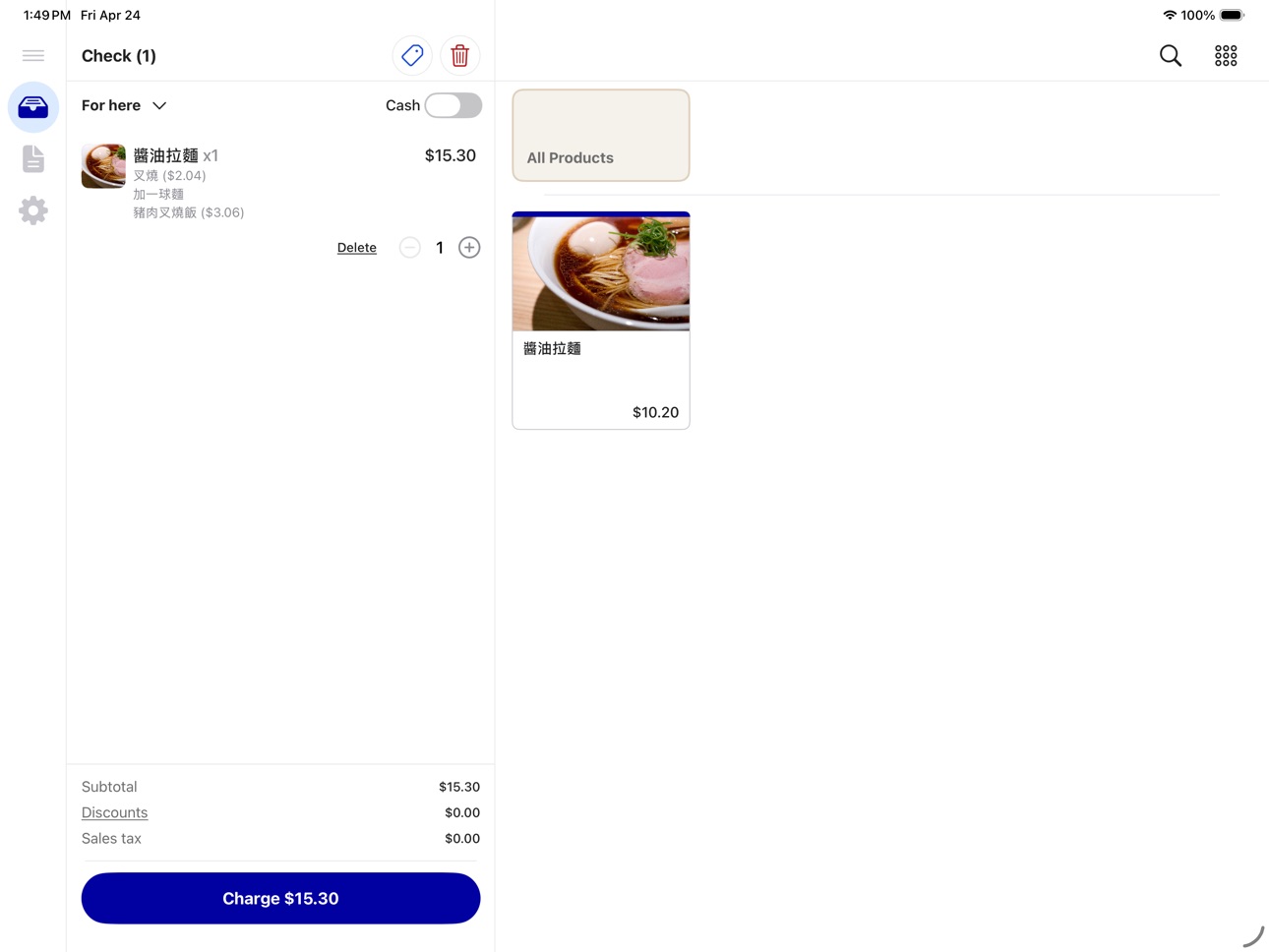
iPad 4 images


What’s New Version 1.10.1
- Select the same modifier option multiple times with a new quantity stepper — perfect for orders like double pearls or extra shots
- Sold-out modifier options are now clearly marked and can't be selected, preventing invalid orders
- Long-press any product to quickly mark it as available or unavailable — right from the catalog or search results
- A fresh new look for the app launch screen
- Bug fixes and stability improvements
Description
uLite is a powerful, flexible point-of-sale (POS) solution designed for merchants and retail staff. Whether you're running a retail shop, restaurant, or café, uLite streamlines your sales operations with an intuitive interface.
KEY FEATURES:
• Product Management - Create and manage your product catalog with ease
• Flexible Payments - Accept payments via Tap to Pay (NFC) or traditional cash transactions
• Smart Ordering System - Seamless order creation and tracking
• Multi-Purpose - Suitable for retail sales, and dining services
• User-Friendly Interface - Designed for quick training and easy daily use
PERFECT FOR:
- Retail stores and boutiques
- Restaurants and cafés
- Any merchant needing flexible point-of-sale capabilities
Start accepting payments and managing your business today with uLite.
Accessibility
ipadiphonemacrealityDevicetvoswatch
Version history 21 versions
Build 887898855v1.10.12026-07-08 02:55:42
- Select the same modifier option multiple times with a new quantity stepper — perfect for orders like double pearls or extra shots
- Sold-out modifier options are now clearly marked and can't be selected, preventing invalid orders
- Long-press any product to quickly mark it as available or unavailable — right from the catalog or search results
- A fresh new look for the app launch screen
- Bug fixes and stability improvements
Build 886811781v1.10.02026-06-18 08:17:42
- Redesigned Orders experience — see each order's fulfillment status at a glance.
- Search your orders by order number and filter by status and order type.
- New order detail screen lets you move orders through Preparing, Ready, and Fulfilled with a single tap.
- Send receipts, view transactions, and manage orders from a cleaner, more consistent layout.
- Clearer, more consistent wording throughout the app.
- Bug fixes and stability improvements.
Build 886270355v1.9.22026-06-11 04:27:59
- Added a show/hide toggle to the login password field so you can check what you typed
- Orders and transactions now use shorter, easier-to-read reference IDs on screen and on printed receipts
- Printed receipts now include the staff name and clearer payment details
- Refreshed Terms of Use and Privacy Policy links
- Cleaner, more consistent text throughout the app
- Bug fixes and stability improvements
Build 885792454v1.9.12026-05-29 05:07:11
- Accept MagTek card reader payments on iPad.
- Accept manual card entry via online payment, with seamless return to the app after web checkout.
- Keypad shows the matching Cash or Card price as you type a custom amount.
- Tap an order notification on iPad to jump straight to that order.
- Smoother payment cancel and failure flows, with clearer next steps.
- Return to Catalog in a single tap after a payment finishes or fails.
- Bug fixes and stability improvements.
Build 885424844v1.9.02026-05-18 02:14:30
- Brand-new Transactions tab with search, filters, and detailed receipts for every payment
- Open any order's payment history from Order Details and jump straight into the transaction
- New Terminal Mode in Settings — turn the Catalog tab into a quick-amount keypad on iPhone
- Updated order status labels, including a new Partially Refunded state
- Bug fixes and stability improvements
Build 885319327v1.8.12026-05-08 10:14:28
- New Hardware section in Settings — manage your card reader, receipt printer, and auto-print preferences in one place (now available on iPad)
- Cleaner tab bar with refreshed icons and an updated Settings label
- Refined keypad layout for a more polished look on iPhone and iPad
- Bug fixes and stability improvements
Build 885103015v1.8.02026-05-06 08:40:00
- Accept card payments with MagTek DynaFlex Bluetooth card readers
- New Device section in Settings to rename your device and check its network info
- Bug fixes and stability improvements
Build 884746923v1.7.02026-04-27 05:59:09
- iPad is now officially supported — run uServeGo on your iPad with a layout tailored for larger screens
- Bug fixes and stability improvements
Build 884304664v1.6.02026-04-21 02:10:02
- New catalog screen optimized for iPhone with a 2-column product grid, scrollable category tabs, and category browser
- Switch between cash and card pricing directly from the cart
- Bug fixes and stability improvements
Build 883739944v1.5.12026-04-09 03:07:06
- Restarting a card payment is now faster — your previous tip selection is remembered automatically
- Improved payment method selection screen display accuracy
- Bug fixes and stability improvements
Build 883336267v1.5.02026-03-25 07:55:40
- Added network printer support — discover, connect, and print receipts directly from the app
- New automatic printing — incoming orders can now print automatically when a printer is connected
- Receive in-app notifications for order status updates while using the app
- Tap a notification to jump directly to the order details
- Bug fixes and stability improvements
Build 883203878v1.4.02026-03-13 08:07:25
- The app has been rebranded to uLite with a fresh new look — including a new app icon, splash screen, and updated in-app branding
Build 883086656v1.3.32026-03-07 15:49:51
- You can now create custom discounts with a dollar amount or percentage directly from the app
- Custom discounts can be applied at both order level and individual product level
- After processing a refund, you can now send a receipt to the customer
- Resend receipts for any completed or refunded order from the order detail page
- Orders in progress now show clearer status indicators
- Bug fixes and stability improvements
Build 882812201v1.3.22026-02-26 19:32:04
- Improved Tap to Pay on iPhone flow and user experience
- Expanded notes are now viewable directly in order details
- Updated order detail layout with clearer price and discount display
- Bug fixes and stability improvements
Build 882433077v1.3.12026-02-14 14:35:48
- Access Back Office directly from Account screen
- PIN verification for non-admin logout
- Improved payment method display and ordering
- More accurate tip calculations
- Stock availability indicators in product search
- Redesigned Account screen
- Bug fixes and stability improvements
Build 882067565v1.3.02026-02-09 02:23:15
- Discount Feature
- Bug Fixes
Build 881836599v1.2.12026-01-30 03:47:44
- Text Receipt Feature
- Bug Fixes
Build 881694607v1.2.02026-01-26 02:35:51
# What's New in Version 1.2.0
## Tipping Made Easy
You can now add tips to orders with just a tap. Choose from preset options or enter a custom amount. Tips work seamlessly with card payments, giving your customers more flexibility.
## Bug Fixes & Improvements
This update includes various bug fixes and performance enhancements to ensure a smoother, more reliable experience.
Thank you for using uServe! If you enjoy the app, please leave us a review.
Build 880666425v1.1.02026-01-15 00:34:39
### What's New in Version 1.1.0
**Enhanced Login Experience**
We've improved the login process to be more secure and user-friendly. You'll now enjoy automatic login when returning to the app, and clearer messages if something goes wrong.
**Smarter App Updates**
The app now checks for updates automatically and notifies you when a new version is available, making it easier to stay up to date.
**Improved Payment Flow**
We've streamlined the checkout process and enhanced the payment success screen for a smoother experience from cart to confirmation.
**Visual Refinements**
Enjoy a more polished interface with refined buttons, better form layouts, and improved spacing throughout the app.
**Bug Fixes & Improvements**
This update includes various bug fixes and performance improvements to make your experience even better.
Thank you for using uServe! If you enjoy the app, please leave us a review.
Build 880231121v1.0.12025-12-15 02:31:06
- New: Catalog Search
- Enhanced Product Customization
Build 875836375v1.0.02025-12-01 09:17:35
No pricing data captured yet — comparisons appear once the app has paid storefronts or in-app purchases.
Availability 2 of 19 storefronts
| Region | Language | Price | Ratings | Avg | Version |
|---|---|---|---|---|---|
| US | en-US | Free | 2 | 5.0 | 1.10.1 |
 CA CA | en-CA | Free | 0 | — | 1.10.1 |
Not available in: AT, AU, BE, CH, DE, DK, ES, FR, GB, IE, IT, LU, NL, NO, NZ, PT, SE
Change log 24 changes · US
✎
releaseNotes updated
- Select the same modifier option multiple times with a new quantity stepper — perfect for orders like double pearls or extra shots
- Sold-out modifier options
✎
description updated
uLite is a powerful, flexible point-of-sale (POS) solution designed for merchants and retail staff. Whether you're running a retail shop, restaurant, or café, u
✎
name updated
uLite: Swipe, Tap, Serve
◆
Version 1.10.1 released
- Select the same modifier option multiple times with a new quantity stepper — perfect for orders like double pearls or extra shots
- Sold-out modifier options are now clearly marked and can't be selected, preventing invalid orders
- Long-p
◆
Version 1.10.0 released
- Redesigned Orders experience — see each order's fulfillment status at a glance.
- Search your orders by order number and filter by status and order type.
- New order detail screen lets you move orders through Preparing, Ready, and Fulfill
◆
Version 1.9.2 released
- Added a show/hide toggle to the login password field so you can check what you typed
- Orders and transactions now use shorter, easier-to-read reference IDs on screen and on printed receipts
- Printed receipts now include the staff name a
◆
Version 1.9.1 released
- Accept MagTek card reader payments on iPad.
- Accept manual card entry via online payment, with seamless return to the app after web checkout.
- Keypad shows the matching Cash or Card price as you type a custom amount.
- Tap an order noti
◆
Version 1.9.0 released
- Brand-new Transactions tab with search, filters, and detailed receipts for every payment
- Open any order's payment history from Order Details and jump straight into the transaction
- New Terminal Mode in Settings — turn the Catalog tab i
◆
Version 1.8.1 released
- New Hardware section in Settings — manage your card reader, receipt printer, and auto-print preferences in one place (now available on iPad)
- Cleaner tab bar with refreshed icons and an updated Settings label
- Refined keypad layout for
◆
Version 1.8.0 released
- Accept card payments with MagTek DynaFlex Bluetooth card readers
- New Device section in Settings to rename your device and check its network info
- Bug fixes and stability improvements
◆
Version 1.7.0 released
- iPad is now officially supported — run uServeGo on your iPad with a layout tailored for larger screens
- Bug fixes and stability improvements
◆
Version 1.6.0 released
- New catalog screen optimized for iPhone with a 2-column product grid, scrollable category tabs, and category browser
- Switch between cash and card pricing directly from the cart
- Bug fixes and stability improvements
◆
Version 1.5.1 released
- Restarting a card payment is now faster — your previous tip selection is remembered automatically
- Improved payment method selection screen display accuracy
- Bug fixes and stability improvements
◆
Version 1.5.0 released
- Added network printer support — discover, connect, and print receipts directly from the app
- New automatic printing — incoming orders can now print automatically when a printer is connected
- Receive in-app notifications for order status
◆
Version 1.4.0 released
- The app has been rebranded to uLite with a fresh new look — including a new app icon, splash screen, and updated in-app branding
◆
Version 1.3.3 released
- You can now create custom discounts with a dollar amount or percentage directly from the app
- Custom discounts can be applied at both order level and individual product level
- After processing a refund, you can now send a receipt to the
◆
Version 1.3.2 released
- Improved Tap to Pay on iPhone flow and user experience
- Expanded notes are now viewable directly in order details
- Updated order detail layout with clearer price and discount display
- Bug fixes and stability improvements
◆
Version 1.3.1 released
- Access Back Office directly from Account screen
- PIN verification for non-admin logout
- Improved payment method display and ordering
- More accurate tip calculations
- Stock availability indicators in product search
- Redesigned Account
◆
Version 1.3.0 released
- Discount Feature
- Bug Fixes
◆
Version 1.2.1 released
- Text Receipt Feature
- Bug Fixes
◆
Version 1.2.0 released
# What's New in Version 1.2.0
## Tipping Made Easy
You can now add tips to orders with just a tap. Choose from preset options or enter a custom amount. Tips work seamlessly with card payments, giving your customers more flexibility.
## Bu
◆
Version 1.1.0 released
### What's New in Version 1.1.0
**Enhanced Login Experience**
We've improved the login process to be more secure and user-friendly. You'll now enjoy automatic login when returning to the app, and clearer messages if something goes wrong.
◆
Version 1.0.1 released
- New: Catalog Search
- Enhanced Product Customization
◆
Version 1.0.0 released