Home › Utilities

 US
US
1 of 1 storefronts
Content in en-US
Content in en-US
Information
Preview 1 platform
iPhone 10 images


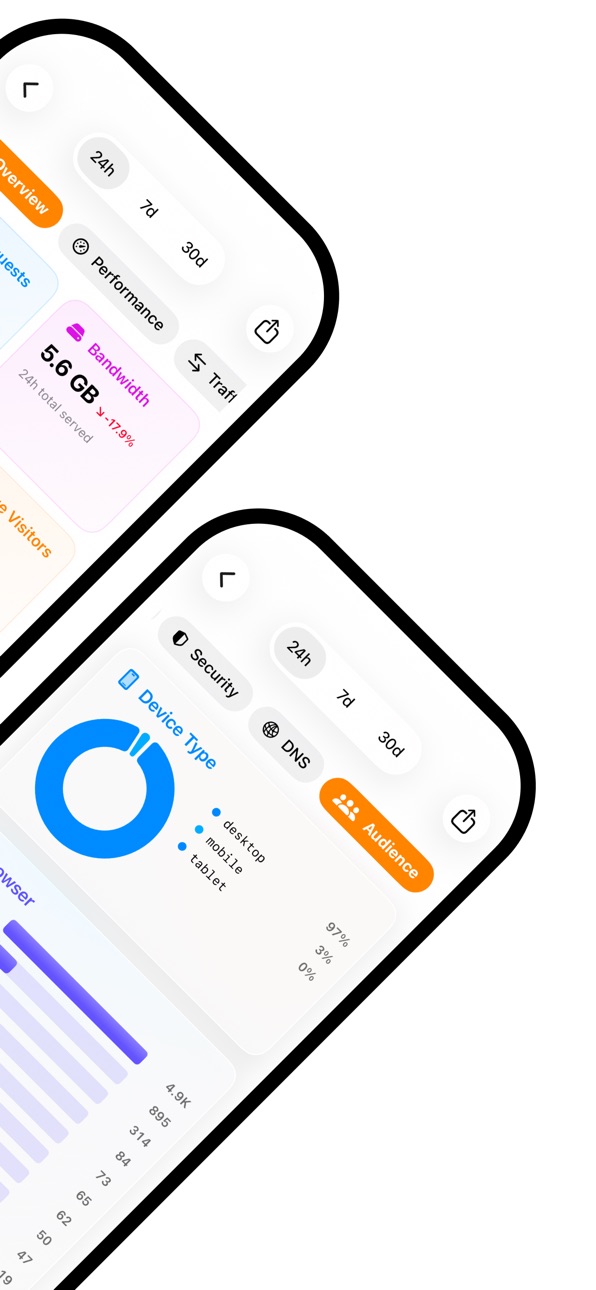


What’s New Version 2.1.0
- Added a new refresh button on the Home screen so Cloudflare status and traffic can be updated without restarting the app.
- Improved analytics error handling so plan or permission limits show clearer in-app messages instead of generic failures.
- 3 different widgets: Zone, Account analytics and Status
- Improved Home UI
- Improved Cloudflare Status UI, now includes incidents history and stats
- Misc improvements and bug fixes
- Improved status views
- Expanded Workers details
- Added Pages project diagnostics
- Improved analytics loading and navigation
- Added initial Cloudflare Radar stats
Description
Kintoun for Cloudflare gives you a fast, streamlined way to monitor and manage your Cloudflare services from your iPhone.
Built for developers, operators, and teams on the move, Kintoun makes it easy to check network health, explore zones and account resources, inspect DNS records, review analytics, and stay aware of security activity without opening a desktop dashboard.
Whether you are checking production status, reviewing traffic trends, or looking up configuration details during an incident, Kintoun keeps the most important parts of your Cloudflare environment within reach.
Key Features:
- Monitor Cloudflare’s global network status with live service updates
- Browse accounts, zones, and key resources in a clean mobile interface
- Inspect DNS records including A, AAAA, CNAME, MX, TXT, NS, and more
- Review traffic and performance analytics for your zones
- Track security activity and network request insights
- View active Cloudflare Tunnels
- Explore Workers, billing, IPs, and other Cloudflare resources
- Access important operational details quickly from anywhere
Kintoun is designed to help you stay informed, move faster, and manage Cloudflare with confidence from mobile.
Accessibility
ipadiphonemacrealityDevicetvoswatch
Version history 4 versions
Build 885285840v2.1.02026-05-05 22:31:03
- Added a new refresh button on the Home screen so Cloudflare status and traffic can be updated without restarting the app.
- Improved analytics error handling so plan or permission limits show clearer in-app messages instead of generic failures.
- 3 different widgets: Zone, Account analytics and Status
- Improved Home UI
- Improved Cloudflare Status UI, now includes incidents history and stats
- Misc improvements and bug fixes
- Improved status views
- Expanded Workers details
- Added Pages project diagnostics
- Improved analytics loading and navigation
- Added initial Cloudflare Radar stats
Build 884210366v2.0.02026-04-09 07:58:15
This update brings a major redesign of Kintoun, rebuilt from the ground up for a faster, cleaner, and more intuitive experience.
New in this version:
- All-new app design and navigation
- Expanded Cloudflare account and zone browsing
- A lot of new Account and Zone level resources
- Useful network logs tools for super users
- Zone analytics and traffic insights
- Security activity and network logging tools
- Improved performance across the app
We’ve also refined the overall user experience and fixed a number of bugs to make Kintoun more reliable day to day.
Build 883602314v1.2.02026-03-21 16:08:50
We've been busy improving Kintoun across the board. The zone list now shows status badges and timestamps so you can see at a glance what's going on with your zones. We added DNS record counts directly in the list view, which saves you a click. Speaking of zones, the detail view is much richer now. You'll see the current status, nameservers, and important dates all in one place. We also added Workers and R2 Buckets views, which were sorely missing.
On the security side, we're now showing incidents and maintenance events pulled directly from Cloudflare's status page. The security logs got a complete overhaul, they're faster and easier to scan. If you're using Tunnels, you'll appreciate the new connection details view that shows you exactly what's being routed and how.
Under the hood, we've modernized a lot of the codebase. The analytics charts look better, the app is more responsive, and we fixed a few edge cases that were causing issues. The whole thing should just feel snappier.
Build 875799927v1.12025-07-08 16:40:45
No pricing data captured yet — comparisons appear once the app has paid storefronts or in-app purchases.
Availability 1 of 1 storefronts
| Region | Language | Price | Ratings | Avg | Version |
|---|---|---|---|---|---|
| US | en-US | Free | 2 | 5.0 | 2.1.0 |
Change log 8 changes · US
✎
releaseNotes updated
- Added a new refresh button on the Home screen so Cloudflare status and traffic can be updated without restarting the app.
- Improved analytics error handling
✎
description updated
Kintoun for Cloudflare gives you a fast, streamlined way to monitor and manage your Cloudflare services from your iPhone.
Built for developers, operators, and
✎
subtitle updated
Your Cloudflare portal for iOS
✎
name updated
Kintoun for Cloudflare
◆
Version 2.1.0 released
- Added a new refresh button on the Home screen so Cloudflare status and traffic can be updated without restarting the app.
- Improved analytics error handling so plan or permission limits show clearer in-app messages instead of generic fai
◆
Version 2.0.0 released
This update brings a major redesign of Kintoun, rebuilt from the ground up for a faster, cleaner, and more intuitive experience.
New in this version:
- All-new app design and navigation
- Expanded Cloudflare account and zone browsing
◆
Version 1.2.0 released
We've been busy improving Kintoun across the board. The zone list now shows status badges and timestamps so you can see at a glance what's going on with your zones. We added DNS record counts directly in the list view, which saves you a cli
◆
Version 1.1 released