Home › Finance

 US
US
 MXes-MXUSen-US
 AGen-GB
 AIen-GB
 AOen-GB
 ARes-MX
 AUen-AU
 BBen-GB
 BFen-GB
 BJen-GB
 BOes-MX
 BRpt-BR
 BSen-GB
 BWen-GB
 BZen-GB
 CAen-CA
 CDen-GB
 CGen-GB
 CIfr-FR
 CLes-MX
 CMfr-FR
 COes-MX
 CRes-MX
 CVen-GB
 DEde-DE
 DMen-GB
 DOes-MX
 DZen-GB
 ECes-MX
 FRfr-FR
 GAfr-FR
 GBen-GB
 GDen-GB
 GHen-GB
 GMen-GB
 GTes-MX
 GWen-GB
 GYen-GB
 HNes-MX
 IEen-GB
 JMen-GB
 KEen-GB
 KNen-GB
 KYen-GB
 LCen-GB
 LYen-GB
 MAen-GB
 MGen-GB
 MLen-GB
 MSen-GB
 MUen-GB
 MZen-GB
 NAen-GB
 NEen-GB
 NGen-GB
 NIes-MX
 NZen-AU
 PAes-MX
 PEes-MX
 PYes-MX
 RWen-GB
 SCen-GB
 SNen-GB
 SRen-GB
 SVes-MX
 SZen-GB
 TCen-GB
 TDen-GB
 TNen-GB
 TTen-GB
 TZen-GB
 UGen-GB
 UYen-GB
 VCen-GB
 VEes-MX
 VGen-GB
 ZMen-GB
 ZWen-GB
78 of 78 storefronts
Content in en-US
Content in en-US
Information
Preview 2 platforms
iPhone 10 images


iPad 10 images




What’s New Version 1.4.3
Polish and Reliability
* Spending History now has a Weekly/Monthly toggle, letting you switch between week-by-week and month-by-month views of your income and spending with detailed digest reports.
* Bug fixes and optimizations for an improved experience.
Description
**Take control of your money with clarity, not complexity.**
Spendlens is the personal finance app built for people who want real insight into their spending, without giving up their privacy. Every AI and ML model runs on your device. Your bank credentials never touch our servers. And your data stays yours.
**BRING YOUR FINANCES INTO FOCUS**
Your dashboard puts everything in one place: spending pace, cash flow trends, savings progress, upcoming bills, and investment performance — all in beautiful, swipeable cards you can reorder however you like.
The Focus dashboard gives you a financial health score calculated from your actual spending patterns, budget adherence, and savings momentum. No generic advice, just a clear read on where you stand.
**SHARE AND CONNECT SECURELY**
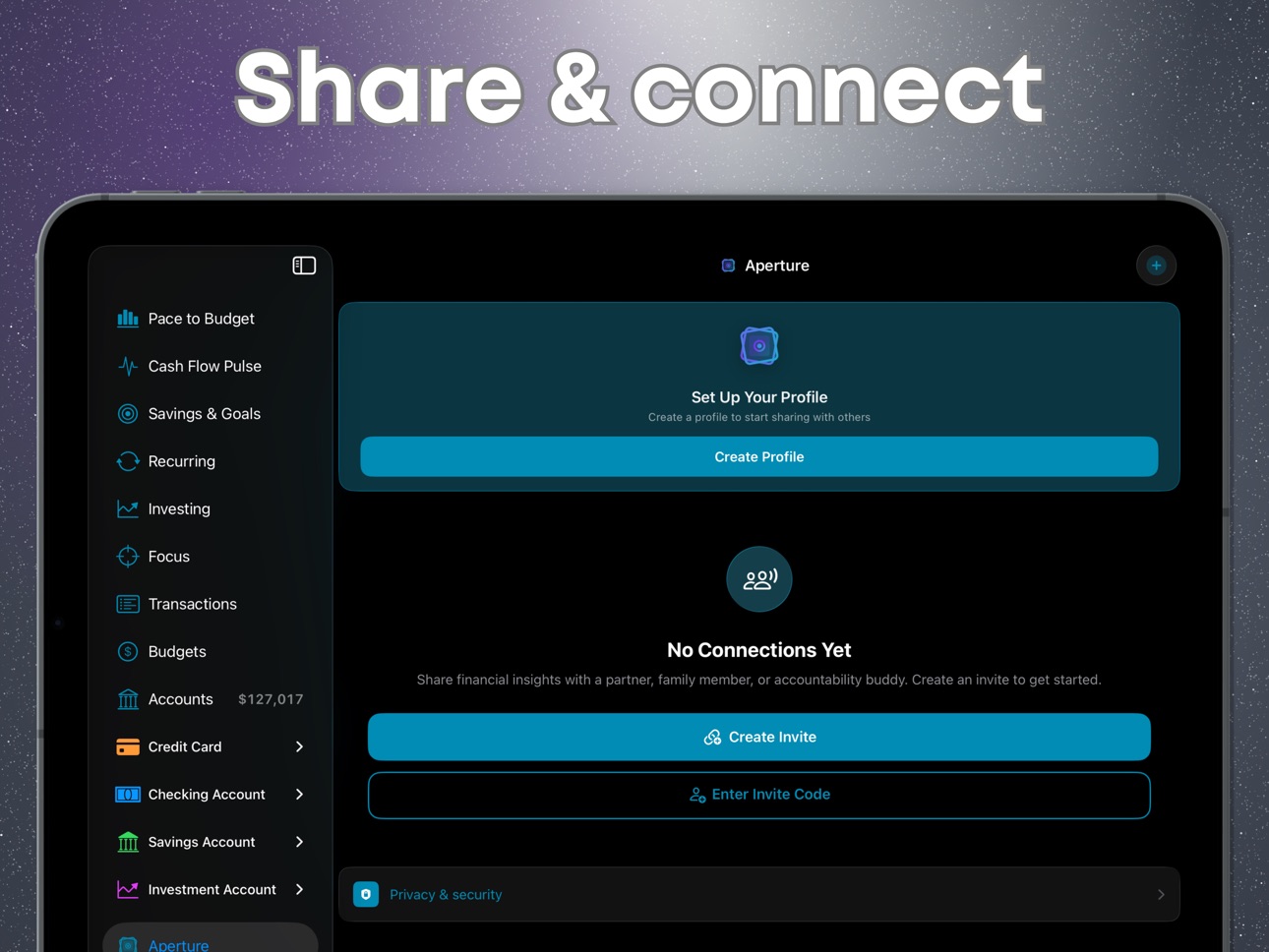
Aperture lets you open a secure window into your financial life — for a partner, a family member, or an advisor. You choose exactly what they see, E2E encrypted.
**BUDGET WITH CONFIDENCE**
Set up budgets in minutes with the guided wizard, or let smart suggestions optimize your allocations based on real spending history. Track your pace throughout the month with visual indicators that tell you instantly if you're on track, approaching your limit, or over budget.
Rolling budgets carry unspent amounts forward. The built-in forecaster projects your end-of-month position using Holt-Winters or ARIMA models, the same statistical techniques used by analysts running entirely on your iPhone.
**CAPTURE EVERY TRANSACTION**
- Scan receipts with your camera: AI extracts the merchant, amount, date, and currency automatically
- Import from CSV files with intelligent column mapping
- Connect your bank for automatic sync (Pro+Connect)
- Or add transactions manually in seconds
On-device machine learning categorizes every transaction using a neural network trained for personal finance. It learns your preferences over time and gets smarter with every correction.
**TRACK INVESTMENTS & NET WORTH**
Monitor your portfolios with interactive line and candlestick charts. Track individual holdings, lots, cost basis, and daily performance with real-time market data. Watch your net worth grow with milestones and asset allocation breakdowns.
**SET GOALS AND REACH THEM**
Create savings goals with target dates or monthly contributions. Visual progress rings show exactly where you stand. Celebrate milestones at with dedicated achievement moments.
**SHARE SECURELY WITH APERTURE**
Aperture lets you share financial data with a partner, family member, or advisor — protected by end-to-end encryption (P256 ECDH + AES-256-GCM). Our servers only see ciphertext. We literally cannot read your shared data.
**STAY INFORMED, NOT OVERWHELMED**
22 notification categories: from budget warnings and bill reminders to large transaction alerts and savings nudges — each independently configurable. Set Quiet Hours so your finances don't interrupt dinner.
**BUILT FOR PRIVACY**
- All ML runs on-device; zero financial data sent to external AI services
- AES-256-GCM encryption with Secure Enclave key hierarchy
- Bank credentials go directly to Plaid, never to us
- iCloud sync stays in your private CloudKit database
- Receipt images are processed in memory and never saved or uploaded
- No advertising. No tracking pixels. No data sales. Ever.
**WORKS THE WAY YOU DO**
- 17 languages: English, Spanish, German, French, Italian, Chinese Simplified & Traditional, Japanese, Korean, Portuguese, Arabic, Dutch, Hindi, Polish, Swedish, Thai and Turkish.
- 50 currencies with live conversion rates for multi-currency accounts
- Dark mode, theme colors, font scaling, and color-blind mode
- Delightful Home Screen widgets for quick glances
---
**FREE TO START. PRO WHEN YOU'RE READY.**
The free tier includes manual transactions, budgeting, and receipt scanning. Upgrade to Pro for forecasting, investing, net worth, widgets, Aperture, and advanced analytics. Add Connect for automatic bank sync.
Capabilities
In-App Purchases
Accessibility
developerUrlipadiphonemacrealityDevicetvoswatch
Version history 11 versions
Build 886556947v1.4.32026-06-05 17:01:33
Polish and Reliability
* Spending History now has a Weekly/Monthly toggle, letting you switch between week-by-week and month-by-month views of your income and spending with detailed digest reports.
* Bug fixes and optimizations for an improved experience.
Build 886415251v1.4.22026-06-02 18:44:52
Polish and Reliability
* Spending History now has a Weekly/Monthly toggle, letting you switch between week-by-week and month-by-month views of your income and spending with detailed digest reports.
* Bug fixes and optimizations for an improved experience.
Build 886371143v1.4.12026-06-01 17:56:18
Polish and Reliability
• Bug fixes and optimizations for improved UX and UI.
Build 886178061v1.4.02026-05-29 15:59:13
Account Reminders (NEW)
• A guided per-account wizard sets up statement-closing alerts, payment-due reminders, and CSV upload nudges right after you create an account.
• Up to five lead-day reminders per account, a shared reminder time of day, and an optional statement-closed alert.
• New Account Schedules screen in Settings groups every account's reminders in one place, with quick add for accounts that aren't set up yet.
• CSV upload reminders for manual accounts fire either a chosen number of days after the statement closes, or on a fixed day each month.
• Editing a reminder shows old to new diffs in the review step, so you always see exactly what's about to change.
Focus Dashboard and Health Score (NEW)
• A new Focus tab brings your Health Score, paying pace, upcoming bills, budget hotspots, and recommended actions into one view.
• Score Breakdown opens in the right detail pane on iPad and as a full-screen sheet on iPhone, with each factor's contribution, status, and personalized tips.
• Animated hero ring, status badge, and sparkline load instantly from a cached snapshot, so the dashboard never opens to a blank state.
• A new Score History view charts your trajectory month by month, with a one-tap toggle between composite and per-factor lines.
Smarter CSV Imports
• Two-tap re-imports. Spendlens recognizes each bank's statement format and skips column mapping, account assignment, and sign review on later imports from the same source.
• Edited re-import detection updates the existing row's description, category, or memo in place instead of creating a duplicate.
• New process intro and smart-match steps explain what will happen before any data is touched.
• A refreshed progress view shows column detection, mapping, and deduplication on large files in real time.
• A new upload step inside Account Reminders lets you launch a CSV import straight from the reminder wizard.
iPad Refinements
• Score Breakdown opens in the right detail pane on iPad, so context stays visible while you explore each factor.
• The detail-pane registry was expanded to cover the new Health Score views and the account-reminder wizard in Split View sessions.
• Continued refinements to the native iPad design across sheets, charts, and floating controls introduced in v1.3.0.
Polish and Reliability
• Bug fixes and optimizations for improved UX and UI.
Build 886056943v1.3.22026-05-26 19:27:42
Native iPad Release is here! Full layout designed from the ground up. In landscape you get a delightful 3 column split view with a Sidebar, Overview pane and Detail pane.
- Bug fixes & several UI/UX improvements
Build 885883110v1.3.12026-05-21 08:58:39
Native iPad Release is here! Full layout designed from the ground up. In landscape you get a delightful 3 column split view with a Sidebar, Overview pane and Detail pane.
- Bug fixes & several UI/UX improvements
Build 885498135v1.3.02026-05-17 03:52:16
Native iPad Release (NEW)
• A full iPad layout built from the ground up. Landscape now gives you a three column split view with a Sidebar, Overview pane, and Detail pane, so dashboard, transactions, budgets, and accounts sit side by side without losing context.
• A new persistent Sidebar lists every dashboard view plus a live "My Accounts" section, grouped by account type with running balances inline.
• Portrait iPad keeps the familiar single column experience and uses sheets for drill downs, switching automatically to split view when you rotate.
• Hardware keyboard shortcuts. Move between Dashboard, Transactions, Budgets, and Accounts, open search, refresh accounts, and add a transaction without leaving the keys.
• Data Sharing (Aperture) now anchors to its source button on the sidebar, in addition to the top-right corner.
• Layouts adapt cleanly to Stage Manager and Split View, including window resizes mid session.
Smarter, multilingual CSV import
• CSV import recognizes column headers in all 17 supported languages, from Spanish and French to Arabic, Japanese, and Chinese. International statements no longer fall back to "unknown column".
• A unified date parser fixes import bugs. Dates like 12/31/22 now resolve to 2022 instead of year 22, and ambiguous month / day formats are detected from the file itself.
• Buddhist calendar support for Thai statements. Dates like 14/03/2567 import as the correct Gregorian date.
• Wider Excel coverage. Long dates, 24 hour times, ISO timestamps, Excel serial numbers, 2 digit year handling, and locale specific separators all parse on the first try.
• Currency aware amounts. International style 1 234,56 with non breaking space thousand separators, Swiss 1'234.56, Arabic Indic and Devanagari digits, and trailing minus signs all work without cleanup.
• Income and expense detection understands payroll and purchase keywords across all 17 languages, so transactions land with the right sign on non English statements.
• Time zone safe deduplication. Re importing the same statement from a different time zone no longer creates duplicates.
CSV Upload History (NEW)
• Every CSV import is recorded in a new Upload History view, with status pills for Active, Undone, and Failed.
• One tap Undo removes the transactions a specific import added; a snapshot is kept so you can Redo and bring them back.
• Detail view shows a full summary: row counts, errors, mapping decisions, and rows that failed to parse.
• Empty state guidance for first time importers, plus a row level error list so you can pinpoint which rows need attention.
• A new progress indicator during mapping shows how column detection is going on large files.
Siri, Shortcuts, and Spotlight
• Four new App Intents let you say or tap "Show Dashboard", "Show Transactions", "Show Budgets", or "Show Accounts" from Siri, Spotlight, the Action Button, and the iPadOS 26 menu bar.
• A new "Refresh Accounts" intent triggers a manual sync of your connected accounts without opening the app.
Performance
• CSV imports of large files (5,000+ rows) are dramatically faster thanks to cached currency parsing.
• Adaptive layouts and split view transitions are tuned for smooth scrolling and crisp text on the iPad canvas.
Polish and bug fixes
• Many sheets across Budgets, Goals, Recurring transactions, Accounts, Investing, Settings, and Onboarding now feel native at every size class.
• Cash Flow Pulse, Pace to Budget, Historical, and Net Worth charts have been retuned for the iPad canvas.
• Floating Forecaster button, Aperture toolbar, and Demo Mode indicator now position correctly in split view and Stage Manager.
• Widgets (Pulse, Budget Radar, Portfolio) refreshed for the iPad home screen.
• Accessibility improvements throughout, including color blind and inverted color tints for the new Upload History status pills.
• Localization fixes across onboarding, settings, and budget creation so every label appears in the language you selected.
Build 885312264v1.2.32026-05-06 18:42:58
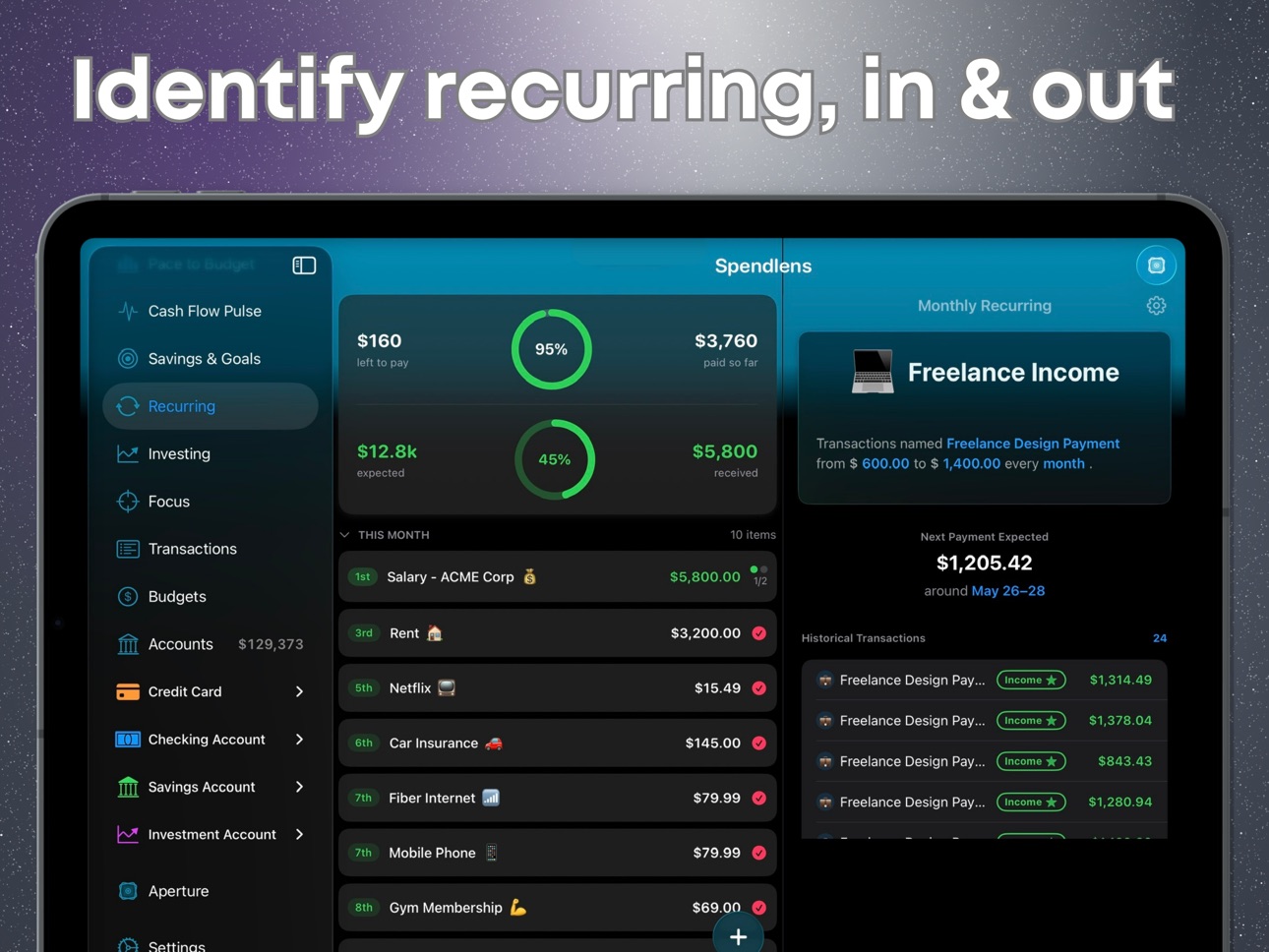
Recurring Transactions
• More accurate "Next Payment Expected" amount that matches across the dashboard row, detail sheet, and shared Aperture view.
• Smarter pricing logic: when a subscription price repeats, Spendlens shows that price instead of being skewed by one-off promos or pro-rated charges.
• "Left to pay" totals, income "Expected" totals, and the "Recurring Commitments amount/mo" tile now use the same per-bill amount you see on every row.
• Upcoming bills in the Forecaster's Pace-to-Budget chart now reflect the same expected amount shown elsewhere.
• The recurring picker in Add Transaction and Quick Edit now shows the correct category emoji instead of a generic icon.
Create Recurring Flow
• When creating a new recurring rule from a transaction in Quick Edit, you now pick the frequency deliberately as part of a streamlined 3-step flow (name, frequency, review).
• Step indicators update accurately to reflect the 3-step or 4-step flow.
Net Worth Chart
• Your chart settings now stick across app launches: view mode (Net Worth vs. Assets and Liabilities), selected personal and shared accounts, and time period.
• New accounts are auto-included; removed accounts are dropped, while your other selections are preserved.
• Fixed an issue where account selections could get reset when accounts loaded slowly on cold start.
Investing
• The selected time period for the portfolio chart now persists across app launches.
• The selected time period for individual investment account charts also persists.
Cash Flow Pulse
• "Show excluded budget categories" toggle now remembers your choice across launches.
• History duration (e.g., 90 days) now persists across launches.
• "Show comparison line" toggle now persists across launches.
Bug Fixes
• Fixed a rare issue where the onboarding screen could briefly reappear for returning users after sign-in or app recovery.
• Fixed a case where tapping a notification right after launch could fail to deep-link to the right screen.
Build 885143909v1.2.22026-05-01 15:22:38
Smarter recurring payment estimates
• Your recurring payment amounts now accurately reflect what you'll actually pay next, based on your most recent transactions. A subscription that recently jumped in price shows the new trending amount right away, not the average of all your past charges.
• Refunds and incoming money are now colored green by default, while outgoing transfers use the primary text color, making it easier to read your recurring activity at a glance.
• “Next payment” dates are smarter too: if your bill consistently posts on a given day, we'll project that day, even if the rule was originally set up for the 1st. Fixes phantom “overdue” warnings.
Cleaner recurring detail screens
• The detail page for a recurring payment now shows the same icon you tapped on, instead of falling back to a generic refresh symbol for rules created from smart suggestions.
• When approving a smart-detected recurring, you can now pick a custom emoji that gets saved with the rule.
• Edits typed into the approval sheet are no longer lost if you tap “Approve” before finishing; your changes are committed automatically.
Shared dashboards (Aperture)
• Recurring payments shared with your partner or family now show the same recency-weighted amount and direction-based coloring you see in your personal view, so what they see matches what you see.
Widget reliability
• Fixed a bug where subscribed users could see widgets reset to the locked state after the app was relaunched in the background. Your widgets now stay unlocked across all background launches.
Cold-start reliability
• Fixed a rare issue where launching the app right after unlocking your phone could route returning users to the language picker or first-time setup screens. Sign-in state is now reliably restored before the home screen loads.
• Added an automatic recovery path for cases where iOS wakes the app while your device is still locked.
Bank Sync
• Fixed a time-zone bug that could cause newly synced transactions to appear one day earlier than they actually posted, for users in time zones west of UTC.
Behind the scenes
• Improved UX and UI load times for smoother navigation during startup.
Build 884975159v1.2.12026-04-27 22:32:54
Smarter support for charge cards
• Spendlens now correctly handles cards with no preset spending limit (like Amex Gold, Platinum, and Green). You'll see "No preset limit" instead of confusing $0 values, and these cards no longer trigger false "high credit usage" alerts.
• Editing a credit card lets you leave the limit blank if your card doesn't have one.
More accurate bank syncing
• Credit card and loan payments now show up correctly on both sides of the transfer, so paying off a card no longer looks like a duplicate expense.
• When a pending transaction posts, Spendlens updates the existing entry in place — keeping your savings goal links, labels, and notes intact instead of creating a duplicate.
• The syncing overlay only appears when there's actually new activity to import, so you'll see fewer unnecessary loading flashes when opening the app.
• You can now connect multiple logins from the same bank (for example, a separate credit card and checking account) without being blocked.
• Clearer message when bank connections hit a rate limit, so you know to wait a moment instead of retrying.
Fewer duplicate notifications
• Savings goal milestones, bill reminders, and new subscription alerts no longer fire twice for the same event.
• Bill reminders now respect your "remind me X days before" setting exactly — no more surprise extra notification on the due date itself.
Improved redeem code experience
• The "Redeem Code" option is now available to all subscribers (not just free users), matching how Apple's offer codes actually work.
• You'll see clear inline confirmation when a code is redeemed successfully, and a helpful error message if something goes wrong.
• If a redeemed code upgrades your plan from outside the app (via email, App Store, or Notes), you'll now see the same celebration screen you'd get from an in-app purchase.
Behind the scenes
• Various stability and reliability improvements.
Build 875295048v1.2.02026-04-22 02:17:36
No pricing data captured yet — comparisons appear once the app has paid storefronts or in-app purchases.
Availability 78 of 78 storefronts
| Region | Language | Price | Ratings | Avg | Version |
|---|---|---|---|---|---|
| MX | es-MX | Free | 1 | 1.0 | 1.4.3 |
| US | en-US | Free | 1 | 5.0 | 1.4.3 |
| AG | en-GB | Free | 0 | — | 1.4.3 |
| AI | en-GB | Free | 0 | — | 1.4.3 |
| AO | en-GB | Free | 0 | — | 1.4.3 |
| AR | es-MX | Free | 0 | — | 1.4.3 |
| AU | en-AU | Free | 0 | — | 1.4.3 |
| BB | en-GB | Free | 0 | — | 1.4.3 |
| BF | en-GB | Free | 0 | — | 1.4.3 |
| BJ | en-GB | Free | 0 | — | 1.4.3 |
| BO | es-MX | Free | 0 | — | 1.4.3 |
| BR | pt-BR | Free | 0 | — | 1.4.3 |
| BS | en-GB | Free | 0 | — | 1.4.3 |
| BW | en-GB | Free | 0 | — | 1.4.3 |
| BZ | en-GB | Free | 0 | — | 1.4.3 |
| CA | en-CA | Free | 0 | — | 1.4.3 |
| CD | en-GB | Free | 0 | — | 1.4.3 |
| CG | en-GB | Free | 0 | — | 1.4.3 |
| CI | fr-FR | Free | 0 | — | 1.4.3 |
| CL | es-MX | Free | 0 | — | 1.4.3 |
| CM | fr-FR | Free | 0 | — | 1.4.3 |
| CO | es-MX | Free | 0 | — | 1.4.3 |
| CR | es-MX | Free | 0 | — | 1.4.3 |
| CV | en-GB | Free | 0 | — | 1.4.3 |
| DE | de-DE | Free | 0 | — | 1.4.3 |
| DM | en-GB | Free | 0 | — | 1.4.3 |
| DO | es-MX | Free | 0 | — | 1.4.3 |
| DZ | en-GB | Free | 0 | — | 1.4.3 |
| EC | es-MX | Free | 0 | — | 1.4.3 |
| FR | fr-FR | Free | 0 | — | 1.4.3 |
| GA | fr-FR | Free | 0 | — | 1.4.3 |
| GB | en-GB | Free | 0 | — | 1.4.3 |
| GD | en-GB | Free | 0 | — | 1.4.3 |
| GH | en-GB | Free | 0 | — | 1.4.3 |
| GM | en-GB | Free | 0 | — | 1.4.3 |
| GT | es-MX | Free | 0 | — | 1.4.3 |
| GW | en-GB | Free | 0 | — | 1.4.3 |
| GY | en-GB | Free | 0 | — | 1.4.3 |
| HN | es-MX | Free | 0 | — | 1.4.3 |
| IE | en-GB | Free | 0 | — | 1.4.3 |
| JM | en-GB | Free | 0 | — | 1.4.3 |
| KE | en-GB | Free | 0 | — | 1.4.3 |
| KN | en-GB | Free | 0 | — | 1.4.3 |
| KY | en-GB | Free | 0 | — | 1.4.3 |
| LC | en-GB | Free | 0 | — | 1.4.3 |
| LY | en-GB | Free | 0 | — | 1.4.3 |
| MA | en-GB | Free | 0 | — | 1.4.3 |
| MG | en-GB | Free | 0 | — | 1.4.3 |
| ML | en-GB | Free | 0 | — | 1.4.3 |
| MS | en-GB | Free | 0 | — | 1.4.3 |
| MU | en-GB | Free | 0 | — | 1.4.3 |
| MZ | en-GB | Free | 0 | — | 1.4.3 |
| NA | en-GB | Free | 0 | — | 1.4.3 |
| NE | en-GB | Free | 0 | — | 1.4.3 |
| NG | en-GB | Free | 0 | — | 1.4.3 |
| NI | es-MX | Free | 0 | — | 1.4.3 |
| NZ | en-AU | Free | 0 | — | 1.4.3 |
| PA | es-MX | Free | 0 | — | 1.4.3 |
| PE | es-MX | Free | 0 | — | 1.4.3 |
| PY | es-MX | Free | 0 | — | 1.4.3 |
| RW | en-GB | Free | 0 | — | 1.4.3 |
| SC | en-GB | Free | 0 | — | 1.4.3 |
| SN | en-GB | Free | 0 | — | 1.4.3 |
| SR | en-GB | Free | 0 | — | 1.4.3 |
| SV | es-MX | Free | 0 | — | 1.4.3 |
| SZ | en-GB | Free | 0 | — | 1.4.3 |
| TC | en-GB | Free | 0 | — | 1.4.3 |
| TD | en-GB | Free | 0 | — | 1.4.3 |
| TN | en-GB | Free | 0 | — | 1.4.3 |
| TT | en-GB | Free | 0 | — | 1.4.3 |
| TZ | en-GB | Free | 0 | — | 1.4.3 |
| UG | en-GB | Free | 0 | — | 1.4.3 |
| UY | en-GB | Free | 0 | — | 1.4.3 |
| VC | en-GB | Free | 0 | — | 1.4.3 |
| VE | es-MX | Free | 0 | — | 1.4.3 |
| VG | en-GB | Free | 0 | — | 1.4.3 |
| ZM | en-GB | Free | 0 | — | 1.4.3 |
| ZW | en-GB | Free | 0 | — | 1.4.3 |
Change log 15 changes · US
✎
releaseNotes updated
Polish and Reliability
* Spending History now has a Weekly/Monthly toggle, letting you switch between week-by-week and month-by-month views of your income and s
✎
description updated
**Take control of your money with clarity, not complexity.**
Spendlens is the personal finance app built for people who want real insight into their spending,
✎
subtitle updated
Money, Investing & Net Worth
✎
name updated
Spendlens: Expense & Budget
◆
Version 1.4.3 released
Polish and Reliability
* Spending History now has a Weekly/Monthly toggle, letting you switch between week-by-week and month-by-month views of your income and spending with detailed digest reports.
* Bug fixes and optimizations for an impro
◆
Version 1.4.2 released
Polish and Reliability
* Spending History now has a Weekly/Monthly toggle, letting you switch between week-by-week and month-by-month views of your income and spending with detailed digest reports.
* Bug fixes and optimizations for an impro
◆
Version 1.4.1 released
Polish and Reliability
• Bug fixes and optimizations for improved UX and UI.
◆
Version 1.4.0 released
Account Reminders (NEW)
• A guided per-account wizard sets up statement-closing alerts, payment-due reminders, and CSV upload nudges right after you create an account.
• Up to five lead-day reminders per account, a shared reminder time of d
◆
Version 1.3.2 released
Native iPad Release is here! Full layout designed from the ground up. In landscape you get a delightful 3 column split view with a Sidebar, Overview pane and Detail pane.
- Bug fixes & several UI/UX improvements
◆
Version 1.3.1 released
Native iPad Release is here! Full layout designed from the ground up. In landscape you get a delightful 3 column split view with a Sidebar, Overview pane and Detail pane.
- Bug fixes & several UI/UX improvements
◆
Version 1.3.0 released
Native iPad Release (NEW)
• A full iPad layout built from the ground up. Landscape now gives you a three column split view with a Sidebar, Overview pane, and Detail pane, so dashboard, transactions, budgets, and accounts sit side by side wi
◆
Version 1.2.3 released
Recurring Transactions
• More accurate "Next Payment Expected" amount that matches across the dashboard row, detail sheet, and shared Aperture view.
• Smarter pricing logic: when a subscription price repeats, Spendlens shows that price inst
◆
Version 1.2.2 released
Smarter recurring payment estimates
• Your recurring payment amounts now accurately reflect what you'll actually pay next, based on your most recent transactions. A subscription that recently jumped in price shows the new trending amount ri
◆
Version 1.2.1 released
Smarter support for charge cards
• Spendlens now correctly handles cards with no preset spending limit (like Amex Gold, Platinum, and Green). You'll see "No preset limit" instead of confusing $0 values, and these cards no longer trigger fal
◆
Version 1.2.0 released