Home › Utilities

 US
US
1 of 1 storefronts
Content in en-US
Content in en-US
Information
Preview 2 platforms
iPhone 9 images





iPad 9 images


What’s New Version 2.2
Version 2.0 introduces a redesigned precision-instrument experience.
• See when you’re level faster with a responsive bubble, clearer readings, and visual feedback
• Navigate modes and professional tools easily with color-coded accents
• Share Digital Protractor results and export localized measurement reports
• Enjoy more accurate percent-grade calculations and smoother controls
Description
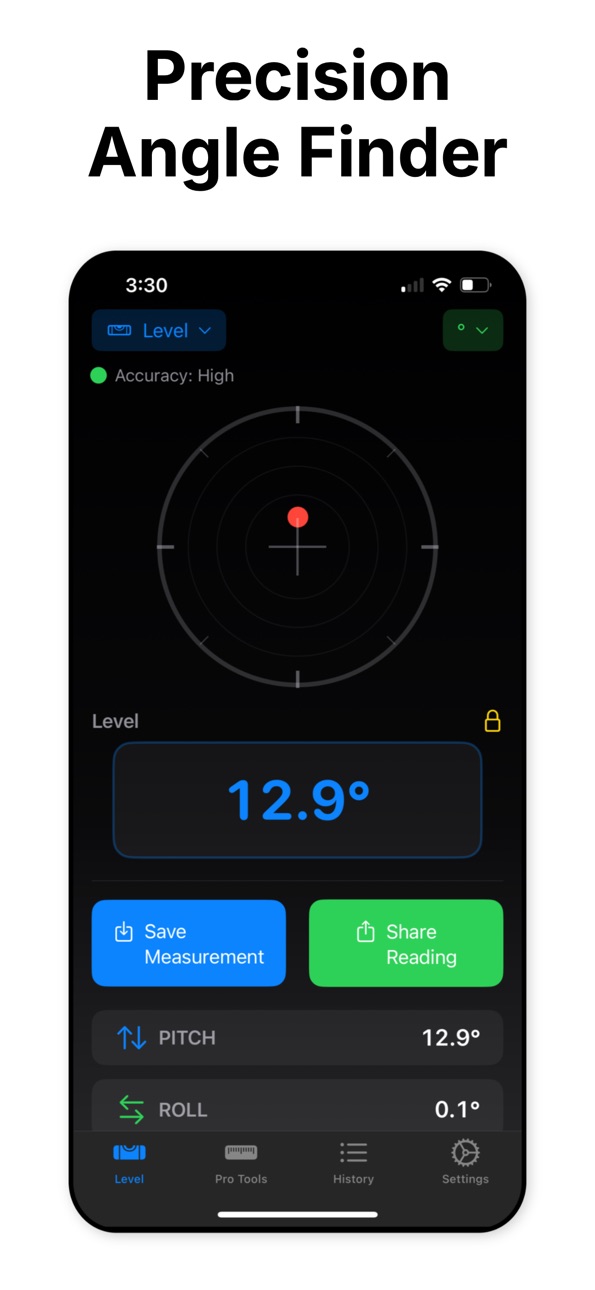
A surface that looks level can still leave a shelf crooked, a ramp too steep, or a cut at the wrong angle. Angle Finder turns your iPhone into a live bubble level and angle toolkit, so you can measure before small errors become costly rework.
Whether you are hanging cabinets, setting posts, checking a roof pitch, or building a ramp, guessing is frustrating. Angle Finder gives you clear live readings, practical calculators, and a saved measurement log you can return to later.
MEASURE WITH CONFIDENCE
• Follow a responsive bubble that moves toward center and clearly confirms when the surface is level
• View pitch, roll, and yaw with capture-quality feedback
• Lock a live reading or set a relative reference to compare against another surface
• Calibrate for the surface you are working on
• Measure in degrees, percent grade, or slope ratio
• Use optional spoken feedback when your hands are busy
TOOLS FOR REAL PROJECTS
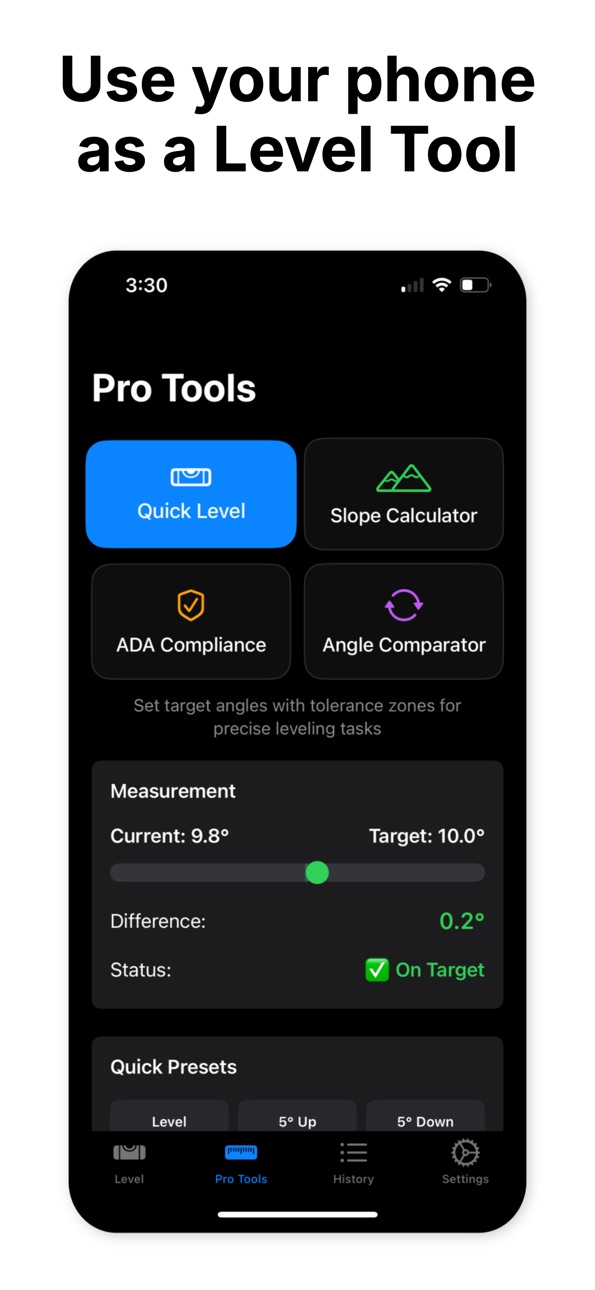
• Quick Level for everyday checks
• Slope Calculator for rise, grade, and ratio
• Digital Protractor for measuring from a reference angle
• Two-Point Measurement for the angle between device orientations
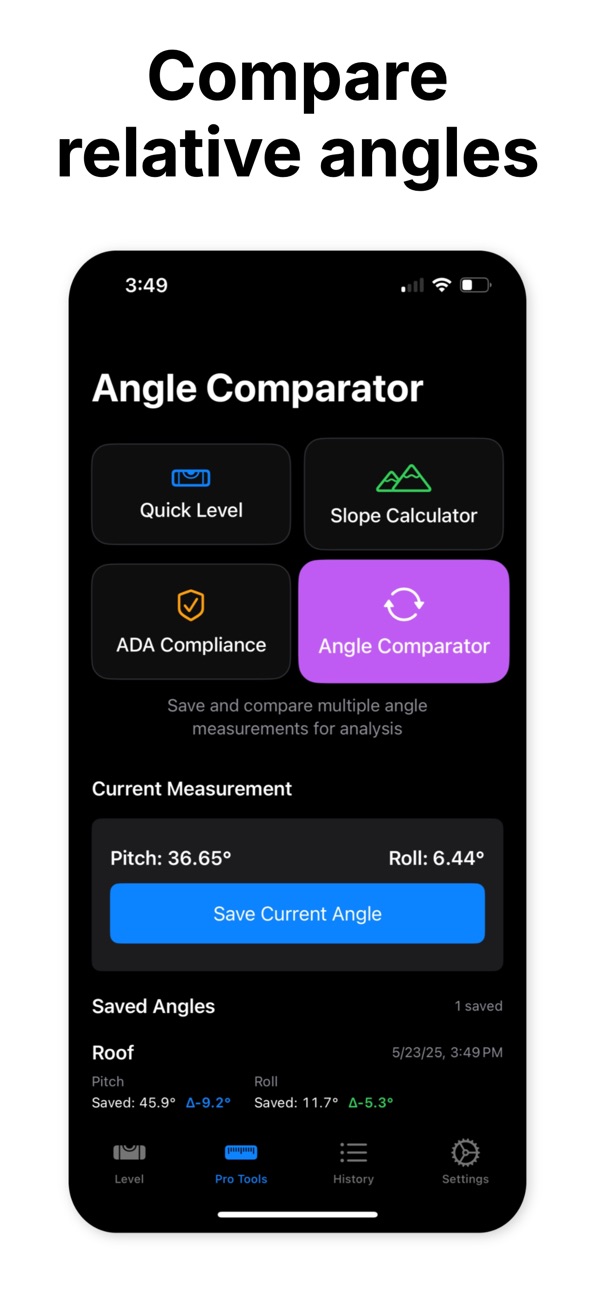
• Angle Comparator for checking consistency across readings
• Construction tools for miter angles, roof pitch, stairs, and common angle references
• Angle Calculator for conversions, angle arithmetic, and trigonometric functions
• ADA ramp slope checks and shareable compliance reports for reference
SAVE THE WORK, NOT JUST THE NUMBER
• Name and save unlimited measurements to your on-device history
• Search and filter saved readings by measurement mode
• Share individual readings and tool results
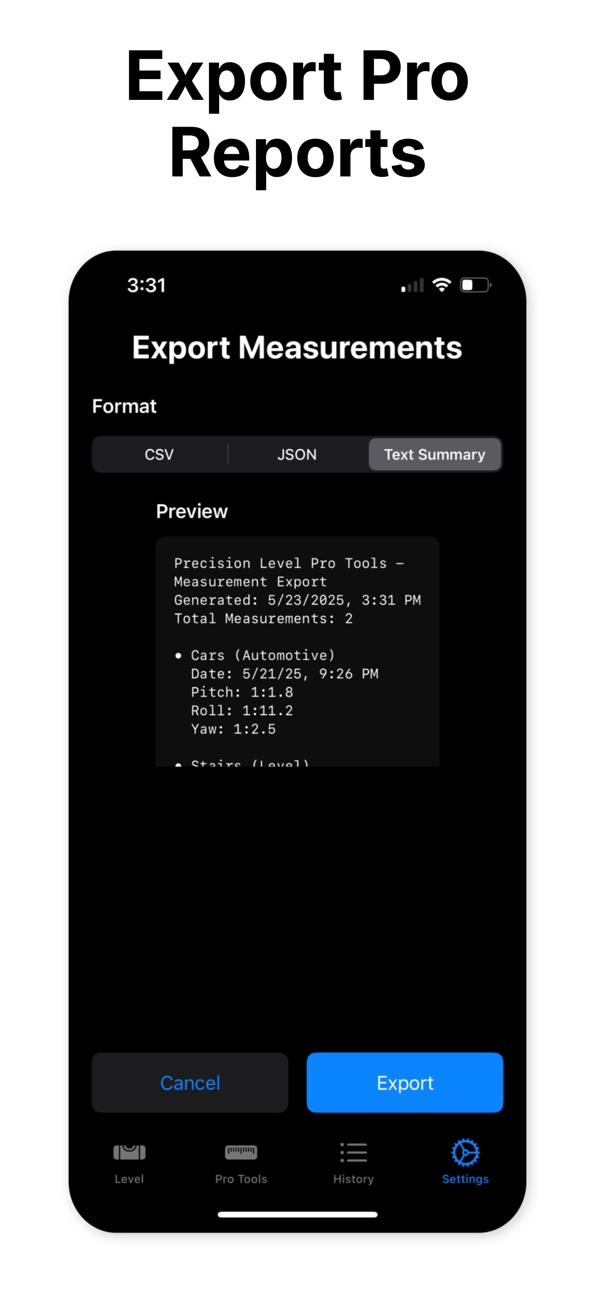
• Export selected measurements as CSV, JSON, a text summary, or a professional report with statistics
BUILT FOR REAL LIFE
• DIYers hanging shelves, pictures, cabinets, and fixtures
• Contractors and carpenters checking level, slope, cuts, and framing
• Roof, deck, stair, and ramp projects
• Accessibility professionals reviewing ramp slopes against common ADA guidance
• Automotive work that requires checking tilt and orientation
• Students and educators exploring angles and trigonometry
PRIVATE BY DEFAULT
No account is required. Your saved measurement data stays on your device.
Basic Level mode, degree readings, measurement history, and individual sharing are free. Pro unlocks professional modes, additional units, audio feedback, advanced tools, and exports. Pro is available through a weekly auto-renewing subscription or a lifetime purchase. A free trial may be available for eligible subscriptions.
Payment is charged to your Apple ID account at confirmation of purchase. Subscriptions renew automatically unless canceled at least 24 hours before the end of the current period. Manage or cancel subscriptions in your App Store account settings.
ADA and construction references are provided as measurement aids. Always verify requirements against applicable local codes and professional standards.
Terms of Use (EULA): https://www.apple.com/legal/internet-services/itunes/dev/stdeula/
Stop relying on eyeballing when the angle matters. Measure it, save it, and move forward with confidence.
Capabilities
In-App Purchases
Accessibility
ipadiphonemacrealityDevicetvoswatch
Version history 13 versions
Build 887395759v2.22026-06-26 21:23:53
Version 2.0 introduces a redesigned precision-instrument experience.
• See when you’re level faster with a responsive bubble, clearer readings, and visual feedback
• Navigate modes and professional tools easily with color-coded accents
• Share Digital Protractor results and export localized measurement reports
• Enjoy more accurate percent-grade calculations and smoother controls
Build 887213275v2.12026-06-20 17:39:35
Version 2.0 introduces a redesigned precision-instrument experience.
• See when you’re level faster with a responsive bubble, clearer readings, and visual feedback
• Navigate modes and professional tools easily with color-coded accents
• Share Digital Protractor results and export localized measurement reports
• Enjoy more accurate percent-grade calculations and smoother controls
Build 886639016v2.02026-06-13 07:33:56
Version 2.0 introduces a redesigned precision-instrument experience.
• See when you’re level faster with a responsive bubble, clearer readings, and visual feedback
• Navigate modes and professional tools easily with color-coded accents
• Share Digital Protractor results and export localized measurement reports
• Enjoy more accurate percent-grade calculations and smoother controls
Build 884247829v1.92026-04-07 21:46:01
Included 2 Pro tools in the free version.
Build 881057717v1.82025-12-31 14:07:31
Updated translations.
Build 881055962v1.72025-12-29 02:55:01
Updated translations.
Build 879211191v1.62025-10-27 09:32:17
- Added a Lifetime purchase option.
Build 877099873v1.52025-08-15 18:30:27
- Added digital protractor
- Added two-point angle measurement
- Added construction angle tools
- Added angle calculator
Build 876676366v1.42025-07-25 13:33:50
- Added digital protractor
- Added two-point angle measurement
- Added construction angle tools
- Added angle calculator
Build 876523691v1.32025-07-20 17:40:52
This version of Angle Finder - Level Tool includes an update to the free and Pro versions. Now you can use the basic features of the app for free as long as you want. Upgrade any time for Pro features and measurement history.
Build 875858407v1.22025-06-27 00:00:26
This version of Precision Level Angle Finder includes a new 3-day trial for the weekly plan.
Build 875592337v1.12025-06-15 14:33:49
This version of Precision Level Pro Tools adds translations in 30+ languages.
Build 874973591v1.02025-05-29 08:16:20
No pricing data captured yet — comparisons appear once the app has paid storefronts or in-app purchases.
Availability 1 of 1 storefronts
| Region | Language | Price | Ratings | Avg | Version |
|---|---|---|---|---|---|
| US | en-US | Free | 3 | 5.0 | 2.2 |
Change log 17 changes · US
✎
releaseNotes updated
Version 2.0 introduces a redesigned precision-instrument experience.
• See when you’re level faster with a responsive bubble, clearer readings, and visual feed
✎
description updated
A surface that looks level can still leave a shelf crooked, a ramp too steep, or a cut at the wrong angle. Angle Finder turns your iPhone into a live bubble lev
✎
subtitle updated
Bubble Level & Slope Meter
✎
name updated
Level Tool - Angle Measure
◆
Version 2.2 released
Version 2.0 introduces a redesigned precision-instrument experience.
• See when you’re level faster with a responsive bubble, clearer readings, and visual feedback
• Navigate modes and professional tools easily with color-coded accents
• S
◆
Version 2.1 released
Version 2.0 introduces a redesigned precision-instrument experience.
• See when you’re level faster with a responsive bubble, clearer readings, and visual feedback
• Navigate modes and professional tools easily with color-coded accents
• S
◆
Version 2.0 released
Version 2.0 introduces a redesigned precision-instrument experience.
• See when you’re level faster with a responsive bubble, clearer readings, and visual feedback
• Navigate modes and professional tools easily with color-coded accents
• S
◆
Version 1.9 released
Included 2 Pro tools in the free version.
◆
Version 1.8 released
Updated translations.
◆
Version 1.7 released
Updated translations.
◆
Version 1.6 released
- Added a Lifetime purchase option.
◆
Version 1.5 released
- Added digital protractor
- Added two-point angle measurement
- Added construction angle tools
- Added angle calculator
◆
Version 1.4 released
- Added digital protractor
- Added two-point angle measurement
- Added construction angle tools
- Added angle calculator
◆
Version 1.3 released
This version of Angle Finder - Level Tool includes an update to the free and Pro versions. Now you can use the basic features of the app for free as long as you want. Upgrade any time for Pro features and measurement history.
◆
Version 1.2 released
This version of Precision Level Angle Finder includes a new 3-day trial for the weekly plan.
◆
Version 1.1 released
This version of Precision Level Pro Tools adds translations in 30+ languages.
◆
Version 1.0 released