Home › Music

 US
US
1 of 1 storefronts
Content in en-US
Content in en-US
Information
Apple ID6745723131
Bundle IDcom.tadx2.fantachord
SellerSeller
Min iOS18.0
Min macOS15.0
Device familiesiphone, ipad
Released2025-05-13
Copyright© 2025 JianHe Tang
Privacy policyLink ↗
Preview 2 platforms
iPhone 8 images


iPad 6 images



What’s New Version 1.7.9
Add new chord combinations
Description
This time, you can learn chords and scales visually. Explore the structure of chords by moving different chord tones. You’ll gain a thorough understanding of the origins of chord names. This app can generate every chord structure you can imagine, making it easy to look up and memorize them. The process of understanding music should be clear and simple. GenChord helps you uncover the core principles behind music. More features are continuously being updated.
· Library – Quick Chord Lookup
Generate every possible chord from a music theory perspective—no need to wonder if the list is complete. Tap to play the chord, long press to arpeggiate, swipe right for details.
· Query - Chord Reverse Finder. Reverse lookup for basic chords / omit chords / inverted chords / chords with all added tensions. In the playground, Bluetooth connection and MIDI cable connection are also supported. Now you can enjoy features that were previously available only to PC users.
· Create – Your Own Chords
collect and curate chord progressions. Enjoy more control features, add memory curves, and include numbered notation. Rearrange and combine freely—one chord can evolve into endless variations. Your pop/jazz assistant—you deserve it.
· Playground – Music Sandbox
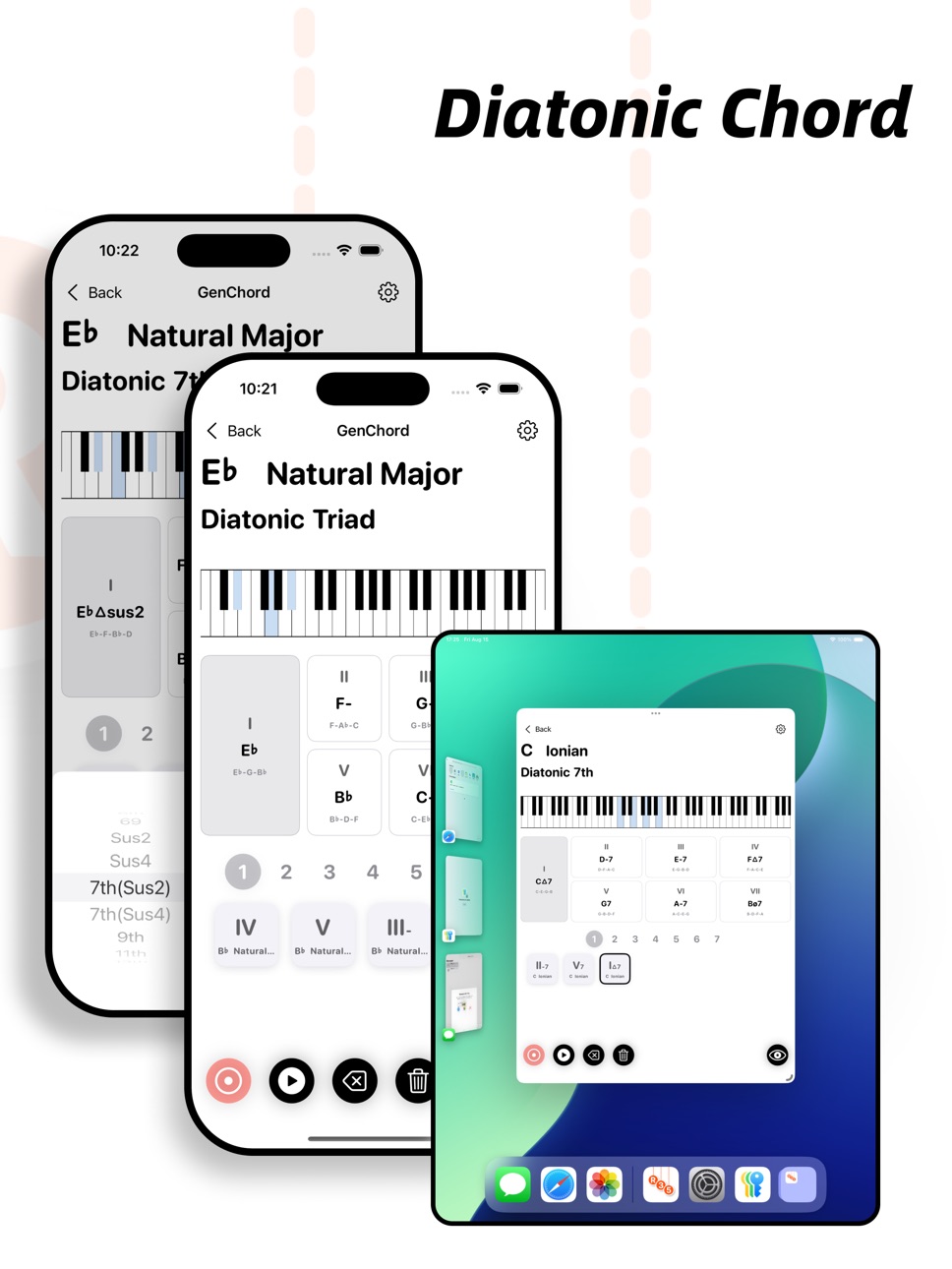
For teaching, training, and testing—your free space to play music and your Swiss Army knife for creation. Highly recommended: the Diatonic Chords feature to explore beautiful progressions. Tap anytime, anywhere to trigger inspiring notes.
Accessibility
ipadiphonemacrealityDevicetvoswatch
Version history 14 versions
Build 880647595v1.7.92025-12-16 03:26:59
Add new chord combinations
Build 880302289v1.7.82025-12-04 01:15:36
- Optimize sheet music display
Build 878301401v1.7.52025-10-01 02:38:13
- New Feature: Chord Reverse Finder
- Improvements: Keyboard display optimization / Chord name display optimization
Build 877922718v1.6.02025-09-08 10:36:52
- Optimize Chord Detail Page
- Add Mini Circle of Fifths / Staff Notation
Build 877241453v1.5.02025-08-16 02:29:16
- UI: Improved piano keyboard display, with a new UI rendering algorithm that makes every swipe as smooth as silk. Optimized interface for iPad users.
- New Features: Added more settings to all pages. Introduced 5 new instrument sounds. In the Create interface, added a mini chord set icon so you can see all chords in a set at a glance.
- Bug Fixes: Fixed potential crashes during lookups on older devices. We love your tech—no matter its age.
Build 876658754v1.4.62025-07-24 16:39:14
New Feature: Waterfall-style MIDI editing
Improvement: Display of numbered musical notation in chord cards
Bug Fix: Resolved display issue on the chord progression page for small screens (iPhone SE 1/2/3)
Build 875986807v1.4.32025-06-30 13:39:18
New sound preset
Fixed display issue on iPhone SE series
Build 875896316v1.4.22025-06-27 04:48:35
Add commonly used scales (melodic minor, harmonic minor) to diatonic chords.
Add more illustrative images.
Build 875866180v1.4.12025-06-25 13:45:11
New Feature: Added diatonic chord progression recording. Tap the bottom-right corner to record chord progressions.
Bug Fixes: Fixed issue where the audio channel was occupied by background apps. Fixed an issue in the chord constructor where jumping to the root note was incorrect.
Build 875743259v1.4.02025-06-21 07:55:12
New Module: Diatonic Chords Functionality
Feature: Added Japanese and other multilingual support; currently supports Chinese, English, French, and Japanese (default display is English)
Build 875643045v1.3.212025-06-17 23:36:02
New module: Voicing feature
Feature: Multilingual support (currently supports English/French/Chinese, defaults to English display)
Build 875609792v1.3.22025-06-16 23:45:40
New module: Voicing feature
Feature: Multilingual support (currently supports Chinese/English, defaults to English display)
Bug fixes
Build 874757008v1.12025-06-10 01:41:01
- New Module: Added "Scale Training" tool. Uses memory-layer logic to assist with learning scales using color-coded blocks
- UI: Simplified layout for the Playground page and optimized keyboard display
- Playback: Added a "decompose playback" button to the Chord Builder page; long-press on chord cards for arpeggiated playback
- Other: Changed sound output channel to default background mode
Build 874663404v1.02025-05-14 01:47:13
Price history by region
Currency
Show
Columns
Search
Availability 1 of 1 storefronts
| Region | Language | Price | Ratings | Avg | Version |
|---|---|---|---|---|---|
| US | en-US | USD 2.99 | 1 | 5.0 | 1.7.9 |
Change log 18 changes · US
✎
releaseNotes updated
Add new chord combinations
✎
description updated
This time, you can learn chords and scales visually. Explore the structure of chords by moving different chord tones. You’ll gain a thorough understanding of th
✎
subtitle updated
Interactive music theory tool
✎
name updated
GenChord - Piano Scale Chord
◆
Version 1.7.9 released
Add new chord combinations
◆
Version 1.7.8 released
- Optimize sheet music display
◆
Version 1.7.5 released
- New Feature: Chord Reverse Finder
- Improvements: Keyboard display optimization / Chord name display optimization
◆
Version 1.6.0 released
- Optimize Chord Detail Page
- Add Mini Circle of Fifths / Staff Notation
◆
Version 1.5.0 released
- UI: Improved piano keyboard display, with a new UI rendering algorithm that makes every swipe as smooth as silk. Optimized interface for iPad users.
- New Features: Added more settings to all pages. Introduced 5 new instrument sounds. In
◆
Version 1.4.6 released
New Feature: Waterfall-style MIDI editing
Improvement: Display of numbered musical notation in chord cards
Bug Fix: Resolved display issue on the chord progression page for small screens (iPhone SE 1/2/3)
◆
Version 1.4.3 released
New sound preset
Fixed display issue on iPhone SE series
◆
Version 1.4.2 released
Add commonly used scales (melodic minor, harmonic minor) to diatonic chords.
Add more illustrative images.
◆
Version 1.4.1 released
New Feature: Added diatonic chord progression recording. Tap the bottom-right corner to record chord progressions.
Bug Fixes: Fixed issue where the audio channel was occupied by background apps. Fixed an issue in the chord constructor wher
◆
Version 1.4.0 released
New Module: Diatonic Chords Functionality
Feature: Added Japanese and other multilingual support; currently supports Chinese, English, French, and Japanese (default display is English)
◆
Version 1.3.21 released
New module: Voicing feature
Feature: Multilingual support (currently supports English/French/Chinese, defaults to English display)
◆
Version 1.3.2 released
New module: Voicing feature
Feature: Multilingual support (currently supports Chinese/English, defaults to English display)
Bug fixes
◆
Version 1.1 released
- New Module: Added "Scale Training" tool. Uses memory-layer logic to assist with learning scales using color-coded blocks
- UI: Simplified layout for the Playground page and optimized keyboard display
- Playback: Added a "decompo
◆
Version 1.0 released