Home › Productivity

 US
US
1 of 1 storefronts
Content in en-US
Content in en-US
Information
Preview 2 platforms
iPhone 7 images




iPad 3 images


What’s New Version 1.1.27
What’s New in SinceNow
We’ve improved the order of entries in history — they now always appear chronologically, even after editing.
We’ve added a subtle timestamp between entries.
We’ve changed how the “Reset Time” and “Reset Time with Note” buttons work — after using them, you’re taken straight to history without an extra confirmation.
We’ve improved reset editing: the “Save” button now appears only after you actually make changes.
We’ve added a preloader while saving to the database, so it’s clear that saving is in progress.
In reset history, future resets are now highlighted with color, just like on the main task list.
We’ve added a “Now” option when editing a reset, letting you set the date and time to the current moment.
Description
How long has it been since your last oil change? When did you last visit the dentist? How many days smoke-free are you?
SinceNow answers all of these questions — automatically.
TRACK TIME SINCE ANY EVENT
Create a task, set a date, and SinceNow counts the days, hours, and minutes for you. Whether it happened yesterday or years ago, you'll always know exactly how long it's been.
COMPLETE HISTORY WITH NOTES
Every time you reset a timer, SinceNow saves it to your history. Add notes to record details — what you paid, who did the service, what you did differently. Your personal timeline, always at your fingertips.
SMART REMINDERS
Set reminders so you never miss what matters. Get notified when it's time for your next checkup, filter change, or workout session. Add recurrence for tasks that repeat on a schedule.
ORGANIZE WITH CATEGORIES
Color-coded categories keep everything tidy. Home maintenance in one group, health tasks in another, car care in a third. Drag and drop to reorder however you like.
COUNTER TASKS FOR DAILY HABITS
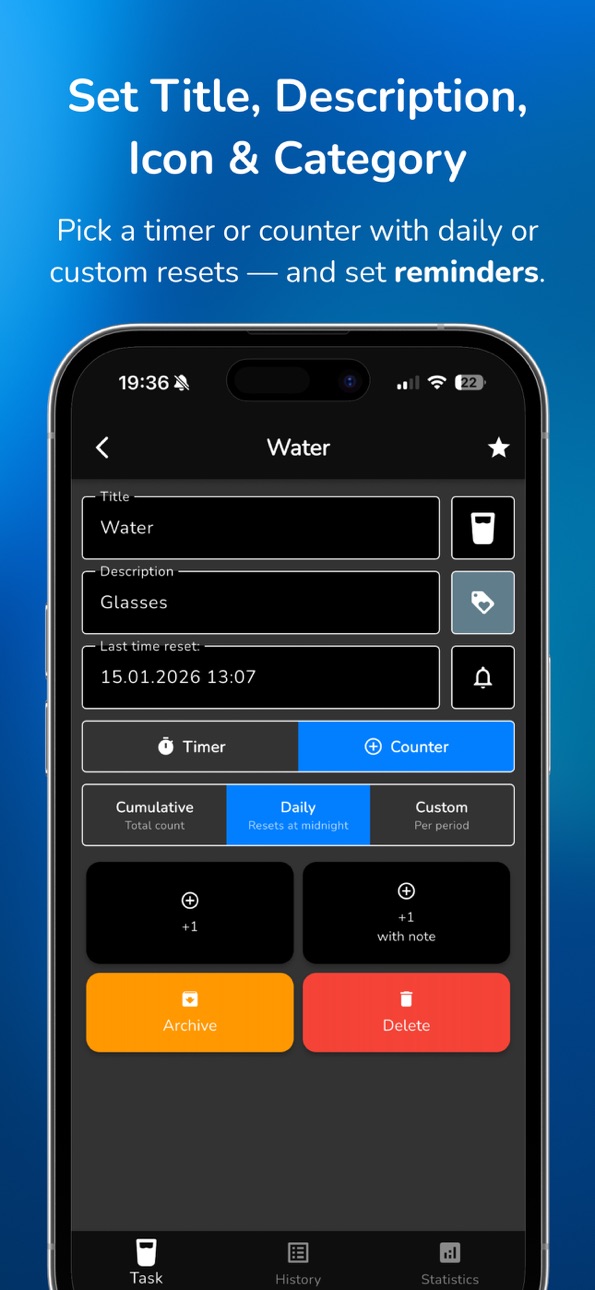
Track how many times — not just when. Perfect for counting workouts, glasses of water, or any daily goal. Tap to increment, review your progress over time.
ADVANCED STATISTICS (PREMIUM)
Visualize your patterns with charts and heatmaps. See which days you're most active, spot trends, and understand your habits better than ever.
BUILT FOR REAL LIFE
SinceNow comes with 33 pre-built task ideas across 8 categories — from "Oil Change" and "Water Filter" to "Medical Check-Up" and "Smoke Free." Import them with one tap and start tracking immediately.
YOUR DATA, YOUR WAY
Export your tasks as a backup or transfer between devices. Import data when you switch phones. Your data stays yours.
SINCENOW PREMIUM
Unlock the full experience with a 2-week free trial:
- Advanced statistics & insights
- Counter tasks for habits
- Smart reminders with recurrence
- Push notifications
- Data export & import
Pricing (USA):
- Monthly: $2.99/month
- Yearly: $29.99/year (save over 15%)
- Lifetime: $59.99 (one-time purchase)
Payment is charged to your Apple ID account. Subscription auto-renews unless cancelled at least 24 hours before the end of the current period. Manage subscriptions in Settings > Apple ID > Subscriptions.
Privacy Policy: https://sincenow.app/privacy
Terms of Use: https://www.apple.com/legal/internet-services/itunes/dev/stdeula/
Download SinceNow today and never lose track of what matters.
In-App Purchases US pricing
SinceNow Premium Subscription
Monthly 14-day free trial$2.99
Yearly · Yearly 14-day free trial$29.99
One-Time Purchases
SinceNow Premium Lifetime$59.99
Capabilities
In-App Purchases
Accessibility
ipadiphonemacrealityDevicetvoswatch
Version history 15 versions
Build 885088651v1.1.272026-04-29 21:12:31
What’s New in SinceNow
We’ve improved the order of entries in history — they now always appear chronologically, even after editing.
We’ve added a subtle timestamp between entries.
We’ve changed how the “Reset Time” and “Reset Time with Note” buttons work — after using them, you’re taken straight to history without an extra confirmation.
We’ve improved reset editing: the “Save” button now appears only after you actually make changes.
We’ve added a preloader while saving to the database, so it’s clear that saving is in progress.
In reset history, future resets are now highlighted with color, just like on the main task list.
We’ve added a “Now” option when editing a reset, letting you set the date and time to the current moment.
Build 884407270v1.1.252026-04-11 23:53:47
What's New:
• Optional in-app prompt to rate the app on Google Play.
• More reliable subscription access during billing issues.
• Fixed duplicate task resets and improved error handling.
• Clearer sign-in and password messages.
• Smoother navigation after a reset.
Build 883266635v1.1.192026-03-11 23:27:29
Improved icon picker with new categories and better performance
Fixed task search not returning correct results
Fixed category color not updating correctly after selection
Build 882415323v1.1.182026-03-10 21:38:32
Nunito font across the app.
Latest history entry highlighted.
Reset title matches language, notes stay saved.
New translations added.
Better dark mode visibility.
Invalid import dates are rejected.
Stability improvements.
Build 881540302v1.1.142026-01-25 23:26:25
What's New in Version 1.1.14:
● Counter Tasks (Premium): Track occurrences instead of just time duration. Perfect for habits like water intake, workouts, or daily goals with cumulative and periodic modes.
● Advanced Statistics (Premium): Visualize your progress with interactive charts and heatmaps. Track your streaks, identify peak activity times, and analyze trends to understand your habits better.
● Notes in History: Attach specific notes to each reset or counter entry to keep track of details like costs, memos, or event specifics.
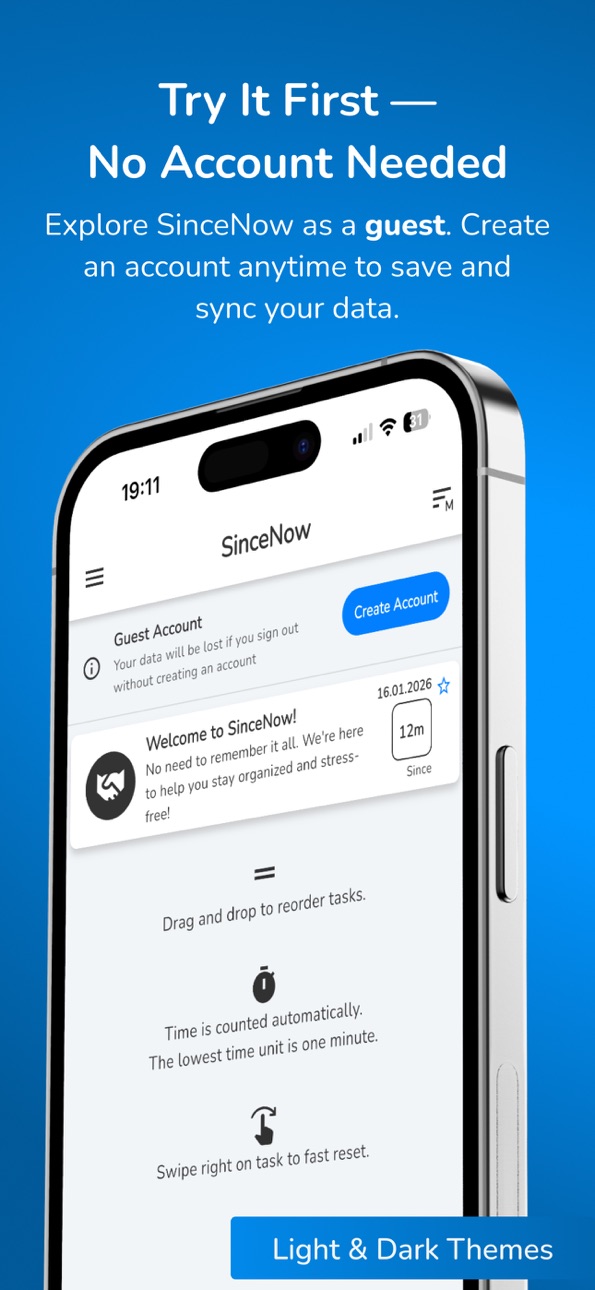
● Guest Account: Try SinceNow without creating an account. Start tracking immediately and convert your guest account to a permanent one later to keep your data and sync it across all your devices.
● Multi-language Support: Use the app in your native language. SinceNow now supports 11 languages, including English, Polish, Spanish, German, French, Japanese, Chinese, and more.
Build 879932674v1.1.42025-11-20 21:23:17
Changes since last build:
App version display — Added app version display on the sign-in screen
Infinite scrolling in task history — Task history now loads automatically as you scroll, with a loading indicator
Trial subscription support — Improved handling of free trial periods for subscriptions
Improved search — Search in categories, countdown, and favorite tasks is faster and more responsive
New feature: Inspirations — Added section with task ideas you can import into the app
Custom reminders — Ability to set custom reminder intervals (e.g., every 3 days, every 2 weeks) instead of only daily/weekly/monthly
Better task import — When importing inspirations, you can choose which category to assign imported tasks to
Improved selection menus — Replaced dropdown menus with clearer selection pickers (e.g., for time unit selection)
Technical fixes — Fixed bugs related to reminder dates and time synchronization
Build 878951273v1.1.32025-10-16 08:05:10
What's new:
- Improved recurring task reminders (daily, weekly, monthly, yearly).
- Improved reminder time validation — prevents selecting past dates.
- Enhanced subscription reliability with automatic retry for network errors.
- Improved email verification flow with better handling of connection issues.
- Better error handling and icon compatibility across screens.
- Removed unused assets to optimize app size and performance.
Build 878655477v1.1.22025-10-06 03:47:26
What’s New in Version 1.1.2 (Build 42):
• Implemented functionality to clear notification badges on iOS.
• Improved handling of application lifecycle events.
Build 878591988v1.1.12025-10-02 10:58:01
SinceNow 1.1.1 (Public +41)
What’s New
• Improved login and email verification flow
• Enhanced subscription management
• More reliable ad loading and display, respecting your consent settings.
• Better reminder handling for tasks, plus improved error handling in notifications.
Build 878242498v1.0.82025-09-20 06:23:04
Improved categories
Faster category selection and smoother navigation
Better visuals and readability
Enhanced notifications & snackbars
Clearer messages and consistent actions (Undo/OK)
More reliable display on iOS and iPad
Polished experience
UI tweaks and layout refinements
Performance improvements in task lists
Bug fixes and stability improvements
Build 878062240v1.0.72025-09-17 20:36:39
NEW PREMIUM FEATURE: Lifetime Purchase
• Get lifetime access to all premium features with a one-time purchase
• No recurring payments - pay once, use forever
NEW PREMIUM FEATURE: Data Management
• Export your tasks and categories to JSON files for backup
• Import data to restore or transfer between devices
• Complete data portability for premium users
IMPROVED: Fast Reset Gesture
• Enhanced slide-to-reset functionality across all screens
• Smoother animations and better responsiveness
• Quick reset with undo option preserves your workflow
ENHANCED: Cloud Synchronization
• Real-time sync across your iPhone and iPad
• Better conflict resolution for simultaneous edits
• More reliable cloud backup and restore
Build 877311893v1.0.42025-08-17 12:35:23
- pressing Cancel in the time picker now cancels the whole date & time selection.
- task date labels in Edit Taks update immediately when you pick a new date
- error fix: you can now set reminders for later today without restrictions in Add Task
Build 876603049v1.0.32025-07-23 11:40:15
● Added countdowns for upcoming tasks and a new “Countdowns” tab
● Task search function
● Tap category color to view all tasks in that category
● Add categories directly when adding or editing a task
● Faster loading of category names and colors
● Improved text field focus and keyboard behavior
● View notification date by tapping the bell icon on the task screen
● Task count shown in each category
● Various UX/UI improvements
Build 875813812v1.0.22025-06-24 10:17:25
- delete account bug fix
Build 874557090v1.02025-06-13 11:18:10
Price history by region
Currency
Show
Columns
Search
Availability 1 of 1 storefronts
| Region | Language | Price | Ratings | Avg | Version |
|---|---|---|---|---|---|
| US | en-US | Free | 0 | — | 1.1.27 |
Change log 19 changes · US
✎
releaseNotes updated
What’s New in SinceNow
We’ve improved the order of entries in history — they now always appear chronologically, even after editing.
We’ve added a subtle timesta
✎
description updated
How long has it been since your last oil change? When did you last visit the dentist? How many days smoke-free are you?
SinceNow answers all of these questions
✎
subtitle updated
Track Time & Build Habits
✎
name updated
SinceNow - Days Since Counter
◆
Version 1.1.27 released
What’s New in SinceNow
We’ve improved the order of entries in history — they now always appear chronologically, even after editing.
We’ve added a subtle timestamp between entries.
We’ve changed how the “Reset Time” and “Reset Time with Note
◆
Version 1.1.25 released
What's New:
• Optional in-app prompt to rate the app on Google Play.
• More reliable subscription access during billing issues.
• Fixed duplicate task resets and improved error handling.
• Clearer sign-in and password messages.
• Smoother
◆
Version 1.1.19 released
Improved icon picker with new categories and better performance
Fixed task search not returning correct results
Fixed category color not updating correctly after selection
◆
Version 1.1.18 released
Nunito font across the app.
Latest history entry highlighted.
Reset title matches language, notes stay saved.
New translations added.
Better dark mode visibility.
Invalid import dates are rejected.
Stability improvements.
◆
Version 1.1.14 released
What's New in Version 1.1.14:
● Counter Tasks (Premium): Track occurrences instead of just time duration. Perfect for habits like water intake, workouts, or daily goals with cumulative and periodic modes.
● Advanced Statistics (Premium): Vi
◆
Version 1.1.4 released
Changes since last build:
App version display — Added app version display on the sign-in screen
Infinite scrolling in task history — Task history now loads automatically as you scroll, with a loading indicator
Trial subscription support — I
◆
Version 1.1.3 released
What's new:
- Improved recurring task reminders (daily, weekly, monthly, yearly).
- Improved reminder time validation — prevents selecting past dates.
- Enhanced subscription reliability with automatic retry for network errors.
- Improved e
◆
Version 1.1.2 released
What’s New in Version 1.1.2 (Build 42):
• Implemented functionality to clear notification badges on iOS.
• Improved handling of application lifecycle events.
◆
Version 1.1.1 released
SinceNow 1.1.1 (Public +41)
What’s New
• Improved login and email verification flow
• Enhanced subscription management
• More reliable ad loading and display, respecting your consent settings.
• Better reminder handling for tasks, plus
◆
Version 1.0.8 released
Improved categories
Faster category selection and smoother navigation
Better visuals and readability
Enhanced notifications & snackbars
Clearer messages and consistent actions (Undo/OK)
More reliable display on iOS and iPad
Polished experie
◆
Version 1.0.7 released
NEW PREMIUM FEATURE: Lifetime Purchase
• Get lifetime access to all premium features with a one-time purchase
• No recurring payments - pay once, use forever
NEW PREMIUM FEATURE: Data Management
• Export your tasks and categories to JSON
◆
Version 1.0.4 released
- pressing Cancel in the time picker now cancels the whole date & time selection.
- task date labels in Edit Taks update immediately when you pick a new date
- error fix: you can now set reminders for later today without restrictions in A
◆
Version 1.0.3 released
● Added countdowns for upcoming tasks and a new “Countdowns” tab
● Task search function
● Tap category color to view all tasks in that category
● Add categories directly when adding or editing a task
● Faster loading of category names and c
◆
Version 1.0.2 released
- delete account bug fix
◆
Version 1.0 released