Home › Graphics & Design

 US
US
1 of 1 storefronts
Content in en-US
Content in en-US
Information
Apple ID6745422815
Bundle IDio.castain.Art-Toolkit
SellerSeller
Min iOS17.0
Min macOS14.0
Device familiesiphone, ipad
Released2025-06-26
Copyright© Art Toolbox
Privacy policyLink ↗
Preview 2 platforms
iPhone 7 images




iPad 7 images



What’s New Version 1.9.0
• Tool tutorials: Added detailed explanations for each tool.
• Improved export: Export images at their original resolution.
• UX improvements: Enhanced thumbnails, better tool performance, and various bug fixes.
Description
Art Toolbox is the perfect companion for artists of all skill levels, designed to help you master the fundamentals and create more confident, compelling artwork.
Key Features:
Master Light and Shadow
Train your eye to recognize subtle value shifts and improve the depth and realism in your work.
Break Down Complex Forms
Simplify your subject into bold, readable shapes with the shape simplification tool—perfect for learning structure and design.
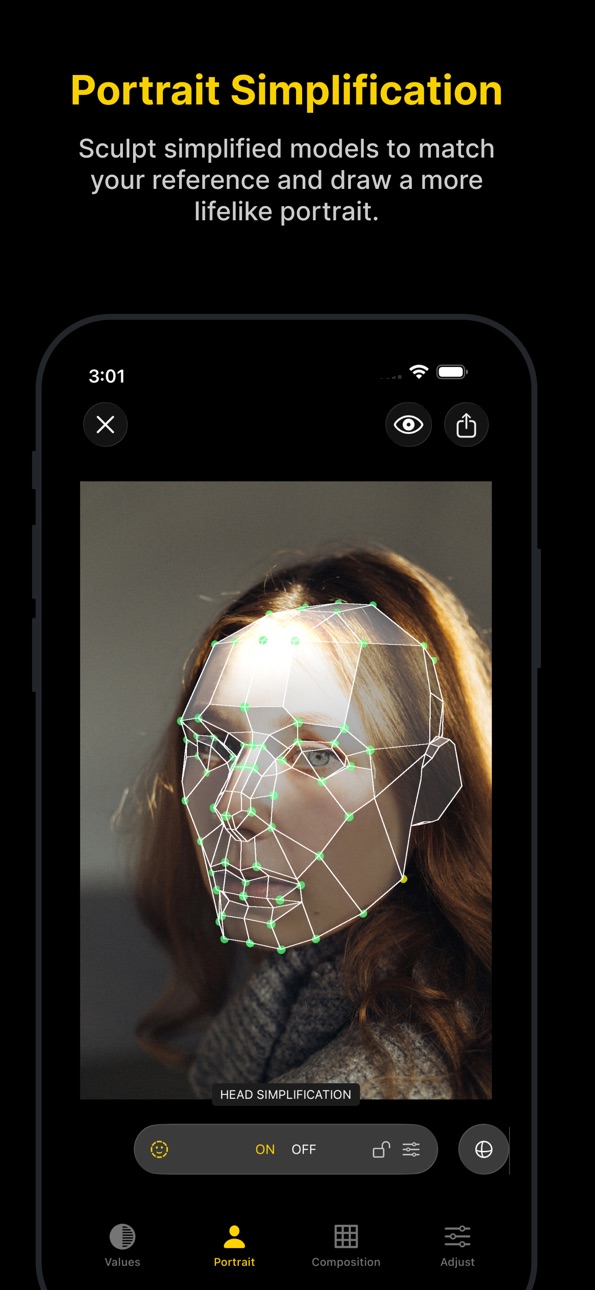
Portrait Simplification Made Easy
Start with flat colors and use facial grids to build a strong, accurate base for portrait painting or drawing.
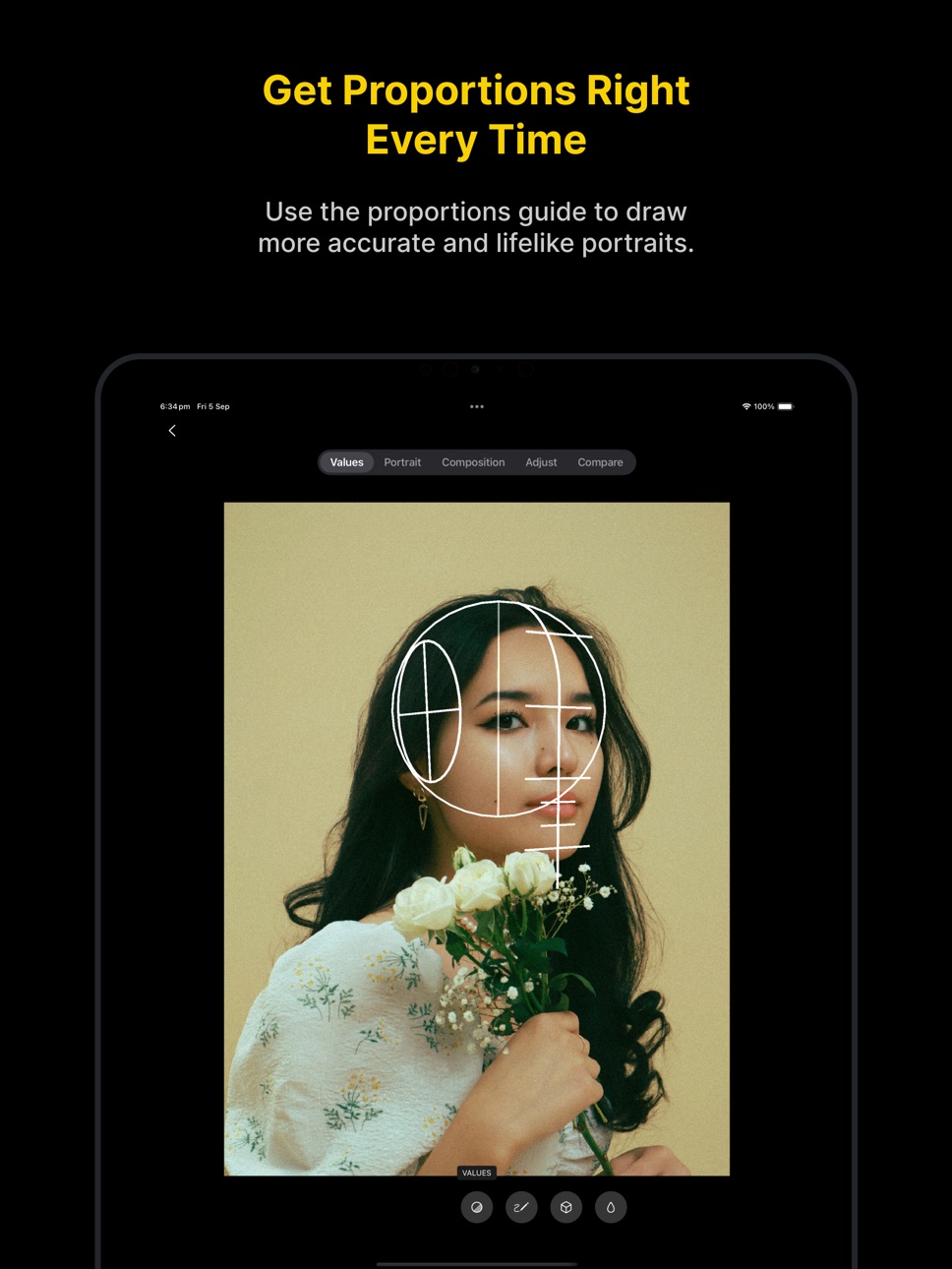
Perfect Proportions, Every Time
Draw lifelike portraits with the proportions guide—no more guesswork or awkward angles.
Compose with Confidence
Design stronger artwork using 6 classic composition grids to create balanced and visually engaging pieces.
Whether you’re sketching, painting, or just learning, Art Toolbox helps you focus on what matters most: improving your art.
Terms & Conditions: https://arttoolbox.app/terms-conditions/
Privacy Policy: https://arttoolbox.app/privacy-policy/
In-App Purchases US pricing
Premium Access Early Bird Subscription
Art Toolkit Premium · Monthly$2.00
Art Toolkit Premium · Yearly$9.00
One-Time Purchases
Art Toolkit Premium$19.00
Capabilities
In-App Purchases
Accessibility
ipadiphonemacrealityDevicetvoswatch
Version history 12 versions
Build 886620105v1.9.02026-06-12 19:51:35
• Tool tutorials: Added detailed explanations for each tool.
• Improved export: Export images at their original resolution.
• UX improvements: Enhanced thumbnails, better tool performance, and various bug fixes.
Build 884700522v1.8.12026-05-20 18:47:18
• Improve sculpting user experience
• Fix toolbar button to hide / select effects
Build 884441599v1.8.02026-04-13 19:09:56
• New crop tool: Crop your reference image to find the perfect composition
Build 883811025v1.7.12026-03-27 07:56:45
• Face Sculpting: Sculpt the simplified head to better match your reference photo.
• Fast Effect Toggle: Tap the eye icon in the top corner to quickly choose which effects to show or hide.
• Art Toolkit becomes Art Toolbox!
Build 883686228v1.7.02026-03-24 21:29:59
• Face Sculpting: Sculpt the simplified head to better match your reference photo.
• Fast Effect Toggle: Tap the eye icon in the top corner to quickly choose which effects to show or hide.
Build 878479107v1.6.02025-10-03 07:06:15
• New tutorial for the 3D guides
• Updated interface for iOS 26
• Bug fixes for iOS 26
Build 878183038v1.5.02025-09-17 20:40:11
• Easily show or hide all guides and help overlays at once with a single switch.
• Export your reference image directly from the app, complete with any guides you’ve applied.
• Various bug fixes.
Build 877863552v1.4.02025-09-08 20:45:12
• Fixed proportions guide alignment
• Resolved issue where armature was not interactive
• Corrected background color display in iPad split screen mode
Build 876692951v1.32025-08-19 14:45:19
• Fixed a visual glitch that occurred when resizing the app on iPad.
Build 876536686v1.22025-07-24 20:08:12
• You can now adjust the value visualisation settings to better control how light and dark areas are displayed in your image.
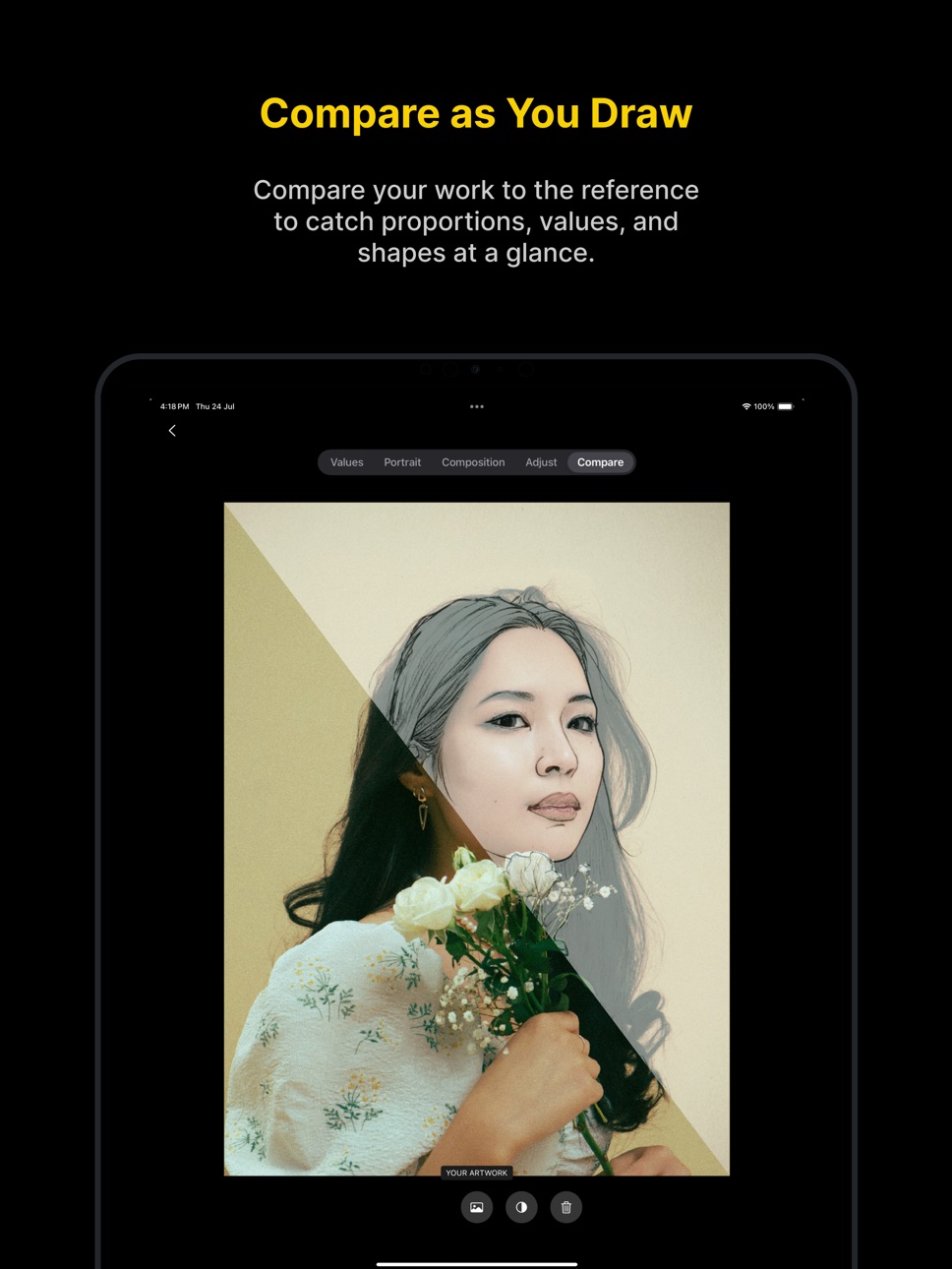
• Take a photo of your artwork to compare it with the reference image, helping you evaluate accuracy and make improvements.
• Various bug fixes
Build 876082162v1.12025-07-09 03:13:07
• Fixed delay when loading reference images
• Fixed bug where the vertical line in the proportion guide was incorrect
• Removed example references for premium users
Don’t forget to send your feedback and suggestions to contact@arttoolkitapp.com — thank you!
Build 874487987v1.02025-06-27 02:43:53
Price history by region
Currency
Show
Columns
Search
Availability 1 of 1 storefronts
| Region | Language | Price | Ratings | Avg | Version |
|---|---|---|---|---|---|
| US | en-US | Free | 16 | 4.2 | 1.9.0 |
Change log 16 changes · US
✎
releaseNotes updated
• Tool tutorials: Added detailed explanations for each tool.
• Improved export: Export images at their original resolution.
• UX improvements: Enhanced thumbnai
✎
description updated
Art Toolbox is the perfect companion for artists of all skill levels, designed to help you master the fundamentals and create more confident, compelling artwork
✎
subtitle updated
Tools for Every Artist
✎
name updated
Art Toolbox: Values & Guides
◆
Version 1.9.0 released
• Tool tutorials: Added detailed explanations for each tool.
• Improved export: Export images at their original resolution.
• UX improvements: Enhanced thumbnails, better tool performance, and various bug fixes.
◆
Version 1.8.1 released
• Improve sculpting user experience
• Fix toolbar button to hide / select effects
◆
Version 1.8.0 released
• New crop tool: Crop your reference image to find the perfect composition
◆
Version 1.7.1 released
• Face Sculpting: Sculpt the simplified head to better match your reference photo.
• Fast Effect Toggle: Tap the eye icon in the top corner to quickly choose which effects to show or hide.
• Art Toolkit becomes Art Toolbox!
◆
Version 1.7.0 released
• Face Sculpting: Sculpt the simplified head to better match your reference photo.
• Fast Effect Toggle: Tap the eye icon in the top corner to quickly choose which effects to show or hide.
◆
Version 1.6.0 released
• New tutorial for the 3D guides
• Updated interface for iOS 26
• Bug fixes for iOS 26
◆
Version 1.5.0 released
• Easily show or hide all guides and help overlays at once with a single switch.
• Export your reference image directly from the app, complete with any guides you’ve applied.
• Various bug fixes.
◆
Version 1.4.0 released
• Fixed proportions guide alignment
• Resolved issue where armature was not interactive
• Corrected background color display in iPad split screen mode
◆
Version 1.3 released
• Fixed a visual glitch that occurred when resizing the app on iPad.
◆
Version 1.2 released
• You can now adjust the value visualisation settings to better control how light and dark areas are displayed in your image.
• Take a photo of your artwork to compare it with the reference image, helping you evaluate accuracy and make impr
◆
Version 1.1 released
• Fixed delay when loading reference images
• Fixed bug where the vertical line in the proportion guide was incorrect
• Removed example references for premium users
Don’t forget to send your feedback and suggestions to contact@arttoolkitap
◆
Version 1.0 released