Home › Books

 US
US
1 of 1 storefronts
Content in en-US
Content in en-US
Information
Preview 3 platforms
iPhone 9 images
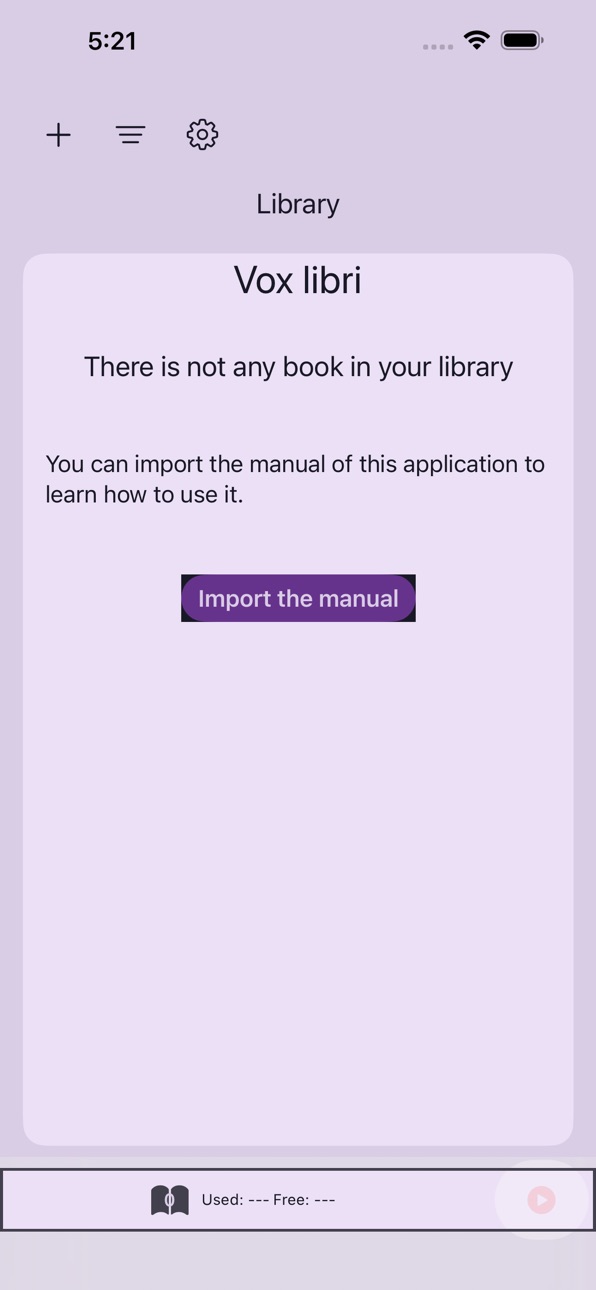


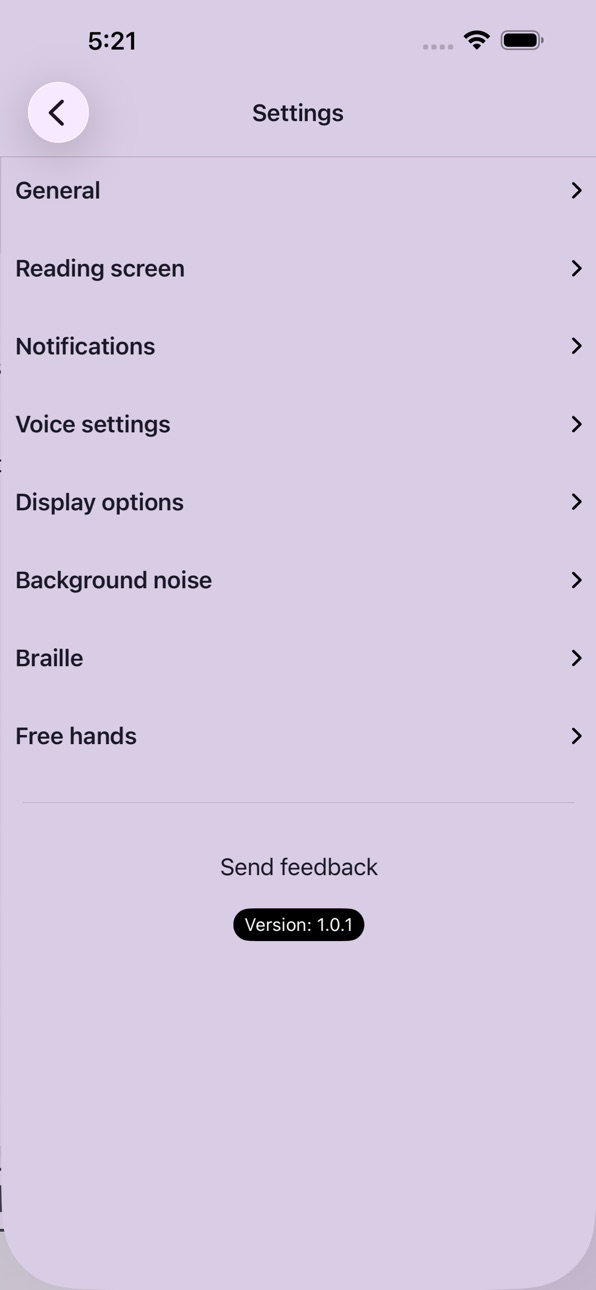
iPad 9 images


Apple Watch 2 images


What’s New Version 1.13
We’ve fixed some synchronization issues between devices and cleared up a misunderstanding about who was in charge of the shared library.
You can now customize the volume of the app’s sounds.
Description
Read your way: accessible, comfortable, and without barriers.
Vox Libri is designed to help anyone read books and documents in a flexible, personalized, and fully accessible way. Whether you prefer reading on screen, using a braille display, or listening with high-quality text-to-speech, enjoying your content has never been easier.
Lightweight, fast, and built for readers who want a comfortable, distraction-free, and inclusive reading experience.
Key Features
• High-quality text-to-speech for natural and expressive read-aloud. This application uses the voices installed on your device.
• Braille reading mode, fully compatible with braille displays.
• Customizable reading screen with adjustable font, size, colors, spacing, and themes.
• Support for major document formats, including TXT, PDF, DOCX, RTF, HTML, Markdown, and EPUB.
• Fully accessible interface, optimized for blind users, low-vision users, and people with reading difficulties.
• Smart navigation through chapters, headings, pages, bookmarks, and document sections.
• Hands-free reading via headphone controls.
• On-device AI translation, summarization, and simplification when supported by the device.
• Full Spanish, English, Italian, French and Greek support across the interface and reading experience.
Vox Libri is perfect for people with dyslexia, low vision, braille users, students, professionals, or anyone who wants a more comfortable and customizable reading experience. Carry your entire library with you and read however you prefer.
Accessibility
ipadiphonemacrealityDevicetvoswatch
Version history 14 versions
Build 887803376v1.132026-07-04 21:36:19
We’ve fixed some synchronization issues between devices and cleared up a misunderstanding about who was in charge of the shared library.
You can now customize the volume of the app’s sounds.
Build 887369356v1.122026-06-24 16:55:40
You can now read books in MOBI, AZW3, and KPF formats.
Mechanisms have been added to prevent the device from overheating, and activity tracking has been improved for when you share your feedback with the developer. This will help identify some of the remaining bugs.
Build 886910199v1.112026-06-13 17:29:34
Now you can import books in Word 97/2003 format with the .doc extension.
Some fixes for synchronization issues and books that could not be deleted.
And the problem of excessive affection for the microphone has been fixed. Now you can keep sending audio messages in other apps while your book is paused.
Build 885571798v1.102026-05-13 21:21:28
Enjoy VoxLibri on your Apple Watch.
iCloud synchronization available across multiple devices.
Fixes for some display issues.
Build 885376489v1.92026-05-07 18:59:25
Some bug fixes for cloud synchronization.
A system has been added to save and restore a copy of the library, and a system for sending activity logs has also been included to improve the app.
Build 885211487v1.82026-05-03 21:14:02
Keep your library synced across all your devices.
There is new information in the manual.
Build 883896240v1.72026-04-04 17:16:13
There are more customization options for the reading screen and the free hands mode.
You can now control VoxLibri using Siri or the Shortcuts app.
The app is now available in Spanish, English, Italian, French, and Greek.
Build 883491359v1.62026-03-18 17:02:47
Some bug fixes importing books from other apps.
Now you can import books in ODT format.
In the Braille settings, you can show buttons to jump to the previous and next page.
Discover more options in the library and the setting options.
Build 882431133v1.52026-02-13 19:34:50
Some bug fixes about navigation and read
Build 882343341v1.42026-02-11 03:02:51
Improvements for continuous page mode and bug fixes spliting pages in a book and importing a text from the clipboard.
Braille reading has also been improved by removing the VoiceOver actions message. Now you’ll only touch your book’s text when reading in braille.
Discover the new buttons for the reading page.
Build 882051746v1.32026-02-02 19:51:19
Discover the new continuous page mode. It’s ideal for VoiceOver or braille users.
More options for customization in the reading screen.
Some bug fixes about metadata for books and the picker for Personal voice.
Also, a new version of the manual with more information.
Build 881786216v1.22026-01-25 18:04:31
Compatibility with Personal voice: now you can read using your own voice.
Also, some bug fixes importing epub books.
Build 881207683v1.12026-01-09 23:04:44
Fixed some Braille and voice playback issues. Additionally, voice control support has been improved, and more customization options have been added to the app.
The manual has been updated with more information.
Build 874431532v1.02025-12-31 13:34:37
Price history by region
Currency
Show
Columns
Search
Availability 1 of 1 storefronts
| Region | Language | Price | Ratings | Avg | Version |
|---|---|---|---|---|---|
| US | en-US | USD 4.99 | 1 | 5.0 | 1.13 |
Change log 17 changes · US
✎
releaseNotes updated
We’ve fixed some synchronization issues between devices and cleared up a misunderstanding about who was in charge of the shared library.
You can now customize t
✎
description updated
Read your way: accessible, comfortable, and without barriers.
Vox Libri is designed to help anyone read books and documents in a flexible, personalized, and fu
✎
name updated
Vox libri
◆
Version 1.13 released
We’ve fixed some synchronization issues between devices and cleared up a misunderstanding about who was in charge of the shared library.
You can now customize the volume of the app’s sounds.
◆
Version 1.12 released
You can now read books in MOBI, AZW3, and KPF formats.
Mechanisms have been added to prevent the device from overheating, and activity tracking has been improved for when you share your feedback with the developer. This will help identify s
◆
Version 1.11 released
Now you can import books in Word 97/2003 format with the .doc extension.
Some fixes for synchronization issues and books that could not be deleted.
And the problem of excessive affection for the microphone has been fixed. Now you can keep s
◆
Version 1.10 released
Enjoy VoxLibri on your Apple Watch.
iCloud synchronization available across multiple devices.
Fixes for some display issues.
◆
Version 1.9 released
Some bug fixes for cloud synchronization.
A system has been added to save and restore a copy of the library, and a system for sending activity logs has also been included to improve the app.
◆
Version 1.8 released
Keep your library synced across all your devices.
There is new information in the manual.
◆
Version 1.7 released
There are more customization options for the reading screen and the free hands mode.
You can now control VoxLibri using Siri or the Shortcuts app.
The app is now available in Spanish, English, Italian, French, and Greek.
◆
Version 1.6 released
Some bug fixes importing books from other apps.
Now you can import books in ODT format.
In the Braille settings, you can show buttons to jump to the previous and next page.
Discover more options in the library and the setting options.
◆
Version 1.5 released
Some bug fixes about navigation and read
◆
Version 1.4 released
Improvements for continuous page mode and bug fixes spliting pages in a book and importing a text from the clipboard.
Braille reading has also been improved by removing the VoiceOver actions message. Now you’ll only touch your book’s text w
◆
Version 1.3 released
Discover the new continuous page mode. It’s ideal for VoiceOver or braille users.
More options for customization in the reading screen.
Some bug fixes about metadata for books and the picker for Personal voice.
Also, a new version of the ma
◆
Version 1.2 released
Compatibility with Personal voice: now you can read using your own voice.
Also, some bug fixes importing epub books.
◆
Version 1.1 released
Fixed some Braille and voice playback issues. Additionally, voice control support has been improved, and more customization options have been added to the app.
The manual has been updated with more information.
◆
Version 1.0 released