Home › Education

 US
US
1 of 1 storefronts
Content in en-US
Content in en-US
Information
Preview 2 platforms
iPhone 5 images




iPad 5 images


What’s New Version 2.2.1
- Performance optimization (by kedtol)
- Removed grades on the writing summary screen
- Increased default desktop window size
- Added refresh button to the Account screen on the iOS version
Description
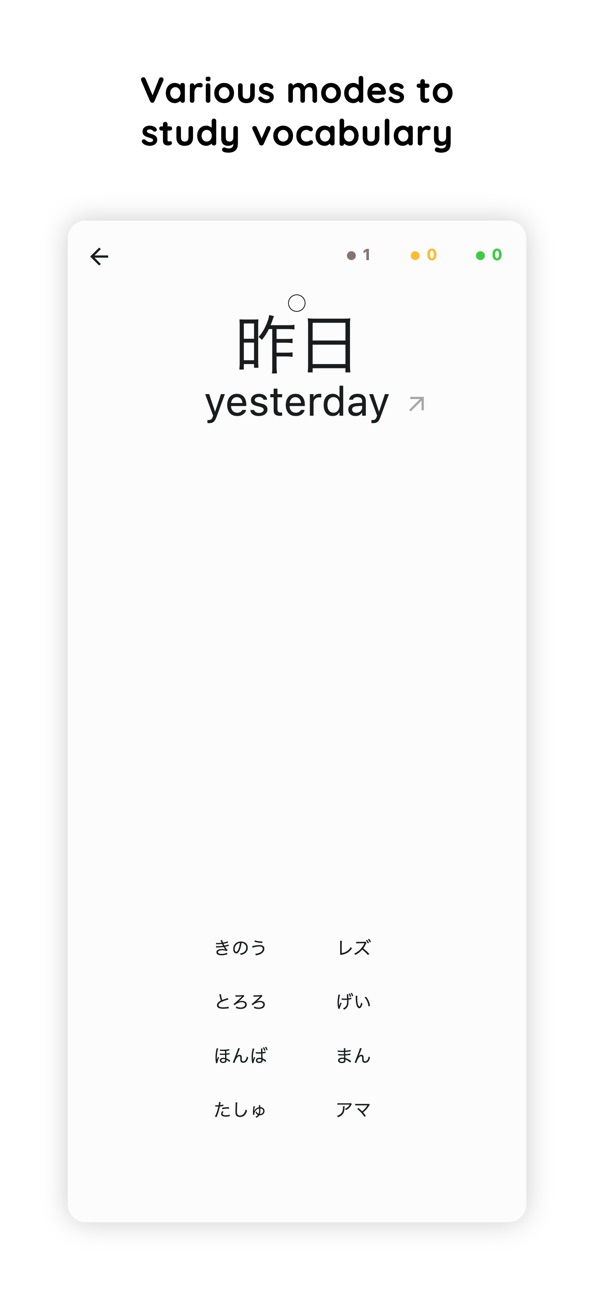
Kanji Dojo is an open-source app with no paid content that you can use to learn how to write Japanese letters, memorize the correct stroke order, practice recalling meanings and readings of kana and kanji using flashcards with vocabulary examples. Keep studying anywhere, anytime without wasting tons of paper, available on desktop too
Main Features:
• Suitable for absolute beginners and advanced users - can study hiragana, katakana and kanji
• Flexible learning process: follow JLPT levels, school grades or Wanikani levels, or mix all of them!
• Rich kanji coverage, more than 6000 characters in total and many more words are available
• Uses a Spaced Repetition System to help retain learned information
• No paid or locked content
• Includes dictionary with a search function
• The app is open source, you can suggest new features and collaborate on development
The app uses the Spaced Repetition System (SRS) - a highly effective learning method that optimizes the timing of reviews based on how well you remember information. You can set a daily limit to control your workload at a comfortable level and enable daily notification reminder in the application's settings to stay consistent and make sure that memorized information is retained
Accessibility
ipadiphonemacrealityDevicetvoswatch
Version history 3 versions
Build 882779302v2.2.12026-02-26 16:19:26
- Performance optimization (by kedtol)
- Removed grades on the writing summary screen
- Increased default desktop window size
- Added refresh button to the Account screen on the iOS version
Build 881366470v2.2.02026-01-10 06:07:08
- Added daily SRS reset time in Settings
- Added option to show kana reading during vocab writing (by cartr)
- Fixed wrong vocab reading used in practice for some edited vocab cards
- Fixed dropdown behaviour on vocab edit screen
- Fixed issue preventing account switching without app restart
Build 874354792v2.1.92025-09-08 15:22:39
No pricing data captured yet — comparisons appear once the app has paid storefronts or in-app purchases.
Availability 1 of 1 storefronts
| Region | Language | Price | Ratings | Avg | Version |
|---|---|---|---|---|---|
| US | en-US | Free | 4 | 5.0 | 2.2.1 |
Change log 7 changes · US
✎
releaseNotes updated
- Performance optimization (by kedtol)
- Removed grades on the writing summary screen
- Increased default desktop window size
- Added refresh button to the Acco
✎
description updated
Kanji Dojo is an open-source app with no paid content that you can use to learn how to write Japanese letters, memorize the correct stroke order, practice recal
✎
subtitle updated
JLPT writing drills and more
✎
name updated
Kanji Dojo
◆
Version 2.2.1 released
- Performance optimization (by kedtol)
- Removed grades on the writing summary screen
- Increased default desktop window size
- Added refresh button to the Account screen on the iOS version
◆
Version 2.2.0 released
- Added daily SRS reset time in Settings
- Added option to show kana reading during vocab writing (by cartr)
- Fixed wrong vocab reading used in practice for some edited vocab cards
- Fixed dropdown behaviour on vocab edit screen
- Fixed is
◆
Version 2.1.9 released