Home › Utilities

 US
US
1 of 1 storefronts
Content in en-US
Content in en-US
Information
Apple ID6744548530
Bundle IDcom.eoztech.trackwhen
SellerSeller
Min iOS18.0
Min macOS15.0
Device familiesiphone, ipad
Released2025-05-28
Copyright© Eduardo Ozanan Correia
Privacy policyLink ↗
Preview 2 platforms
iPhone 9 images




iPad 9 images




What’s New Version 2.8.3
Fixed an issue with the Live Activity countdown.
Description
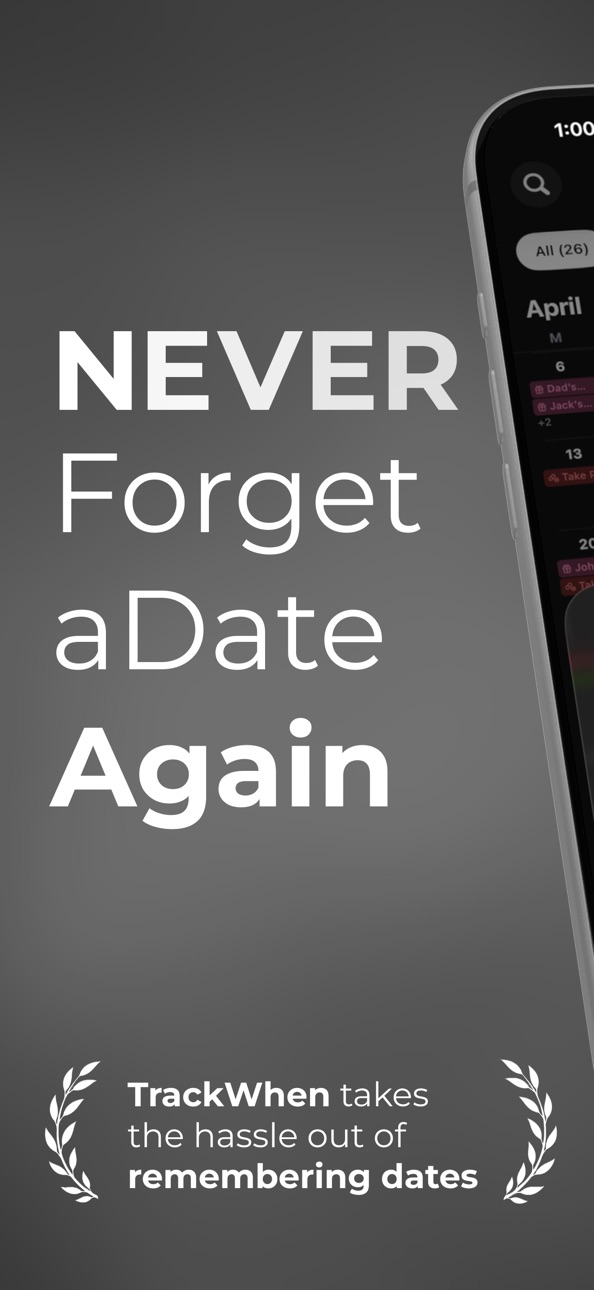
Never forget a date again!
TrackWhen takes the hassle out of remembering dates.
Easily track dates like your last medical check-up, the day you met your partner, how long you’ve had your vehicle, or how much time has passed since you left your last job — and any other date that matters to you.
This private, customizable app helps you stay connected to important life events, whether you want to count down to something upcoming or reflect on how long it’s been since something happened.
FEATURES YOU’LL LOVE
• 100% PRIVATE
Your data belongs to you. Everything is stored locally on your device and securely in your private iCloud account. No internet connection is required for regular use, and no data you enter is ever sent to any server other than Apple’s iCloud. Nothing is collected, shared, or visible to anyone else — not even the developer.
• POWERFUL TIME TRACKING
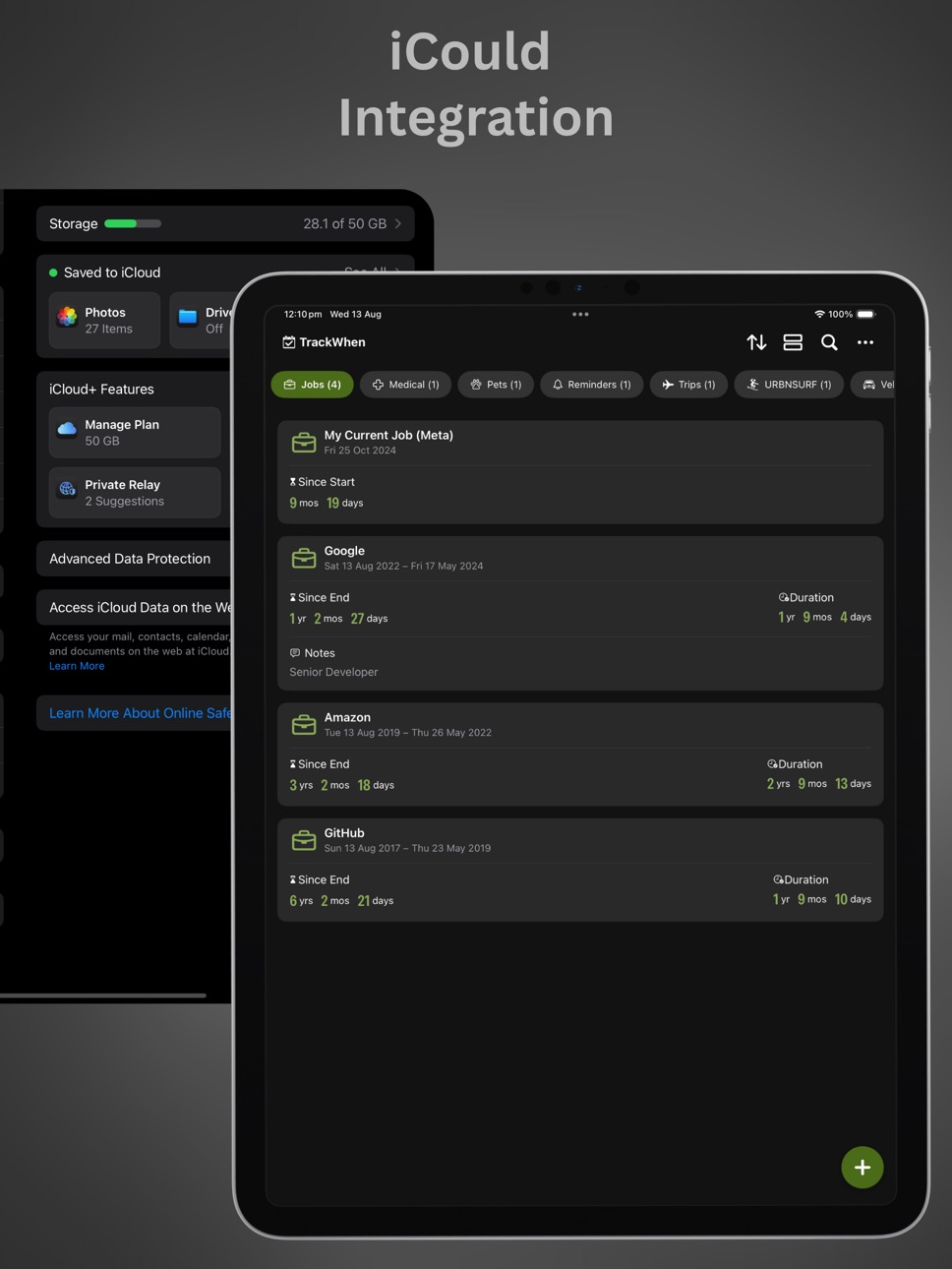
Easily see how much time has passed since an event (Count Up), how much time remains until it starts or ends (Countdown), and track the duration of the event. You can also add notes to any event to keep important details handy.
• iCloud SYNC
All your data is automatically synced with your personal iCloud account (if iCloud Drive is enabled). This ensures your information is safely backed up and accessible across your Apple devices. Even if you uninstall the app, your data will be automatically restored when you reinstall — no setup needed.
• SIRI INTEGRATION
Check your events hands-free! Ask Siri about any event in the app, like "Hey Siri, TrackWhen Wedding Anniversary.
• LIVE ACTIVITY COUNTDOWN
See a live countdown for your events directly on the Lock Screen and Dynamic Island. You can enable it per event and choose how many hours before it starts.
• CALENDAR INTEGRATION
Connect your calendar to TrackWhen to instantly import and track important events you don’t want to forget.
• CUSTOM CATEGORIES
Create your own categories with unique colors and icons to suit any type of event.
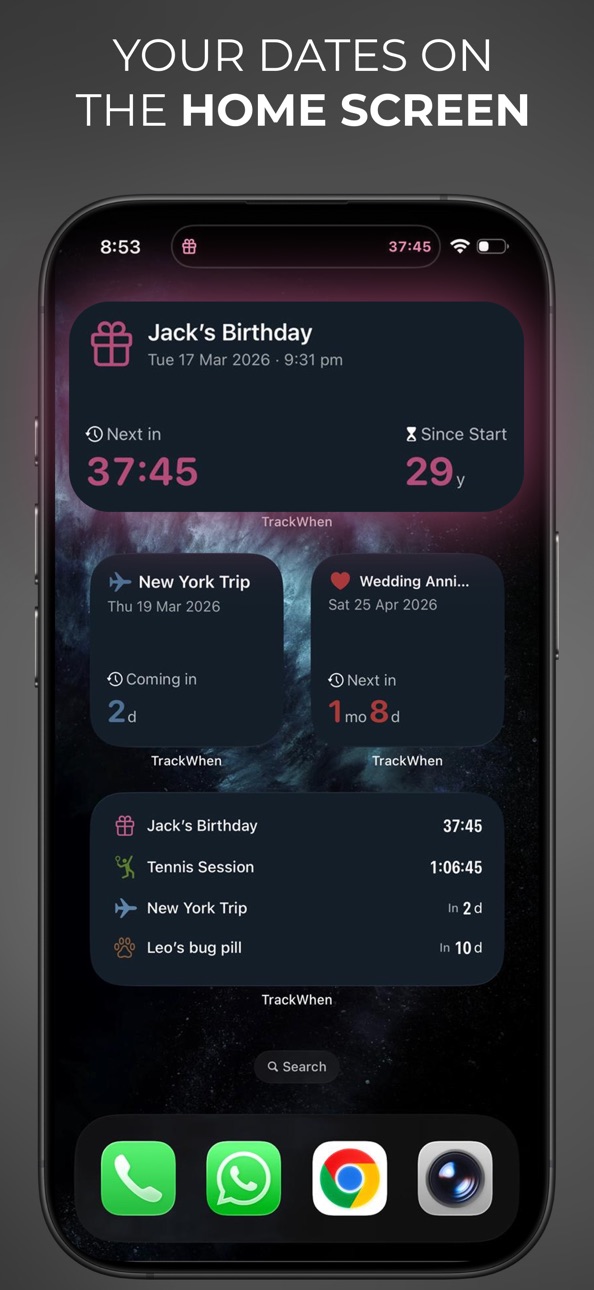
• HOME SCREEN WIDGETS
Add count-up and countdown widgets to your Home Screen for quick, beautiful access to your events.
• REMINDERS & RECURRENCES
Stay on top of important moments with smart reminders and flexible recurrence options.
• AUTO-DELETE FUTURE EVENTS
Track how long until a future event occurs, without keeping it forever. Perfect for one-time countdowns.
Stay organized. Celebrate the past. Look forward to the future — all while keeping your data completely private.
To use TrackWhen, you have 3 options:
LIFETIME ACCESS
• Get full access with a one-time payment — you’ll own the app forever. No renewal or extra payments.
• Payment will be charged to your iTunes Account at confirmation of purchase.
• Pricing may vary by region.
YEARLY SUBSCRIPTION
• A yearly subscription with a free trial (cancel anytime).
MONTHLY SUBSCRIPTION
• A monthly subscription with a free trial (cancel anytime).
• Payment will be charged to your iTunes Account at confirmation of purchase.
• The subscription automatically renews unless auto-renew is turned off at least 24 hours before the end of the current period.
• Your account will be charged for renewal within 24 hours prior to the end of the current period.
• You can manage your subscription and turn off auto-renewal by going to your Account Settings after purchase.
• Any unused portion of the free trial will be forfeited if you purchase a subscription.
Terms of Use: https://trackwhen.app/#terms
Privacy Policy: https://trackwhen.app/#privacy
In-App Purchases US pricing
Full Access Subscription
12-Month Access · Yearly 3-day free trial$5.99
1-Month Subscription · Monthly 3-day free trial$2.99
1-Week Access · 7 days 3-day free trial$0.99
One-Time Purchases
Lifetime Access$12.99
Capabilities
In-App Purchases
Accessibility
ipadiphonemacrealityDevicetvoswatch
Version history 22 versions
Build 884618307v2.8.32026-04-17 22:12:07
Fixed an issue with the Live Activity countdown.
Build 884452743v2.8.22026-04-16 21:05:09
Improved Live Activity Countdown experience!
Build 884162215v2.8.12026-04-06 00:00:45
Minor bug fixes.
Build 883999065v2.82026-04-01 19:41:07
Improvements to the onboarding experience.
Build 883960711v2.7.42026-03-31 17:51:02
Fixed an issue that could cause the app to crash for some users.
Build 883775077v2.7.32026-03-26 17:52:47
Improvements to the Add Event screen for a smoother experience, along with bug fixes.
Build 883745933v2.7.22026-03-25 21:40:31
Improvements to the Add Event screen for a smoother experience.
Build 883622099v2.7.12026-03-22 20:22:48
-Refreshed Widget Design
Widgets have been redesigned with a cleaner, more polished look to make your events stand out on the Home Screen.
-Bug Fixes
Bug fixes and stability improvements for a smoother experience.
Build 883370558v2.72026-03-18 19:52:23
- Live Activity Countdown
See a live countdown for your events directly on the Lock Screen and Dynamic Island. You can enable it per event and choose how many hours before it starts.
- Calendar Improvements
A smoother and more intuitive experience when browsing your events.
- Quick Section Navigation
Easily switch between Upcoming, Ongoing, and Ended events using a segmented control. For your idea, I could add a Recent option in the segment control before Upcoming.
Build 882565651v2.62026-02-20 00:10:06
• Ask Siri
Use Siri to check your events instantly. Say Hey Siri, "TrackWhen" followed by an event name to get its details, or "TrackWhen Next Event" to see what's coming up next.
• Search in Widget Setup
When choosing an event for your event widget, you can now search by name instead of scrolling through the entire list.
Build 882461391v2.52026-02-17 21:35:07
• More Recurrence Options
Schedule events with new fortnightly and fully custom recurrence patterns for greater flexibility.
• Next Events List Widget
See 4 to 10 upcoming events right on your Home Screen with the new list widget, available in two sizes.
• Favorite Events
Mark important events as favorites and access them quickly from the Favorites tab.
• First Day of Week Support
The calendar now respects your device settings and automatically uses your preferred first day of the week.
• Improved Calendar Continuity
Days from the previous and next months are now shown in a lighter style, so weeks are no longer cut off at month boundaries.
• Smarter Defaults
New birthdays and anniversaries now default to yearly repetition with an alert on the event day.
• Hide Count-Up When Not Needed
For events where only the next occurrence matters, you can now hide the “Since Start” counter and focus solely on what’s coming next.
• More Category Icons and Colors
Enjoy a wider selection of icons and colors to better personalize and organize your events.
• New Category Picker
Tap the filter icon to view all your categories in a convenient sheet. No more horizontal scrolling to find the right one.
• Updated for iOS 26
The interface now adopts the latest iOS 26 design with refreshed sections, buttons, and menus.
Build 878265910v2.4.12025-09-20 04:39:03
Fixed an issue with the New Category screen on iOS 26
Build 877968212v2.42025-09-13 18:51:50
Enhanced User Experience
Build 877398767v2.32025-08-26 06:34:22
Enhanced User Experience
Build 877386835v2.0.22025-08-20 01:43:26
Bug fixes and improvements
Build 877315785v2.0.12025-08-17 20:23:38
Bug fixes and improvements
Build 877109992v2.02025-08-14 10:26:01
• Calendar integration
• Grouping for upcoming & past events
• Smarter notifications
• Enhanced event filters
Build 875772419v1.1.12025-06-22 07:06:53
Fixed background refresh issue: Event cards now refresh correctly when the app returns from the background.
Build 875500390v1.12025-06-11 21:43:17
- Calendar View: You can now view your events in a calendar format, alongside the existing list view.
- Next Event Widget: A new widget to see your next event at a glance — now also supports the Lock Screen.
Build 875246994v1.0.22025-06-03 05:10:28
Enhanced small widget size for better content fit.
Build 875153423v1.0.12025-05-30 15:50:24
This update introduces new sorting options to help you view your events the way that works best for you.
Build 873977516v1.02025-05-28 20:58:42
Price history by region
Currency
Show
Columns
Search
Availability 1 of 1 storefronts
| Region | Language | Price | Ratings | Avg | Version |
|---|---|---|---|---|---|
| US | en-US | Free | 10 | 4.1 | 2.8.3 |
Change log 26 changes · US
✎
releaseNotes updated
Fixed an issue with the Live Activity countdown.
✎
description updated
Never forget a date again!
TrackWhen takes the hassle out of remembering dates.
Easily track dates like your last medical check-up, the day you met your partne
✎
subtitle updated
Countdown Days Until Or Since
✎
name updated
TrackWhen
◆
Version 2.8.3 released
Fixed an issue with the Live Activity countdown.
◆
Version 2.8.2 released
Improved Live Activity Countdown experience!
◆
Version 2.8.1 released
Minor bug fixes.
◆
Version 2.8 released
Improvements to the onboarding experience.
◆
Version 2.7.4 released
Fixed an issue that could cause the app to crash for some users.
◆
Version 2.7.3 released
Improvements to the Add Event screen for a smoother experience, along with bug fixes.
◆
Version 2.7.2 released
Improvements to the Add Event screen for a smoother experience.
◆
Version 2.7.1 released
-Refreshed Widget Design
Widgets have been redesigned with a cleaner, more polished look to make your events stand out on the Home Screen.
-Bug Fixes
Bug fixes and stability improvements for a smoother experience.
◆
Version 2.7 released
- Live Activity Countdown
See a live countdown for your events directly on the Lock Screen and Dynamic Island. You can enable it per event and choose how many hours before it starts.
- Calendar Improvements
A smoother and more intuitive ex
◆
Version 2.6 released
• Ask Siri
Use Siri to check your events instantly. Say Hey Siri, "TrackWhen" followed by an event name to get its details, or "TrackWhen Next Event" to see what's coming up next.
• Search in Widget Setup
When choosing an event for your ev
◆
Version 2.5 released
• More Recurrence Options
Schedule events with new fortnightly and fully custom recurrence patterns for greater flexibility.
• Next Events List Widget
See 4 to 10 upcoming events right on your Home Screen with the new list widget, availabl
◆
Version 2.4.1 released
Fixed an issue with the New Category screen on iOS 26
◆
Version 2.4 released
Enhanced User Experience
◆
Version 2.3 released
Enhanced User Experience
◆
Version 2.0.2 released
Bug fixes and improvements
◆
Version 2.0.1 released
Bug fixes and improvements
◆
Version 2.0 released
• Calendar integration
• Grouping for upcoming & past events
• Smarter notifications
• Enhanced event filters
◆
Version 1.1.1 released
Fixed background refresh issue: Event cards now refresh correctly when the app returns from the background.
◆
Version 1.1 released
- Calendar View: You can now view your events in a calendar format, alongside the existing list view.
- Next Event Widget: A new widget to see your next event at a glance — now also supports the Lock Screen.
◆
Version 1.0.2 released
Enhanced small widget size for better content fit.
◆
Version 1.0.1 released
This update introduces new sorting options to help you view your events the way that works best for you.
◆
Version 1.0 released