Home › Utilities

 US
US
1 of 1 storefronts
Content in en-US
Content in en-US
Information
Preview 2 platforms
iPhone 5 images


iPad 5 images



What’s New Version 2.7.0
bug fixes
Description
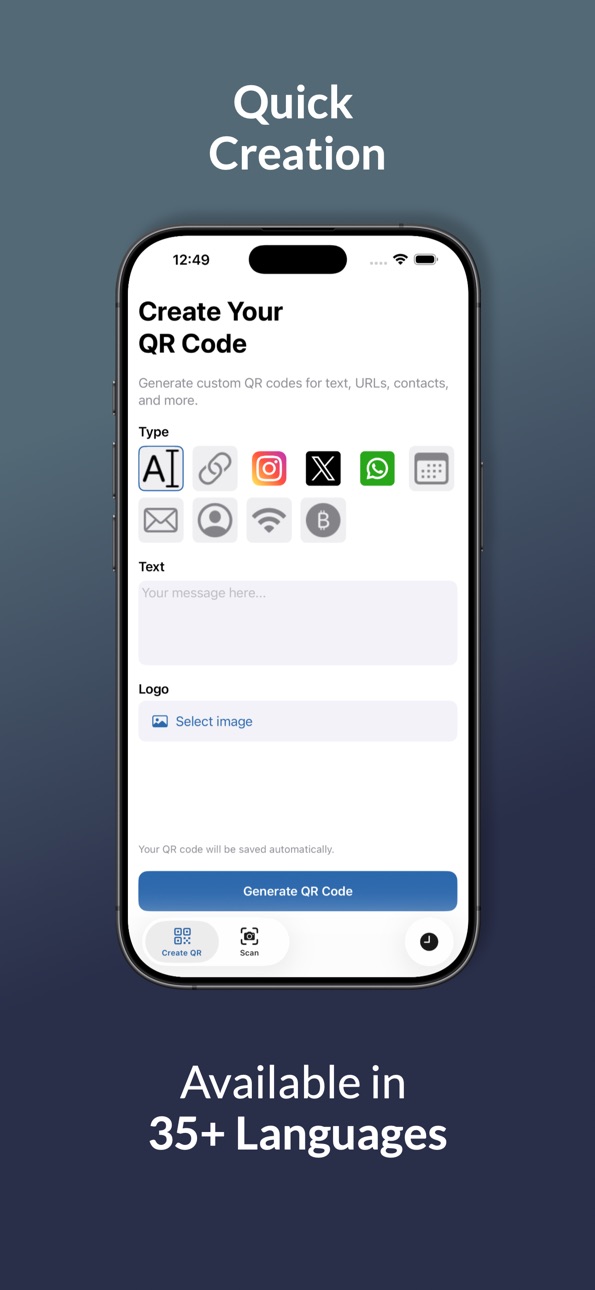
QuickQR makes QR code creation fast, simple and effective. Whether you need a QR code for a website, Wi‑Fi network, email, contact details or social apps, QuickQR has you covered.
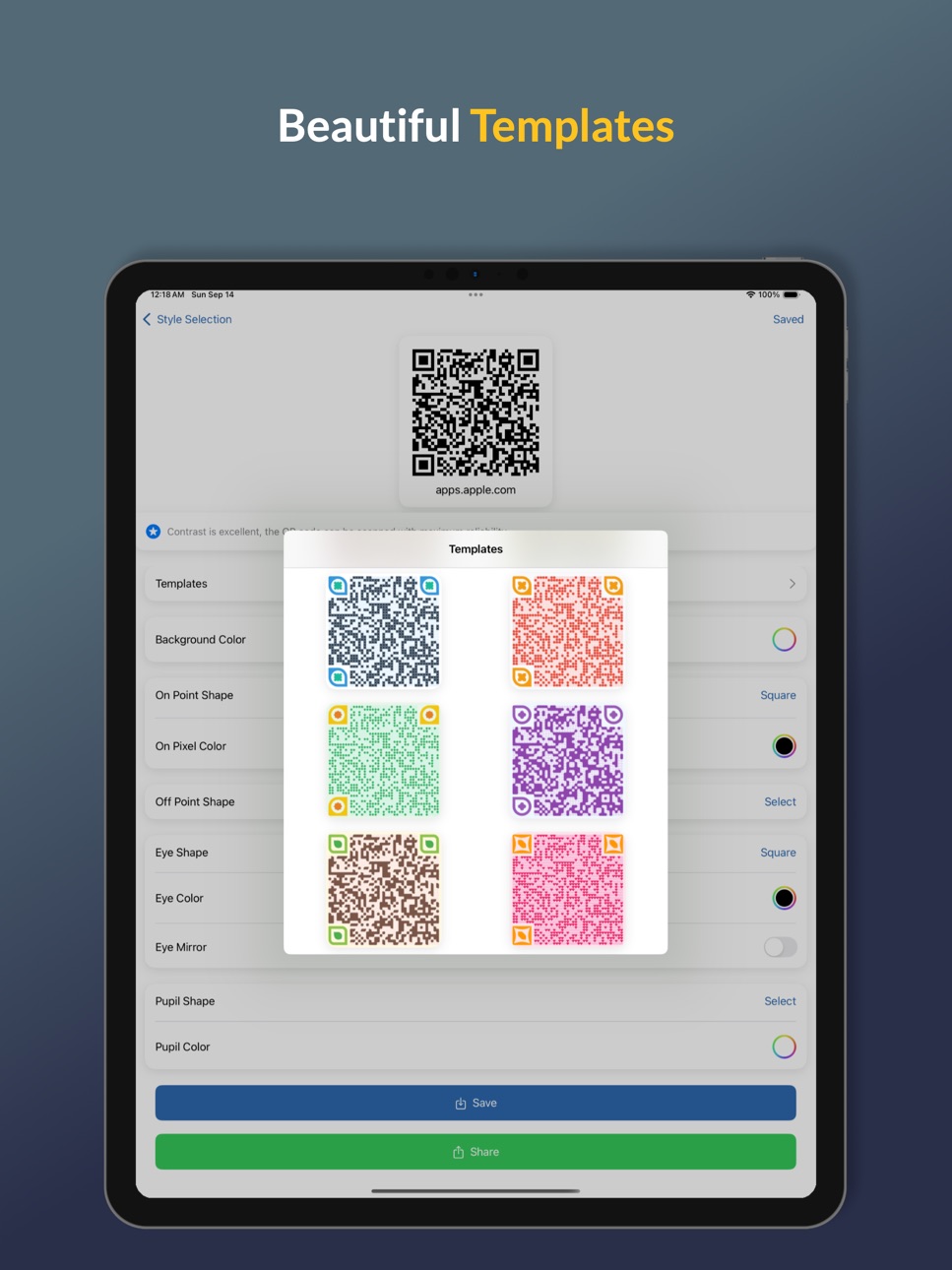
With QuickQR, you can instantly generate and customize QR codes for personal, professional, or business use—no complex tools or steps required. Just pick your QR type, enter the details, and create. Prefer a head start? Choose from ready‑made style templates for colors and shapes, then refine as you like.
Key Features
• Extensive QR types
• Website / URL: Share landing pages with a single scan.
• Wi‑Fi Network: Let guests connect without typing a password.
• Email: Pre‑fill an email template for easy contact.
• Contact Card (vCard): Share your details at events.
• Calendar Event: Simplify RSVPs and reminders.
• Text / Notes: Send messages, instructions, or promos.
• Social Links: Generate ready‑to‑scan QR codes for WhatsApp, X, and Instagram profiles or chats.
• Style Templates
Start fast with ready‑made color and shape presets—customize further anytime.
• Integrated QR Code Screen
Merge your logo or any image directly into the QR design. QuickQR intelligently blends your artwork into the code’s pixels—no white boxes, no distortion.
• Advanced Pixel & Eye Customization
Dive deep into design:
• On‑Pixel & Off‑Pixel Shapes: Squares, circles, diamonds, and more.
• Eye & Pupil Styles: Choose unique corner eyes to match your brand.
• Full Color Control: Adjust both on‑pixel and off‑pixel colors independently for a truly bespoke look.
• QR Code History
Track, revisit, and reuse every QR you create—no need to start from scratch.
• Offline Generation
Create codes anywhere, even without internet.
• One‑Tap Sharing
Send QR codes to friends, clients, or colleagues via your favorite apps.
Use Cases
• Cafés & Restaurants: Display a Wi‑Fi QR for instant guest access.
• Networking: Hand out a vCard QR at conferences.
• Social Media: Share your WhatsApp group, X feed, or Instagram profile with a scan.
• Marketing: Embed integrated, branded QR codes on flyers and packaging.
• Events: Let attendees add calendar invites via QR.
Why QuickQR?
• Lightning‑Fast Creation
• User‑Friendly Interface
• Rich Customization (pixel‑level & integrated artwork)
• Offline‑Ready & History‑Enabled
• Social, business & standard QR types—all in one app
Download QuickQR today and elevate how you share information—instantly, creatively, and reliably!
Privacy Policy: https://github.com/enesnurullahkendirci/QuickQR/blob/main/privacyPolicy.md
Terms of Use: https://www.apple.com/legal/internet-services/itunes/dev/stdeula/
In-App Purchases US pricing
All Access Subscription
QuickQR Premium - 1 Month · Monthly$2.99
QuickQR Premium - 3 Month · 3 months 7-day free trial$4.99
Capabilities
In-App Purchases
Accessibility
ipadiphonemacrealityDevicetvoswatch
Version history 16 versions
Build 879948845v2.7.02025-11-22 16:56:53
bug fixes
Build 879527293v2.6.02025-11-14 10:06:10
bug fixes
Build 879483667v2.5.32025-11-05 05:50:18
bug fixes
Build 879424198v2.5.02025-11-04 08:11:27
bug fixes
Build 878670552v2.4.02025-10-06 18:38:54
Bug fixes
Build 878546577v2.3.02025-10-01 01:32:30
Liquid Glass Support
Build 878094267v2.2.12025-09-16 16:19:03
bug fixes
Build 878050612v2.1.02025-09-12 22:54:07
bug fixes
Build 877947527v2.0.12025-09-09 09:34:39
bug fix
Build 877887510v2.0.02025-09-08 15:00:24
New: Scan and edit QR codes
Edit scanned content and resave instantly.
Build 877797031v1.1.02025-09-03 10:02:06
Real-time quality assessment with contrast ratio analysis.
Build 876707871v1.0.92025-08-14 05:27:59
Bug Fixes
Build 874245196v1.0.82025-04-23 20:46:26
Bug Fixes
Build 874160265v1.0.62025-04-22 09:11:15
Added cryptocurrency type
Filter by type added to History page
Pixel shape names localized
Build 874123056v1.0.52025-04-18 13:30:33
Added Integrated QR Code design screen
Advanced customization for on/off pixel shapes and eye/pupil styles
Added QR code generator for WhatsApp, X, and Instagram
Build 873882633v1.02025-04-11 10:02:17
Price history by region
Currency
Show
Columns
Search
Availability 1 of 1 storefronts
| Region | Language | Price | Ratings | Avg | Version |
|---|---|---|---|---|---|
| US | en-US | Free | 1 | 4.0 | 2.7.0 |
Change log 20 changes · US
✎
releaseNotes updated
bug fixes
✎
description updated
QuickQR makes QR code creation fast, simple and effective. Whether you need a QR code for a website, Wi‑Fi network, email, contact details or social apps, Quick
✎
subtitle updated
Fast Barcode Reader & Creator
✎
name updated
QuickQR: Code Scanner & Maker
◆
Version 2.7.0 released
bug fixes
◆
Version 2.6.0 released
bug fixes
◆
Version 2.5.3 released
bug fixes
◆
Version 2.5.0 released
bug fixes
◆
Version 2.4.0 released
Bug fixes
◆
Version 2.3.0 released
Liquid Glass Support
◆
Version 2.2.1 released
bug fixes
◆
Version 2.1.0 released
bug fixes
◆
Version 2.0.1 released
bug fix
◆
Version 2.0.0 released
New: Scan and edit QR codes
Edit scanned content and resave instantly.
◆
Version 1.1.0 released
Real-time quality assessment with contrast ratio analysis.
◆
Version 1.0.9 released
Bug Fixes
◆
Version 1.0.8 released
Bug Fixes
◆
Version 1.0.6 released
Added cryptocurrency type
Filter by type added to History page
Pixel shape names localized
◆
Version 1.0.5 released
Added Integrated QR Code design screen
Advanced customization for on/off pixel shapes and eye/pupil styles
Added QR code generator for WhatsApp, X, and Instagram
◆
Version 1.0 released