Home › Graphics & Design

 US
US
1 of 1 storefronts
Content in en-US
Content in en-US
Information
Apple ID6744356431
Bundle IDcom.liuxuan.TimeSeal
SellerSeller
Min iOS17
Min macOS14.0
Device familiesiphone, ipad
Released2025-04-29
Copyright©2025 Liu Xuan. All rights reserved.
Privacy policyLink ↗
Preview 2 platforms
iPhone 5 images
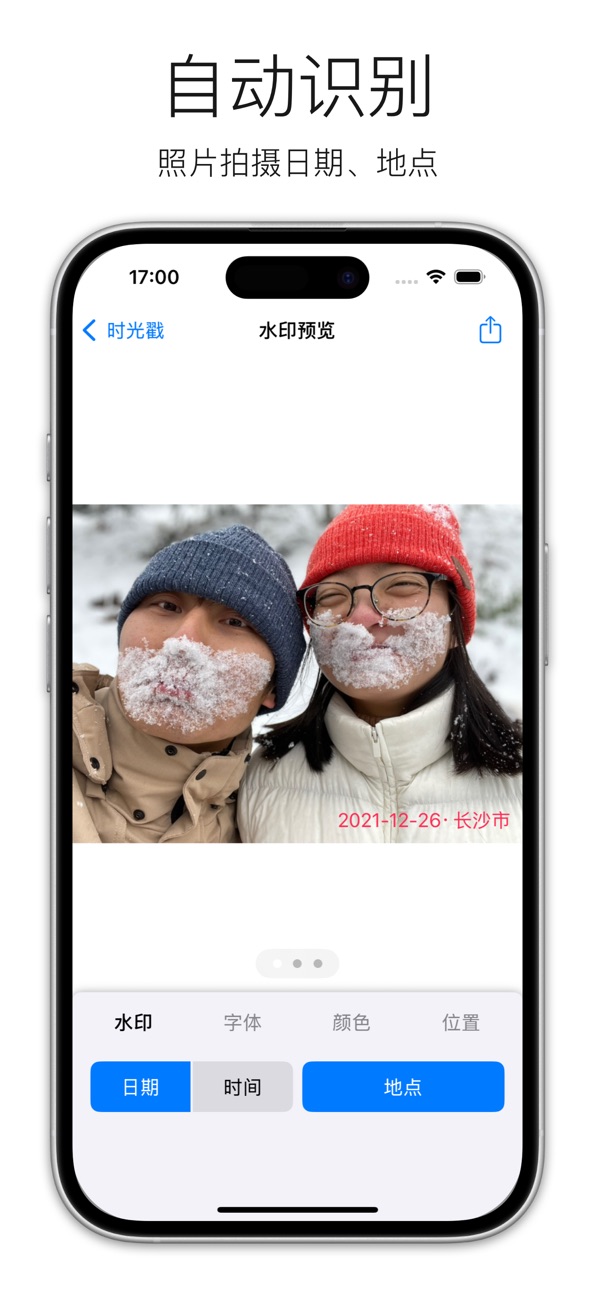
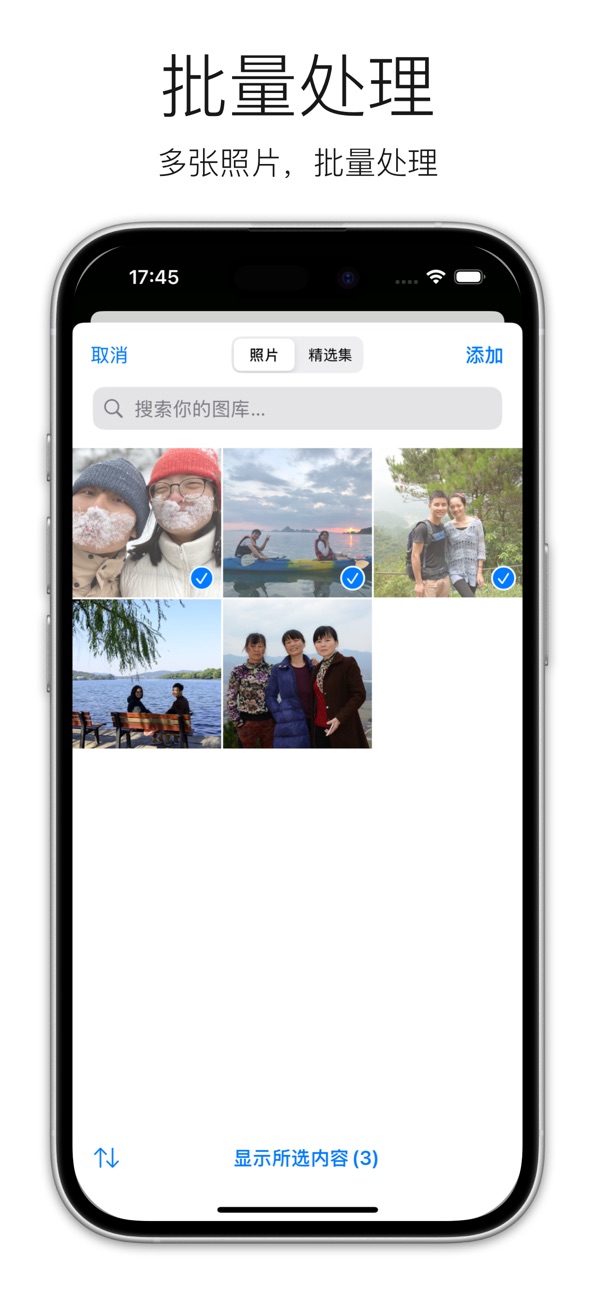
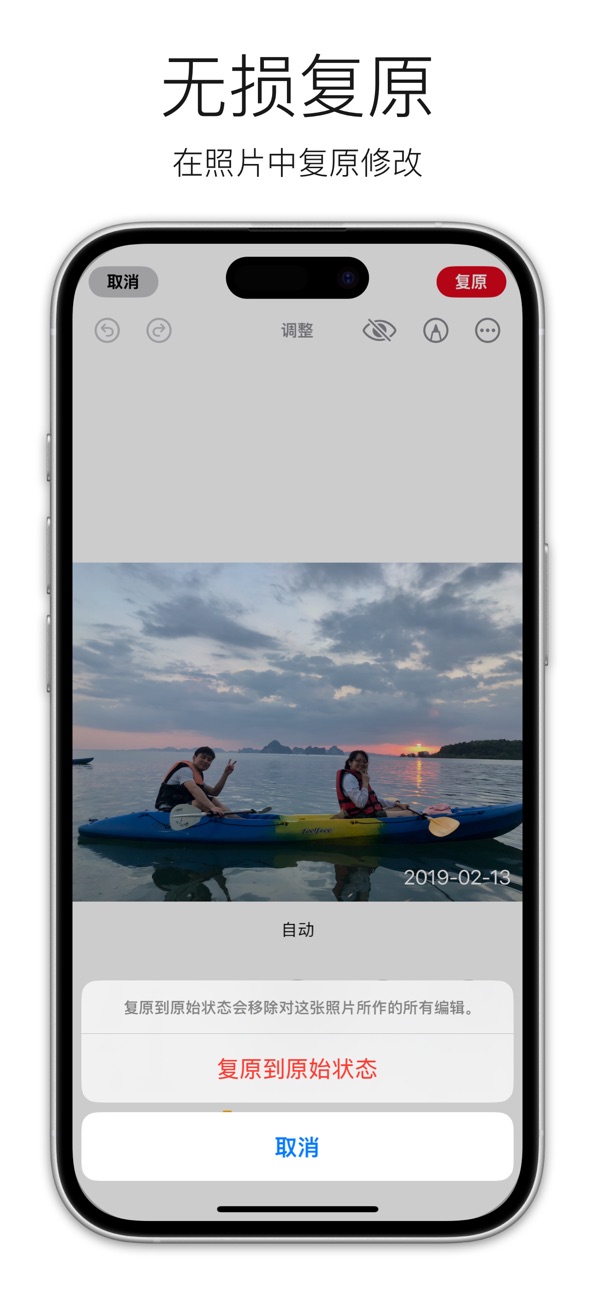
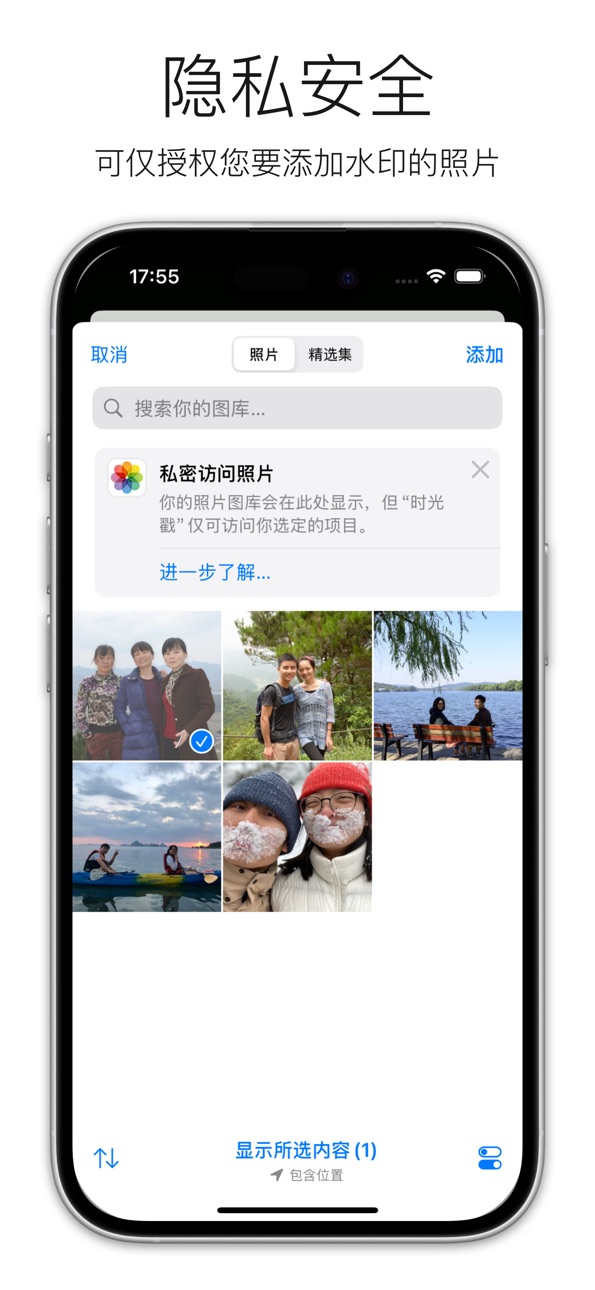

iPad 3 images

What’s New Version 1.9.0
Improved
- Optimized the review prompt logic.
Description
Easily add dates to your photos with Photoday. It's the simple way to timestamp your memories and keep track of when special moments happened.
Why you'll love Photoday:
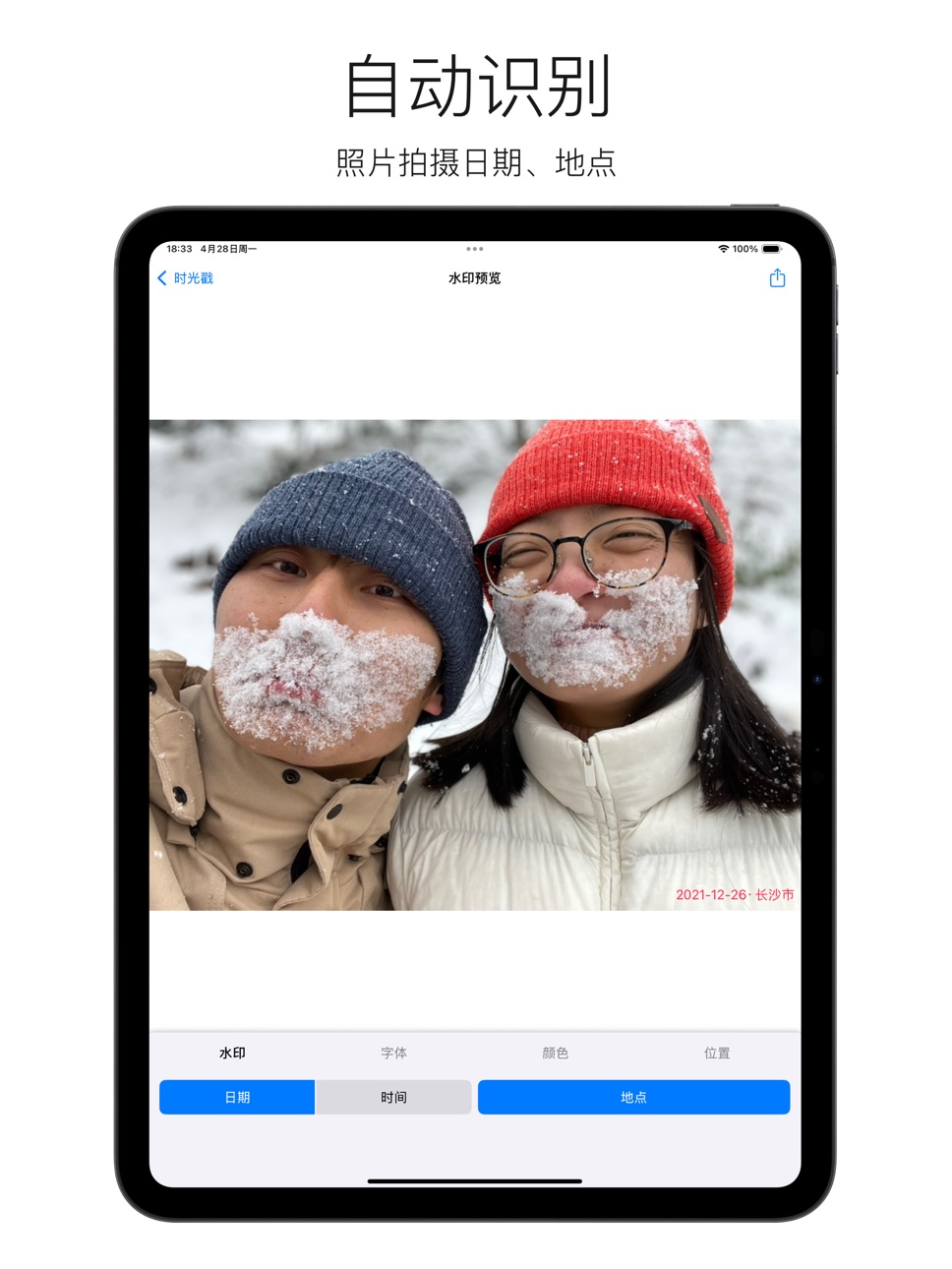
- Automatic Dates: No need to type. Photoday finds the exact time your photo was taken and adds it for you.
- Add to Many Photos: Save time by adding dates to multiple pictures at once.
- Keeps Photos Sharp: Add dates without losing any quality. Your photos stay clear and crisp.
- Your Photos Stay Private: Everything happens on your device. Your photos are not uploaded anywhere.
- Works Everywhere: Use Photoday on your iPhone, iPad, and Mac.
Photoday helps you easily remember your best days. Download now and start adding dates to your photo memories!
In-App Purchases US pricing
One-Time Purchases
Photoday Pro$3.99
Capabilities
In-App Purchases
Accessibility
ipadiphonemacrealityDevicetvoswatch
Version history 14 versions
Build 884685961v1.9.02026-04-20 02:05:06
Improved
- Optimized the review prompt logic.
Build 884668232v1.8.02026-04-18 20:52:17
New
- Rate HelloWord from within the app
Improved
- Consistent date format (yyyy/MM/dd)
Build 883226053v1.7.02026-03-10 18:26:41
Improved
- replace page indicator with title-based photo count
Build 883148920v1.6.02026-03-08 22:02:45
New
- Added text stroke for watermark text
Improved
- Consolidated color settings into font settings
- Removed Songti SC font to improve CJK/Latin mixing
- Disabled back gesture to prevent accidental navigation
Fixed
- Skip unsupported photo types (e.g. RAW)
Build 879413084v1.5.02025-11-02 12:31:02
New
- Added watermark preference settings
Build 878671604v1.4.02025-10-04 15:15:56
New
- Added photo loading progress indicator
- Added guidance tips for limited access mode
Improved
- Optimized photo library authorization logic
Fixed
- Fixed watermark not working properly in limited access mode
Build 878507740v1.3.02025-10-01 14:17:10
New
- Added a pixel font
Improved
- Replaced the close button icon style to improve the experience in iOS 26
Fixed
- Corrected the close button name
Build 877408275v1.2.02025-08-21 16:55:23
Improved:
- Retain watermark settings until app termination
- Lock to portrait to prevent incorrect watermark scaling on rotation
Build 876260854v1.1.32025-07-09 17:57:16
New
- Provide the ICP Filing Number
Build 875595365v1.1.22025-06-15 09:18:41
Fxied
- Crash when saving watermarked photo copies
Build 875539553v1.1.12025-06-12 18:57:11
Improvements
- Cache nearby landmark names to reduce request frequency
- Limit maximum number of items for batch processing
Fixes
- Fixed a crash that could occur during batch processing
Build 874580977v1.1.02025-06-02 14:41:54
New
- Added support for adjusting watermark margins.
Improved
- Refined the style of the watermark settings panel.
- Reduced memory usage when generating watermarked images.
Fixed
- Corrected the success message shown after adding a watermark in the English version.
Build 874517973v1.0.12025-05-05 17:43:22
Fix:
- Fix inconsistent app name.
Build 873863341v1.02025-04-29 21:00:05
Price history by region
Currency
Show
Columns
Search
Availability 1 of 1 storefronts
| Region | Language | Price | Ratings | Avg | Version |
|---|---|---|---|---|---|
| US | en-US | Free | 0 | — | 1.9.0 |
Change log 18 changes · US
✎
releaseNotes updated
Improved
- Optimized the review prompt logic.
✎
description updated
Easily add dates to your photos with Photoday. It's the simple way to timestamp your memories and keep track of when special moments happened.
Why you'll love
✎
subtitle updated
Auto-Detect & Stamp Dates
✎
name updated
Photoday - Auto Detect Dates
◆
Version 1.9.0 released
Improved
- Optimized the review prompt logic.
◆
Version 1.8.0 released
New
- Rate HelloWord from within the app
Improved
- Consistent date format (yyyy/MM/dd)
◆
Version 1.7.0 released
Improved
- replace page indicator with title-based photo count
◆
Version 1.6.0 released
New
- Added text stroke for watermark text
Improved
- Consolidated color settings into font settings
- Removed Songti SC font to improve CJK/Latin mixing
- Disabled back gesture to prevent accidental navigation
Fixed
- Skip unsupport
◆
Version 1.5.0 released
New
- Added watermark preference settings
◆
Version 1.4.0 released
New
- Added photo loading progress indicator
- Added guidance tips for limited access mode
Improved
- Optimized photo library authorization logic
Fixed
- Fixed watermark not working properly in limited access mode
◆
Version 1.3.0 released
New
- Added a pixel font
Improved
- Replaced the close button icon style to improve the experience in iOS 26
Fixed
- Corrected the close button name
◆
Version 1.2.0 released
Improved:
- Retain watermark settings until app termination
- Lock to portrait to prevent incorrect watermark scaling on rotation
◆
Version 1.1.3 released
New
- Provide the ICP Filing Number
◆
Version 1.1.2 released
Fxied
- Crash when saving watermarked photo copies
◆
Version 1.1.1 released
Improvements
- Cache nearby landmark names to reduce request frequency
- Limit maximum number of items for batch processing
Fixes
- Fixed a crash that could occur during batch processing
◆
Version 1.1.0 released
New
- Added support for adjusting watermark margins.
Improved
- Refined the style of the watermark settings panel.
- Reduced memory usage when generating watermarked images.
Fixed
- Corrected the success message shown after adding a wat
◆
Version 1.0.1 released
Fix:
- Fix inconsistent app name.
◆
Version 1.0 released