Home › Productivity

 US
US
1 of 1 storefronts
Content in en-US
Content in en-US
Information
Preview 2 platforms
iPhone 9 images





iPad 10 images


What’s New Version 1.1.12
- UI & UX Enhancements: We’ve polished the interface to make your experience smoother and more intuitive. Navigating the app is now faster and more user-friendly.
- Performance Improvements: Under-the-hood optimizations to ensure the app runs reliably and efficiently.
- Bug Fixes: We’ve squashed some pesky bugs to improve overall stability and performance.
Description
HR Space – All-in-One HR Management Platform
Who Can Use It:
HR Space is open to any company. It is not restricted to a single organization or a specific group—businesses of all sizes can register and use the platform independently.
Access Control:
The app is designed for company teams—employees, managers, HR staff, and contractors. Each organization manages access through role-based permissions. Core features are only available to authenticated users.
Public Access:
While HR Space is not designed for the general public, all essential features remain secured within private workspaces.
Account Creation:
To start using HR Space, a company must first apply to us for workspace setup. Once the workspace is created and access is granted, the company’s HR manager or admin can invite team members to join the platform.
Pricing Model:
Free plan with access to core HR functions.
Paid subscription plans unlock premium features such as advanced analytics, permission controls, and integrations.
Payments are made by the company, not by individual users (unless managing their own organization account).
Features:
HR Space provides a comprehensive suite of tools to help companies manage HR operations efficiently and create a transparent, engaging team environment:
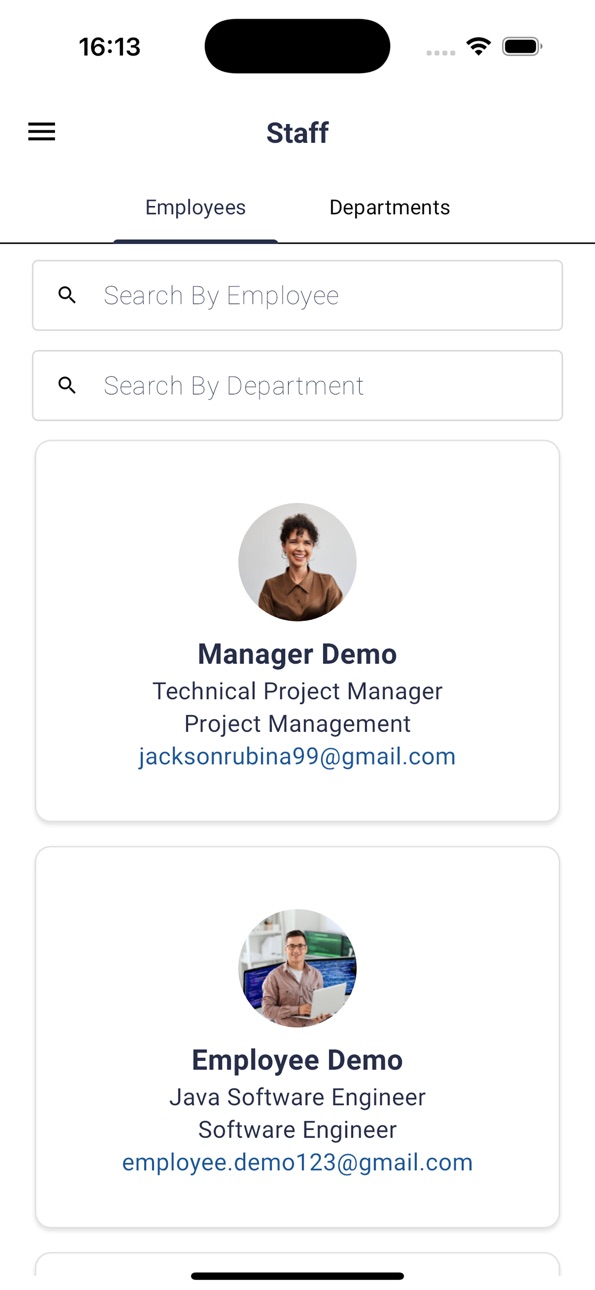
Staff Management: Easily add, update, and manage all staff members within the organization.
Employee Profile Management: Maintain detailed employee records, including personal and employment information, bank account details, and optional social or personal media links.
Time-Off & Vacation Management: Submit, approve, and track leave requests with full visibility across the team and automatic tracking of who is out today.
Personal Development Goals: Set, edit, and get approvals for individual development goals aligned with company objectives.
Performance Management: Facilitate regular performance reviews by enabling team members to send and request structured feedback.
Recognition Management: Promote a culture of appreciation through badge-sending functionality, allowing team members to recognize each other’s contributions.
Project & Task Oversight: View the full list of projects team members are involved in, including project descriptions, participants, and roles.
Company Handbook: Provide an accessible resource for onboarding, company policies, procedures, and internal rules to support team alignment.
Interactive Dashboard:
Discord-based activity statistics and engagement ranking
Top badge recipients
Teamwide notifications and recent activity updates
Daily celebrations and out-of-office indicators
Top performers based on activity data
Purpose:
HR Space helps reduce administrative overhead, streamline team management, and foster a more organized and collaborative workplace—all from one intuitive app.
The app is a platform where each client company will have its own private workspace, but any organisation can contact us ( for future sign up) for its own workspace. Within a workspace the client’s employees, contractors, and invited partners can be onboarded by that company’s administrator.
Any company—regardless of size or industry—can become a client by registering on our website in the future or currently contacting our team.
How do users obtain an account?
Company registration: A company representative will complete a brief sign-up form on our website in the future and currently is onboarded by our team.
Workspace creation: The system provisions a dedicated workspace for that organisation.
User invitations: Workspace administrators invite employees, contractors, or partners by email; invitees set a password and complete their profiles on first login.
Currently the system is on free mode but the subscribing company (workspace owner) will be billed monthly or annually. End-users invited into that workspace incur no personal charges, and no in-app purchases are offered to individual users.
Accessibility
ipadiphonemacrealityDevicetvoswatch
Version history 4 versions
Build 884446525v1.1.122026-04-13 19:06:42
- UI & UX Enhancements: We’ve polished the interface to make your experience smoother and more intuitive. Navigating the app is now faster and more user-friendly.
- Performance Improvements: Under-the-hood optimizations to ensure the app runs reliably and efficiently.
- Bug Fixes: We’ve squashed some pesky bugs to improve overall stability and performance.
Build 878605889v1.1.12025-10-02 18:22:06
In-App Badge Sending: Added a "Send Badge" button within the Badges section of the user profile page, enabling users to award badges directly through the mobile app.
Badge Detail View: Users can now tap on any badge on a profile to view a modal with full badge details, including who sent and who received the badge.
Admin Badge Management: As an Admin, I can create and manage new badges within the system to facilitate peer-to-peer recognition among users.
In-App Employment Record Editing: As an Admin, I can directly edit an employee's Employment Details via the Employees table in the mobile app, streamlining record maintenance.
Pending Invitations List: As an Admin, I can view a list of users with pending system invitations (invited but not yet accepted) to better monitor and manage the onboarding process.
Project Links Functionality: Added a "Links" section/functionality to the Project Detail page for easy access to related external resources.
Profile Dashboard: Badge Leaders: Implemented a new "Badge Leaders" section on the user profile dashboard to showcase users who have given or received the most recognition.
Profile Dashboard: Top Discord Performers: Added a "Top 5 Discord Performers" section above the existing Discord statistics on the user profile dashboard, providing a performance summary.
Key Bug Fixes
Time-Off Approvals Functionality: Resolved an issue where the functionality for Time-Off Approvals was operating incorrectly, ensuring reliable management of time-off requests.
Feedback Submission Functionality: Fixed an issue that caused incorrect functionality when submitting or viewing Feedback, ensuring the feature now works as intended.
Build 877384046v1.1.02025-08-20 17:28:33
New Features
- Push notifications (Firebase)
- Project creation (Admin)
- “Links” on Project detail (Admin)
- Profile-creation deep link with device-specific handling
- Employee creation on mobile
- Badge details modal (tap any badge to view sender/receiver & details)
- “Send Badge” button in Profile → Badges (with updated badge tabs)
- Admin can add badges (peer recognition)
- “Badge Leaders” section on Profile dashboard
- “Top 5 Discord Performers” with performance summary above Discord stats
- Feedback section on Profile
- Admin Assets management with user view (“Assets”)
- Sync staff birthdays to calendar
- New “Celebrations” section (displayed in mobile app)
- Approval actions for employee goals
- Implement “Create Event” button with updated modal form (based on Time Off form)
- Integrate new Roles functionality in mobile app
Admin & Management Enhancements
- Departments tab: grid view to view/edit/manage departments
- Add new department from Departments tab (and sort staff by department)
- Edit/activate/deactivate/soft-delete employees in mobile
- Edit Employment details inline from Employees table
- View list of invited users who haven’t accepted yet (pending invites)
Permissions & Access Control
- Goal permissions
- Calendar permissions
- Badge permissions
- Feedback permissions
Performance & Reliability
- Lazy loading: Goals page, Projects list in user profile, Badges in user profile
- Pull-to-refresh: Goals & Feedback, Approvals, Handbook, Badges, Dashboard, Staff, Projects
- Code optimization of repositories
UX/UI Improvements
- Empty states: “No data to view” on Badge Leaders charts
- Add “Role” field to Staff form & Employment section
- Add “Privacy Level” to “Give Feedback” form
- Updated logos in mobile app
- Calendar UI fixes
- Updated badge tabs with integrated “Send Badge” button- Handbook bug fix & code optimization
Bug Fixes
- Goals: incorrect functionality
- Feedback: incorrect functionality & incorrect display of all feedbacks
- Approvals (Time Off): incorrect functionality
- Login via mobile: incorrect functionality
- Calendar: incorrect functionality (mobile)
- Validation/UI: error-message field issues across sections
- Push notifications: assorted fixes
Build 873754980v1.0.02025-06-05 00:04:06
No pricing data captured yet — comparisons appear once the app has paid storefronts or in-app purchases.
Availability 1 of 1 storefronts
| Region | Language | Price | Ratings | Avg | Version |
|---|---|---|---|---|---|
| US | en-US | Free | 0 | — | 1.1.12 |
Change log 8 changes · US
✎
releaseNotes updated
- UI & UX Enhancements: We’ve polished the interface to make your experience smoother and more intuitive. Navigating the app is now faster and more user-friendl
✎
description updated
HR Space – All-in-One HR Management Platform
Who Can Use It:
HR Space is open to any company. It is not restricted to a single organization or a specific group—
✎
subtitle updated
Optimized HR Management
✎
name updated
HR Space
◆
Version 1.1.12 released
- UI & UX Enhancements: We’ve polished the interface to make your experience smoother and more intuitive. Navigating the app is now faster and more user-friendly.
- Performance Improvements: Under-the-hood optimizations to ensure the app ru
◆
Version 1.1.1 released
In-App Badge Sending: Added a "Send Badge" button within the Badges section of the user profile page, enabling users to award badges directly through the mobile app.
Badge Detail View: Users can now tap on any badge on a profile to view a
◆
Version 1.1.0 released
New Features
- Push notifications (Firebase)
- Project creation (Admin)
- “Links” on Project detail (Admin)
- Profile-creation deep link with device-specific handling
- Employee creation on mobile
- Badge details modal (tap any badge to vi
◆
Version 1.0.0 released