Home › Utilities

 US
US
1 of 1 storefronts
Content in en-US
Content in en-US
Information
Preview 1 platform
iPhone 3 images


What’s New Version 1.4
Update Metadata
App perfomance improve
Description
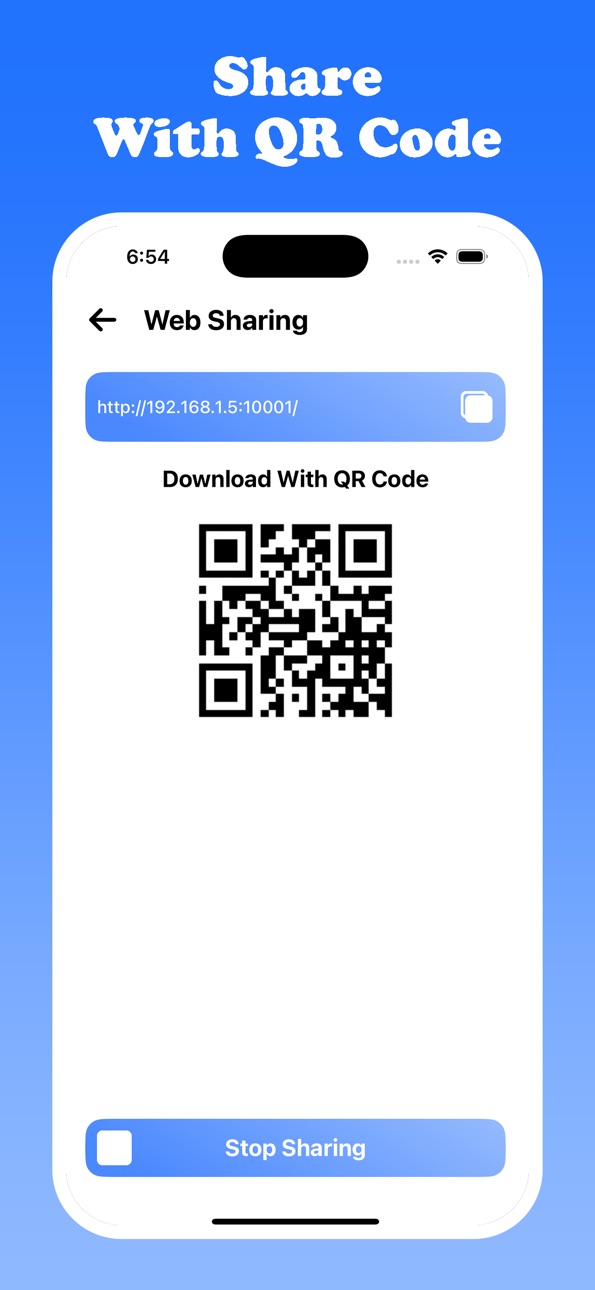
SHARE Lite is the ultimate file transfer app that allows you to send and receive files instantly—no cables, internet, or data usage required! Effortlessly transfer photos, videos, music, contacts, documents, and more with just a tap—anytime, anywhere.
Designed for ultra-fast phone-to-phone transfer, SHARE Lite makes sharing content seamless across iOS, Android, and web platforms, offering a smooth and efficient cross-platform file-sharing experience.
Key Features of SHARE Lite - Fast File Share:
- One-Tap File Transfer: Send or receive files instantly with a simple "Sender" or "Receiver" mode—no setup needed.
- Supports All File Types: Transfer photos, videos, audio, contacts, apps, PDFs, documents, and folders without losing quality.
- Lightning-Fast Sharing: Enjoy instant file transfers at top speeds—no Wi-Fi or mobile data required.
- Cross-Platform Compatibility: Easily share files between iPhone, Android, and web devices, ensuring seamless cross-platform sharing.
- Smart File Detection: Automatically scans and organizes your files, making sharing quick and effortless.
- Airdrop-Like Experience: Share files between iOS devices as easily as Airdrop with SHARE Lite fast, secure transfer capabilities.
- Built-In File Manager: View, manage, and organize your shared files all in one place.
Why Choose SHARE Lite - Fast File Share?
- No Internet Required – True offline file sharing, even without a network connection.
- Unlimited File Sizes – Transfer large files with no size limits or compression.
- No Quality Loss – Enjoy original quality for all transferred files.
- Fast Setup – Get started in seconds with quick file sharing and zero hassle.
- Secure and Fast – Transfer files with high security and speed to protect your data.
Whether you’re sharing important documents, transferring media, or backing up your files, SHARE Lite is your go-to solution for the fastest and most reliable file transfers.
Download SHARE Lite now and experience the fastest file transfer app trusted by thousands!
privacy Policy:
https://sentyfileshare.blogspot.com/2025/04/privacy-policy.html
EULA:
https://sentyfileshare.blogspot.com/2025/04/eula.html
Support Us:
senty.bhadani@gmail.com
Capabilities
In-App Purchases
Accessibility
ipadiphonemacrealityDevicetvoswatch
Version history 5 versions
Build 878486975v1.42025-09-29 22:24:34
Update Metadata
App perfomance improve
Build 874274472v1.32025-04-25 20:10:22
- Improve Perfomance
- Issue Fixed
Build 874210223v1.22025-04-22 18:56:53
- App Perfomance Improved
- Update Metadata
Build 874049541v1.12025-04-16 02:35:38
- Improve User Interface
- Bug Fixed
Build 873722751v1.02025-04-02 19:07:20
No pricing data captured yet — comparisons appear once the app has paid storefronts or in-app purchases.
Availability 1 of 1 storefronts
| Region | Language | Price | Ratings | Avg | Version |
|---|---|---|---|---|---|
| US | en-US | Free | 170 | 4.4 | 1.4 |
Change log 9 changes · US
✎
releaseNotes updated
Update Metadata
App perfomance improve
✎
description updated
SHARE Lite is the ultimate file transfer app that allows you to send and receive files instantly—no cables, internet, or data usage required! Effortlessly trans
✎
subtitle updated
Quick Share: File Transfer
✎
name updated
SHARE Lite - Fast File Share
◆
Version 1.4 released
Update Metadata
App perfomance improve
◆
Version 1.3 released
- Improve Perfomance
- Issue Fixed
◆
Version 1.2 released
- App Perfomance Improved
- Update Metadata
◆
Version 1.1 released
- Improve User Interface
- Bug Fixed
◆
Version 1.0 released