Home › Business

Information
Preview 2 platforms
iPhone 5 images


iPad 5 images


What’s New Version 1.1.5
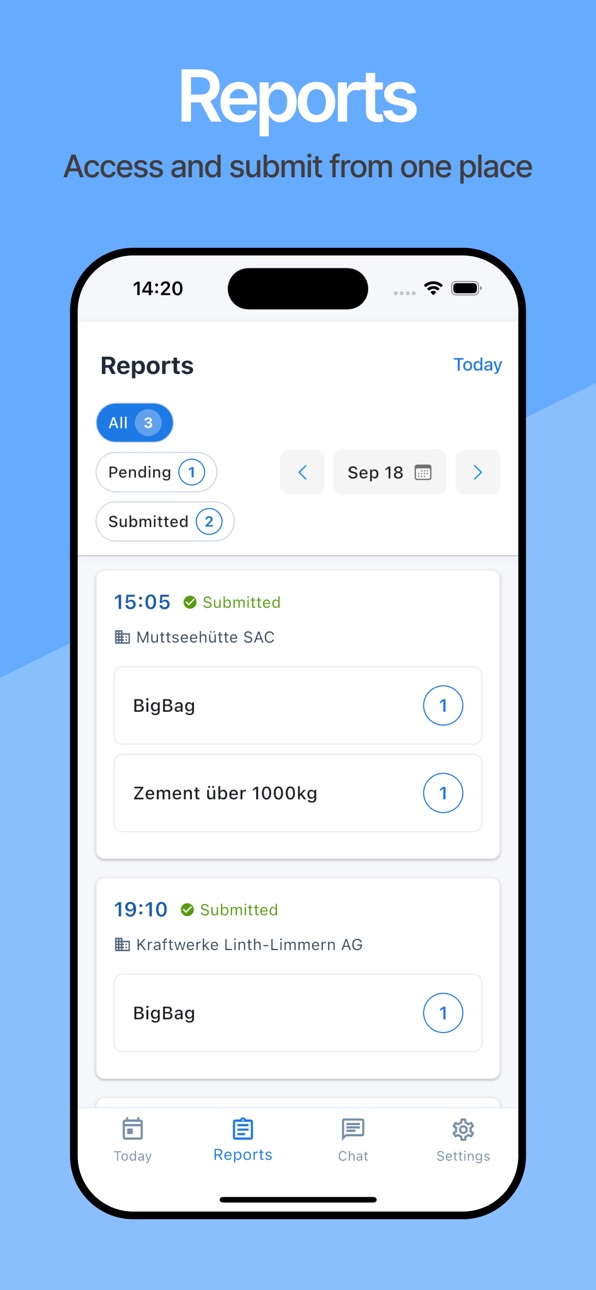
Report page updated
Description
The Web Solution for this App is OPS Dispatch Tool. It is designed to streamline helicopter operations from the initial customer inquiry to final invoicing, providing seamless integration at every stage of the process. Specifically tailored for key decision-makers in helicopter operation companies, this solution offers a comprehensive workflow that enhances efficiency and communication.
With it comes the mobile App & Internal Communication System.
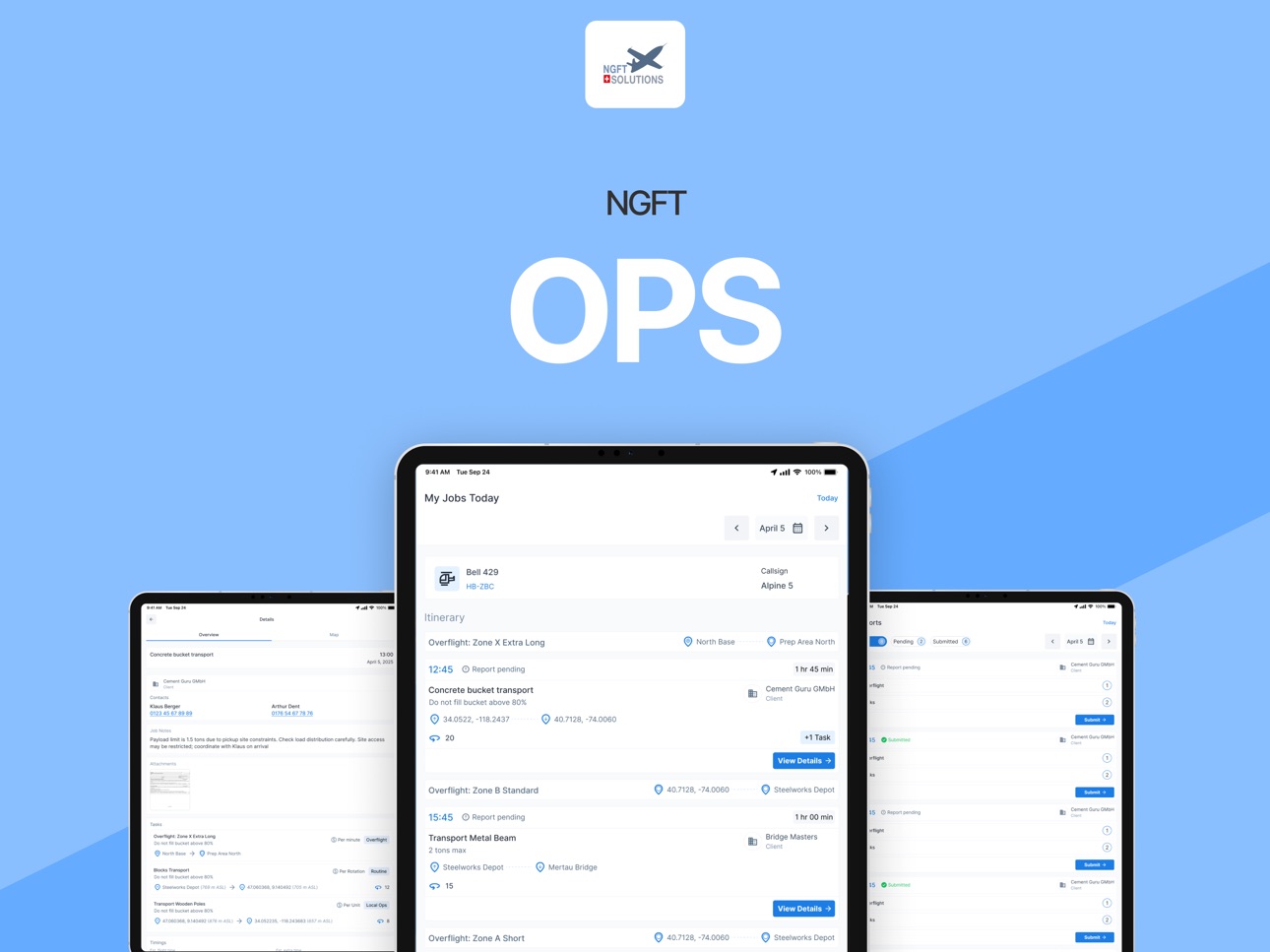
The integrated communication model ensures that the crew involved stays connected and informed throughout the day. As soon as the Dispatcher is ready, he will send out information about jobs, customers, geographical locations, possible changes, etc. Pilots and Ground Crew will receive this information where they need it: on their phone or tablet.
Offline capability granted: Once you have received the information (map included), this data remains accessible, even if the Internet goes down.
Accessibility
ipadiphonemacrealityDevicetvoswatch
Version history 13 versions
Build 887800392v1.1.52026-07-05 06:07:06
Report page updated
Build 885801922v1.1.42026-05-18 22:06:40
Connection from OPS to Techlog enabled
Build 885025611v1.1.32026-04-29 16:13:07
What’s New in version 1.1.3
External Flying
External flying is now fully implemented
Improved handling of edge cases and initial data
Fixed issues with totals and data updates
Better UI and clearer actions (renamed buttons, improved flows)
Flight Time & Pilot Features
New Flight Time Limits screen with improved design
Added My Status tab with redesigned overview
Additional totals updated and made more accurate
Timesheet & Daily Operations
Timesheet significantly improved and stabilized
New Time button on Today tab
Fixed issues with duty start/stop and empty states
All-day events removed from time logging for clarity
Company ID support added to timesheet
New Screens & Navigation
New Calendar (Roster) tab
New Today (Tasks) view
Redesigned bottom navigation and header
Role-based UI (non-flying users see simplified interface)
Reports & Jobs
You can now:
Add attachments to reports
View attachments in job overview
Improved report logic for:
Rotations and time-based products
Mandatory rotor turn time
Report screen now updates automatically after changes
Map & Operations
Map improvements and fixes
Added points of interest and drawings from web
Fixed overlay refresh issues
New Numeric Keyboard
New custom numeric keyboard across the app
Improved input handling (time formats, values)
Better visual styling and usability
Localization & Accessibility
Multilingual support added (including German & Arabic)
RTL (right-to-left) layout support
Improved translations and text consistency
Improvements
App refreshes data automatically after returning to foreground
Notifications improved and now update data correctly
Better error handling (try/catch, stability fixes)
UI/UX polish across multiple screens
Bug Fixes
Fixed crashes on staging and initialization issues
Fixed report time format issues
Fixed duplicate notifications on iOS
Fixed job labels, layouts, and map issues
Fixed timesheet inconsistencies and edge cases
Fixed build number handling for iOS releases
Technical Improvements
Improved environment handling (dev / staging / production)
Updated build pipeline and performance (faster builds)
Updated dependencies (Android, Gradle, Java 17)
Better API versioning support
Build 884360957v1.1.22026-04-10 16:13:28
What’s New
External Flying
Full support for managing external flying records
Improved handling of edge cases and initial data setup
More reliable and consistent data updates
Timesheet & Duty Management
Enhanced timesheet experience with improved stability
More accurate duty tracking and controls
Better handling of edge cases and data consistency
Reports & Jobs
Ability to add and view attachments in job reports
Support for additional work entries
Improved report logic for different product types
More consistent time input and validation
Map & Operations
Improved map performance and reliability
Support for points of interest and map drawings
More consistent behavior of map layers and overlays
Roster & Calendar
New calendar view for better planning
Improved roster display with backend-driven colors
Better handling of assignment edge cases
User Interface Improvements
New bottom navigation and header design
New “My Status” section for quick overview
Role-based interface tailored for flying and non-flying users
Improved numeric keyboard for faster and more precise data entry
Notifications & Data Updates
Improved real-time updates across jobs and reports
Better synchronization when reopening the app
Localization & Accessibility
Added multilingual support (including German and Arabic)
Support for right-to-left (RTL) layouts
Improvements & Fixes
Improved overall app stability and performance
Fixed issues with time input formatting and validation
Improved consistency of data refresh and synchronization
Various UI and layout improvements across the app
Enhanced error handling and reliability
Build 883263684v1.1.12026-03-11 23:35:05
• External Flying fully implemented (add/edit records, improved validations, edge-case handling)
• New Mobile Roster with Calendar view and Today task list
• Major Timesheet improvements and stability fixes
• Attachments can now be viewed in Job Overview and added to Reports
• Improved push notification updates and automatic data refresh
• Updated mobile navigation with new header and bottom bar
• Performance, build, and stability improvements across the app
Build 882760835v1.1.02026-02-25 03:12:12
Timesheet for tracking pilot data
Monthly and Weekly Roster
External Flying – Warning added when entering initial data after the first reported flight
Build 882450227v1.0.82026-02-13 22:47:49
Fixes and performance improvements
Build 880802929v1.0.62025-12-18 17:49:41
Pilot summary and markers
Build 879338936v1.0.52025-10-30 13:11:00
New design of Maps
Build 878471268v1.0.42025-09-28 02:46:19
Contact contains a phone number
Crew contains names
Build 878332246v1.0.32025-09-22 23:44:39
Version 1.0.3 is live and ready to change your workflow.
Build 878168619v1.0.22025-09-20 21:13:33
Tracking locations working on background and more precisely.
Build 873533824v1.0.12025-08-19 11:26:26
No pricing data captured yet — comparisons appear once the app has paid storefronts or in-app purchases.
Availability 7 of 7 storefronts
| Region | Language | Price | Ratings | Avg | Version |
|---|---|---|---|---|---|
 AU AU | en-AU | Free | 0 | — | 1.1.5 |
 CA CA | en-CA | Free | 0 | — | 1.1.5 |
 FR FR | fr-FR | Free | 0 | — | 1.1.5 |
 GB GB | en-GB | Free | 0 | — | 1.1.5 |
 IE IE | en-GB | Free | 0 | — | 1.1.5 |
 NZ NZ | en-AU | Free | 0 | — | 1.1.5 |
 US US | en-US | Free | 0 | — | 1.1.5 |
Change log 16 changes · US
✎
releaseNotes updated
Report page updated
✎
description updated
The Web Solution for this App is OPS Dispatch Tool. It is designed to streamline helicopter operations from the initial customer inquiry to final invoicing, pro
✎
name updated
NGFT OPS
◆
Version 1.1.5 released
Report page updated
◆
Version 1.1.4 released
Connection from OPS to Techlog enabled
◆
Version 1.1.3 released
What’s New in version 1.1.3
External Flying
External flying is now fully implemented
Improved handling of edge cases and initial data
Fixed issues with totals and data updates
Better UI and clearer actions (renamed buttons, improved flows
◆
Version 1.1.2 released
What’s New
External Flying
Full support for managing external flying records
Improved handling of edge cases and initial data setup
More reliable and consistent data updates
Timesheet & Duty Management
Enhanced timesheet experience with i
◆
Version 1.1.1 released
• External Flying fully implemented (add/edit records, improved validations, edge-case handling)
• New Mobile Roster with Calendar view and Today task list
• Major Timesheet improvements and stability fixes
• Attachments can now be viewed i
◆
Version 1.1.0 released
Timesheet for tracking pilot data
Monthly and Weekly Roster
External Flying – Warning added when entering initial data after the first reported flight
◆
Version 1.0.8 released
Fixes and performance improvements
◆
Version 1.0.6 released
Pilot summary and markers
◆
Version 1.0.5 released
New design of Maps
◆
Version 1.0.4 released
Contact contains a phone number
Crew contains names
◆
Version 1.0.3 released
Version 1.0.3 is live and ready to change your workflow.
◆
Version 1.0.2 released
Tracking locations working on background and more precisely.
◆
Version 1.0.1 released