Home › Photo & Video

 US
US
1 of 1 storefronts
Content in en-US
Content in en-US
Information
Preview 2 platforms
iPhone 5 images



iPad 5 images



What’s New Version 1.4.5
What's New
Iconik Mobile now supports opening shares protected with DRM. The menu item "Uploads" has been renamed to "Transfers" to avoid confusion.
Bug Fixes
* Real-time updates on the asset screen now work correctly after switching networks and moving to the foreground.
* Fixed an issue that caused the comment field to close when an error occurred while saving.
* The cancel button on uploaded items is now hidden when the upload is completed.
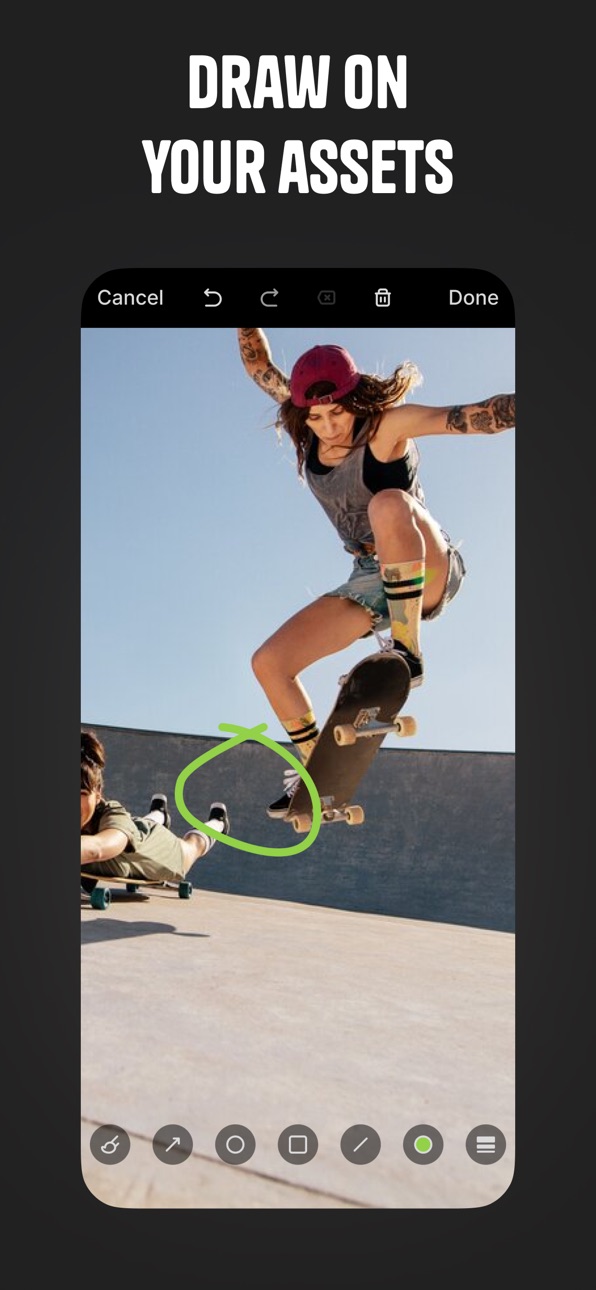
* Review controls and the dark gradient at the bottom of the screen are now hidden on iPad in annotation mode for images.
* Fixed an issue that caused a second close button to appear in guest shares in annotation mode.
Description
Please note: The Iconik iOS app requires an Iconik account for access.
The media you need, when you need it
Iconik brings powerful media asset management to your iPhone and iPad. Connect to your team’s workspace to access your complete media library, wherever original assets live. Review assets frame by frame, collaborate with teammates, and keep projects moving forward, whether you're on set, in the office, or working remotely.
Give feedback remotely
Review media as a team, no matter where you’re working. Leave timestamped comments on specific frames, draw annotations directly on videos or images, reply to feedback threads, and @mention teammates to keep everyone aligned. Approve assets, request revisions, or sign off on final deliverables, even when you're away from your desk.
Enjoy high-quality playback
Watch videos with professional playback. Review images, documents, or audio files with a smooth player built for complex creative workflows. In the app, you can scrub videos frame by frame and play back proxies optimized for mobile viewing. Every asset in your Iconik library stays accessible.
Your infrastructure, in your pocket
Iconik connects to your existing storage infrastructure — in the cloud, on-premises, or across hybrid environments. Stream optimized proxies without downloading massive files, so you can review project files instantly from your iPhone or iPad. Your entire media ecosystem stays at your fingertips, regardless of where the original files are stored.
Find assets fast with smart media search
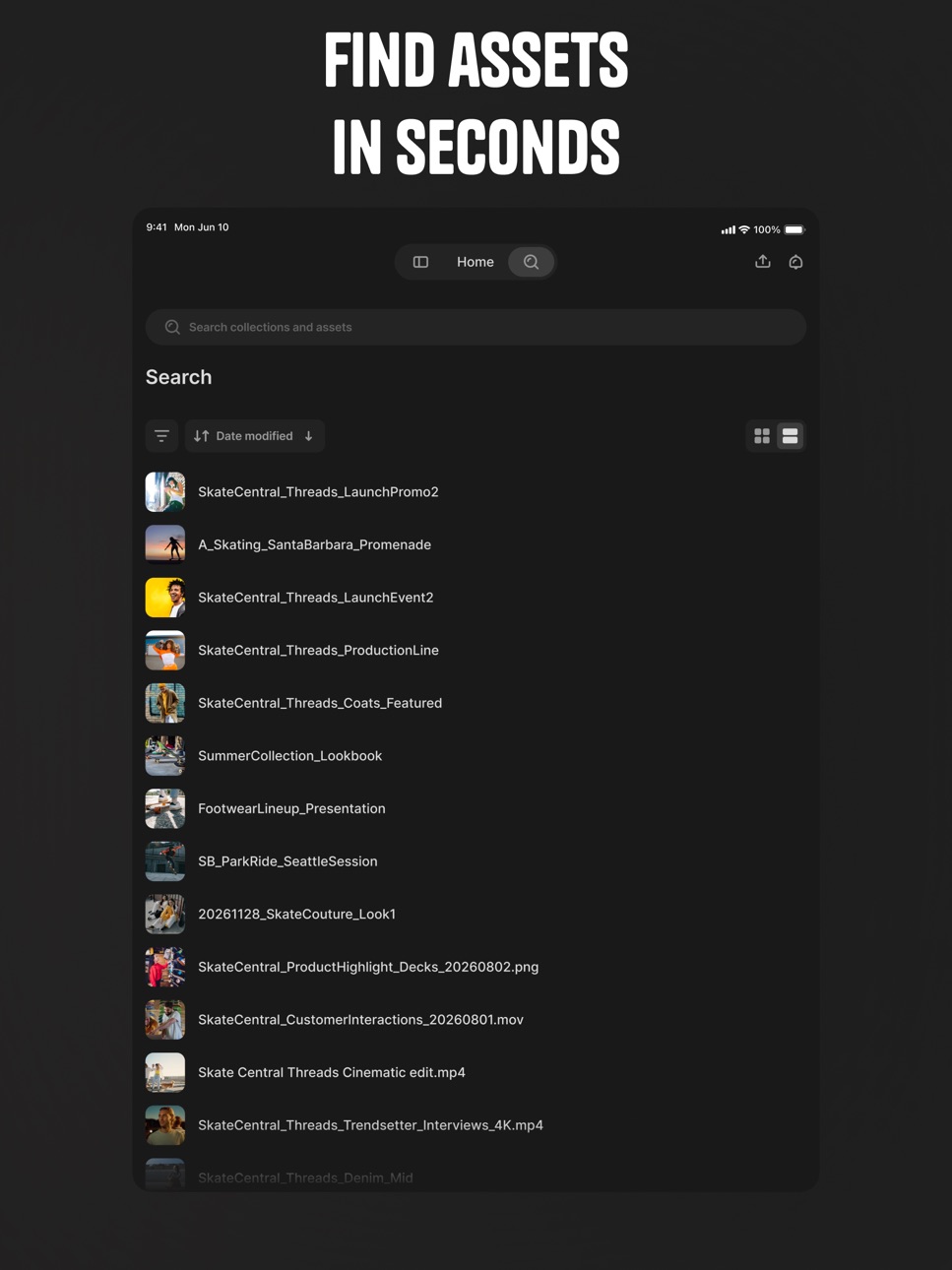
Search across your media library and surface the right assets in seconds using Iconik's powerful search engine. Filter by collections, file types, or recent activity. Explore project folders, or discover assets shared with you by teammates. No delays. Get access to the content you need, exactly when you need it.
Share with confidence
Send assets to clients, stakeholders, or team members, inside or outside your organization. Receive shared media from others and jump straight into review. Comment and annotate directly from the app.
Use at every stage of production
Whether you’re reviewing dailies, giving notes on rough cuts, checking on delivery status, or approving final assets before distribution, Iconik connects with your real media workflows. Built for media managers, producers, editors, directors, post-production supervisors, creative directors, and anyone who needs professional media management on the go.
Accessibility
ipadiphonemacrealityDevicetvoswatch
Version history 14 versions
Build 887394058v1.4.52026-06-25 09:15:03
What's New
Iconik Mobile now supports opening shares protected with DRM. The menu item "Uploads" has been renamed to "Transfers" to avoid confusion.
Bug Fixes
* Real-time updates on the asset screen now work correctly after switching networks and moving to the foreground.
* Fixed an issue that caused the comment field to close when an error occurred while saving.
* The cancel button on uploaded items is now hidden when the upload is completed.
* Review controls and the dark gradient at the bottom of the screen are now hidden on iPad in annotation mode for images.
* Fixed an issue that caused a second close button to appear in guest shares in annotation mode.
Build 886675626v1.4.42026-06-10 08:19:20
What's New
It is now possible to navigate to the asset screen by tapping on upload items. The status of uploading and transcoding is shown as a toast notification with a progress bar on the asset screen.
Bug Fixes
* Fixed an issue that caused background music to pause when opening the login screen.
* The login screen no longer affects the sleep mode of the device.
* Fixed minor issues with uploads to shared collections.
Build 886377843v1.4.32026-06-02 08:04:08
Bug Fixes:
* Fixed issues with version selection when the version list includes promoted and removed versions
Build 886142920v1.4.22026-05-27 09:24:04
What's New
* Version history for assets — Browse and view previous versions of any asset directly from the Asset screen.
* Improved tab stability on iPad — Switching tabs no longer triggers an unnecessary reload of the tab's contents.
Bug Fixes
* Fixed an issue where visual watermarks were incorrectly displayed on non-media assets.
* Fixed an issue where incorrect ACLs were applied when uploading to a share as a guest user.
Build 885526804v1.4.12026-05-12 08:18:05
- Added support for uploading to Azure storage
- Added support for visual watermarks
- Upload jobs from iOS are now visible in the admin interface on Web
- Improved error handling for S3 uploads
Build 884900874v1.4.02026-04-27 12:02:07
New features:
This version adds upload support for S3, GCS, and B2 storage, available for both logged-in users and in shares. Additionally, it adds a new control to change playback speed for video and audio assets.
Bug fixes:
- Resolved an issue that prevented comments with mentions from triggering notifications.
- Fixed a bug that prevented changing the review status without leaving the asset screen.
- Fixed a bug that caused search to fail when assets were missing the directoryPath field.
- Resolved an issue prevented writing comments on iPads running iOS 18.
- Improved the comment list UX to make behavior more predictable.
- Other performance improvements and bug fixes
Build 883423561v1.3.22026-03-17 09:34:10
Bug fixes and performance improvements
Build 882782421v1.3.12026-02-26 10:33:48
* Added notification settings to manage which types of alerts you receive in-app
* Fixed an issue where deep links failed to open the asset screen correctly
* Added support for real-time updates for comments and reviews on the asset screen
* Other bug fixes and performance improvements
Build 882532544v1.3.02026-02-18 12:49:16
* View Iconik notifications in app
* Push notification support for Iconik notifications
Build 882118070v1.2.02026-02-04 11:40:13
* Improved support for annotating on PDFs
* New Collections tab that allows easier access to the top level collections in the system.
* Big fixes and perforance improvements
Build 881737941v1.1.22026-01-26 09:19:27
* Improved PDF support with page thumbnails and page controls
* Improved commenting experience on iPad
* Swipe to go back now works on iOS 18
* Bug fixes and improvements
Build 880841103v1.1.12025-12-21 10:14:12
- Fixed bug where shares protected by password were inaccessible
Build 880717702v1.1.02025-12-17 09:56:49
* Resolves a bug where some shares failed to open if magic links were disabled
* Resolves a bug where the timeline would not be vivisble for some video assets and shares.
* For new domains it was not possible to create shares before default share settings had been set.
* Audio assets are no longer possible to annotate on
* Adds cancel buttons when in annotation mode
Build 873400663v1.0.02025-12-10 10:14:50
No pricing data captured yet — comparisons appear once the app has paid storefronts or in-app purchases.
Availability 1 of 1 storefronts
| Region | Language | Price | Ratings | Avg | Version |
|---|---|---|---|---|---|
| US | en-US | Free | 4 | 5.0 | 1.4.5 |
Change log 18 changes · US
✎
releaseNotes updated
What's New
Iconik Mobile now supports opening shares protected with DRM. The menu item "Uploads" has been renamed to "Transfers" to avoid confusion.
Bug Fixes
✎
description updated
Please note: The Iconik iOS app requires an Iconik account for access.
The media you need, when you need it
Iconik brings powerful media asset management to yo
✎
subtitle updated
Your team’s media, mobile
✎
name updated
Iconik Mobile
◆
Version 1.4.5 released
What's New
Iconik Mobile now supports opening shares protected with DRM. The menu item "Uploads" has been renamed to "Transfers" to avoid confusion.
Bug Fixes
* Real-time updates on the asset screen now work correctly after switching net
◆
Version 1.4.4 released
What's New
It is now possible to navigate to the asset screen by tapping on upload items. The status of uploading and transcoding is shown as a toast notification with a progress bar on the asset screen.
Bug Fixes
* Fixed an issue that c
◆
Version 1.4.3 released
Bug Fixes:
* Fixed issues with version selection when the version list includes promoted and removed versions
◆
Version 1.4.2 released
What's New
* Version history for assets — Browse and view previous versions of any asset directly from the Asset screen.
* Improved tab stability on iPad — Switching tabs no longer triggers an unnecessary reload of the tab's contents.
Bug
◆
Version 1.4.1 released
- Added support for uploading to Azure storage
- Added support for visual watermarks
- Upload jobs from iOS are now visible in the admin interface on Web
- Improved error handling for S3 uploads
◆
Version 1.4.0 released
New features:
This version adds upload support for S3, GCS, and B2 storage, available for both logged-in users and in shares. Additionally, it adds a new control to change playback speed for video and audio assets.
Bug fixes:
- Resolved an
◆
Version 1.3.2 released
Bug fixes and performance improvements
◆
Version 1.3.1 released
* Added notification settings to manage which types of alerts you receive in-app
* Fixed an issue where deep links failed to open the asset screen correctly
* Added support for real-time updates for comments and reviews on the asset screen
◆
Version 1.3.0 released
* View Iconik notifications in app
* Push notification support for Iconik notifications
◆
Version 1.2.0 released
* Improved support for annotating on PDFs
* New Collections tab that allows easier access to the top level collections in the system.
* Big fixes and perforance improvements
◆
Version 1.1.2 released
* Improved PDF support with page thumbnails and page controls
* Improved commenting experience on iPad
* Swipe to go back now works on iOS 18
* Bug fixes and improvements
◆
Version 1.1.1 released
- Fixed bug where shares protected by password were inaccessible
◆
Version 1.1.0 released
* Resolves a bug where some shares failed to open if magic links were disabled
* Resolves a bug where the timeline would not be vivisble for some video assets and shares.
* For new domains it was not possible to create shares before default
◆
Version 1.0.0 released