Home › Books

 US
US
1 of 1 storefronts
Content in en-US
Content in en-US
Information
Preview 2 platforms
iPhone 6 images




iPad 7 images


What’s New Version 2.6
* Optimized processing logic for importing e-books like EPUB, MOBI, and AZW3
* Enhanced the file directory page to display covers and status more clearly for parsed content
* Optimized workflows for checking new books, importing into existing series, and handling books with identical names
* Fixed issues related to cancelling downloads, EPUB file paths, and series cover updates
* Improved thumbnail caching and directory loading performance
Description
Comic&Manga is the ultimate reading and collection app designed for comic enthusiasts, allowing you to enjoy your favorite comics anytime, anywhere.
【KEY FEATURES】
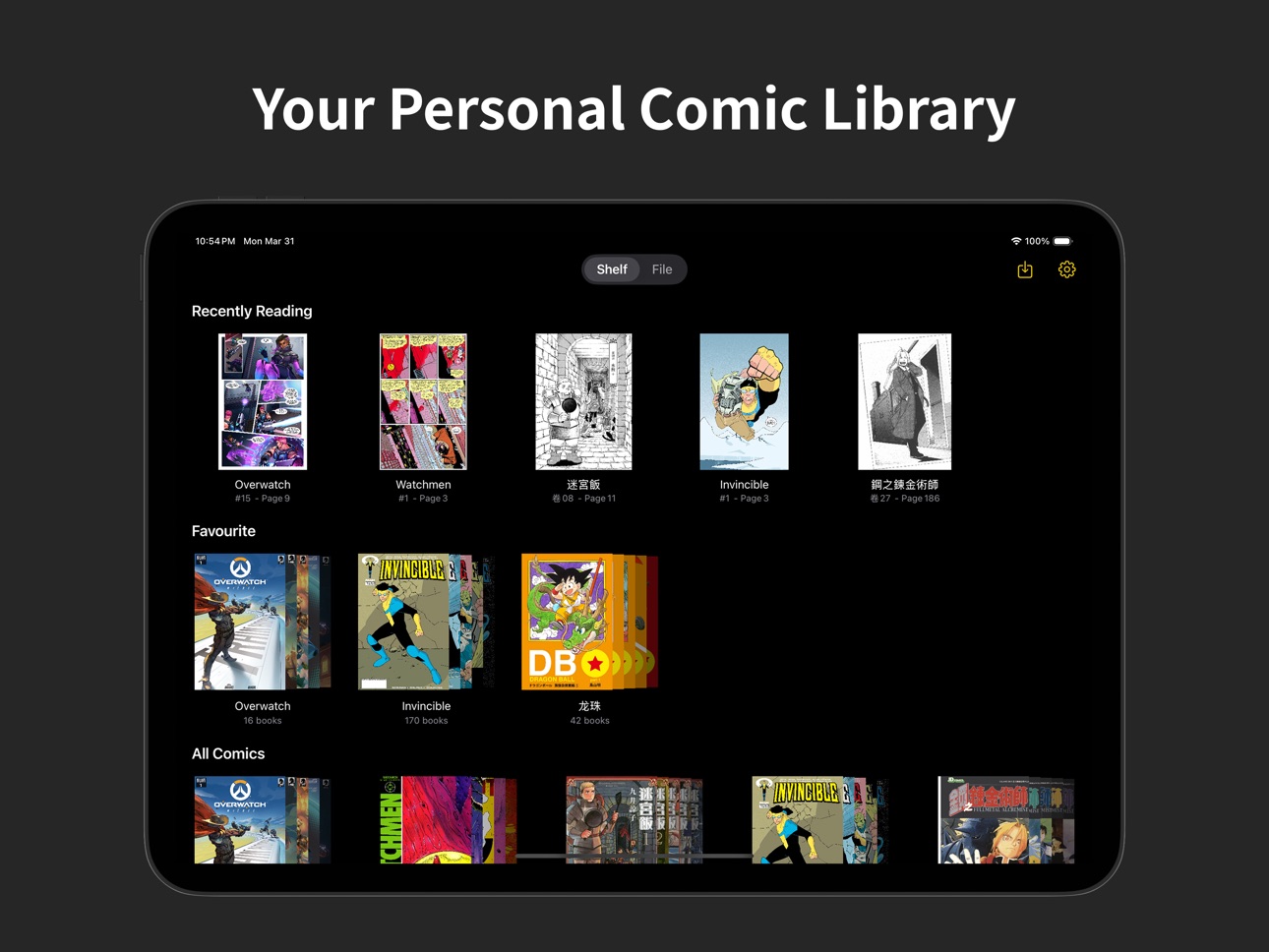
- Personal Comic Library: Easily organize and manage your comic collection with reading progress tracking
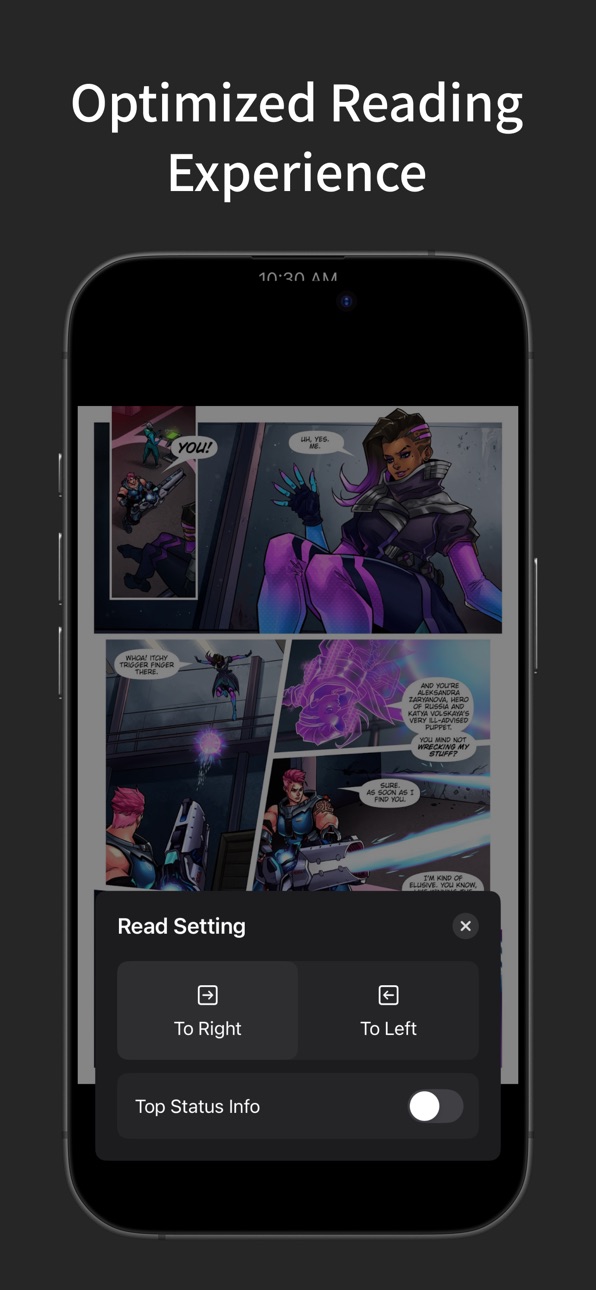
- Smart Reading: Automatically adjusts reading direction based on comic type - right-to-left for manga, left-to-right for western comics
- Multi-Device Support: Perfectly optimized for all iPad sizes, providing the best experience in both portrait and landscape modes
- Multiple Format Compatibility: Support for various ebook and comic formats, including EPUB, MOBI, AZW3, and more
- Remote Connection: Easily connect to remote servers via SMB and WebDAV protocols to expand your comic library
- AI Enhancement: Redraw your favorite parts of comics using AI, create personalized avatars and wallpapers (requires setting up AI server on your own computer)
Whether you're a comic collector, enthusiast, or casual reader, Comic&Manga provides an unparalleled reading experience.
Download Comic&Manga and start your mobile comic journey today!
Capabilities
In-App Purchases
Accessibility
ipadiphonemacrealityDevicetvoswatch
Version history 20 versions
Build 886533316v2.62026-06-04 22:51:23
* Optimized processing logic for importing e-books like EPUB, MOBI, and AZW3
* Enhanced the file directory page to display covers and status more clearly for parsed content
* Optimized workflows for checking new books, importing into existing series, and handling books with identical names
* Fixed issues related to cancelling downloads, EPUB file paths, and series cover updates
* Improved thumbnail caching and directory loading performance
Build 884686893v2.52026-04-20 02:00:41
Fixed some bugs
Build 884725122v2.5.12026-04-20 22:20:36
Emergency fix for a bug that could cause crashes
Build 883897345v2.42026-03-30 00:23:55
* Added archive feature to store finished manga
* Fixed an issue where mobi files could not be parsed in iCloud
* Fixed an issue where PDFs might appear blurry in webtoon mode (clear cache in Settings if not applied)
* Adjusted and unified various animations
Build 883614617v2.32026-03-22 17:14:46
* Added manga-based filtering to the Clips page
* Fixed file icon display bug in File Manager
* Added orientation lock options in Settings
Build 883304651v2.22026-03-13 02:55:20
Support for Baidu Netdisk, Komga, OneDrive, and Dropbox has been added all at once.
Build 883018245v2.12026-03-07 01:57:50
* Added AI redrawing feature to the clipping page using the Nano Banana model
* Optimized thumbnail memory usage on the homepage to improve loading speed
* Enhanced image loading speed for WebDAV
Build 882302514v2.02026-02-12 10:50:24
* Added vertical page-turning mode for easier viewing of vertical comics
* Other changes I forgotten
Build 881609881v1.92026-01-19 07:39:32
* Clips: Added multi-select capability to support batch sharing and deletion.
* Interaction: Optimized the Clippings module interaction to allow swiping for page flipping in fullscreen mode.
* Added support for manually sorting comic books.
* Further optimized PDF parsing logic to reduce storage usage.
Build 881322978v1.8.12026-01-10 01:13:44
Add IAP purchase
Build 881284917v1.82026-01-07 20:40:18
* Added “Clip” feature. Collect memorable comic fragments while reading.
* Optimized import logic for large PDF files.
* Added my contact information to Settings. Feel free to reach out with suggestions.
Build 880732448v1.72025-12-30 11:29:17
* Added iCloud Drive support.
* Added Google Drive support.
* Added support for ZIP file formats.
* Added "Split Page" & "Remove Page", currently only supports local comics.
* Added batch renaming for comic books.
* Adjusted the interaction for importing entire comic series.
Build 880664715v1.62025-12-15 10:53:11
It's been a while, so I don't remember exactly what was updated, but here is what comes to mind:
* Added iCloud sync.
* Adapted to the iOS 26 visual style.
* Updated the Logo to match the iOS 26 style.
* Added import and export functions for full manga collections.
* Fixed a bunch of bugs (forgot exactly how many).
Build 875796841v1.42025-06-23 03:49:52
1. Added small and large size widgets.
2. Added Apple Pencil control over page flipping, which can be enabled in Settings
3. I've updated the logic for displaying the network icon, the small icon at the subtitle of the comic series control. Previously it was just based on whether the network was connected or not, but now it will actively try to connect to the server to check the server connection status. Now it will actively try to connect to the server to check the connection status of the server, so that the status indication will be more accurate.
4. Optimized the image loading logic to improve the image loading speed.
* Fixed the problem that the operation “Check if there are new books” cannot update the book list and cover in the page in time.
* Fixed the problem of importing pdf files (I think so, I tested all the pdf comics I could find).
* Fixed the problem that when importing an Ebook file, the folder generated in the app was not recognized as a “parsed folder” - i.e., a folder with a cover (however, it could not be adjusted if it had already been imported, so it is recommended to re-import it again).
* Fixed the issue that only 12 manga series could be displayed on the first page in vertical screen on 13-inch iPad.
* Fixed the issue that the page did not respond in time after adding a remote location.
Build 874618602v1.3.12025-05-08 16:12:18
Bug Fixing:
* Fixed the issue that when parsing a file, if a manga collection with the same name was accidentally created, it would cause the original manga series to be topped out and disappear.
* Fixed the issue that when the app was in the file tab, it was not possible to open the manga file by sharing it with other apps.
* Fixed a layout issue on cell phones when the number of manga series is too small.
Build 874279688v1.32025-04-24 20:02:26
1. Updated the icons for e-books and other file types on the File Management page.
2. Added support for opening e-book files directly from the File tab for reading and importing (cloud-stored files may take a moment to download).
3. Added the ability to rename comic series.
4. Redesigned the “Comic Folder's Structure” sheet to make it simpler and easier to understand.
5. After adding comics, the “How to add?” sheet can now be triggered again from the top-right menu.
Bug Fixes
• Fixed an issue where temporarily opened PDF files weren’t automatically cleared from the cache directory after closing.
• Fixed a problem with duplicate comic-series or book names. Newly added duplicates will now be suffixed as “Name 2,” “Name 3,” etc.
Build 873924206v1.2.12025-04-17 22:40:10
1. Added support for PDF format parsing
2. Added support for http format webdav protocol.
3. When importing manga files, if there is already a manga series with the same name, it will be selected by default in the parsing pop-up window.
4. Now there is a probability to trigger the evaluation pop-up window in the home page, five-star please~
Bug Fixing
1. Fixed the layout problem of the introduction panel under iPhone size.
Build 873743487v1.22025-04-09 15:51:48
Add iPhone size support.
Build 873696740v1.12025-04-02 03:47:09
Added support for Japanese
Build 873295216v1.02025-04-01 10:10:08
No pricing data captured yet — comparisons appear once the app has paid storefronts or in-app purchases.
Availability 1 of 1 storefronts
| Region | Language | Price | Ratings | Avg | Version |
|---|---|---|---|---|---|
| US | en-US | Free | 3 | 5.0 | 2.6 |
Change log 24 changes · US
✎
releaseNotes updated
* Optimized processing logic for importing e-books like EPUB, MOBI, and AZW3
* Enhanced the file directory page to display covers and status more clearly for pa
✎
description updated
Comic&Manga is the ultimate reading and collection app designed for comic enthusiasts, allowing you to enjoy your favorite comics anytime, anywhere.
【KEY FEATU
✎
subtitle updated
Read, Collect & AI Redraw
✎
name updated
Comic&Manga - AI Manga Reader
◆
Version 2.6 released
* Optimized processing logic for importing e-books like EPUB, MOBI, and AZW3
* Enhanced the file directory page to display covers and status more clearly for parsed content
* Optimized workflows for checking new books, importing into existi
◆
Version 2.5.1 released
Emergency fix for a bug that could cause crashes
◆
Version 2.5 released
Fixed some bugs
◆
Version 2.4 released
* Added archive feature to store finished manga
* Fixed an issue where mobi files could not be parsed in iCloud
* Fixed an issue where PDFs might appear blurry in webtoon mode (clear cache in Settings if not applied)
* Adjusted and unified
◆
Version 2.3 released
* Added manga-based filtering to the Clips page
* Fixed file icon display bug in File Manager
* Added orientation lock options in Settings
◆
Version 2.2 released
Support for Baidu Netdisk, Komga, OneDrive, and Dropbox has been added all at once.
◆
Version 2.1 released
* Added AI redrawing feature to the clipping page using the Nano Banana model
* Optimized thumbnail memory usage on the homepage to improve loading speed
* Enhanced image loading speed for WebDAV
◆
Version 2.0 released
* Added vertical page-turning mode for easier viewing of vertical comics
* Other changes I forgotten
◆
Version 1.9 released
* Clips: Added multi-select capability to support batch sharing and deletion.
* Interaction: Optimized the Clippings module interaction to allow swiping for page flipping in fullscreen mode.
* Added support for manually sorting comic books.
◆
Version 1.8.1 released
Add IAP purchase
◆
Version 1.8 released
* Added “Clip” feature. Collect memorable comic fragments while reading.
* Optimized import logic for large PDF files.
* Added my contact information to Settings. Feel free to reach out with suggestions.
◆
Version 1.7 released
* Added iCloud Drive support.
* Added Google Drive support.
* Added support for ZIP file formats.
* Added "Split Page" & "Remove Page", currently only supports local comics.
* Added batch renaming for comic books.
* Adjusted the interaction
◆
Version 1.6 released
It's been a while, so I don't remember exactly what was updated, but here is what comes to mind:
* Added iCloud sync.
* Adapted to the iOS 26 visual style.
* Updated the Logo to match the iOS 26 style.
* Added import and export functions f
◆
Version 1.4 released
1. Added small and large size widgets.
2. Added Apple Pencil control over page flipping, which can be enabled in Settings
3. I've updated the logic for displaying the network icon, the small icon at the subtitle of the comic series control.
◆
Version 1.3.1 released
Bug Fixing:
* Fixed the issue that when parsing a file, if a manga collection with the same name was accidentally created, it would cause the original manga series to be topped out and disappear.
* Fixed the issue that when the app was in
◆
Version 1.3 released
1. Updated the icons for e-books and other file types on the File Management page.
2. Added support for opening e-book files directly from the File tab for reading and importing (cloud-stored files may take a moment to download).
3. Added t
◆
Version 1.2.1 released
1. Added support for PDF format parsing
2. Added support for http format webdav protocol.
3. When importing manga files, if there is already a manga series with the same name, it will be selected by default in the parsing pop-up window.
4.
◆
Version 1.2 released
Add iPhone size support.
◆
Version 1.1 released
Added support for Japanese
◆
Version 1.0 released