Home › Utilities

PDF Reader Pro: Scan & Convert
Scan & Edit PDF Fast and Easy
 US
US
1 of 1 storefronts
Content in en-US
Content in en-US
Information
Preview 2 platforms
iPhone 7 images




iPad 6 images


What’s New Version 5.8
We’ve improved the overall app experience with smoother navigation, fewer interruptions, and expanded access to free features. Users can now explore more tools before upgrading, along with enhanced usability, performance, and stability improvements.
Description
PDF Reader Pro: Scan & Convert - The ultimate PDF solution for iPhone and iPad. Experience lightning-fast PDF viewing, professional document scanning, and powerful file conversion in one comprehensive app. Whether you need to read large PDF files, scan documents to PDF, or convert files to multiple formats, PDF Reader Pro delivers exceptional performance with an intuitive interface.
CORE FEATURES
FAST PDF READER & VIEWER
- Open PDF files instantly, even large documents
- Smooth scrolling and zooming with gesture controls
- Bookmarks and search text within documents
HWP FILE READER & VIEWER
- Open and view HWP files quickly on your phone
- Easy viewing documents created with Hangul Word Processor
ADVANCED DOCUMENT SCANNER
- High-quality scanning with automatic edge detection
- Multi-page PDF creation from camera or photo library
- Smart cropping and perspective correction
- Batch scanning for multiple documents
- OCR text recognition for searchable PDFs
POWERFUL PDF CONVERTER
- Merge multiple PDFs into single document
- Split large PDFs into smaller files
- Compress PDF files to reduce size
- Convert images and documents to PDF format
PROFESSIONAL PDF EDITOR
- Annotate PDFs with highlights, notes, and comments
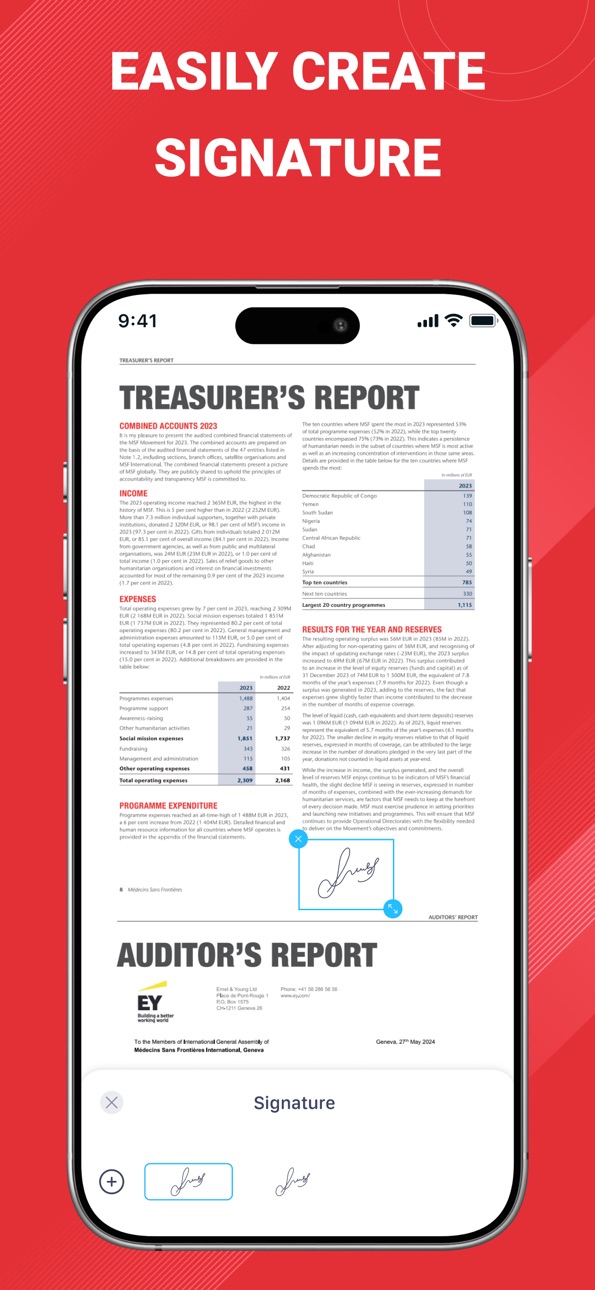
- Add digital signatures and stamps
- Insert text boxes and shapes
- Draw freehand with Apple Pencil support
- Password protect sensitive documents
SMART FILE MANAGER
- Organize PDFs in custom folders and categories
- Tag and label documents for easy searching
- Recently viewed and favorites for quick access
- Sort files by name, date, size, or type
- Secure document storage with biometric lock
SEAMLESS CLOUD INTEGRATION
- Share documents via email, messages, or AirDrop
- Print wirelessly to any AirPrint-enabled printer
WHY CHOOSE PDF READER PRO?
- SPEED & PERFORMANCE: Optimized for iOS with native performance. Open 100MB+ PDF files in seconds.
- PRIVACY FOCUSED: All processing happens on your device. No data uploaded to external servers. Your documents stay completely private.
- PROFESSIONAL QUALITY: Trusted by millions of users worldwide, from students to business professionals. Regular updates with new features.
- UNIVERSAL COMPATIBILITY: Works perfectly on iPhone, iPad, and supports all PDF standards. Optimized for latest iOS versions and devices.
PERFECT FOR:
- Students reading textbooks and research papers
- Business professionals reviewing contracts and reports
- Teachers grading assignments and creating materials
- Lawyers managing legal documents and case files
- Researchers organizing academic publications
- Anyone who works with PDF documents daily
OPTIMIZED FOR ALL DEVICES
Designed specifically for iOS with support for iPhone SE to iPhone 15 Pro Max, and all iPad models. Take advantage of large iPad screens for enhanced productivity.
FREE WITH PREMIUM OPTIONS
Download and start using essential PDF features immediately. Upgrade to unlock advanced editing tools, unlimited cloud storage, and priority support.
Transform how you work with PDF documents. Download PDF Reader Pro: Scan & Convert today and experience professional-grade tools in your daily workflow.
Rate us 5 stars if you love the app! Your feedback helps us continue improving.
Privacy policy: https://sites.google.com/view/pdfpro-scanedit-privacypolicy/
Terms and Conditions: https://sites.google.com/view/pdf-pro-scan-edit-tnc
Capabilities
In-App Purchases
Accessibility
ipadiphonemacrealityDevicetvoswatch
Version history 25 versions
Build 886183237v5.82026-05-29 01:37:53
We’ve improved the overall app experience with smoother navigation, fewer interruptions, and expanded access to free features. Users can now explore more tools before upgrading, along with enhanced usability, performance, and stability improvements.
Build 886068859v5.72026-05-25 02:26:51
Enhanced PDF viewing performance and stability.
Build 884828461v5.62026-04-25 02:03:27
Enhanced editing and annotation features.
Build 881664451v5.52026-01-22 06:46:30
We’ve refined the app’s look and boosted performance so everything feels smoother and more enjoyable.
Build 881406260v5.42026-01-13 02:03:24
We’ve updated the interface and fine-tuned performance for a smoother, more delightful experience.
Build 880834436v5.22026-01-08 02:28:22
We’ve refreshed the app’s design and optimized performance to deliver a smoother, more enjoyable experience.
Build 880707061v5.12025-12-18 01:51:27
We’ve enhanced the overall user experience with design and performance improvements, plus new support for viewing HWP and HWPX files.
Build 880434998v5.02025-12-09 02:06:59
We’ve enhanced the overall user experience with design and performance improvements.
Build 880403597v4.92025-12-07 02:36:18
We’ve upgraded PDF conversion for faster speed and higher-quality documents.
Build 880162642v4.82025-11-29 01:59:41
- Fixed minor bugs for smoother performance
- Improved the Add Annotation feature for a more seamless experience
Build 880096259v4.62025-11-27 00:07:57
Bug fixes & performance improvements.
Build 879101799v4.52025-10-22 08:19:43
Enhanced performance, stability, and user experience
Build 878782782v4.32025-10-10 06:42:48
- Upgraded password security to better protect your PDF files
- General performance improvements and stability fixes
Build 878351494v4.22025-09-24 13:46:22
- Enhanced password protection feature to improve PDF file security
- Minor performance improvements and bug fixes
Build 876853434v4.12025-09-16 03:06:28
Fixed minor bugs to improve user experience
Build 876739804v4.02025-07-28 07:12:45
We’ve made PDF conversions faster, polished the interface, and fixed some bugs!
Build 876665487v3.92025-07-26 01:31:04
We’ve made PDF conversions faster, polished the interface, and fixed some pesky bugs!
Build 876577947v3.82025-07-23 11:17:16
We’ve fixed some bugs and made the app faster and smoother for you.
Build 876419345v3.72025-07-16 10:32:28
Improved the signature feature and fixed some bugs.
Build 876229100v3.62025-07-10 06:31:51
• Fixed minor bugs
• Optimized set password feature
Build 876104732v3.52025-07-07 10:10:27
• Fixed minor bugs to improve user experience
• Optimized performance for smoother and more stable operation
Build 875643579v3.42025-06-17 12:59:41
• Fixed minor bugs to improve user experience
• Optimized performance for smoother and more stable operation
Build 875358414v3.32025-06-15 00:36:33
Minor bug fixed
Enchance UI/UX
Improve performance
Build 875270548v3.22025-06-03 23:47:02
Fix bugs and improve performance.
Build 874997004v3.12025-05-23 19:03:15
Enhanced line annotation: You can now adjust and enjoy a thicker line width when drawing annotations for improved visibility and precision.
No pricing data captured yet — comparisons appear once the app has paid storefronts or in-app purchases.
Availability 1 of 1 storefronts
| Region | Language | Price | Ratings | Avg | Version |
|---|---|---|---|---|---|
| US | en-US | Free | 1.1k | 4.5 | 5.8 |
Change log 29 changes · US
✎
releaseNotes updated
We’ve improved the overall app experience with smoother navigation, fewer interruptions, and expanded access to free features. Users can now explore more tools
✎
description updated
PDF Reader Pro: Scan & Convert - The ultimate PDF solution for iPhone and iPad. Experience lightning-fast PDF viewing, professional document scanning, and power
✎
subtitle updated
Scan & Edit PDF Fast and Easy
✎
name updated
PDF Reader Pro: Scan & Convert
◆
Version 5.8 released
We’ve improved the overall app experience with smoother navigation, fewer interruptions, and expanded access to free features. Users can now explore more tools before upgrading, along with enhanced usability, performance, and stability impr
◆
Version 5.7 released
Enhanced PDF viewing performance and stability.
◆
Version 5.6 released
Enhanced editing and annotation features.
◆
Version 5.5 released
We’ve refined the app’s look and boosted performance so everything feels smoother and more enjoyable.
◆
Version 5.4 released
We’ve updated the interface and fine-tuned performance for a smoother, more delightful experience.
◆
Version 5.2 released
We’ve refreshed the app’s design and optimized performance to deliver a smoother, more enjoyable experience.
◆
Version 5.1 released
We’ve enhanced the overall user experience with design and performance improvements, plus new support for viewing HWP and HWPX files.
◆
Version 5.0 released
We’ve enhanced the overall user experience with design and performance improvements.
◆
Version 4.9 released
We’ve upgraded PDF conversion for faster speed and higher-quality documents.
◆
Version 4.8 released
- Fixed minor bugs for smoother performance
- Improved the Add Annotation feature for a more seamless experience
◆
Version 4.6 released
Bug fixes & performance improvements.
◆
Version 4.5 released
Enhanced performance, stability, and user experience
◆
Version 4.3 released
- Upgraded password security to better protect your PDF files
- General performance improvements and stability fixes
◆
Version 4.2 released
- Enhanced password protection feature to improve PDF file security
- Minor performance improvements and bug fixes
◆
Version 4.1 released
Fixed minor bugs to improve user experience
◆
Version 4.0 released
We’ve made PDF conversions faster, polished the interface, and fixed some bugs!
◆
Version 3.9 released
We’ve made PDF conversions faster, polished the interface, and fixed some pesky bugs!
◆
Version 3.8 released
We’ve fixed some bugs and made the app faster and smoother for you.
◆
Version 3.7 released
Improved the signature feature and fixed some bugs.
◆
Version 3.6 released
• Fixed minor bugs
• Optimized set password feature
◆
Version 3.5 released
• Fixed minor bugs to improve user experience
• Optimized performance for smoother and more stable operation
◆
Version 3.4 released
• Fixed minor bugs to improve user experience
• Optimized performance for smoother and more stable operation
◆
Version 3.3 released
Minor bug fixed
Enchance UI/UX
Improve performance
◆
Version 3.2 released
Fix bugs and improve performance.
◆
Version 3.1 released
Enhanced line annotation: You can now adjust and enjoy a thicker line width when drawing annotations for improved visibility and precision.