Home › Productivity

 US
US
1 of 1 storefronts
Content in en-US
Content in en-US
Information
Preview 2 platforms
iPhone 8 images





iPad 9 images




What’s New Version 1.0.6
- Transcription language bug fixes
- UX improvements and minor bug fixes
Description
Watermelon — slice your goal, don't choke on it
You don't eat a watermelon in one bite. So why does every to-do app pretend you finish a task in one tap? Watermelon is built around progress, not checkboxes.
Progress that matches the task
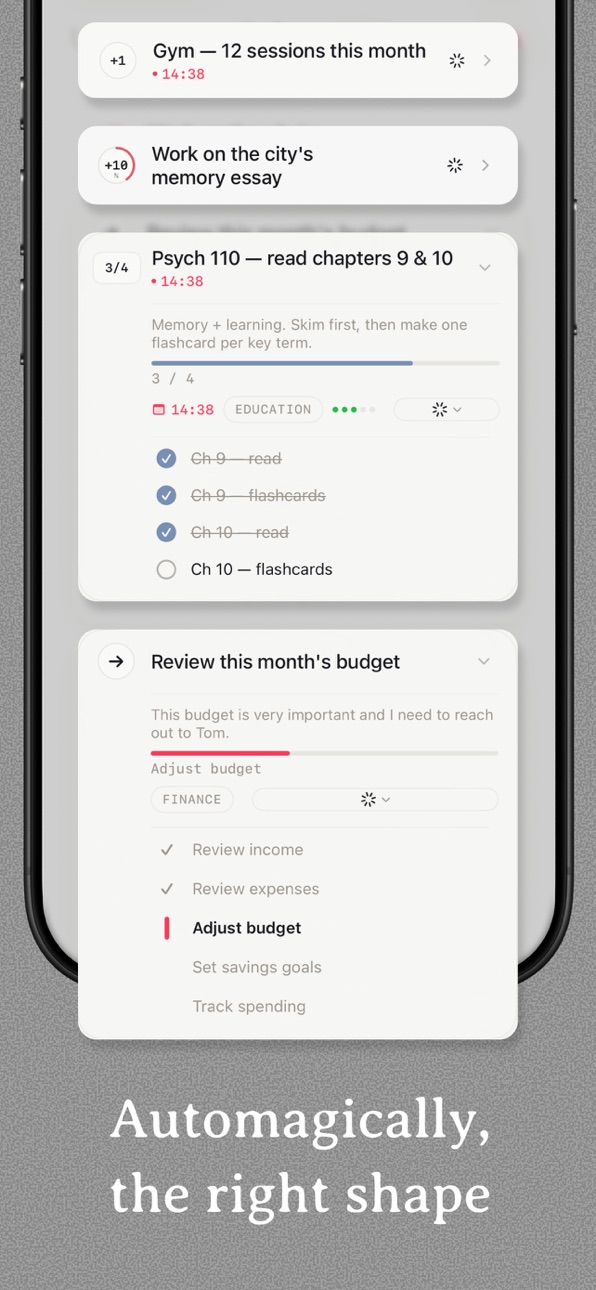
Every task tracks how far along you are, not just whether it's done. And because tasks come in different shapes, Watermelon picks the right format automatically:
• A grocery run becomes a checklist (Milk, Eggs, Bread)
• A product launch becomes ordered stages (Spec → Build → Test → Ship)
• 50 pushups or 30 pages becomes a counter (17/50)
• A long, open-ended project becomes a percentage you nudge as the work piles up
Hold to record, get structured tasks back
Press and hold the record button and talk like you're texting a friend. Your ramble comes back as clean, structured tasks. Mention groceries, an email to Sarah, a launch with three stages, and 50 pushups in one breath — you get four cards back, each with the right due date, priority, list, and subtasks already filled in.
Or speak just one goal — "Plan my mom's 60th birthday" — and get back one card with the checklist already inside: pick the restaurant, send invites, order the cake, dig up old photos for the slideshow, write a toast, arrange rides home for the older relatives.
One press, one ramble, an afternoon planned. No typing.
Edit by speaking, not tapping
Press and hold any task card and say the change — "push it to Friday," "add buy milk," "mark high priority." The card updates itself. Hold without speaking and it just moves, like before.
Daily Summary, morning and evening
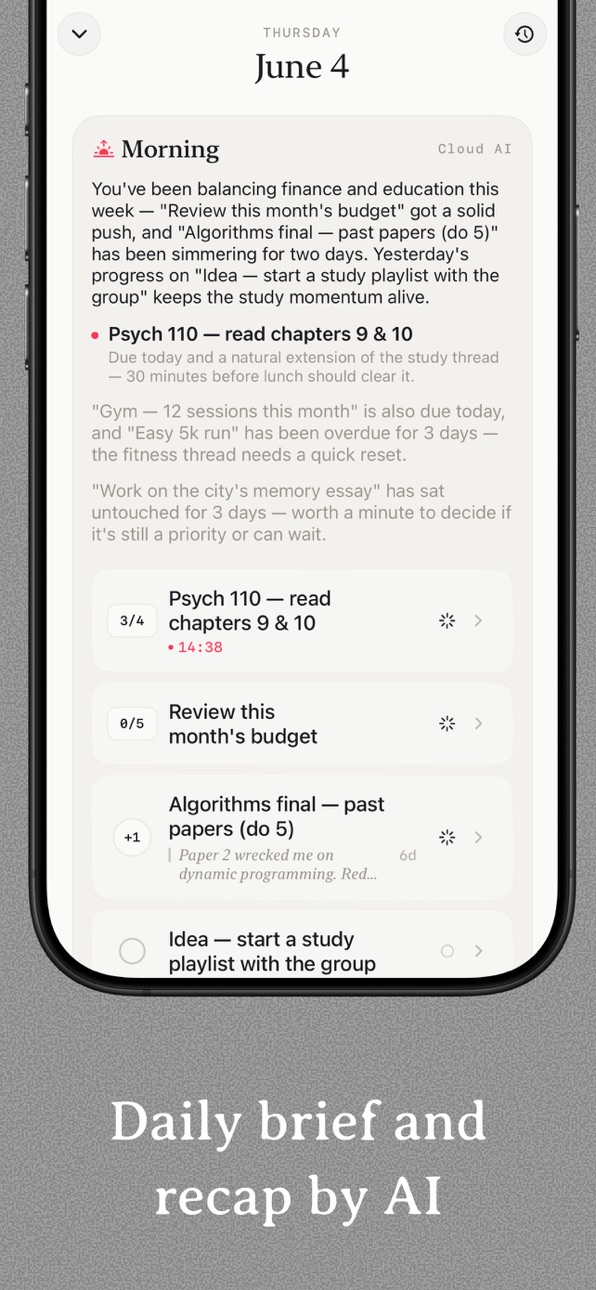
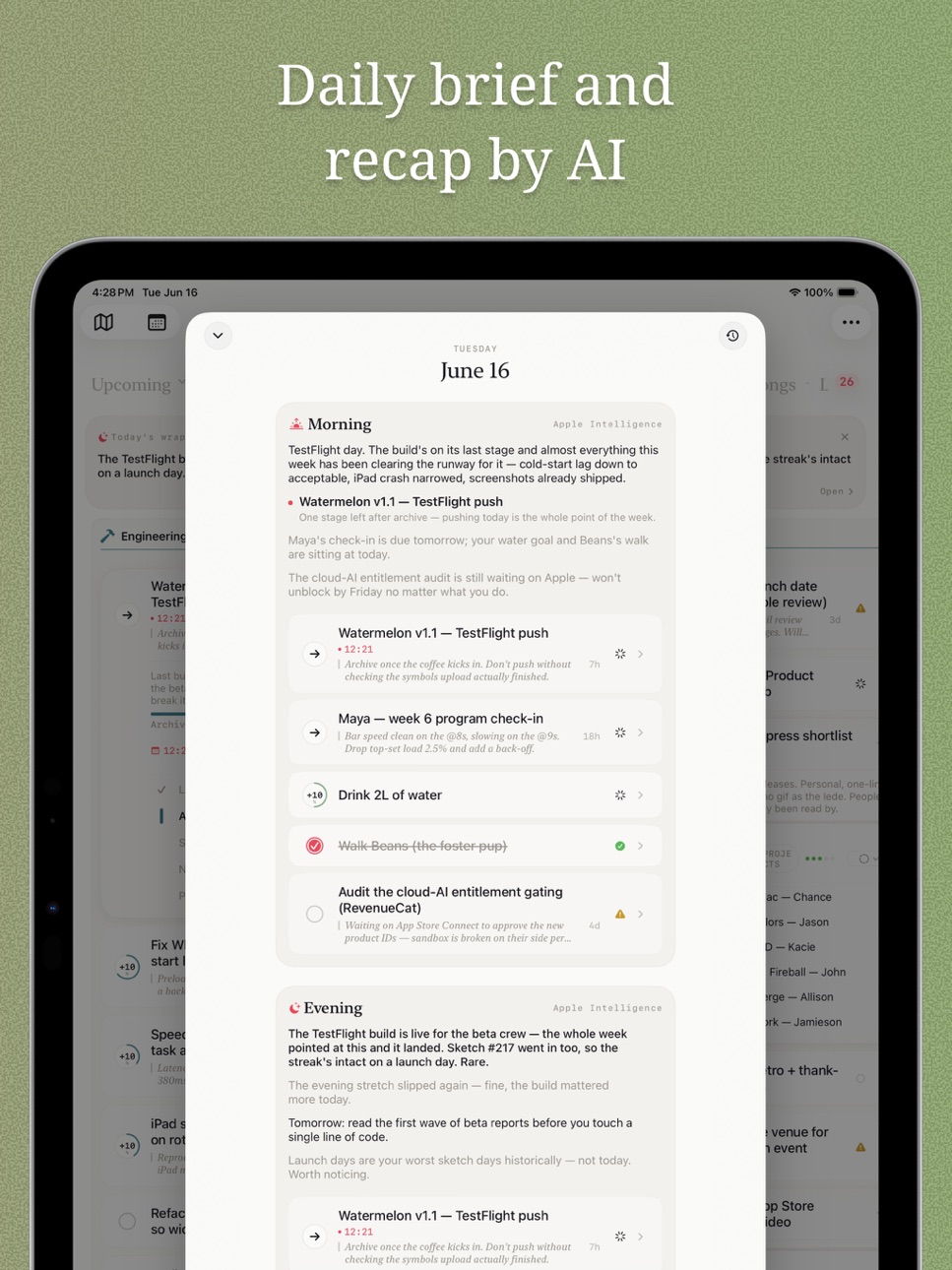
Open the app in the morning for a plain-English summary: what's due today, what's slipping, what you finished yesterday. Come back at night for the recap — what you finished, what to roll into tomorrow. Your day, bookended.
Calendar Diary — your week, with the photos
Tap any date, drop in a photo and a line. Browse the month and the days that mattered light up. The to-do list shows what you did; the diary shows why it was worth doing.
Everything you'd expect from a serious planner
• Lists for daily contexts (Work, Personal, Studies, Family, Health, Creative)
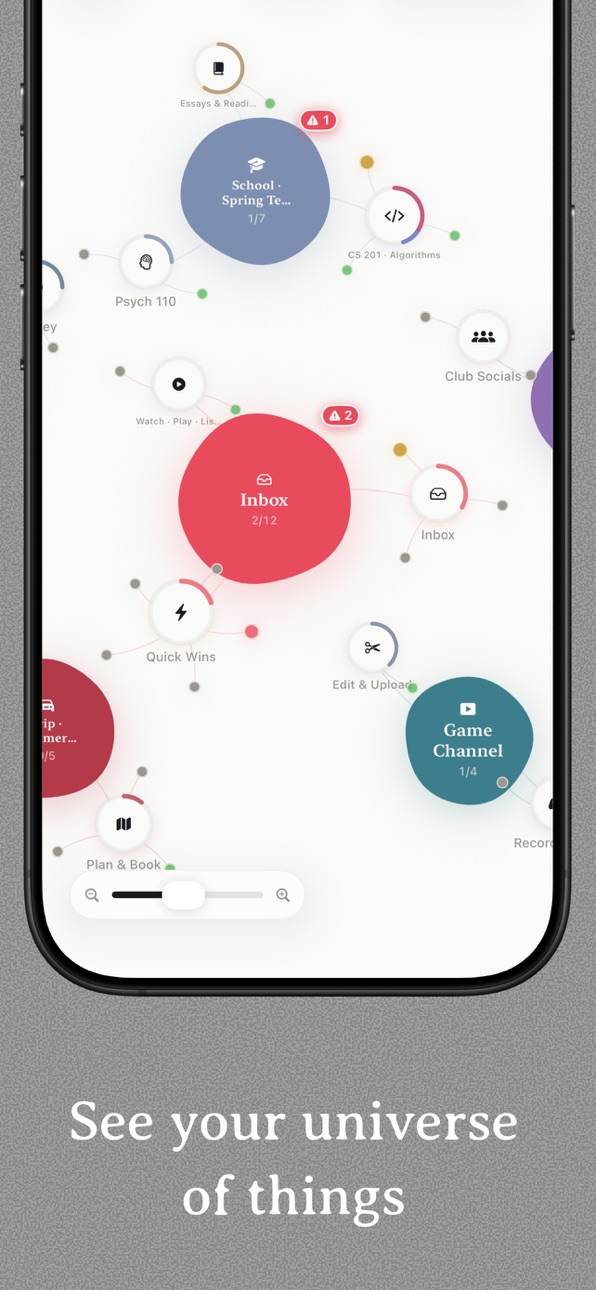
• Projects for multi-week work — subtask progress rolls up to the parent
• Kanban, List, and Calendar views, swap with a tap
• Two-way calendar sync — deadlines land on the calendar you already use
• Home Screen widgets — your Today list, a Project, or a single list; pick the layout that fits your home screen
• Smart status sync — start a task and it moves itself across the board
One app, every Apple device
Native iPhone, iPad, and Mac. iCloud sync, offline-first.
• iPhone is for capture on the go — a giant record button built for "I have ten seconds at a red light."
• iPad and Mac give you the full picture: a Kanban board you can drag tasks across, side-by-side detail, room to think.
Private by design
No account. No tracking. No ad network getting fed your to-do list. Your data lives in your iCloud — not ours.
Built for people who:
• Half-finish things all the time and want a way to actually say so
• Are tired of an unchecked box pretending nothing happened today
• Want a planner that matches real life — where most things live in the middle, not at "done"
Free to start. Pro unlocks more.
Use Watermelon free. AI runs on-device with Apple Intelligence if your phone has it — free, private, gets smarter as Apple updates. Don't have it? Pro adds cloud AI for the bigger model. Pro also unlocks unlimited projects, iCloud sync, and two-way calendar sync. 7-day free trial, cancel anytime — no email, no upsell wall.
Download Watermelon Todo and start making real progress on your week.
Terms of Use: https://feiou.github.io/WatermelonTodo/terms_of_use.html
Privacy Policy: https://feiou.github.io/WatermelonTodo/privacy_policy.html
In-App Purchases US pricing
AI Pro Subscription
Watermelon Unlimited Annual · Yearly$29.99
Cloud AI Monthly · Monthly 7-day free trial$5.99
One-Time Purchases
Watermelon Unlimited Lifetime$39.99
Capabilities
In-App Purchases
Accessibility
ipadiphonemacrealityDevicetvoswatch
Version history 11 versions
Build 887928965v1.0.62026-07-11 07:28:03
- Transcription language bug fixes
- UX improvements and minor bug fixes
Build 887773581v1.0.52026-07-03 15:25:08
Watermelon now turns messy voice notes into structured plans.
- Hold to record a task, project, errand list, or full day plan
- Break big goals into checklists, stages, counters, or progress tasks
- Edit task cards by voice: move dates, add subtasks, or change priority
- See morning and evening daily summaries
- Add diary notes and photos to your calendar
- Use widgets for Today, Projects, and Lists
- Organize work with Kanban, List, and Calendar views
- Bring your own key! Enabling AI for lifetime pro members
This update makes Watermelon faster for capture, planning, and real progress tracking.
Build 887303961v1.0.32026-06-29 05:01:07
Watermelon now turns messy voice notes into structured plans.
- Hold to record a task, project, errand list, or full day plan
- Break big goals into checklists, stages, counters, or progress tasks
- Edit task cards by voice: move dates, add subtasks, or change priority
- See morning and evening daily summaries
- Add diary notes and photos to your calendar
- Use widgets for Today, Projects, and Lists
- Organize work with Kanban, List, and Calendar views
- Bring your own key! Enabling AI for lifetime pro members
This update makes Watermelon faster for capture, planning, and real progress tracking.
Build 885605800v1.02026-06-17 06:04:01
Watermelon got a brain.
Hold to speak, ramble like you're texting a friend, and four real tasks come back — right shape, right due date, right list. No typing.
• Hold-to-record voice capture — ramble for 30 seconds, get a structured plan back. On-device transcription, your voice never leaves the phone.
• Voice-edit while you drag — press and hold any task card and say "move to Friday" or "add buy milk." The card updates itself.
• Break down goals: Say "Plan my mom's 60th birthday" and get back one card with the checklist already inside — restaurant, invites, cake, slideshow photos, a toast, rides home for the older relatives.
• Smart task type: Track different progress with best UI. Count, percentage, checklist, stages, all have dedicated UI. AI picks for you, and you can pick too.
• Utilize your Apple Intelligence - when your phone supports it, you can avoid endless subscription and get same AI features, and it improves with Apple on-device model
• Daily Summary, morning and evening — wake up to "here's what's due today," wind down with "you finished 6 things, here's tomorrow."
• Calendar Diary — snap a photo, jot a line, browse your week like a real diary. Memory beats a checklist.
• Kanban board — drag tasks across To Do → In Progress → Done. Beautiful on iPhone, properly powerful on iPad and Mac.
• New widget — See your Projects, List or Today in a glance.
Cut a bigger slice this week.
Build 873133984v0.7.32025-03-11 19:59:05
Bug fixes
Build 873049510v0.7.22025-03-07 14:26:32
1. Lower iOS version requirement to 16.4
2. Added local notification to remind todos
Build 872926950v0.7.12025-03-03 13:53:14
1. Now tasks add/remove to calendar when set uncompleted/completed
2. Fixed bugs
3. Improved UX
Build 872838784v0.72025-02-27 10:09:51
1. Make creating todo even faster
2. Tap todo to edit
3. Added creating todo with text for non-speaking scenarios
4. Bug fixes & UX improvements
Build 872764996v0.6.12025-02-25 19:46:32
1. Added more language for transcription
2. Bug fixes
3. UX improvements
Build 872719373v0.62025-02-23 20:58:08
1. Changed app icon
2. Bug fixes
3. Made available for iOS 17.6+
Build 872586633v0.52025-02-21 04:48:30
Price history by region
Currency
Show
Columns
Search
Availability 1 of 1 storefronts
| Region | Language | Price | Ratings | Avg | Version |
|---|---|---|---|---|---|
| US | en-US | Free | 1 | 5.0 | 1.0.6 |
Change log 15 changes · US
✎
releaseNotes updated
- Transcription language bug fixes
- UX improvements and minor bug fixes
✎
description updated
Watermelon — slice your goal, don't choke on it
You don't eat a watermelon in one bite. So why does every to-do app pretend you finish a task in one tap? Water
✎
subtitle updated
Checklist, calendar, reminders
✎
name updated
Watermelon: AI Voice Todo List
◆
Version 1.0.6 released
- Transcription language bug fixes
- UX improvements and minor bug fixes
◆
Version 1.0.5 released
Watermelon now turns messy voice notes into structured plans.
- Hold to record a task, project, errand list, or full day plan
- Break big goals into checklists, stages, counters, or progress tasks
- Edit task cards by voice: move dates, ad
◆
Version 1.0.3 released
Watermelon now turns messy voice notes into structured plans.
- Hold to record a task, project, errand list, or full day plan
- Break big goals into checklists, stages, counters, or progress tasks
- Edit task cards by voice: move dates, ad
◆
Version 1.0 released
Watermelon got a brain.
Hold to speak, ramble like you're texting a friend, and four real tasks come back — right shape, right due date, right list. No typing.
• Hold-to-record voice capture — ramble for 30 seconds, get a structured plan
◆
Version 0.7.3 released
Bug fixes
◆
Version 0.7.2 released
1. Lower iOS version requirement to 16.4
2. Added local notification to remind todos
◆
Version 0.7.1 released
1. Now tasks add/remove to calendar when set uncompleted/completed
2. Fixed bugs
3. Improved UX
◆
Version 0.7 released
1. Make creating todo even faster
2. Tap todo to edit
3. Added creating todo with text for non-speaking scenarios
4. Bug fixes & UX improvements
◆
Version 0.6.1 released
1. Added more language for transcription
2. Bug fixes
3. UX improvements
◆
Version 0.6 released
1. Changed app icon
2. Bug fixes
3. Made available for iOS 17.6+
◆
Version 0.5 released