Home › Productivity

Information
Preview 2 platforms
iPhone 7 images



iPad 7 images



What’s New Version 4.78.0
Bug fixes and improvements. Superhuman Mail is as dialed in as sound check at Carnegie Hall.
Description
Superhuman Mail for EMM is for Superhuman Mail customers with Enterprise Mobility Management (EMM) enabled. If you’re unsure whether this applies to your organization, we recommend using the regular Superhuman Mail app.
Superhuman Mail is the most productive email app ever made. Designed to help you fly through your inbox, be more responsive to what matters most, and collaborate faster than ever before, Superhuman Mail helps teams save four hours per person, each week.
FLY THROUGH YOUR INBOX
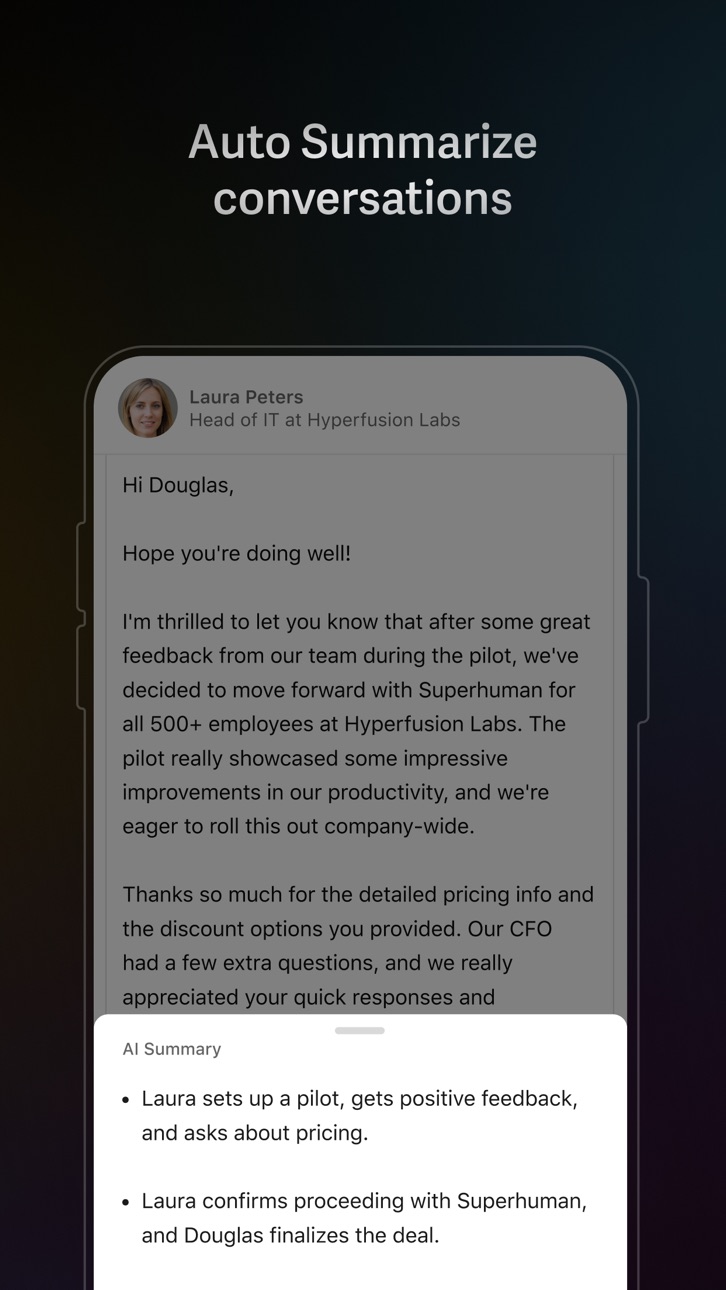
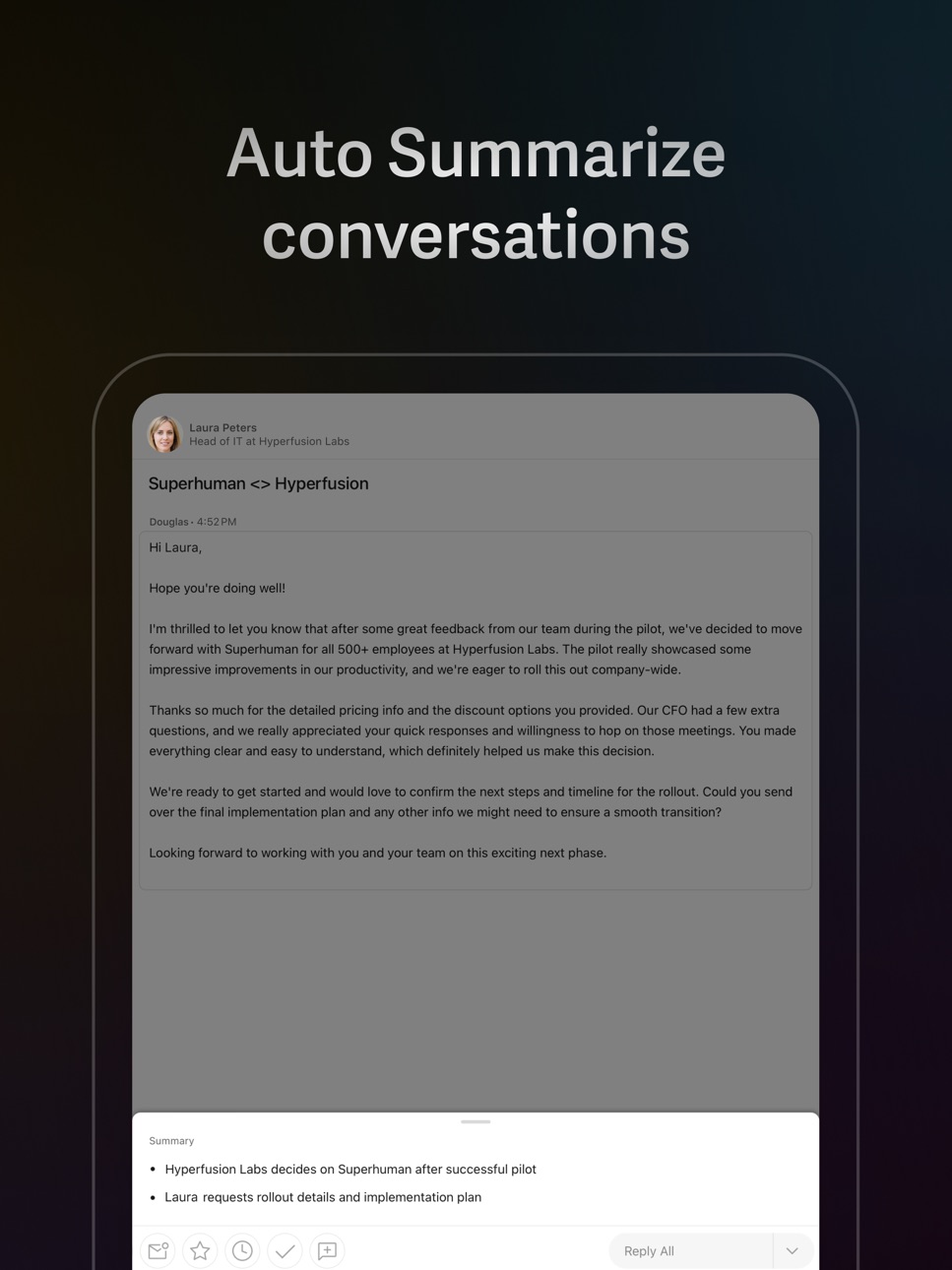
Write better and faster with AI — instantly get draft replies to every incoming email. Jot down some phrases, and watch Superhuman Mail turn them into a full message. Stay a step ahead, with an automatic 1-line summary above every conversation. Automate phrases and entire emails with Snippets.
BE MORE RESPONSIVE TO WHAT MATTERS MOST
Automatically triage incoming email with customizable splits, so you can respond faster to what matters most. Never miss a follow-up again, with perfectly timed reminders. Deliver emails when they’re most likely to be opened, so you appear at the top of your recipient’s inbox at just the right time.
COLLABORATE FASTER THAN EVER BEFORE
Share a live view of any email, and add comments for your team — no need to repeatedly screenshot, forward, or BCC. See your calendar and schedule events without leaving your inbox. Get full context on your customers and deals, with HubSpot and Salesforce directly integrated.
Teams save 15 million hours every single year with Superhuman.
https://superhuman.com/legal/terms
Capabilities
Wallet
Accessibility
ipadiphonemacrealityDevicetvoswatch
Version history 25 versions
Build 887449103v4.78.02026-07-01 19:01:06
Bug fixes and improvements. Superhuman Mail is as dialed in as sound check at Carnegie Hall.
Build 887156740v4.77.02026-06-24 14:55:11
New on iOS: Multi-day calendar views! We’ve added two- and three-day views plus monthly navigation, so you can easily see what’s coming up and plan ahead. To switch between them, just tap the rectangular icon on the top right of your calendar.
Build 886903550v4.76.02026-06-15 19:54:36
Superhuman Mail is blazingly fast, thanks to our latest bug fixes and improvements.
Build 886544691v4.75.02026-06-08 18:18:26
Quality improvements. Superhuman Mail is crisper than a pitch day shirt.
Build 886255487v4.74.02026-06-01 15:51:20
Bug fixes and improvements. Superhuman Mail is more refined than a perfumer's nose.
Build 885982634v4.73.02026-05-26 18:02:21
Drafts created in Gmail and Outlook now sync with Superhuman Mail — so your executive assistant and AI agents can draft in Gmail or Outlook, while you review and send in Superhuman Mail. (To let your AI agents fully drive Superhuman Mail, check out the Superhuman Mail MCP.)
Plus a major speed boost: Write with Voice now creates drafts twice as fast as before! Just tap the voice icon and outline your email, and we'll write a polished draft that sounds like you.
Build 885687145v4.72.02026-05-18 14:17:41
Bug fixes and improvements. Superhuman Mail is sharper than a type designer's eye for kerning.
Build 885385004v4.71.02026-05-11 18:57:38
You can now respond straight from a notification with Quick Reply. Just long-tap, respond, and move on. Stay in flow and keep your inbox moving.
Build 885134056v4.70.02026-05-04 17:06:16
Bug fixes and improvements. Superhuman Mail is as crisp as a three-star chef's whites.
Build 884608482v4.69.02026-04-27 17:13:02
Bug fixes and improvements. Superhuman Mail is sharper than a chef's favorite knife.
Build 884340713v4.67.02026-04-14 01:42:50
Bug fixes and improvements. Superhuman Mail is as sharp as a bike courier through rush hour traffic.
Build 884074605v4.66.02026-04-06 14:47:42
Introducing the Superhuman Mail Calendar Widget for iOS! Other calendar widgets can be confusing: events with different durations look the same, overlaps aren’t clear, and you can't even tell what's happening right now or when your next break is.
With our timeline view, you can see:
- How long events are, and whether they overlap
- What’s happening now, and how much time is left
- Whether you get a break between meetings
- All of this detail, even in the smallest widget
Unlike the Google and Outlook widgets, it works with both your Google and Microsoft calendars. And if you're lucky enough to have a relaxed calendar, we have an agenda view as well.
To add our widget: touch and hold your Home Screen background until the icons jiggle, tap Edit in the top-left, tap Add Widget, then search for Superhuman. Not seeing it? Make sure you’re on iOS 18.1 or newer.
Build 883811862v4.65.02026-04-01 13:48:15
Bug fixes and improvements. Superhuman Mail is as in sync as a jazz quintet trading solos.
Build 883557593v4.64.02026-03-23 18:13:30
Bug fixes and improvements. Superhuman Mail is crisper than a sommelier's pour.
Build 883315009v4.63.02026-03-17 14:05:13
Bug fixes and improvements. Superhuman Mail is tighter than a session drummer's hi-hat.
Build 883179205v4.62.02026-03-12 16:18:20
Bug fixes and improvements. Superhuman Mail is as sharp as an Oscars night tux.
Build 883030207v4.61.12026-03-09 12:09:46
You can now long-press, drag, and drop to create a new calendar event. Easier for your thumb to find that perfect slot!
New events default to 30 minutes. To adjust the time, simply long-press on the circles and drag.
Build 882834783v4.61.02026-03-02 19:43:35
You can now long-press, drag, and drop to create a new calendar event. Easier for your thumb to find that perfect slot!
New events default to 30 minutes. To adjust the time, simply long-press on the circles and drag.
Build 882645091v4.60.02026-02-23 20:02:51
Spring cleaning: complete. Superhuman Mail is as immaculate as a freshly raked zen garden.
Build 882422372v4.59.02026-02-18 15:34:17
Our engineers got a head start on spring cleaning, with a flurry of improvements and fixes.
Build 882202173v4.58.02026-02-09 21:53:59
Bug fixes and improvements. Superhuman Mail is as precise as a florist's final snip before the bow.
Build 881990166v4.57.02026-02-02 15:43:29
Superhuman Mail now runs on iOS 18.1 and above.
Build 881860613v4.56.12026-01-28 15:51:19
Bug fixes and improvements. Superhuman Mail is faster than a barista pulling espressos during the morning rush.
Build 881755195v4.56.02026-01-26 16:34:33
Bug fixes and improvements. Superhuman Mail is faster than a barista pulling espressos during the morning rush.
Build 881544205v4.55.02026-01-19 18:16:01
Bug fixes and improvements. Superhuman Mail is faster than a fresh batch of Hamilton tickets.
No pricing data captured yet — comparisons appear once the app has paid storefronts or in-app purchases.
Availability 28 of 28 storefronts
| Region | Language | Price | Ratings | Avg | Version |
|---|---|---|---|---|---|
 AT AT | de-DE | Free | 0 | — | 4.78.0 |
 AU AU | en-AU | Free | 0 | — | 4.78.0 |
 BA BA | en-GB | Free | 0 | — | 4.78.0 |
 BG BG | en-GB | Free | 0 | — | 4.78.0 |
 BY BY | en-GB | Free | 0 | — | 4.78.0 |
 CA CA | en-CA | Free | 0 | — | 4.78.0 |
 CZ CZ | en-GB | Free | 0 | — | 4.78.0 |
 DK DK | en-GB | Free | 0 | — | 4.78.0 |
 EE EE | en-GB | Free | 0 | — | 4.78.0 |
 FI FI | en-GB | Free | 0 | — | 4.78.0 |
 GB GB | en-GB | Free | 0 | — | 4.78.0 |
 GR GR | en-GB | Free | 0 | — | 4.78.0 |
 HR HR | en-GB | Free | 0 | — | 4.78.0 |
 HU HU | en-GB | Free | 0 | — | 4.78.0 |
 IS IS | en-GB | Free | 0 | — | 4.78.0 |
 LT LT | en-GB | Free | 0 | — | 4.78.0 |
 LV LV | en-GB | Free | 0 | — | 4.78.0 |
 NO NO | en-GB | Free | 0 | — | 4.78.0 |
 NZ NZ | en-AU | Free | 0 | — | 4.78.0 |
 PL PL | en-GB | Free | 0 | — | 4.78.0 |
 RO RO | en-GB | Free | 0 | — | 4.78.0 |
 RS RS | en-GB | Free | 0 | — | 4.78.0 |
 RU RU | ru | Free | 0 | — | 4.78.0 |
 SE SE | sv | Free | 0 | — | 4.78.0 |
 SI SI | en-GB | Free | 0 | — | 4.78.0 |
 SK SK | en-GB | Free | 0 | — | 4.78.0 |
 UA UA | en-GB | Free | 0 | — | 4.78.0 |
 US US | en-US | Free | 0 | — | 4.78.0 |
Change log 29 changes · US
✎
releaseNotes updated
Bug fixes and improvements. Superhuman Mail is as dialed in as sound check at Carnegie Hall.
✎
description updated
Superhuman Mail for EMM is for Superhuman Mail customers with Enterprise Mobility Management (EMM) enabled. If you’re unsure whether this applies to your organi
✎
subtitle updated
The most productive email app
✎
name updated
Superhuman Mail for EMM
◆
Version 4.78.0 released
Bug fixes and improvements. Superhuman Mail is as dialed in as sound check at Carnegie Hall.
◆
Version 4.77.0 released
New on iOS: Multi-day calendar views! We’ve added two- and three-day views plus monthly navigation, so you can easily see what’s coming up and plan ahead. To switch between them, just tap the rectangular icon on the top right of your calend
◆
Version 4.76.0 released
Superhuman Mail is blazingly fast, thanks to our latest bug fixes and improvements.
◆
Version 4.75.0 released
Quality improvements. Superhuman Mail is crisper than a pitch day shirt.
◆
Version 4.74.0 released
Bug fixes and improvements. Superhuman Mail is more refined than a perfumer's nose.
◆
Version 4.73.0 released
Drafts created in Gmail and Outlook now sync with Superhuman Mail — so your executive assistant and AI agents can draft in Gmail or Outlook, while you review and send in Superhuman Mail. (To let your AI agents fully drive Superhuman Mail, c
◆
Version 4.72.0 released
Bug fixes and improvements. Superhuman Mail is sharper than a type designer's eye for kerning.
◆
Version 4.71.0 released
You can now respond straight from a notification with Quick Reply. Just long-tap, respond, and move on. Stay in flow and keep your inbox moving.
◆
Version 4.70.0 released
Bug fixes and improvements. Superhuman Mail is as crisp as a three-star chef's whites.
◆
Version 4.69.0 released
Bug fixes and improvements. Superhuman Mail is sharper than a chef's favorite knife.
◆
Version 4.67.0 released
Bug fixes and improvements. Superhuman Mail is as sharp as a bike courier through rush hour traffic.
◆
Version 4.66.0 released
Introducing the Superhuman Mail Calendar Widget for iOS! Other calendar widgets can be confusing: events with different durations look the same, overlaps aren’t clear, and you can't even tell what's happening right now or when your next bre
◆
Version 4.65.0 released
Bug fixes and improvements. Superhuman Mail is as in sync as a jazz quintet trading solos.
◆
Version 4.64.0 released
Bug fixes and improvements. Superhuman Mail is crisper than a sommelier's pour.
◆
Version 4.63.0 released
Bug fixes and improvements. Superhuman Mail is tighter than a session drummer's hi-hat.
◆
Version 4.62.0 released
Bug fixes and improvements. Superhuman Mail is as sharp as an Oscars night tux.
◆
Version 4.61.1 released
You can now long-press, drag, and drop to create a new calendar event. Easier for your thumb to find that perfect slot!
New events default to 30 minutes. To adjust the time, simply long-press on the circles and drag.
◆
Version 4.61.0 released
You can now long-press, drag, and drop to create a new calendar event. Easier for your thumb to find that perfect slot!
New events default to 30 minutes. To adjust the time, simply long-press on the circles and drag.
◆
Version 4.60.0 released
Spring cleaning: complete. Superhuman Mail is as immaculate as a freshly raked zen garden.
◆
Version 4.59.0 released
Our engineers got a head start on spring cleaning, with a flurry of improvements and fixes.
◆
Version 4.58.0 released
Bug fixes and improvements. Superhuman Mail is as precise as a florist's final snip before the bow.
◆
Version 4.57.0 released
Superhuman Mail now runs on iOS 18.1 and above.
◆
Version 4.56.1 released
Bug fixes and improvements. Superhuman Mail is faster than a barista pulling espressos during the morning rush.
◆
Version 4.56.0 released
Bug fixes and improvements. Superhuman Mail is faster than a barista pulling espressos during the morning rush.
◆
Version 4.55.0 released
Bug fixes and improvements. Superhuman Mail is faster than a fresh batch of Hamilton tickets.