Home › Music

 US
US
1 of 1 storefronts
Content in en-US
Content in en-US
Information
Preview 2 platforms
iPhone 8 images



iPad 7 images


What’s New Version 1.5.23
1. Resolved potential stability issues.
2. Fixed an issue where pCloud failed to access European accounts.
Description
HiFier: Born for Audiophiles, High-Fidelity Music Within Reach!
We are dedicated to restoring the original truth of sound. HiFier is crafted by audiophiles for those who pursue the ultimate listening experience. All features are available to free users, and you can gain unlimited usage time by watching ads.
• A Connection Experience Built for the Internet Era
1. No need to download music files to your phone beforehand—directly connect to your cloud drives, media servers, and NAS for instant online playback. Your content stays synchronized with the cloud at all times, freeing up your valuable storage space. Don't worry about data consumption during online playback: HiFier features a built-in, optimized caching function that ensures no data is used during repeat plays and automatically manages cached data to maximize the efficiency of your storage and network. Of course, we also support batch downloading, allowing you to download files from any connected service for playback in completely offline scenarios.
2. Support for global search across all connected media servers for songs, artists, and albums, as well as searching for files across all cloud drives. Multiple accounts are supported for the same type of cloud drive, making the most of unlimited free space.
3. CarPlay is also supported.
• Full Audio Format Support
1. Stop worrying about tedious audio formats—we support almost all of them, including DSD and SACD ISO. We also support DoP (DSD over PCM) output, allowing DSD audio to be sent directly to your DAC device.
2. We support the audiobook (m4b) format, including the use of internal chapter information. Additionally, we support PDF file browsing, so you can listen to audiobooks while viewing e-books—an excellent solution for language learning.
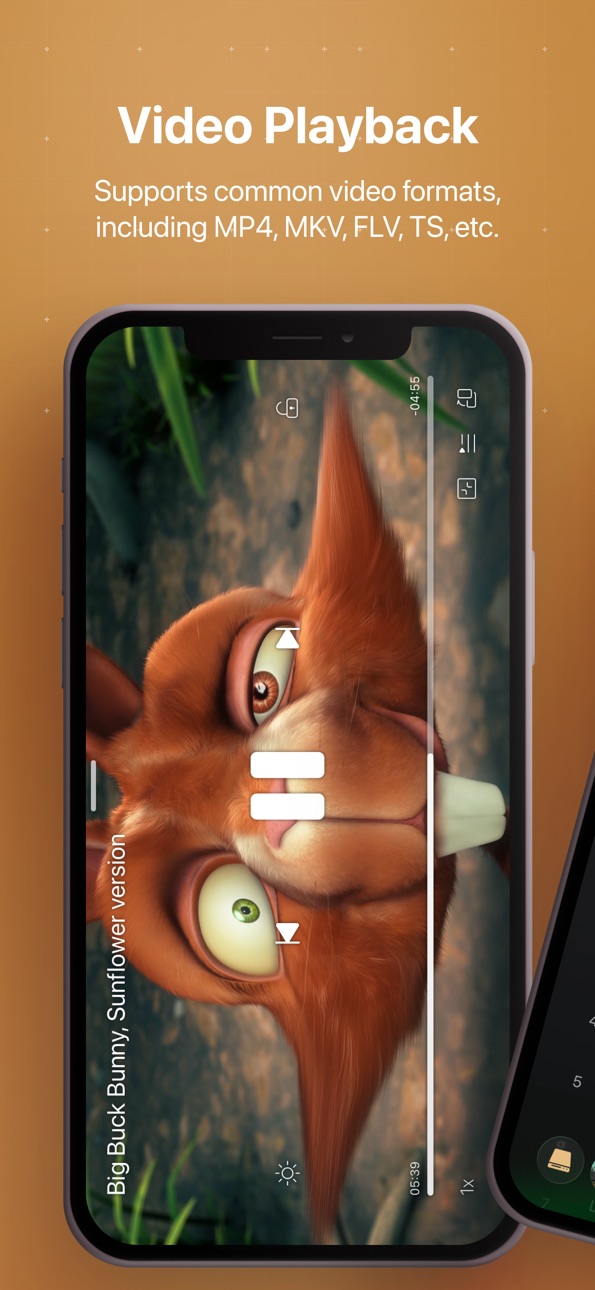
3. Common video formats are also supported, including HDR and Dolby Vision.
• iCloud Synchronization:
Your app data can be synced to iCloud. We only synchronize essential information, providing an extraordinary experience while occupying minimal iCloud space. This ensures you won't lose your data after reinstalling the app and allows for automatic data synchronization across different devices.
Detailed Features:
1. Supports almost all audio formats, including Hi-Res audio, DSD, FLAC, SACD ISO, audiobooks, PDF formats, and image browsing. Supports DSD (DoP) transmission via DAC. Supports playback of common video formats like MKV, MP4, FLV, TS, etc., with support for HDR and Dolby Vision, video hardware decoding, and a complete video playback interaction system.
2. Intelligent caching during playback to save data for future listening.
3. Batch download files to local phone storage for offline playback.
4. Support for online lyrics and album art.
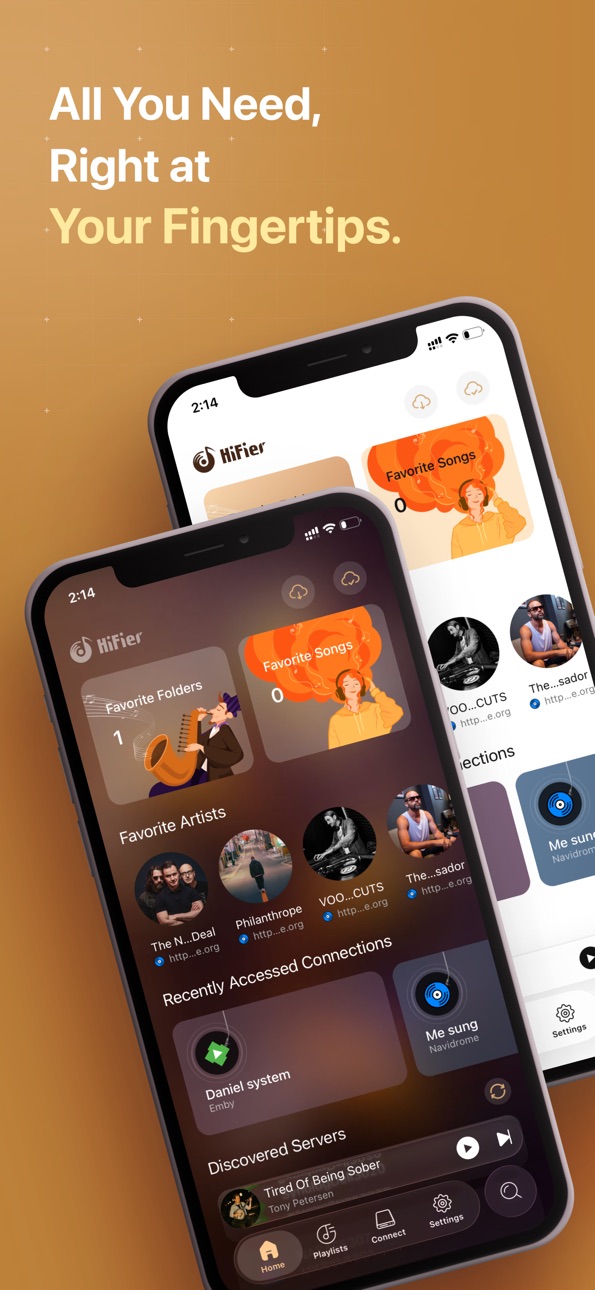
5. Manage your favorite songs, playlists, and collect your favorite artists.
6. Supports Samba, WebDAV (can mount Alist), Jellyfin, Emby, SubSonic, Navidrome, and Audio Station media servers. Supports access to Google Drive, Box, Dropbox, OneDrive, pCloud, 115 pan, Baidu Netdisk, Alipan and other cloud drives.
7. Support for importing files from PC and Mac for playback. Support for selecting files directly from the "Files" app for playback.
8. Support for CarPlay.
9. Support for Music Recognition.
10. In audiobook mode, it supports playback speed control and resuming from listening history.
11. Universal Global Search.
Terms of Use (EULA): https://www.apple.com/legal/internet-services/itunes/dev/stdeula/
In-App Purchases US pricing
paid user Subscription
Annual · Yearly$9.99
monthly · Monthly$0.99
One-Time Purchases
Lifetime$12.99
Capabilities
In-App Purchases
Accessibility
ipadiphonemacrealityDevicetvoswatch
Version history 25 versions
Build 887862046v1.5.232026-07-07 03:39:05
1. Resolved potential stability issues.
2. Fixed an issue where pCloud failed to access European accounts.
Build 887396421v1.5.222026-06-27 21:24:33
Improvements:
1. Optimized DoP output to resolve the white noise issue that occurred when playback was paused.
2. Implemented crash event logging to prevent infinite crash loops.
3. Redesigned the layout for the "Favorite Folders" page.
4. Discarded embedded lyrics without timestamps and enabled fetching them online instead.
5. Optimized the layout of the Settings page.
6. Added support for the e-book chapter list to automatically scroll to the current chapter.
7. Added support for adding external local files to Favorites.
8. Support wavpack
Bug Fixes:
1. Fixed an issue where the app would play automatically after failing to resume the previous playback session upon startup.
Build 887194657v1.5.212026-06-23 14:39:03
Fixed an issue where the playlist bottom sheet would occasionally fail to appear.
Build 887004078v1.5.202026-06-18 22:18:34
Improvement:
Replaced the file picker with a folder picker, making it easier to play files outside the app.
Build 886780012v1.5.192026-06-13 00:26:16
New Features
• File browser now supports sorting by date in descending order.
• Global search for cloud drive files now displays folders.
Bug Fixes:
• Fixed issues with playlists occurring after iCloud synchronization.
• Fixed lyric compatibility issues.
• Fixed potential data loss when switching iCloud accounts.
• Adapted to iOS 27 to resolve page unresponsiveness.
Other:
• Implemented a new method for retrieving online lyric cover art.
• File browser now uses the connection name instead of "Root" when browsing the root directory.
Build 886480234v1.5.182026-06-04 14:39:10
Bug Fixes:
1. Fixed an issue where navigating from the player page to the corresponding album would display incorrect album content under specific paths.
2. Fixed an issue where the search bar might still appear after updating album-type playlist pages.
3. Fixed a bug in the lyrics component to resolve lyrics scrolling delays.
Improvements:
1. Supported batch background downloading.
2. Supported multi-selecting items on the playlist page to add them to other playlists.
3. Newly favorited artists will now be displayed first.
4. Items on the "Downloaded" page are now sorted by download time in the root directory.
5. Added a "New Playlist" button to the Playlists tab.
6. Updated the "Add to Playlist" page to match the visual style of the Playlists tab.
Build 886323071v1.5.172026-06-01 18:37:41
1. Fixed an issue where the playlist color was incorrect when playing videos.
2. Fixed an issue where using the audio file's metadata caused the playlist to display incorrectly when playing CUE files.
Build 886022781v1.5.162026-05-23 16:23:25
Improvements:
1. Increased the audio player buffer size to 2 minutes.
2. Enabled Samba server connections via domain names and fixed an issue where custom ports were not supported.
Bug Fixes:
Fixed an issue where temporary playlists were automatically saved after modifying their properties when iCloud sync was enabled.
New Features:
Introduced an experimental feature to add cloud storage drives.
Build 885715442v1.5.152026-05-18 18:49:51
Bug fixing:
Fixed the cloud drive files playback error after restarting the app.
Improvements:
1. Improved the UI layout of the settings screen.
2. Support traditional Chinese.
3. Improved lyrics matching.
Build 885490386v1.5.142026-05-12 20:40:13
• New Features
1. Added support for iCloud sync.
2. Added support for audiobook (m4b) playback.
3. Added support for PDF file viewing.
4. Added Russian language support.
• Bug Fixes
1. Fixed an issue where the cover image could briefly flicker when updating.
2. Fixed the background color issue in the privacy policy prompt dialogue.
• Improvements
Added new icons for different file types.
Build 884820450v1.5.132026-04-23 19:13:43
1. Fixed an issue where ISO files from 115 Cloud could not be played.
2. Optimized shuffle play algorithms for a better variety.
3. Added support for viewing images.
4. Added a new entry point for the QQ community group.
5. Added a setting for automatic playback resume upon startup.
Build 884658106v1.5.122026-04-22 14:41:39
1. New lyrics UI style.
2. Fixed the crash when parsing the iso files on a cloud drive.
3. Support DST encoded sacd iso.
Build 884556028v1.5.112026-04-17 16:45:56
New feature:
1. Support SACD iso files.
2. Display the album screen when pressing on a cue file.
Build 884377324v1.5.102026-04-14 14:10:19
Reorder the file lists for Baidu Pan.
Build 884292339v1.5.92026-04-09 22:04:43
1. Improved compatibility for non-standard embedded lyrics.
2. Added support for tapping lyrics to jump to the corresponding playback position.
3. Fixed an issue where full-screen lyrics would not immediately scroll to the current playback position upon opening.
Build 884195749v1.5.82026-04-07 18:20:52
New feature
Discover the Now Playing song's artists and albums on your media servers in the Player screen.
Bug fix:
Fixed displaying the wrong Emby server name on the Home Screen.
Improve:
Improve the Layout of the media server pages.
Build 883981200v1.5.72026-04-02 20:39:21
Homepage Redesign
1. Redesign the homepage UI logic to support iPad landscape orientation fully.
2. Updated the background rendering system to provide better visual support for Night Color Mode.
3. Added a dedicated section for your favorite artists directly on the homepage.
4. Refined the visual style and layout of the recently used connection list.
5. Updated the UI for the list of automatically discovered servers.
Interaction Logic Updates
1. Moved the "Discovered Servers" list from the Connect tab to the Homepage.
2. Removed auto-scanning for servers; users can now manually refresh the list. This ensures compatibility when accessing local network servers via VPN from external networks.
UI Improvements
1. For devices running versions earlier than iOS 26, the artist page background will revert to displaying a blurred album cover.
2. The lyric component will now be hidden for tracks containing no-timestamp (static) lyric formats.
Bug Fixes
1. Fixed an issue where WebDAV connections would continue to fail even after correcting a previously entered wrong username or password.
2. Resolved a layout glitch in the player page that occurred when performing a cold start from landscape mode.
Build 883764853v1.5.62026-03-27 16:50:40
Bug Fixes
1. Fixed an issue where the cover art appeared too large in the mini player during a cold start.
2. Fixed a calculation error in millisecond timestamps within the lyric parser.
Optimizations
1. Optimized lyric display logic to improve overall performance.
2. Introduced a brand-new splash screen.
Build 883444697v1.5.52026-03-18 15:34:45
UI Enhancements
• Added multiple background options for Dark Mode, supporting dynamic background switching (iOS 18+).
• The full-screen player now features a blurred version of the album art as the background.
• Refreshed the homepage imagery and the global search icon.
• Removed the header background colour on the Settings page.
Improvements
• For long audio playlists, the player will no longer automatically skip to the next track if the current one fails to load.
Bug Fixes
• Fixed playback abnormalities occurring with high-sample-rate WAV files.
• Fixed an issue where the play/pause combo button on USB DAC devices was unresponsive.
Build 882917894v1.5.42026-03-01 19:21:03
1. Change the ad-free trial to 15 days (calendar days) and show days left in Settings.
2. Fix the English translation missing in the trial end notification.
Build 882495503v1.5.32026-02-17 15:08:21
1. Fixed may not change to play the song when pressing the song in the search screen.
2. Fixed the player may crash when switching songs.
3. Changed the paywall server to avoid being blocked in Mainland China.
Build 882474497v1.5.22026-02-15 17:57:13
1. Fixed the screen will navigate to the search tab when multi-selecting files.
2. Filter out the picture files when searching the cloud drives.
Build 882462170v1.5.12026-02-14 16:42:59
1. Fixed displaying the empty playlists of the Navidrome servers.
2. Fixed the wrong color space of the 10-bit BT. 709 video on Mac.
Build 882387653v1.5.02026-02-12 19:07:47
New Features:
• iOS 26 Style Navigation: Experience a refreshed bottom navigation bar specifically tailored for the iOS 26 aesthetic on iPhone.
• Universal Global Search: A powerful new way to search across all your connected media servers (songs, artists, albums) and cloud drives (files) from a single interface.
• Integrated Mini-Player: New navigation bar integration for iPhone; the mini-player now automatically expands and collapses for a more fluid experience.
Improvements
• Removed the top navigation bar on Media Server pages to provide a more immersive view when browsing albums and artists.
• Optimized Lock Screen Lyrics: Improved visual clarity and legibility for lyrics displayed on the lock screen.
• Refined Emby Integration: Completely re-implemented the media library switching menu for Emby servers for better performance.
Bug Fixes
• Fixed an issue where the Artist Detail page was obscured by the top navigation bar on devices running versions earlier than iOS 26.
• Resolved a bug where navigation bar colors could become de-synced from the global app theme.
• Fixed a bug where tapping the mini-player on iPad would occasionally fail to trigger the full-screen player.
• Fixed an issue on the full-screen lyrics page where users could not pull down on the title to close the view if the lyrics were not at the top.
Build 882059479v1.3.42026-02-02 15:04:25
1. Add a new artist detail screen.
2. Add new logo on Home screen.
Price history by region
Currency
Show
Columns
Search
Availability 1 of 1 storefronts
| Region | Language | Price | Ratings | Avg | Version |
|---|---|---|---|---|---|
| US | en-US | Free | 19 | 3.9 | 1.5.23 |
Change log 29 changes · US
✎
releaseNotes updated
1. Resolved potential stability issues.
2. Fixed an issue where pCloud failed to access European accounts.
✎
description updated
HiFier: Born for Audiophiles, High-Fidelity Music Within Reach!
We are dedicated to restoring the original truth of sound. HiFier is crafted by audiophiles for
✎
subtitle updated
CloudDrive|NAS|BitPerfect|DSD
✎
name updated
HiFier: HiFi Music Player
◆
Version 1.5.23 released
1. Resolved potential stability issues.
2. Fixed an issue where pCloud failed to access European accounts.
◆
Version 1.5.22 released
Improvements:
1. Optimized DoP output to resolve the white noise issue that occurred when playback was paused.
2. Implemented crash event logging to prevent infinite crash loops.
3. Redesigned the layout for the "Favorite Folders" page.
4.
◆
Version 1.5.21 released
Fixed an issue where the playlist bottom sheet would occasionally fail to appear.
◆
Version 1.5.20 released
Improvement:
Replaced the file picker with a folder picker, making it easier to play files outside the app.
◆
Version 1.5.19 released
New Features
• File browser now supports sorting by date in descending order.
• Global search for cloud drive files now displays folders.
Bug Fixes:
• Fixed issues with playlists occurring after iCloud synchronization.
• Fixed lyric compat
◆
Version 1.5.18 released
Bug Fixes:
1. Fixed an issue where navigating from the player page to the corresponding album would display incorrect album content under specific paths.
2. Fixed an issue where the search bar might still appear after updating album-type pl
◆
Version 1.5.17 released
1. Fixed an issue where the playlist color was incorrect when playing videos.
2. Fixed an issue where using the audio file's metadata caused the playlist to display incorrectly when playing CUE files.
◆
Version 1.5.16 released
Improvements:
1. Increased the audio player buffer size to 2 minutes.
2. Enabled Samba server connections via domain names and fixed an issue where custom ports were not supported.
Bug Fixes:
Fixed an issue where temporary playlists were a
◆
Version 1.5.15 released
Bug fixing:
Fixed the cloud drive files playback error after restarting the app.
Improvements:
1. Improved the UI layout of the settings screen.
2. Support traditional Chinese.
3. Improved lyrics matching.
◆
Version 1.5.14 released
• New Features
1. Added support for iCloud sync.
2. Added support for audiobook (m4b) playback.
3. Added support for PDF file viewing.
4. Added Russian language support.
• Bug Fixes
1. Fixed an issue where the cover image could briefly fli
◆
Version 1.5.13 released
1. Fixed an issue where ISO files from 115 Cloud could not be played.
2. Optimized shuffle play algorithms for a better variety.
3. Added support for viewing images.
4. Added a new entry point for the QQ community group.
5. Added a setting
◆
Version 1.5.12 released
1. New lyrics UI style.
2. Fixed the crash when parsing the iso files on a cloud drive.
3. Support DST encoded sacd iso.
◆
Version 1.5.11 released
New feature:
1. Support SACD iso files.
2. Display the album screen when pressing on a cue file.
◆
Version 1.5.10 released
Reorder the file lists for Baidu Pan.
◆
Version 1.5.9 released
1. Improved compatibility for non-standard embedded lyrics.
2. Added support for tapping lyrics to jump to the corresponding playback position.
3. Fixed an issue where full-screen lyrics would not immediately scroll to the current playback
◆
Version 1.5.8 released
New feature
Discover the Now Playing song's artists and albums on your media servers in the Player screen.
Bug fix:
Fixed displaying the wrong Emby server name on the Home Screen.
Improve:
Improve the Layout of the media server pages.
◆
Version 1.5.7 released
Homepage Redesign
1. Redesign the homepage UI logic to support iPad landscape orientation fully.
2. Updated the background rendering system to provide better visual support for Night Color Mode.
3. Added a dedicated section for your favorit
◆
Version 1.5.6 released
Bug Fixes
1. Fixed an issue where the cover art appeared too large in the mini player during a cold start.
2. Fixed a calculation error in millisecond timestamps within the lyric parser.
Optimizations
1. Optimized lyric display logic to im
◆
Version 1.5.5 released
UI Enhancements
• Added multiple background options for Dark Mode, supporting dynamic background switching (iOS 18+).
• The full-screen player now features a blurred version of the album art as the background.
• Refreshed the homepage image
◆
Version 1.5.4 released
1. Change the ad-free trial to 15 days (calendar days) and show days left in Settings.
2. Fix the English translation missing in the trial end notification.
◆
Version 1.5.3 released
1. Fixed may not change to play the song when pressing the song in the search screen.
2. Fixed the player may crash when switching songs.
3. Changed the paywall server to avoid being blocked in Mainland China.
◆
Version 1.5.2 released
1. Fixed the screen will navigate to the search tab when multi-selecting files.
2. Filter out the picture files when searching the cloud drives.
◆
Version 1.5.1 released
1. Fixed displaying the empty playlists of the Navidrome servers.
2. Fixed the wrong color space of the 10-bit BT. 709 video on Mac.
◆
Version 1.5.0 released
New Features:
• iOS 26 Style Navigation: Experience a refreshed bottom navigation bar specifically tailored for the iOS 26 aesthetic on iPhone.
• Universal Global Search: A powerful new way to search across all your connected media servers
◆
Version 1.3.4 released
1. Add a new artist detail screen.
2. Add new logo on Home screen.