Home › Utilities

 US
US
1 of 1 storefronts
Content in en-US
Content in en-US
Information
Preview 2 platforms
iPhone 5 images



iPad 4 images


What’s New Version 1.4.1
**Bug Fixes
- Fixed an issue where previous logs disappeared after the app update.
- Your previous logs will be restored if no new logs have been added.
Description
My Symptom helps you track when, where, and under what circumstances your symptoms occur, making it easier to identify patterns.
[Key Features]
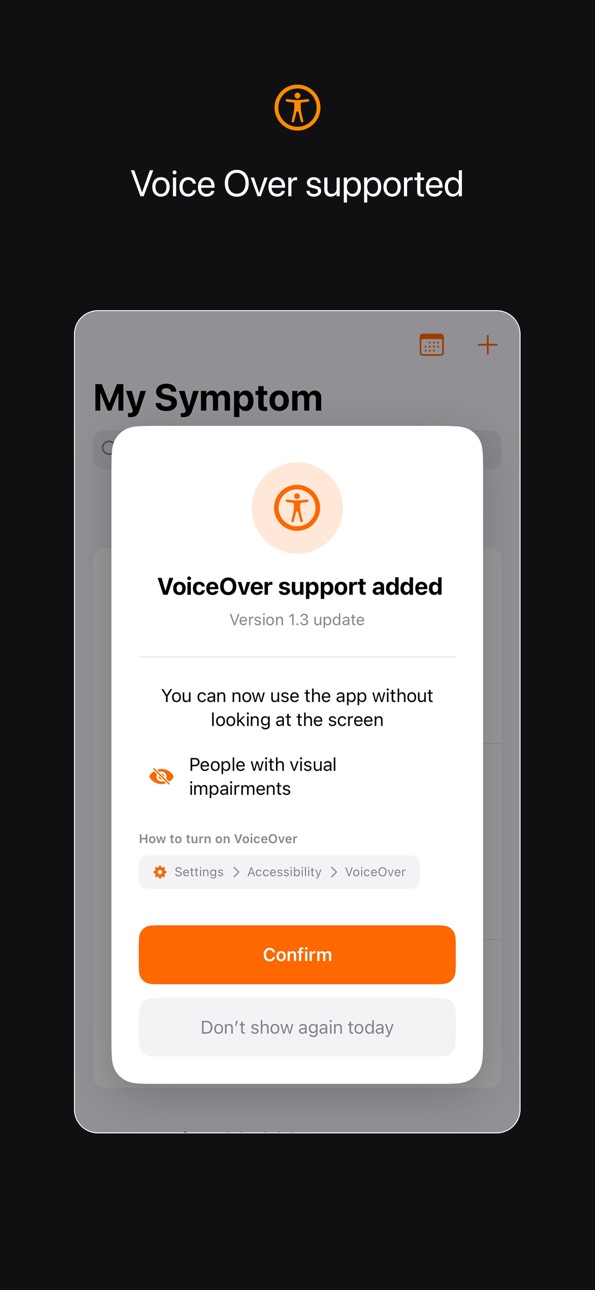
-VoiceOver support
- Separate tracking for symptoms and situations - organize "what hurts" and "when it hurts" systematically
- Smart keyword suggestions - quickly enter information with automatic word recommendations
- Calendar view - visualize a month of records at a glance
- Powerful search - find past entries instantly by keyword
- Dark mode support - comfortable to use anytime
[Privacy First]
All data stays on your device only.
We never collect or transmit your health information.
Share accurate symptom patterns with your doctor during appointments.
Ideal for managing chronic conditions, allergies, or recurring health concerns.
Accessibility
ipadiphonemacrealityDevicetvoswatch
Version history 6 versions
Build 887553201v1.4.12026-06-28 20:13:33
**Bug Fixes
- Fixed an issue where previous logs disappeared after the app update.
- Your previous logs will be restored if no new logs have been added.
Build 886946011v1.4.02026-06-14 22:06:54
**New Features
- Attach up to 5 photos to each record
**Improvements
- Accidentally deleted a record? You now have 4 seconds to undo it
- Improved the note editing interface for a cleaner experience
- Revamped keyword input — quickly select frequently used keywords or type new ones
Build 881163966v1.32026-01-06 14:09:24
Full VoiceOver Support Added
Now you can use all features without looking at the screen.
- Clear voice guidance for all buttons and input fields
- Complete VoiceOver support for recording, editing, and deleting symptoms
- All screens supported: calendar, search, keyword management, and more
- Accessible for people with visual impairments
Improved accessibility helps more people manage their health.
Enable VoiceOver in Settings → Accessibility → VoiceOver.
Build 880385703v1.22025-12-05 23:10:56
- Separate fields for situation and symptoms for better organization
- Improved list design for better readability
- Enhanced color accessibility
Build 880041275v1.12025-11-25 04:28:40
Keyword Saving & Reuse
• Keywords you enter are automatically saved for quick selection later
• Frequently used keywords are sorted by usage frequency
• Manage your keywords and delete ones you no longer need
Search
• Search within record content and keywords
Design Improvements
• Dark Mode support added
• Keywords now appear as blue badges for clearer visual distinction
• Easily check the total number of records for the selected date
• Date and time inputs are now combined into a single picker for simpler entry
Build 872007188v1.02025-08-11 21:54:34
No pricing data captured yet — comparisons appear once the app has paid storefronts or in-app purchases.
Availability 1 of 1 storefronts
| Region | Language | Price | Ratings | Avg | Version |
|---|---|---|---|---|---|
| US | en-US | Free | 0 | — | 1.4.1 |
Change log 10 changes · US
✎
releaseNotes updated
**Bug Fixes
- Fixed an issue where previous logs disappeared after the app update.
- Your previous logs will be restored if no new logs have been added.
✎
description updated
My Symptom helps you track when, where, and under what circumstances your symptoms occur, making it easier to identify patterns.
[Key Features]
-VoiceOver supp
✎
subtitle updated
Your Personal Health Record
✎
name updated
My Symptom - Health Journal
◆
Version 1.4.1 released
**Bug Fixes
- Fixed an issue where previous logs disappeared after the app update.
- Your previous logs will be restored if no new logs have been added.
◆
Version 1.4.0 released
**New Features
- Attach up to 5 photos to each record
**Improvements
- Accidentally deleted a record? You now have 4 seconds to undo it
- Improved the note editing interface for a cleaner experience
- Revamped keyword input — quickly selec
◆
Version 1.3 released
Full VoiceOver Support Added
Now you can use all features without looking at the screen.
- Clear voice guidance for all buttons and input fields
- Complete VoiceOver support for recording, editing, and deleting symptoms
- All screens supp
◆
Version 1.2 released
- Separate fields for situation and symptoms for better organization
- Improved list design for better readability
- Enhanced color accessibility
◆
Version 1.1 released
Keyword Saving & Reuse
• Keywords you enter are automatically saved for quick selection later
• Frequently used keywords are sorted by usage frequency
• Manage your keywords and delete ones you no longer need
Search
• Search within record
◆
Version 1.0 released