Home › Music

 US
US
1 of 1 storefronts
Content in en-US
Content in en-US
Information
Preview 3 platforms
iPhone 7 images


iPad 7 images


Mac 7 images



What’s New Version 3.4.2
This update includes:
1. New app store metadata
2. Added some onboarding tutorials
3. Improved handling of issues when connecting to cloud storage
4. Corrected some text.
Description
◆ Did your favorite songs suddenly disappear from online music platforms?
◆ Tired of so-called “lossless” music that’s only 15MB?
◆ Struggling with poor user experience and no lyrics when streaming from your cloud storage?
◆ Can't play original master tracks over 1GB?
◆ Want to listen to music while working out, hiking, or on the subway but have no internet?
Don’t worry — this professional music player might be the ultimate solution for your music freedom. Why?
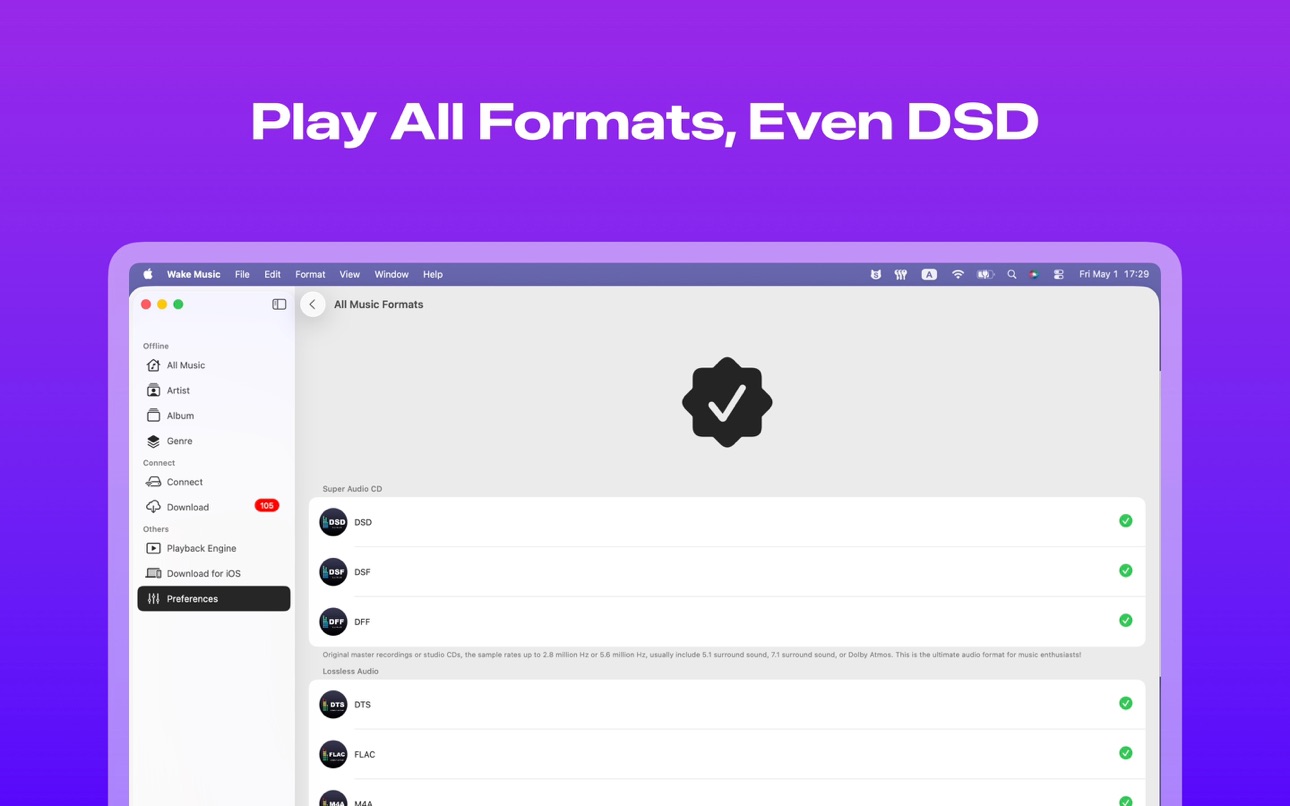
◆◆◆ Powerful playback engine, now supports all formats
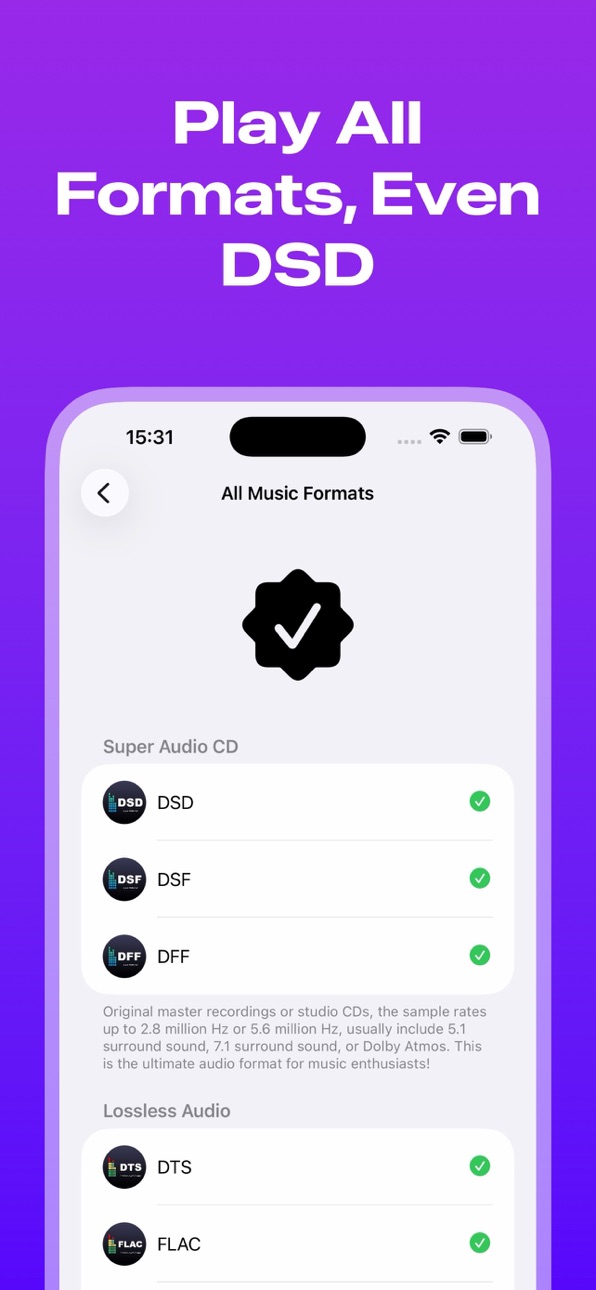
@Super Hi-Res audio: DSD, DSF, DFF (Effortlessly handles super audio with 5.6MHz sample rate — the ultimate format for audiophiles)
@Lossless formats: DTS, FLAC, M4A, WAV, APE, AIFC, AIFF, ALAC, AIF, AU, CAF, TTA, WMA, WAVE, WV, WVC
@Lossy formats: MP1, MP2, MP3, AAC, OGG, OPUS, MOD, XM, 3GP, S3M, M4R, OGV...
@Native support for iOS and macOS
◆◆◆ Built on Apple Music’s playback engine to fully leverage Apple’s hardware and software for maximum audio output quality
◆◆◆ Powerful music tag editor helps you easily fill in missing album art and lyrics
◆◆◆ AI-powered matching of missing covers and lyrics
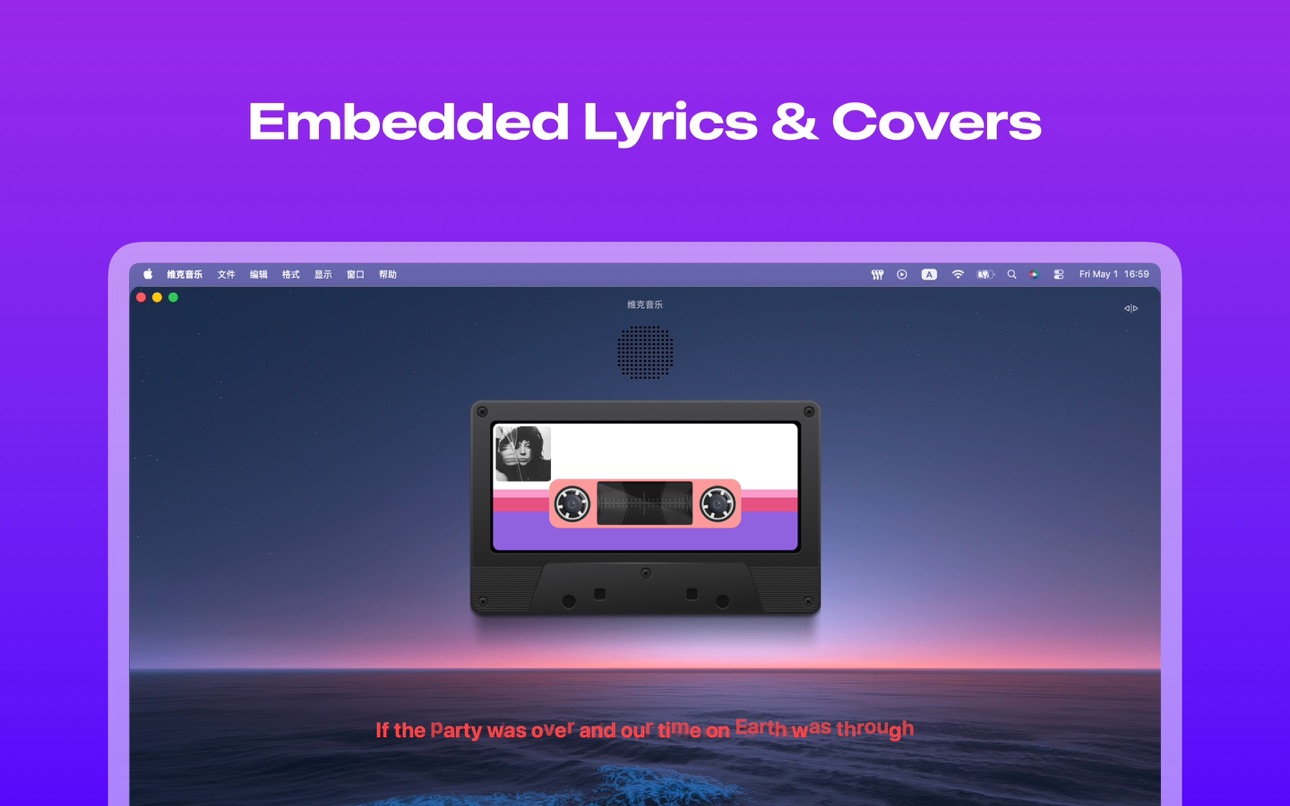
◆◆◆ Even for remote files, the app can extract embedded metadata such as cover, lyrics, title, artist, album, year, etc.
◆◆◆ Exceptional performance — even when playing 5.6MHz DSD files, CPU usage stays around 3% and RAM usage averages 50MB to 150MB
◆◆◆ Realistic cassette and vinyl player interface styles with customizable wallpapers
◆◆◆ Six built-in dynamic lyric animations to elevate your listening experience
◆◆◆ Mono, stereo, 5.1 surround, 7.1 surround, Dolby Atmos support
◆◆◆ Multiple import methods
1. Import unlimited music files from your local device
2. Transfer via USB or Wi-Fi from your computer
3. Directly import pre-organized folders as playlists
4. Convert videos into audio and audiobooks, including downloads from short video apps
5. Connect to professional music server Navidrome to build your personal music library
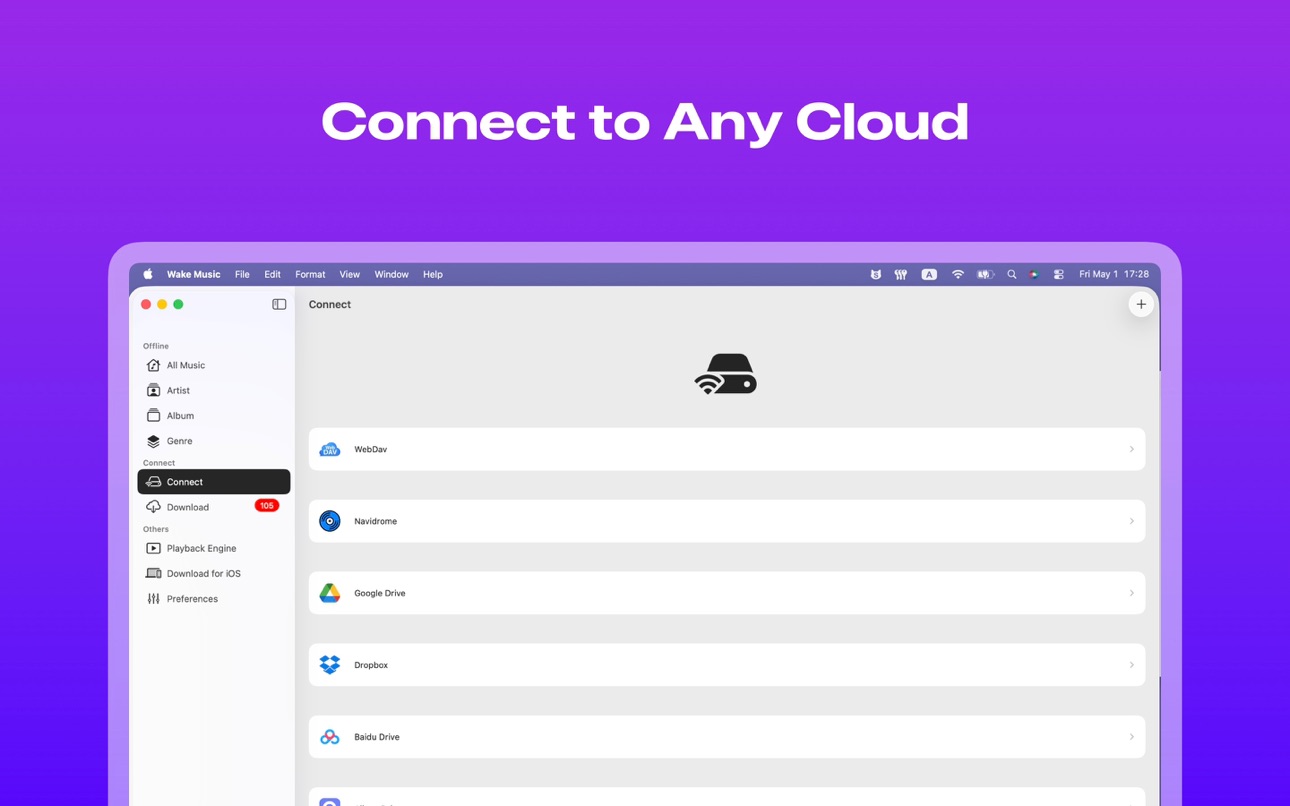
6. Access your self-hosted server or third-party drives via WebDAV or Alist
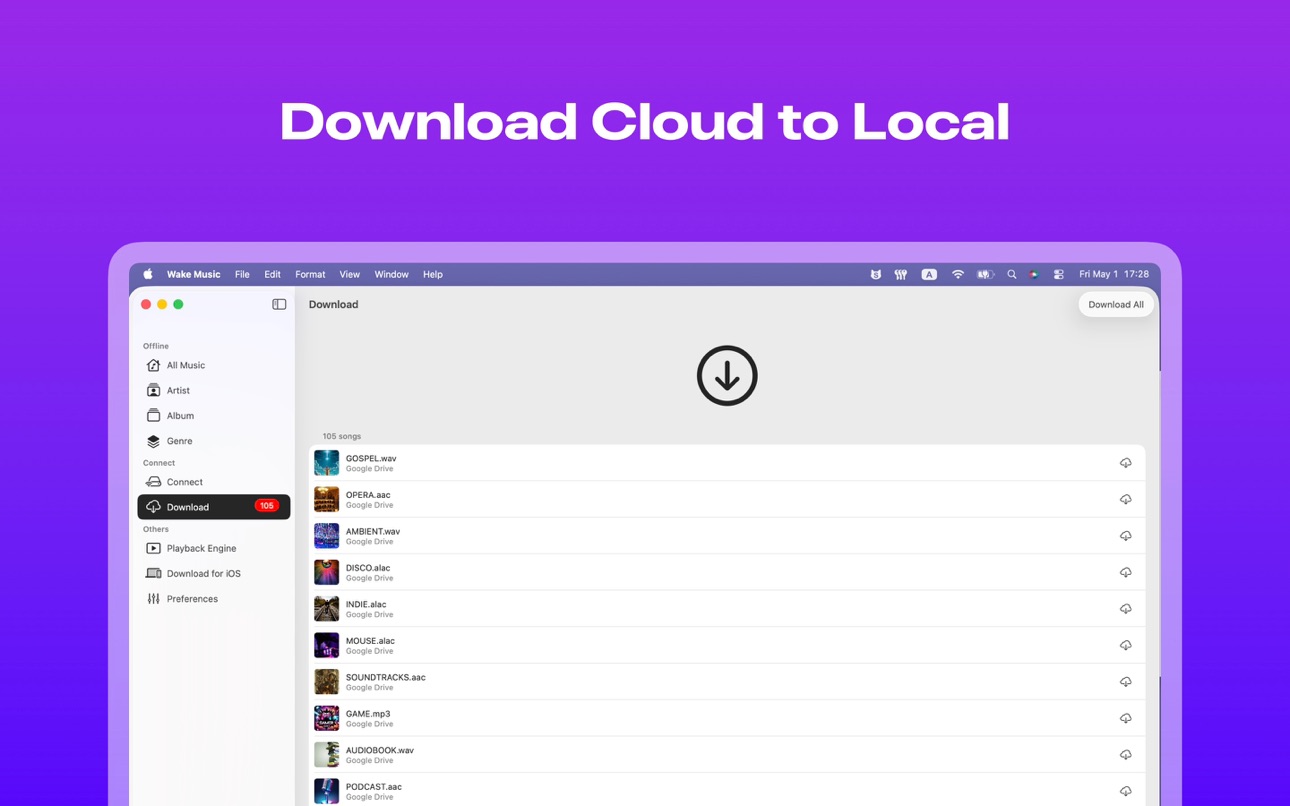
7. Supports but not limited to Google Drive, OneDrive, Dropbox, OwnCloud, NextCloud, Yandex Disk, InfiniCloud, and more
### Other
● Please make sure your music is legally purchased — the app does not provide any online music.
● Payment will be charged to your Apple ID upon confirmation of purchase.
● If you choose auto-renewal, you can turn it off at least 24 hours before the end of the current period.
● Terms of Service: https://wakemusic.notion.site/Terms-of-Service-12371747cfb8811ea26fd8ddcdadae4e?pvs=4
● Privacy Policy: https://wakemusic.notion.site/Privacy-Policy-12371747cfb8812eaa8dd1a35cd0bb0a
Accessibility
ipadiphonemacrealityDevicetvoswatch
Version history 25 versions
Build 885104445v3.4.22026-05-01 17:27:35
This update includes:
1. New app store metadata
2. Added some onboarding tutorials
3. Improved handling of issues when connecting to cloud storage
4. Corrected some text.
Build 884895293v3.4.12026-04-24 16:40:40
Fixed keyboard issues when logging into WebDAV and Navidrome.
Build 884591864v3.4.02026-04-16 21:11:48
This update includes:
1. Added Aliyun Drive
2. Updated the ffmpeg engine to version 8.1.0
3. Introduced a 3-day free trial program
4. Compiles using the new MacBook M5
Build 882595825v3.3.62026-02-24 01:55:23
1. Playback engine updated to ffmpeg version 8.0.2
2. Fixed the issue of switching between H264 audio and Bluetooth speakers
3. Added the function to edit Navidrome information on the connection page
4. If you encounter any problems during use, please contact us at support@passlockapp.com
Build 881154218v3.3.42026-01-06 13:34:52
Fix some known issues
Build 880276307v3.3.32025-12-22 17:38:52
1. Fixed a bug in WebDAV
2. Temporarily removed OneDrive
3. Fixed other known issues
Build 880097297v3.3.02025-11-29 21:28:26
New Features:
1. Google Drive, Dropbox, and OneDrive now support online music playback!
2. Major technological breakthrough: All cloud drives now support parsing embedded music tags in remote files.
3. All premium features are now available for free in the macOS client.
Optimizations:
1. Fixed the issue of lyrics not filling the screen in landscape mode.
2. Fixed the issue of duplicate elements appearing in the playlist.
3. Fixed the issue of the keyboard not retracting.
4. Fixed the issue reported by Leonard where the "like" button's status didn't refresh after switching tracks.
Build 879940986v3.2.12025-11-20 21:23:12
Emergency fixes for 2 known issues
Build 879043664v3.2.02025-11-19 03:33:11
Major update, don't miss it!
1. Adapted for iOS 26.1 and macOS 26.1
2. Added Google Drive, Dropbox, and OneDrive; experience high-speed downloads now!
3. Simplified some interactions and removed some features.
4. Added random playback order for real and fake files.
5. Fixed some known issues.
Build 878026006v3.1.72025-09-12 02:12:14
Thanks to feedback from users like Chengnuo and Lan, we've fixed some known issues.
1. Fixed an issue where embedded lyrics couldn't be extracted from certain files.
2. Fixed an issue where lyrics animation might not appear in landscape mode.
3. Fixed an issue with subfolder sorting.
4. Fixed an issue where the matching lyrics page couldn't be selected.
Build 877732320v3.1.62025-09-01 23:27:35
1. Updated to ffmpeg 8.0 engine
2. Introduced Apple Music lyrics font
3. Fixed an issue where songs might not play when switching to the next one
4. Fixed an issue where Navidrome logins expired and the page could not be refreshed
5. Fixed an issue where the time after seeking playback was incorrect
Build 877442746v3.1.42025-08-22 02:57:24
1. Adjusted the random play logic to avoid duplicate songs.
2. Implemented instant replay animation when dragging the progress bar.
3. Fixed an issue where the Navidrome name was empty.
4. Optimized some code structures.
Build 877489878v3.1.52025-08-22 17:17:57
Urgently fix possible crash issues
Build 877174229v3.1.32025-08-13 00:39:41
Thanks to feedback from users like Doraemon-san, we've fixed some known issues.
1. Fixed an issue that occurred when selecting the HTTPS protocol for WebDav.
2. Updated the app's technical support URL.
3. Corrected an issue with expired Telegram links.
4. Fixed an issue where the previous song's audio might be interrupted.
Build 877069702v3.1.22025-08-08 07:30:10
This version primarily fixes some known issues.
1. Addresses authorization issues with 115 Cloud Drive.
2. Displays the file path in the 115 Cloud Drive file list title.
3. Addresses issues with track sorting and German translations raised by Holger März-Faust.
4. Addresses UI refresh issues after lyrics updates.
5. Addresses issues with Baidu Cloud Drive displaying the correct bitrate and sampling rate.
Build 876995301v3.1.12025-08-05 20:00:08
Thanks to user feedback, this version further improves software stability.
1. Fixed an issue with high battery consumption and overheating after background playback (CPU usage reduced to 3%).
2. Added handling for 115 Cloud Drive authorization errors.
3. Fixed an issue with the order of Cloud Drive playlists, now with smart numerical sorting.
4. Baidu Cloud Drive can now load up to 5,000 items.
5. Fixed an issue with refreshing the UI after parsing metadata.
6. DebDav now has special character restrictions.
7. Double-clicking the horizontal lyrics page now plays the next or next song.
8. Optimizations for iPhones with Elderly Mode (extra-large fonts) enabled.
Build 876364726v3.1.02025-08-02 06:49:38
Thanks to the feedback from users like lan, Time, Xie Boyi, PDS, and Alata during the beta test, this is another major release that marks Wake Music as the Infuse of the music industry.
1. Wake Music has signed a premium partnership with Baidu Drive. Even if you're not a Baidu Drive VIP, you can still play native master files over 1GB smoothly!
2. Perfectly parses embedded metadata like cover art, lyrics, and other metadata from Baidu Drive music files, including lossless music like DSD.
3. 115 Drive is here! We've taken another big step towards supporting 20 cloud storage platforms worldwide!
4. A more powerful playback core allows for flawless playback of even damaged files (thanks again to Time for the feedback).
5. Newly upgraded list grouping, sorting, and searching features now support sorting by numbers embedded in file names.
6. A more robust code architecture clears the way for adding 20 more cloud storage platforms in the future!
7. If you enjoy this update, please recommend this app to your friends!
Build 876028034v3.0.22025-07-01 20:06:09
This may be the last minor version before connecting directly to the cloud disk
1. On macOS, you can delete unnecessary music servers by sliding or long pressing the music server
2. Optimize some details
Build 875845156v3.0.12025-06-28 02:14:21
This version mainly includes some optimizations
1. Added lyrics time offset settings
2. Restored the function of manually importing LRC lyrics
3. Fixed the problem that the background song may pause when switching
4. Some other details are fixed
Build 875471204v3.0.02025-06-20 01:30:17
This is the biggest update since the release of V1.0.0.
1. Native macOS is now available, from the MVP version to V3.0.0, which directly synchronizes all iOS features.
2. Eight sets of realistic cassette tape and vinyl record player styles take you back to your youth.
3. Thousands of player background options, such as Gaussian blur, extracting the main color tone from the cover, and custom wallpapers.
4. Default use of the built-in AVPlayer, with the option to switch to a player core supporting all formats at any time.
5. Added AI-powered automatic matching of album art and lyrics.
6. When playing music from cloud storage or Navidrome, the embedded album art and lyrics are displayed by default.
7. Fixed an issue where embedded lyrics in APE format could not be edited.
8. Added localization for Malay, Indonesian, and Thai languages.
Build 874463967v2.3.62025-05-02 07:38:54
Fixed a problem parsing album covers
Build 874442689v2.3.52025-05-01 09:21:34
Urgently fix the problem of lyrics not being parsed when playing remote music
Build 874398470v2.3.42025-04-29 19:17:04
This update for V2.3.4
1. Added scanning of local music library in Apple Music (iPod/iTunes)
2. Fixed the problem of memory surge and crash when playing some super lossless music
3. Automatically crop the album cover to a square when converting video to audio
4. Added some playback speeds
5. Fixed the problem of duplicate songs appearing on the collection page
6. Optimized the problem of switching songs in the background
Build 873902830v2.3.32025-04-13 22:52:55
Thanks to the feedback from users such as Jhbbhb, Xiejia, R, 23:46, and Nine, the application has been further optimized.
1. The player kernel has been completely upgraded, and it has been fully upgraded for high-sampling rate audio files at the million level. (PS: During the testing phase, we found that many music tags showed DSD files with sampling rates of millions of hertz, but in fact there were only fake DSD audios at 352800 hertz)
2. The previous version's wrong decision to fully open Webdav and Navidrome has been fixed. Now it has been adjusted to free users to try Webdav and Navidrome for free for 3 days, and they can enjoy unlimited pre-download cache functions.
3. Fixed some bugs when playing demo audio
4. You can delete the folders collected by Webdav by long pressing
5. Added Korean and Italian
Build 873757677v2.3.22025-04-03 16:14:11
Fixed known issues and enhanced stability.
Price history by region
Currency
Show
Columns
Search
Availability 1 of 1 storefronts
| Region | Language | Price | Ratings | Avg | Version |
|---|---|---|---|---|---|
| US | en-US | USD 17.99 | 14 | 4.6 | 3.4.2 |
Change log 29 changes · US
✎
releaseNotes updated
This update includes:
1. New app store metadata
2. Added some onboarding tutorials
3. Improved handling of issues when connecting to cloud storage
4. Correc
✎
description updated
◆ Did your favorite songs suddenly disappear from online music platforms?
◆ Tired of so-called “lossless” music that’s only 15MB?
◆ Struggling with poor user ex
✎
subtitle updated
Offline Music Player
✎
name updated
Wake Music Pro:Offline Music
◆
Version 3.4.2 released
This update includes:
1. New app store metadata
2. Added some onboarding tutorials
3. Improved handling of issues when connecting to cloud storage
4. Corrected some text.
◆
Version 3.4.1 released
Fixed keyboard issues when logging into WebDAV and Navidrome.
◆
Version 3.4.0 released
This update includes:
1. Added Aliyun Drive
2. Updated the ffmpeg engine to version 8.1.0
3. Introduced a 3-day free trial program
4. Compiles using the new MacBook M5
◆
Version 3.3.6 released
1. Playback engine updated to ffmpeg version 8.0.2
2. Fixed the issue of switching between H264 audio and Bluetooth speakers
3. Added the function to edit Navidrome information on the connection page
4. If you encounter any problems during
◆
Version 3.3.4 released
Fix some known issues
◆
Version 3.3.3 released
1. Fixed a bug in WebDAV
2. Temporarily removed OneDrive
3. Fixed other known issues
◆
Version 3.3.0 released
New Features:
1. Google Drive, Dropbox, and OneDrive now support online music playback!
2. Major technological breakthrough: All cloud drives now support parsing embedded music tags in remote files.
3. All premium features are now available
◆
Version 3.2.1 released
Emergency fixes for 2 known issues
◆
Version 3.2.0 released
Major update, don't miss it!
1. Adapted for iOS 26.1 and macOS 26.1
2. Added Google Drive, Dropbox, and OneDrive; experience high-speed downloads now!
3. Simplified some interactions and removed some features.
4. Added random playback order
◆
Version 3.1.7 released
Thanks to feedback from users like Chengnuo and Lan, we've fixed some known issues.
1. Fixed an issue where embedded lyrics couldn't be extracted from certain files.
2. Fixed an issue where lyrics animation might not appear in landscape mod
◆
Version 3.1.6 released
1. Updated to ffmpeg 8.0 engine
2. Introduced Apple Music lyrics font
3. Fixed an issue where songs might not play when switching to the next one
4. Fixed an issue where Navidrome logins expired and the page could not be refreshed
5. Fixed
◆
Version 3.1.5 released
Urgently fix possible crash issues
◆
Version 3.1.4 released
1. Adjusted the random play logic to avoid duplicate songs.
2. Implemented instant replay animation when dragging the progress bar.
3. Fixed an issue where the Navidrome name was empty.
4. Optimized some code structures.
◆
Version 3.1.3 released
Thanks to feedback from users like Doraemon-san, we've fixed some known issues.
1. Fixed an issue that occurred when selecting the HTTPS protocol for WebDav.
2. Updated the app's technical support URL.
3. Corrected an issue with expired Tel
◆
Version 3.1.2 released
This version primarily fixes some known issues.
1. Addresses authorization issues with 115 Cloud Drive.
2. Displays the file path in the 115 Cloud Drive file list title.
3. Addresses issues with track sorting and German translations raised
◆
Version 3.1.1 released
Thanks to user feedback, this version further improves software stability.
1. Fixed an issue with high battery consumption and overheating after background playback (CPU usage reduced to 3%).
2. Added handling for 115 Cloud Drive authorizat
◆
Version 3.1.0 released
Thanks to the feedback from users like lan, Time, Xie Boyi, PDS, and Alata during the beta test, this is another major release that marks Wake Music as the Infuse of the music industry.
1. Wake Music has signed a premium partnership with Ba
◆
Version 3.0.2 released
This may be the last minor version before connecting directly to the cloud disk
1. On macOS, you can delete unnecessary music servers by sliding or long pressing the music server
2. Optimize some details
◆
Version 3.0.1 released
This version mainly includes some optimizations
1. Added lyrics time offset settings
2. Restored the function of manually importing LRC lyrics
3. Fixed the problem that the background song may pause when switching
4. Some other details are
◆
Version 3.0.0 released
This is the biggest update since the release of V1.0.0.
1. Native macOS is now available, from the MVP version to V3.0.0, which directly synchronizes all iOS features.
2. Eight sets of realistic cassette tape and vinyl record player styles
◆
Version 2.3.6 released
Fixed a problem parsing album covers
◆
Version 2.3.5 released
Urgently fix the problem of lyrics not being parsed when playing remote music
◆
Version 2.3.4 released
This update for V2.3.4
1. Added scanning of local music library in Apple Music (iPod/iTunes)
2. Fixed the problem of memory surge and crash when playing some super lossless music
3. Automatically crop the album cover to a square when conver
◆
Version 2.3.3 released
Thanks to the feedback from users such as Jhbbhb, Xiejia, R, 23:46, and Nine, the application has been further optimized.
1. The player kernel has been completely upgraded, and it has been fully upgraded for high-sampling rate audio files a
◆
Version 2.3.2 released
Fixed known issues and enhanced stability.