Home › Productivity

 US
US
1 of 1 storefronts
Content in en-US
Content in en-US
Information
Preview 2 platforms
iPhone 6 images


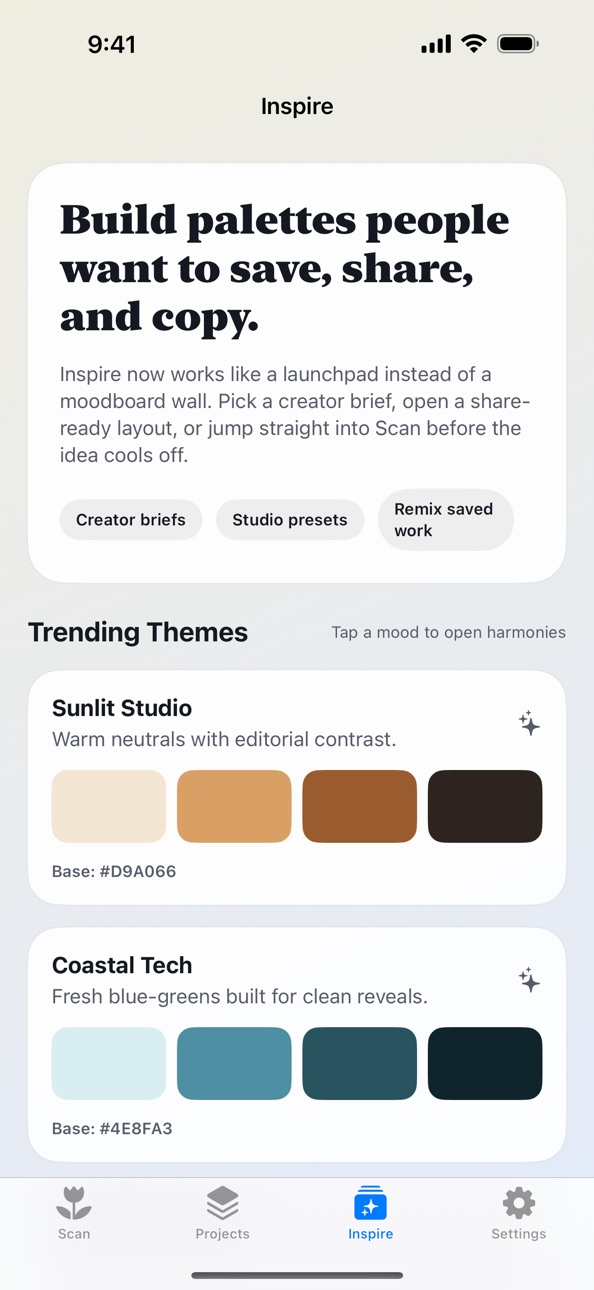
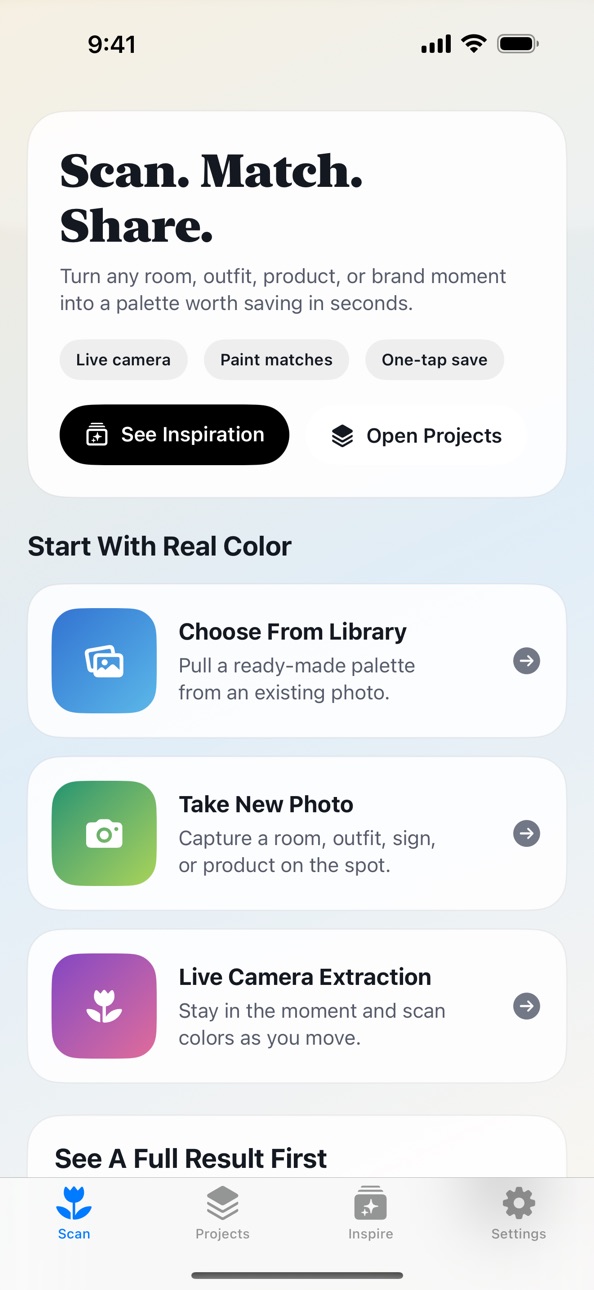
iPad 3 images


What’s New Version 2.7
Bug fixes and improvements.
Description
Color Palette helps you turn real-world color into something usable fast.
Scan a room, outfit, product, or photo, extract a polished palette, compare paint matches, save projects, and share results in layouts that are actually presentation-ready.
What you can do:
- Scan colors from the live camera or a photo
- Generate clean palettes from real scenes and objects
- Save swatches and projects for later
- Preview palettes over images before you share them
- Match colors against major paint and brand libraries
- Export and share palettes with customizable story, moodboard, and preview layouts
- Open shared palettes and scan links directly from hosted share pages
Premium is a one-time upgrade that removes ads. Core palette, scan, save, and share features remain available without creating an account.
Built for designers, decorators, creators, marketers, and anyone who wants a faster path from inspiration to a usable palette.
Capabilities
In-App Purchases
Accessibility
ipadiphonemacrealityDevicetvoswatch
Version history 9 versions
Build 884157059v2.72026-04-05 19:10:19
Bug fixes and improvements.
Build 883862717v2.62026-03-28 19:18:42
Bug fixes and improvements.
Build 883566921v2.52026-03-20 15:24:10
Color Palette 2.5 delivers a full release makeover:
- New Scan, Projects, and Inspire flow
- Faster first-run experience with a demo result
- Improved live camera capture and preview
- More polished extraction result and palette preview screens
- Share Studio upgrades with editable copy, saved defaults, named profiles, fit guidance, and output targets
- New hosted share links and deep-link entry points
- Better dark-mode and contrast handling across key screens
- App Shortcuts for Live Scan, Camera, Library, and Demo
Build 882894955v2.42026-02-28 22:13:29
Welcome to the biggest update to Color Palette design tools yet! We've completely rebuilt the app to bring you a smoother experience and powerful new professional features:
New Tab-Based Navigation: Enjoy a faster, more intuitive interface with our brand new bottom tab bar layout.
6 New Advanced Design Tools:
Lighting Simulator: See how your palettes change under different lighting conditions.
60-30-10 Rule Analyzer: Perfect your interior design proportions effortlessly.
Contrast Checker & Code Export: Ensure WCAG web accessibility and export directly to CSS/SwiftUI/Tailwind.
Color Harmonies & Paint Calculator: Discover analogous and complementary matches, and estimate real-world paint coverage.
App Appearance Settings: You can now manually force Light or Dark mode directly from the new Settings tab.
UI Quality of Life Improvements: We've repositioned the color preview for easier viewing and made the Delta E explanation tooltips dismissible so they don't get in your way.
Update now to elevate your color extraction and design workflow!
Build 880405834v2.32025-12-06 18:48:55
Fixed issue with color extraction in the free version
Build 880039410v22025-11-26 09:42:30
We added the ability to create palettes from live camera feeds.
We removed the subscription tier. Now, all features are available, with an ad free premium option.
Build 880112168v2.12025-11-26 17:31:50
bug fixes
Build 880121972v2.22025-11-26 21:11:47
Additional bug fixes
Build 871401505v1.02025-08-19 17:27:42
No pricing data captured yet — comparisons appear once the app has paid storefronts or in-app purchases.
Availability 1 of 1 storefronts
| Region | Language | Price | Ratings | Avg | Version |
|---|---|---|---|---|---|
| US | en-US | Free | 0 | — | 2.7 |
Change log 13 changes · US
✎
releaseNotes updated
Bug fixes and improvements.
✎
description updated
Color Palette helps you turn real-world color into something usable fast.
Scan a room, outfit, product, or photo, extract a polished palette, compare paint mat
✎
subtitle updated
Scan, match, and share color
✎
name updated
Color Palette - Design Tools
◆
Version 2.7 released
Bug fixes and improvements.
◆
Version 2.6 released
Bug fixes and improvements.
◆
Version 2.5 released
Color Palette 2.5 delivers a full release makeover:
- New Scan, Projects, and Inspire flow
- Faster first-run experience with a demo result
- Improved live camera capture and preview
- More polished extraction result and palette preview sc
◆
Version 2.4 released
Welcome to the biggest update to Color Palette design tools yet! We've completely rebuilt the app to bring you a smoother experience and powerful new professional features:
New Tab-Based Navigation: Enjoy a faster, more intuitive interface
◆
Version 2.3 released
Fixed issue with color extraction in the free version
◆
Version 2.2 released
Additional bug fixes
◆
Version 2.1 released
bug fixes
◆
Version 2 released
We added the ability to create palettes from live camera feeds.
We removed the subscription tier. Now, all features are available, with an ad free premium option.
◆
Version 1.0 released