Home › Productivity

 US
US
1 of 1 storefronts
Content in en-US
Content in en-US
Information
Preview 3 platforms
iPhone 8 images




iPad 7 images


Mac 9 images




What’s New Version 2.0.2
• The high-quality transcription model is now an optional download.
• Performance and reliability improvements.
Description
Rift Notes is the fastest way to get a thought down.
Type it like a text. Speak it, transcribed offline. Snap a photo. Every note remembers where you were. Pick up where you left off on iPhone, iPad, or Mac.
Privacy-first: no ads, no sign-ups, no subscription, no trackers. Your thoughts, under your control.
Three Ways to Capture
• Type it like a text. A message-style compose card means thoughts hit paper as fast as you think them.
• Speak it. On-device transcription (no internet needed) turns spoken notes into clean, searchable text.
• Snap it. 4-up camera attaches photos to text and voice in one note.
Built for Thinking
• Sync across iPhone, iPad, and Mac via iCloud. Pick up where you left off on any device.
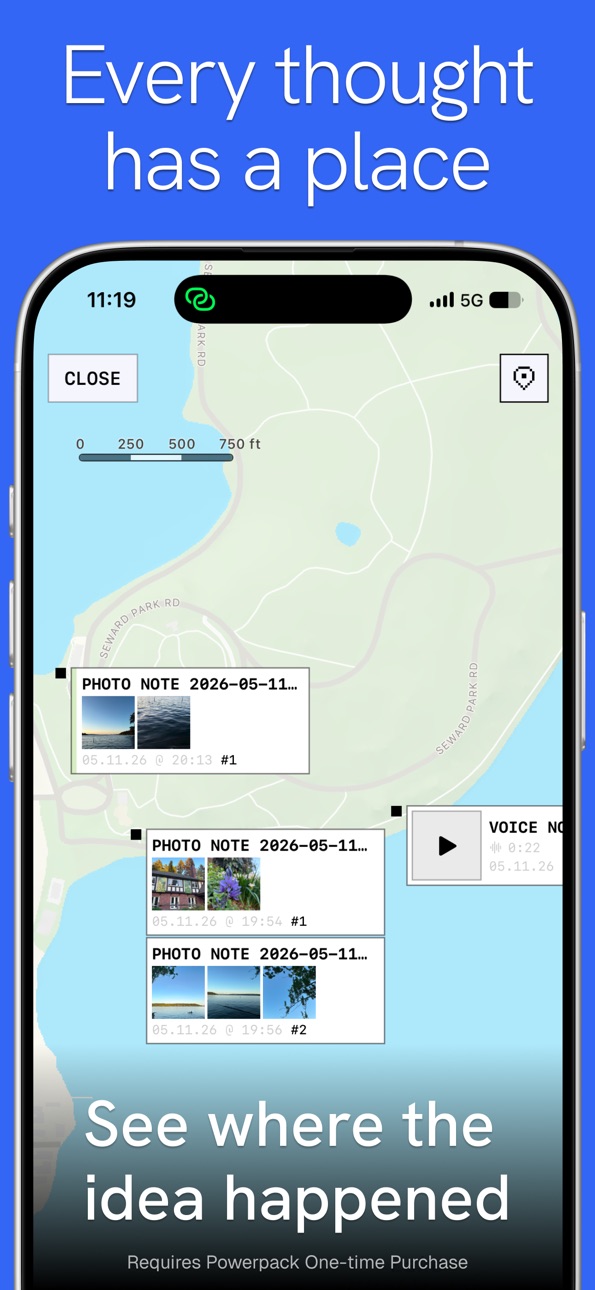
• Map your notes. Every note saves its location. Retrace your day, find that door code, or replay the voice memo right on the map where you recorded it.
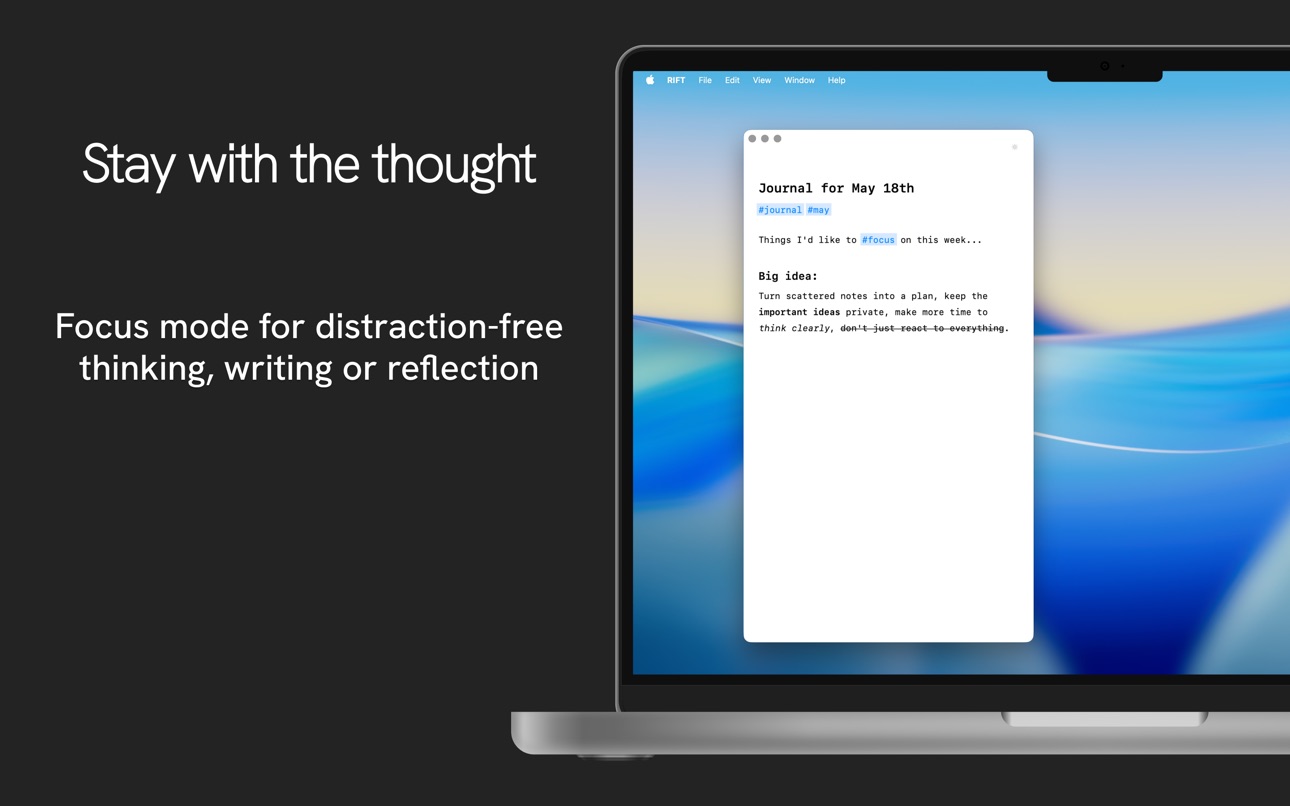
• Focus mode. Distraction-free writing, also great for screenshots.
• Themes. Match the vibe with a growing library, including the premium 'Scary Numbers' set.
• Rich-text editing renders bold, italics, headers, checklists or numbered lists as you type.
• #Hashtag organization and color tags. Filter your notes instantly.
• Quick Bar. Jump between notes, search, and views without leaving the keyboard.
• Smarter search. Full-text with line-preview results and instant filtering by tag or color.
• Markdown + iCloud. Every note auto-syncs as a .md file with frontmatter to your iCloud Drive. Read them in any markdown app. No lock-in, ever.
• Shortcuts support. Save notes or append text from anywhere on iOS.
Powerpack: One-Time Purchase for Life
The Mobile Powerpack unlocks voice transcription, photo notes, map view, iCloud sync, and themes on iPhone and iPad.
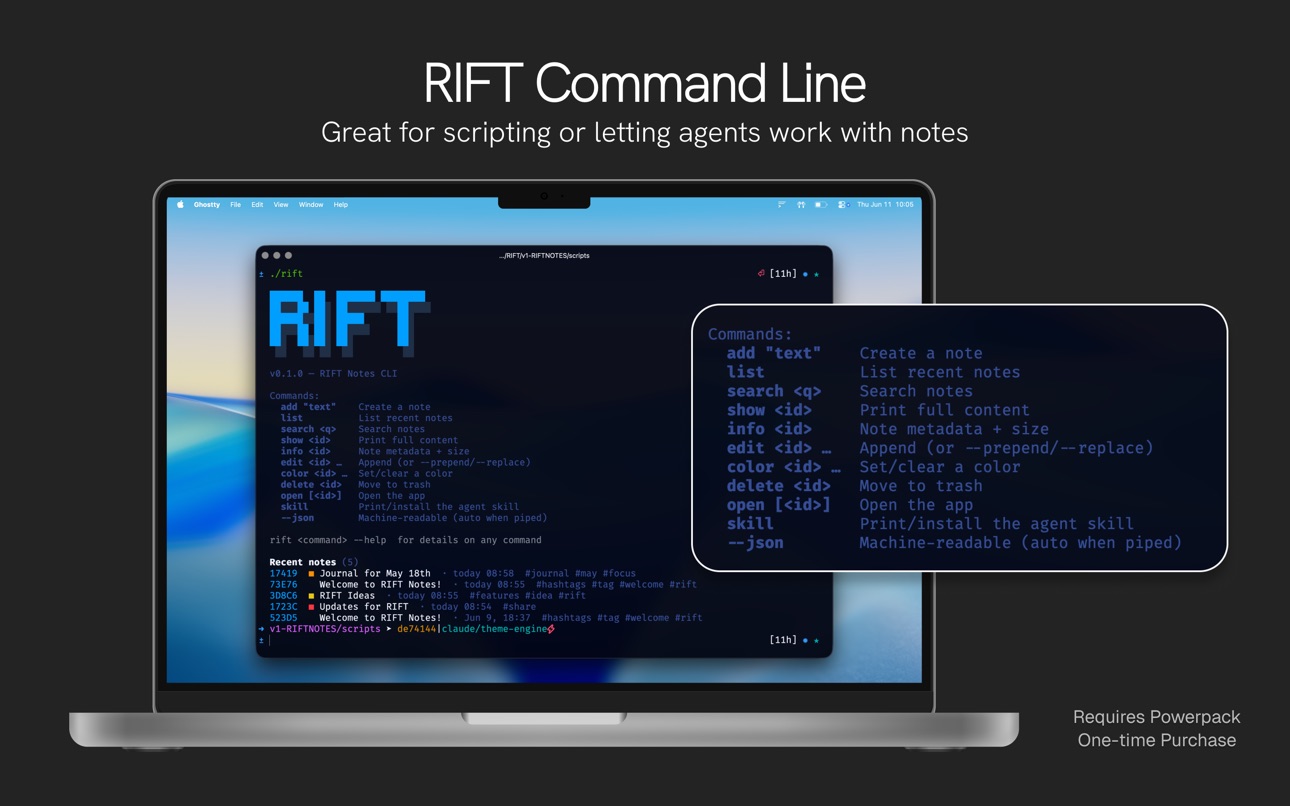
Powerpack is also available for Mac.
Privacy First
• Voice transcription runs on-device. Your audio stays in your iCloud.
• All of your content, notes and attachments sync only through your iCloud.
• No ads. No sign-ups. No AI training.
• Anonymous crash reporting and anonymous usage is optional. Opt out anytime in Settings.
• We collect crash reports and anonymous usage to improve the product, that's it.
• Note on app size: to transcribe voice privately offline, we ship a Whisper model with the app.
Your notes are yours.
Free to download. Powerpack is a one-time purchase, no subscription, no signup.
In-App Purchases US pricing
One-Time Purchases
Theme - Scary Numbers$1.99
RIFT Notes Powerpack for Mobile$14.99
RIFT Notes Powerpack for Mac$14.99
Capabilities
In-App Purchases
Accessibility
ipadiphonemacrealityDevicetvoswatch
Version history 7 versions
Build 887206024v2.0.22026-06-25 15:03:02
• The high-quality transcription model is now an optional download.
• Performance and reliability improvements.
Build 887103574v2.0.12026-06-19 07:14:07
Performance and reliability improvements.
Build 885447475v2.0.02026-06-11 22:36:52
Rift Notes 2.0 is here. Big upgrades across capture, editing, sync, and finding notes:
• Voice memos w/ transcription: speak a note, Rift writes it out, no internet required
• Photos! 4-up camera for photo notes: capture four moments at once, attached to one note
• Upgraded map view with voice playback: replay any voice note right on the map where you recorded it
• Rich-text editing: bold, italics, headers, and lists render as you type
• iCloud sync across iPhone, iPad, and now Mac: pick up notes on any device, instantly
• Faster Quick Bar: jump between notes, search, and views without leaving the keyboard
• Smarter search: streamlined results and instant filtering by tag or color along with keywords
• Settings to control sync, location, and backup & export
Plus dozens of smaller fixes and polish. Keep the feedback coming at riftnotes.com/feedback.
Some features require the one-time Powerpack purchase.
Build 873912952v1.2.22025-04-10 06:48:53
NEW in Version 1.2.2:
- Fixes an occasional font bug
NEW in version 1.2.1:
- Premium theme: Scary Numbers, for refining on the go! (one-time purchase required)
- Show nearby notes within 500m (Powerpack purchase required)
- Quick Access bar, pin any notes to the top of the screen
- An onboarding tour to tell you all about RIFT
- Expanding editor (like messages) returns
- Tappable links for websites, phone numbers, emails
- Shortcuts actions for create a note, append to the input box, and launch RIFT
- Lots of little bug fixes and optimizations
Build 873809199v1.2.12025-04-09 16:06:21
NEW in version 1.2.1:
- Premium theme: Scary Numbers, for refining on the go! (one-time purchase required)
- Show nearby notes within 500m (Powerpack purchase required)
- Quick Access bar, pin any notes to the top of the screen
- An onboarding tour to tell you all about RIFT
- Expanding editor (like messages) returns
- Tappable links for websites, phone numbers, emails
- Shortcuts actions for create a note, append to the input box, and launch RIFT
- Lots of little bug fixes and optimizations
Build 872644904v1.1.12025-02-21 00:50:42
NEW:
- Organize and tag your notes with color! Quickly assign a color from the ACTIONS button and search by color later.
- Powerpack customers: Three new colorways on the lighter side
- Save quickly by hitting return 3x to save a new note
IMPROVEMENTS:
- Many syncing and behind-the-scenes improvements, app should feel snappier!
Build 871400606v1.02025-02-13 16:59:19
Price history by region
Currency
Show
Columns
Search
Availability 1 of 1 storefronts
| Region | Language | Price | Ratings | Avg | Version |
|---|---|---|---|---|---|
| US | en-US | Free | 9 | 4.7 | 2.0.2 |
Change log 11 changes · US
✎
releaseNotes updated
• The high-quality transcription model is now an optional download.
• Performance and reliability improvements.
✎
description updated
Rift Notes is the fastest way to get a thought down.
Type it like a text. Speak it, transcribed offline. Snap a photo. Every note remembers where you were. Pic
✎
subtitle updated
Map-based ideas & journal
✎
name updated
RIFT NOTES + Voice Memos
◆
Version 2.0.2 released
• The high-quality transcription model is now an optional download.
• Performance and reliability improvements.
◆
Version 2.0.1 released
Performance and reliability improvements.
◆
Version 2.0.0 released
Rift Notes 2.0 is here. Big upgrades across capture, editing, sync, and finding notes:
• Voice memos w/ transcription: speak a note, Rift writes it out, no internet required
• Photos! 4-up camera for photo notes: capture four moments at on
◆
Version 1.2.2 released
NEW in Version 1.2.2:
- Fixes an occasional font bug
NEW in version 1.2.1:
- Premium theme: Scary Numbers, for refining on the go! (one-time purchase required)
- Show nearby notes within 500m (Powerpack purchase required)
- Quick Access ba
◆
Version 1.2.1 released
NEW in version 1.2.1:
- Premium theme: Scary Numbers, for refining on the go! (one-time purchase required)
- Show nearby notes within 500m (Powerpack purchase required)
- Quick Access bar, pin any notes to the top of the screen
- An onboard
◆
Version 1.1.1 released
NEW:
- Organize and tag your notes with color! Quickly assign a color from the ACTIONS button and search by color later.
- Powerpack customers: Three new colorways on the lighter side
- Save quickly by hitting return 3x to save a new note
◆
Version 1.0 released