Home › Photo & Video

Information
Preview 2 platforms
iPhone 6 images



iPad 6 images


What’s New Version 1.5.0
・New “Director Monitor” has been added, allowing clip selection, video playback, and rating changes on the mirrored monitor.
・LUTs can now be selected in the app for LUT View Assist.
・Frame markers can now be customized and adjusted in the app.
・Operational stability has been improved.
Description
For creators who love to shoot video.
Smoothly streamline your video production workflow, from script writing to editing!
From dramas and documentaries to music videos and dance clips in the entertainment genre, LUMIX Flow is easy to use even for beginners and supports a smooth video production process.
【LUMIX Mode】
Easily create scripts, storyboards, and shot lists. Use the app to visually sketch out scenes, illustrating your subject's position, direction, shot angle and more.
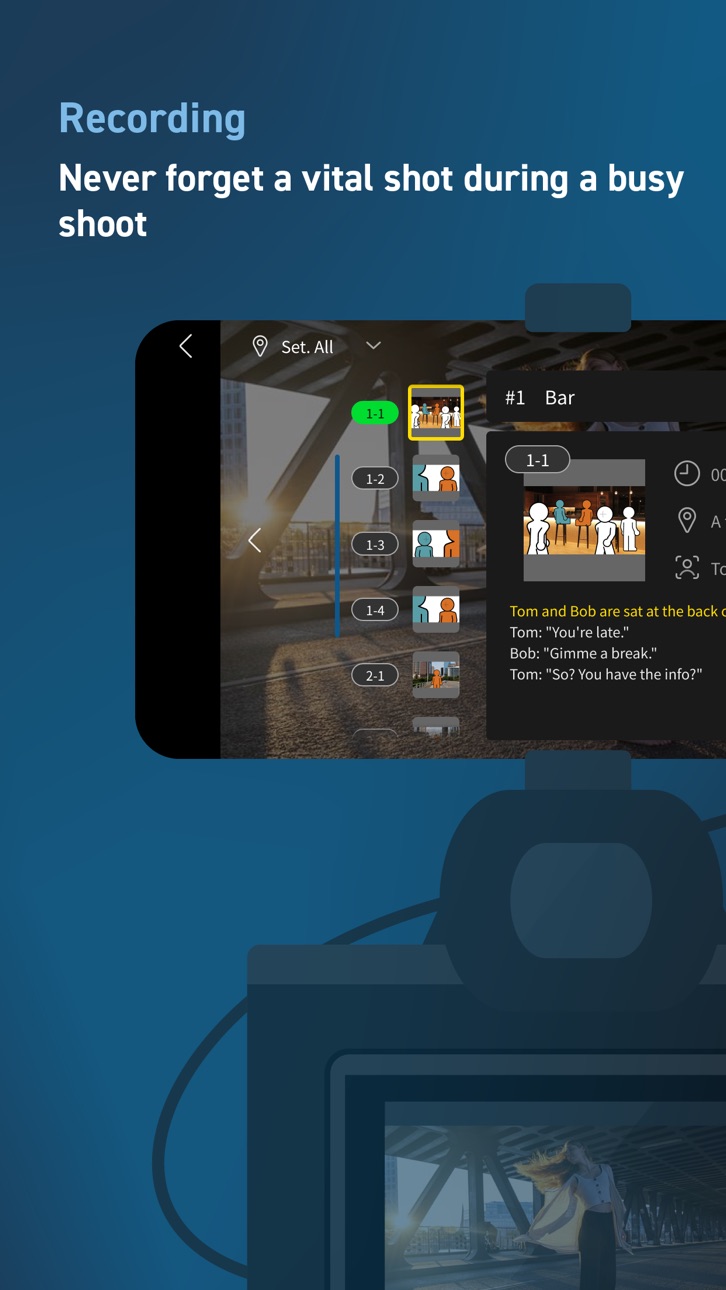
Use your smartphone as an external monitor for your LUMIX camera. Check your shot list and storyboard on your smartphone while shooting. You can easily see which shots have already been taken at a glance, ensuring you never forget a key shot and allowing you to work through your shoot smoothly and efficiently.
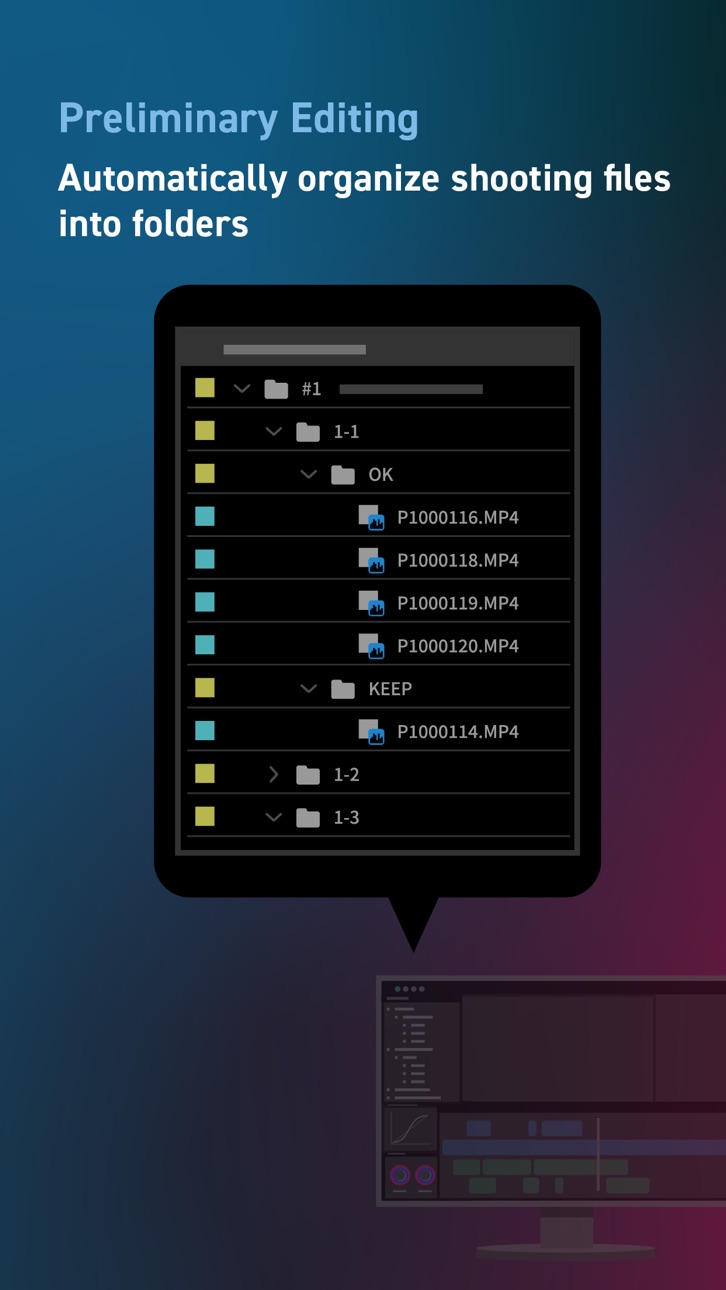
Shooting files are automatically divided into folders based on your ' OK / KEEP / BAD' rating by importing XML files from the app into your video editing software. Efficiently organize files after shooting and shorten the time you spend editing.
【Smartphone/Tablet Mode】
You can script, shoot, and edit a short drama or documentary video using just your smartphone, enjoying all the fun of filmmaking without the need for a camera or computer.
【External Monitor】
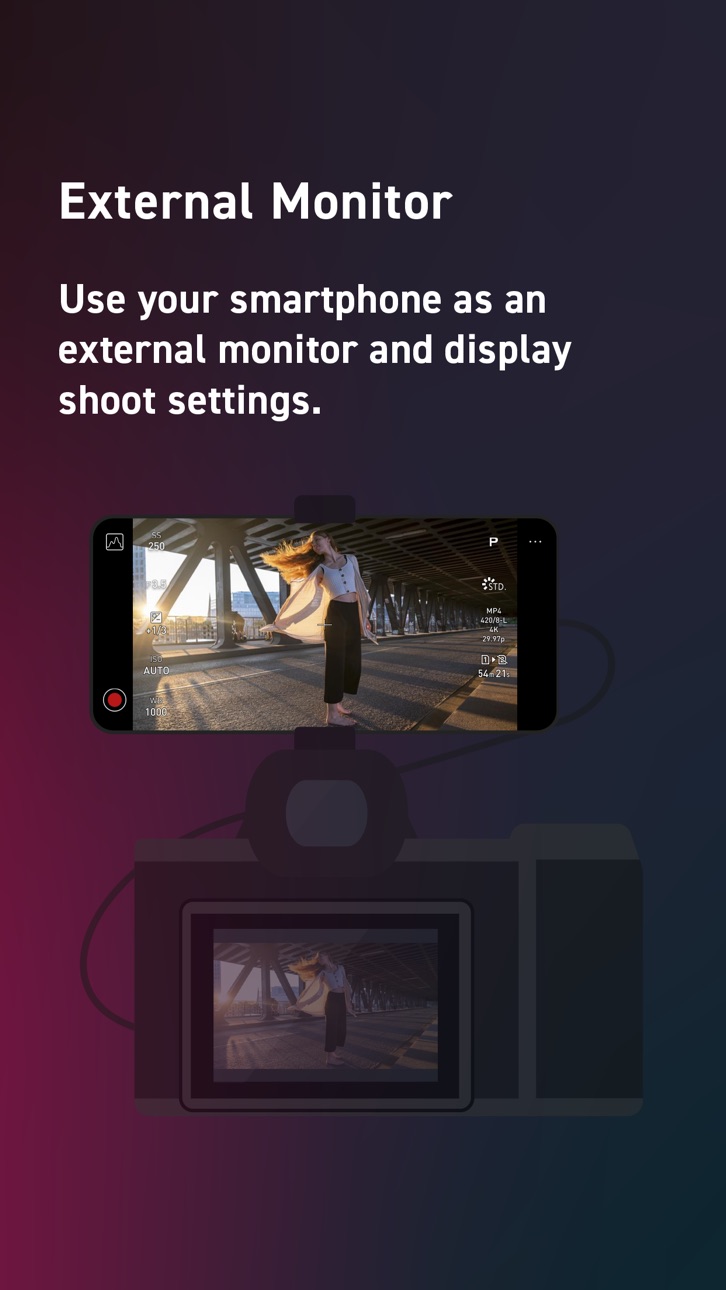
Connect your smartphone to your LUMIX camera to use it as an external monitor while shooting. Quickly check focus on-site.
Compatible with: DC-S1RM2, DC-S1M2, DC-S1M2ES, DC-S5M2, DC-S5M2X, DC-GH7
OS Compatibility: iOS 15.4 or higher
*Recommended for models with a USB Type-C connector. To connect with a Lightning cable, a genuine Apple 'Lightning-USB Camera Adapter' or 'Lightning-USB3 Camera Adapter' is required.
[Notes]
・Be aware that when using the location information recording function, continued use of the GPS function can lead to a dramatic decrease in battery capacity.
・For information on using this app or compatible models, visit the following support page.
https://panasonic.jp/support/global/cs/soft/lumix_flow/index.html
・Please understand that we will not be able to contact you directly even if you use the “Email Developer” link.
Accessibility
ipadiphonemacrealityDevicetvoswatch
Version history 8 versions
Build 881333366v1.5.02026-03-10 01:01:16
・New “Director Monitor” has been added, allowing clip selection, video playback, and rating changes on the mirrored monitor.
・LUTs can now be selected in the app for LUT View Assist.
・Frame markers can now be customized and adjusted in the app.
・Operational stability has been improved.
Build 879158619v1.4.02025-11-26 01:00:51
The following features are available for DC-S1RM2, DC-S1M2, and DC-S1M2ES.
・LUTs can be applied to the live view.
・Supports multiple frame marker display.
・Added AF recognition frame display.
Build 878035465v1.3.02025-10-20 00:59:43
・Supports DC-S5M2, DC-S5M2X, and DC-GH7.
・Added UI display optimized for vertical shooting.
・Improved mirroring monitor functionality.
・Enhanced operational stability.
The following features are available only for DC-S5M2, DC-S5M2X, and DC-GH7.
・LUTs can be applied to the live view.
・Supports multiple frame marker display.
・Added AF recognition frame display.
Build 875482710v1.2.02025-06-24 01:00:27
Improved app UI and operability.
The following is supported by DC-S1RM2:
・Wireless connection (Wi-Fi) to the camera is now possible when using the external monitor function.
・Added mirroring monitor function to wirelessly transfer live view from the external monitor (USB) to another device.
・Enhanced displayable items for the external monitor function:
- Camera battery level
- False color
- Vector scope
- Waveform
Build 874755259v1.1.12025-05-28 00:58:45
Fixed issues.
Build 874264292v1.1.02025-05-14 01:00:44
・Added compatibility with DC-S1M2 and DC-S1M2ES.
・Added support for iPad OS (15.4–18).
・Enabled audio source specification and playback during "Music Video/Dance Video" recording in "LUMIX Mode."
・XML files exported from LUMIX Flow can now be imported into Final Cut Pro.
・Added import/export functionality for project files.
・Improved app UI and operability.
The following is supported only by DC-S1M2 and DC-S1M2ES:
・Wireless connection (Wi-Fi) to the camera is now possible when using the external monitor function.
・Added mirroring monitor function to wirelessly transfer live view from the external monitor (USB) to another device.
・Enhanced displayable items for the external monitor function:
- Camera battery level
- False color
- Vector scope
- Waveform
Build 873329661v1.0.12025-03-26 01:00:42
Fixed issues.
Build 871385713v1.0.02025-02-26 01:00:20
No pricing data captured yet — comparisons appear once the app has paid storefronts or in-app purchases.
Availability 28 of 28 storefronts
| Region | Language | Price | Ratings | Avg | Version |
|---|---|---|---|---|---|
 US US | en-US | Free | 37 | 2.9 | 1.5.0 |
 BF BF | en-GB | Free | 0 | — | 1.5.0 |
 BJ BJ | en-GB | Free | 0 | — | 1.5.0 |
 CD CD | en-GB | Free | 0 | — | 1.5.0 |
 CG CG | en-GB | Free | 0 | — | 1.5.0 |
 DZ DZ | en-GB | Free | 0 | — | 1.5.0 |
 GA GA | fr-FR | Free | 0 | — | 1.5.0 |
 GH GH | en-GB | Free | 0 | — | 1.5.0 |
 GM GM | en-GB | Free | 0 | — | 1.5.0 |
 GW GW | en-GB | Free | 0 | — | 1.5.0 |
 KE KE | en-GB | Free | 0 | — | 1.5.0 |
 LR LR | en-GB | Free | 0 | — | 1.5.0 |
 LY LY | en-GB | Free | 0 | — | 1.5.0 |
 MA MA | en-GB | Free | 0 | — | 1.5.0 |
 MG MG | en-GB | Free | 0 | — | 1.5.0 |
 ML ML | en-GB | Free | 0 | — | 1.5.0 |
 MZ MZ | en-GB | Free | 0 | — | 1.5.0 |
 NE NE | en-GB | Free | 0 | — | 1.5.0 |
 NG NG | en-GB | Free | 0 | — | 1.5.0 |
 RW RW | en-GB | Free | 0 | — | 1.5.0 |
 SC SC | en-GB | Free | 0 | — | 1.5.0 |
 ST ST | en-GB | Free | 0 | — | 1.5.0 |
 SZ SZ | en-GB | Free | 0 | — | 1.5.0 |
 TD TD | en-GB | Free | 0 | — | 1.5.0 |
 TN TN | en-GB | Free | 0 | — | 1.5.0 |
 TZ TZ | en-GB | Free | 0 | — | 1.5.0 |
 UG UG | en-GB | Free | 0 | — | 1.5.0 |
 ZW ZW | en-GB | Free | 0 | — | 1.5.0 |
Change log 11 changes · US
✎
releaseNotes updated
・New “Director Monitor” has been added, allowing clip selection, video playback, and rating changes on the mirrored monitor.
・LUTs can now be selected in the ap
✎
description updated
For creators who love to shoot video.
Smoothly streamline your video production workflow, from script writing to editing!
From dramas and documentaries to mus
✎
name updated
Panasonic LUMIX Flow
◆
Version 1.5.0 released
・New “Director Monitor” has been added, allowing clip selection, video playback, and rating changes on the mirrored monitor.
・LUTs can now be selected in the app for LUT View Assist.
・Frame markers can now be customized and adjusted in the
◆
Version 1.4.0 released
The following features are available for DC-S1RM2, DC-S1M2, and DC-S1M2ES.
・LUTs can be applied to the live view.
・Supports multiple frame marker display.
・Added AF recognition frame display.
◆
Version 1.3.0 released
・Supports DC-S5M2, DC-S5M2X, and DC-GH7.
・Added UI display optimized for vertical shooting.
・Improved mirroring monitor functionality.
・Enhanced operational stability.
The following features are available only for DC-S5M2, DC-S5M2X, and DC
◆
Version 1.2.0 released
Improved app UI and operability.
The following is supported by DC-S1RM2:
・Wireless connection (Wi-Fi) to the camera is now possible when using the external monitor function.
・Added mirroring monitor function to wirelessly transfer live vie
◆
Version 1.1.1 released
Fixed issues.
◆
Version 1.1.0 released
・Added compatibility with DC-S1M2 and DC-S1M2ES.
・Added support for iPad OS (15.4–18).
・Enabled audio source specification and playback during "Music Video/Dance Video" recording in "LUMIX Mode."
・XML files exported from LUMIX Flow can now
◆
Version 1.0.1 released
Fixed issues.
◆
Version 1.0.0 released