Home › Photo & Video

 US
US
1 of 1 storefronts
Content in en-US
Content in en-US
Information
Preview 2 platforms
iPhone 5 images




iPad 5 images


What’s New Version 2.8
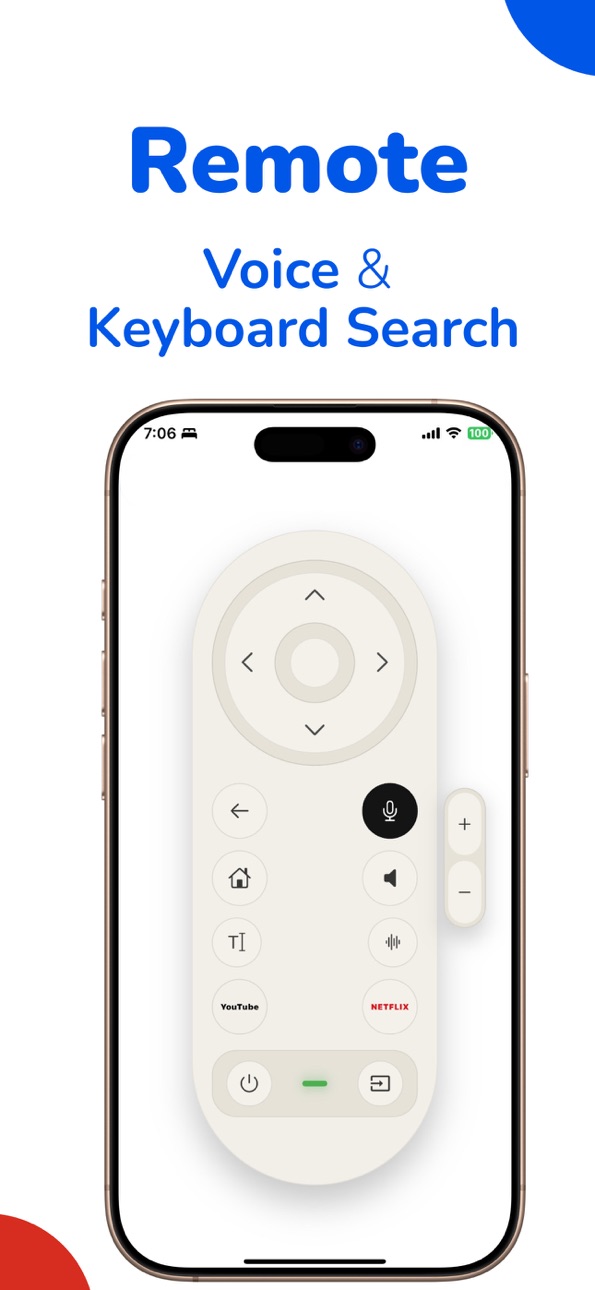
Smart remote with voice and keyboard search for quicker, easier control.
Faster and more stable connection when casting to your TV.
Smoother screen mirroring with reduced delay and improved playback.
Expanded support for more video files and media formats.
Cleaner, easier-to-use interface with clearer controls.
Bug fixes and overall performance improvements for a smoother experience.
Description
MyCast for Google Chromecast Screen Mirroring
Turn your iPhone and iPad into powerful casting and screen mirroring companions with MyCast for Google Chromecast. Designed to work seamlessly with all Chromecast models and Smart TVs with built-in Chromecast, MyCast makes it easy to share, stream, and manage your content on the big screen.
Whether you’re mirroring your screen, casting photos and videos, or optimizing your storage, MyCast delivers a smooth and reliable experience across multiple supported TV brands.
Key Features
- Seamless Chromecast Compatibility
- Works with all Google Chromecast devices
- Supports Smart TVs with built-in Chromecast across multiple brands
- Screen Mirroring, Sketching & Music Casting
- Instantly mirror your iPhone or iPad screen to your TV
Ideal for presentations, browsing, gaming, and sharing apps
Photo & Video Casting
Cast photos and videos directly from your device to your TV
Enjoy high-quality playback on a larger screen
Document & File Casting
Cast documents and supported files with ease
Perfect for work, education, and meetings
Smart Utility Tools
Video Compression to reduce file sizes without major quality loss
PDF Compressor to save storage and share files faster
Free Features
The following features are available for free with no subscription required:
Video Compression
PDF Compression
Premium Features
Advanced casting like photos, videos, Youtube and Screen mirroring require an active iTunes subscription.
Subscription & Trial Information
Subscriptions are securely managed by the Apple App Store. Payment is charged to your iTunes account after confirmation. Free trials automatically convert to a paid subscription unless canceled at least 24 hours before the trial ends. Subscriptions can be managed or canceled anytime through your App Store account settings
Why Choose MyCast?
- Full support for iPhone and iPad
- Broad compatibility with Chromecast devices and Smart TVs
- Easy-to-use interface
- Secure payments handled entirely by Apple
https://sites.google.com/view/mycastapp/privacy-policy
Terms of Use: https://www.apple.com/legal/internet-services/itunes/dev/stdeula/
In-App Purchases US pricing
MyCast for Google Chromecast- Subscriptions Subscription
MyCast- Chromecast Premium Weekly · 7 days$5.99
MyCast- Chromecast Premium Annual · Yearly 3-day free trial$29.99
Mega Offer · 3 months$17.99
Monthly Payment · Monthly$8.99
One-Time Purchases
Lifetime Premium MyCast Chromecast$59.99
Capabilities
In-App Purchases
Accessibility
ipadiphonemacrealityDevicetvoswatch
Version history 19 versions
Build 882161181v2.82026-02-05 06:32:44
Smart remote with voice and keyboard search for quicker, easier control.
Faster and more stable connection when casting to your TV.
Smoother screen mirroring with reduced delay and improved playback.
Expanded support for more video files and media formats.
Cleaner, easier-to-use interface with clearer controls.
Bug fixes and overall performance improvements for a smoother experience.
Build 881915036v2.72026-01-28 19:54:46
Smart remote with voice and keyboard search for quicker, easier control.
Faster and more stable connection when casting to your TV.
Smoother screen mirroring with reduced delay and improved playback.
Expanded support for more video files and media formats.
Cleaner, easier-to-use interface with clearer controls.
Bug fixes and overall performance improvements for a smoother experience.
Build 881570639v2.62026-01-22 07:32:05
Smart remote with voice and keyboard search for quicker, easier control.
Faster and more stable connection when casting to your TV.
Smoother screen mirroring with reduced delay and improved playback.
Expanded support for more video files and media formats.
Cleaner, easier-to-use interface with clearer controls.
Bug fixes and overall performance improvements for a smoother experience.
Build 881464644v2.52026-01-14 11:58:56
Faster and more stable connection when casting to your TV.
Smoother screen mirroring with less delay and better playback.
Better support for more video files and media formats.
Easier-to-use app interface with clearer controls.
Bug fixes and overall performance improvements for a smoother experience.
Build 881365263v2.42026-01-10 15:25:09
Faster and more stable connection when casting to your TV.
Smoother screen mirroring with less delay and better playback.
Better support for more video files and media formats.
Easier-to-use app interface with clearer controls.
Bug fixes and overall performance improvements for a smoother experience.
Build 881163663v2.32026-01-08 12:08:01
Faster and more stable connection when casting to your TV.
Smoother screen mirroring with less delay and better playback.
Better support for more video files and media formats.
Easier-to-use app interface with clearer controls.
Bug fixes and overall performance improvements for a smoother experience.
Build 881025806v2.22025-12-27 09:40:58
Supports multiple Smart TV brands with enhanced compatibility with all Chromecast Devices.
Build 880982881v2.12025-12-25 05:20:36
Supports multiple Smart TV brands with enhanced compatibility with all Chromecast Devices.
Build 880920604v2.02025-12-24 05:51:32
Supports multiple Smart TV brands with enhanced compatibility with all Chromecast Devices.
Build 880818065v1.92025-12-19 06:57:34
Supports multiple Smart TV brands with enhanced compatibility with all Chromecast Devices.
Build 880425157v1.82025-12-13 21:07:17
Updated user experience and ability to cast images and videos to smart TVs.
Build 880371076v1.72025-12-06 12:47:28
Performance improvements for faster photo scanning and cleanup
Bug fixes and stability enhancements
Minor UI tweaks for a smoother user experience.
Build 878362618v1.62025-09-25 13:34:10
Performance improvements for faster photo scanning and cleanup
Bug fixes and stability enhancements
Minor UI tweaks for a smoother user experience
Build 877887047v1.52025-09-11 19:59:56
Performance improvements for faster photo scanning and cleanup
Bug fixes and stability enhancements
Minor UI tweaks for a smoother user experience
Thanks for using Plus Ai CleanUp! We’re always working to make the app better for you.
Build 871480875v1.42025-01-02 11:03:41
Bug Fixes:
Addressed stability issues in the video selection process, ensuring that users can now select videos without encountering unexpected errors or crashes.
Fixed minor UI glitches related to the video upload and compression progress indicators, providing a more polished and responsive user experience.
AI-Powered Video Compression:
Leveraging cutting-edge artificial intelligence, our new compression algorithm intelligently reduces video file sizes without sacrificing visual and audio quality.
Up to Three Videos: Users can now compress up to three videos simultaneously, optimizing speed and efficiency without overloading the system.
Adaptive Compression: The AI algorithm dynamically adjusts compression settings based on video content, ensuring that each video is compressed to its ideal size while retaining high quality.
Build 871347814v1.32024-12-23 21:19:21
Bug Fixes
Build 871314377v1.22024-12-22 01:37:48
Bug Fixing.
Build 871272144v1.12024-12-20 12:16:37
Newer Version of Deep Ai CleanUp Photos Storage
Build 871040840v1.02024-12-12 08:44:55
Price history by region
Currency
Show
Columns
Search
Availability 1 of 1 storefronts
| Region | Language | Price | Ratings | Avg | Version |
|---|---|---|---|---|---|
| US | en-US | Free | 13 | 4.1 | 2.8 |
Change log 23 changes · US
✎
releaseNotes updated
Smart remote with voice and keyboard search for quicker, easier control.
Faster and more stable connection when casting to your TV.
Smoother screen mirroring wi
✎
description updated
MyCast for Google Chromecast Screen Mirroring
Turn your iPhone and iPad into powerful casting and screen mirroring companions with MyCast for Google Chromecast
✎
subtitle updated
Mirror Media to Chrome Cast TV
✎
name updated
MyCast for Google Chromecast
◆
Version 2.8 released
Smart remote with voice and keyboard search for quicker, easier control.
Faster and more stable connection when casting to your TV.
Smoother screen mirroring with reduced delay and improved playback.
Expanded support for more video files an
◆
Version 2.7 released
Smart remote with voice and keyboard search for quicker, easier control.
Faster and more stable connection when casting to your TV.
Smoother screen mirroring with reduced delay and improved playback.
Expanded support for more video files an
◆
Version 2.6 released
Smart remote with voice and keyboard search for quicker, easier control.
Faster and more stable connection when casting to your TV.
Smoother screen mirroring with reduced delay and improved playback.
Expanded support for more video files an
◆
Version 2.5 released
Faster and more stable connection when casting to your TV.
Smoother screen mirroring with less delay and better playback.
Better support for more video files and media formats.
Easier-to-use app interface with clearer controls.
Bug fixes an
◆
Version 2.4 released
Faster and more stable connection when casting to your TV.
Smoother screen mirroring with less delay and better playback.
Better support for more video files and media formats.
Easier-to-use app interface with clearer controls.
Bug fixes an
◆
Version 2.3 released
Faster and more stable connection when casting to your TV.
Smoother screen mirroring with less delay and better playback.
Better support for more video files and media formats.
Easier-to-use app interface with clearer controls.
Bug fixes an
◆
Version 2.2 released
Supports multiple Smart TV brands with enhanced compatibility with all Chromecast Devices.
◆
Version 2.1 released
Supports multiple Smart TV brands with enhanced compatibility with all Chromecast Devices.
◆
Version 2.0 released
Supports multiple Smart TV brands with enhanced compatibility with all Chromecast Devices.
◆
Version 1.9 released
Supports multiple Smart TV brands with enhanced compatibility with all Chromecast Devices.
◆
Version 1.8 released
Updated user experience and ability to cast images and videos to smart TVs.
◆
Version 1.7 released
Performance improvements for faster photo scanning and cleanup
Bug fixes and stability enhancements
Minor UI tweaks for a smoother user experience.
◆
Version 1.6 released
Performance improvements for faster photo scanning and cleanup
Bug fixes and stability enhancements
Minor UI tweaks for a smoother user experience
◆
Version 1.5 released
Performance improvements for faster photo scanning and cleanup
Bug fixes and stability enhancements
Minor UI tweaks for a smoother user experience
Thanks for using Plus Ai CleanUp! We’re always working to make the app better for you.
◆
Version 1.4 released
Bug Fixes:
Addressed stability issues in the video selection process, ensuring that users can now select videos without encountering unexpected errors or crashes.
Fixed minor UI glitches related to the video upload and compression progress
◆
Version 1.3 released
Bug Fixes
◆
Version 1.2 released
Bug Fixing.
◆
Version 1.1 released
Newer Version of Deep Ai CleanUp Photos Storage
◆
Version 1.0 released