Home › Productivity

 US
US
1 of 1 storefronts
Content in en-US
Content in en-US
Information
Apple ID6738395041
Bundle IDcom.parker1978.LoopTodo
SellerSeller
Min iOS26.0
Min macOS26.0
Device familiesiphone, ipad
Released2024-11-22
Copyright© 2024 Stephen Parker
Privacy policyLink ↗
Preview 2 platforms
iPhone 7 images
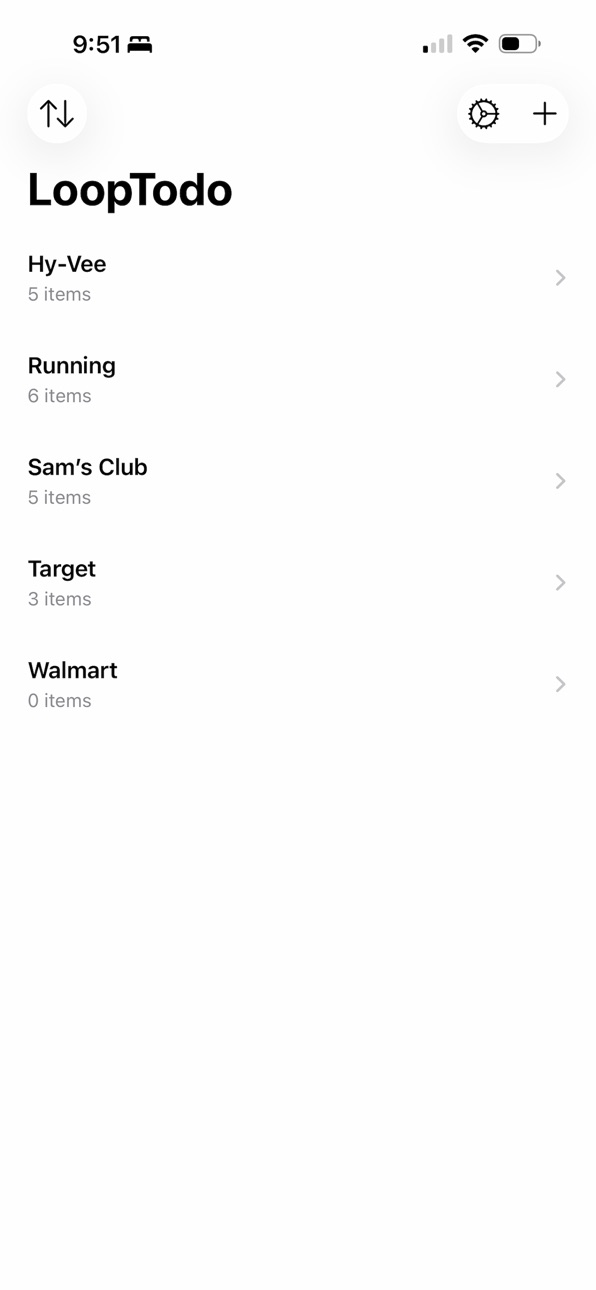

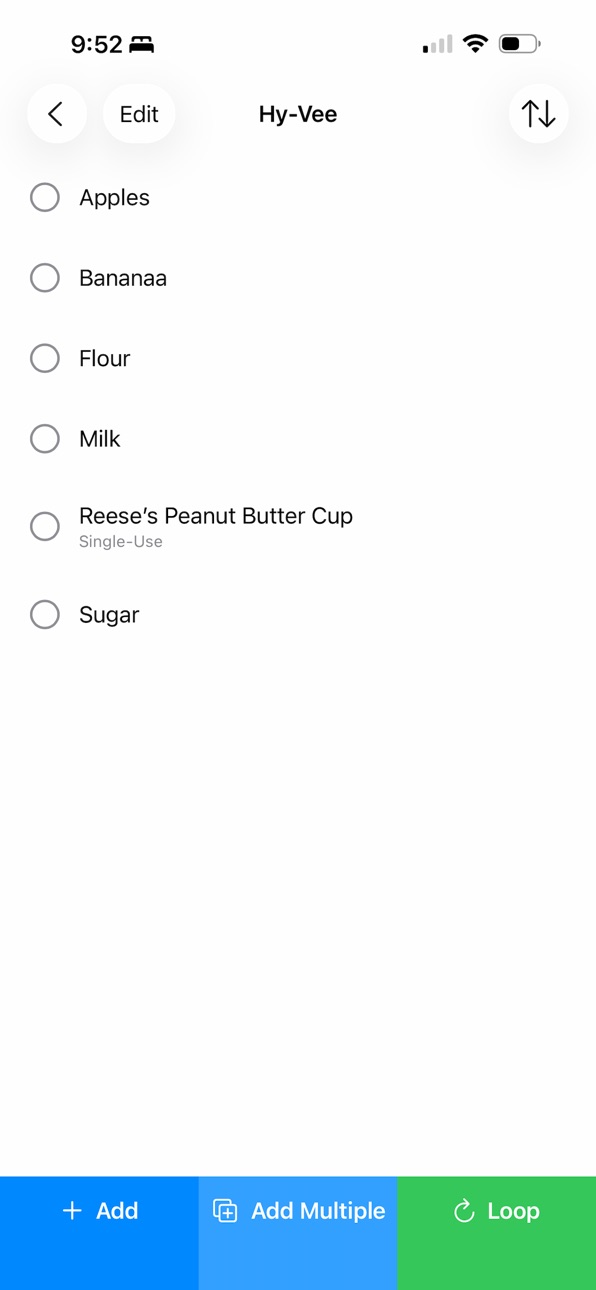

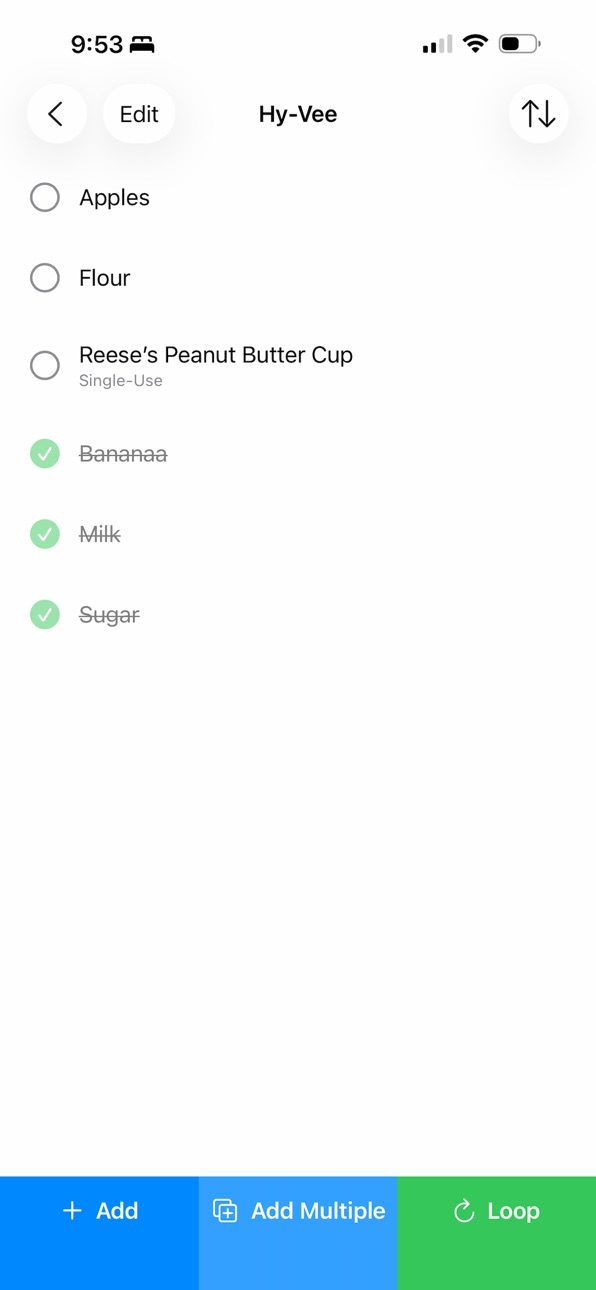

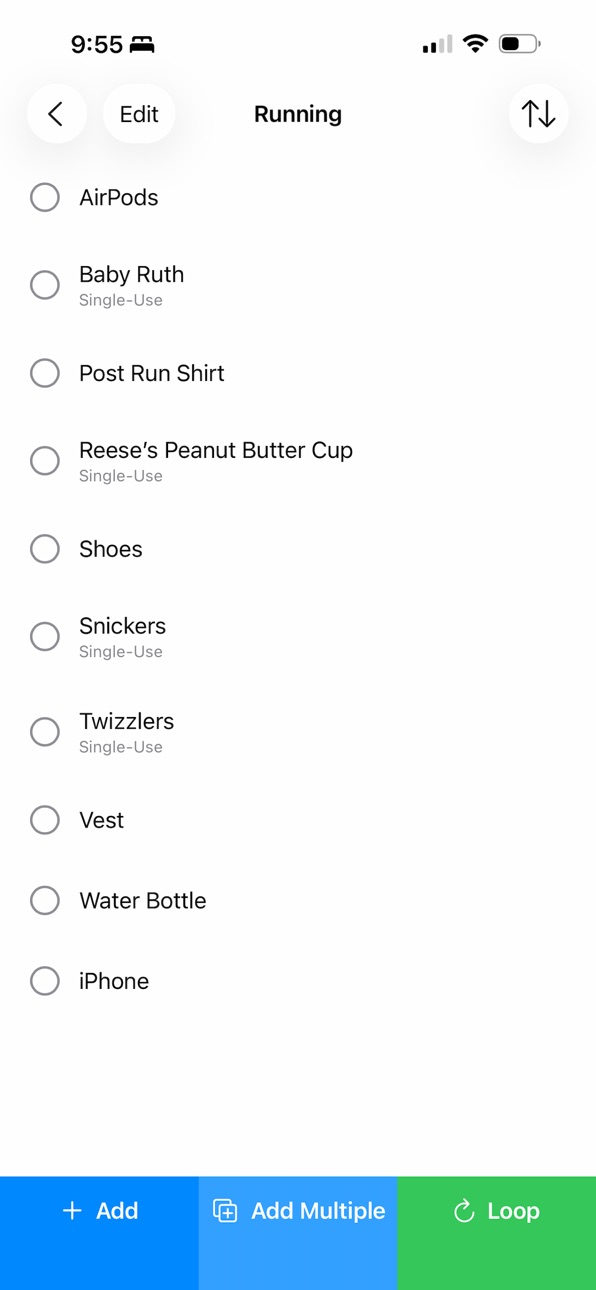
iPad 5 images


What’s New Version 4.0
Complete Redesign with Liquid Glass
LoopTodo has been completely rebuilt from the ground up featuring Apple's beautiful new Liquid Glass aesthetic—delivering a modern, fluid experience with elegant animations and refined interactions.
Enhanced List Management
Single-Use items now automatically delete when completed
Multi-Use items reset with the gorgeous Loop animation
Add multiple items at once—just paste or type one per line
Grouped sorting separates Multi-Use and Single-Use items for better clarity
Smarter Organization
Favorite your most-used lists to keep them at the top
Four flexible sorting options: Created, A-Z, Z-A, or Grouped
Edit mode with visual indicators makes managing items effortless
Personalized Experience
Customize keyboard behavior with text casing preferences
Choose your autocorrection settings
Smooth, satisfying animations throughout
Description
Your Lists, Perfected
Stop rewriting the same checklists over and over. LoopTodo transforms how you manage recurring tasks with beautiful, reusable lists that adapt to your needs.
Built for Real Life
Whether you're grocery shopping, packing for trips, planning workouts, or managing household chores—LoopTodo keeps your lists ready whenever you need them. Check off items as you complete them, then Loop them back to fresh with one satisfying tap.
Smart Item Types
Multi-Use Items: Your staples that reset with each Loop—perfect for groceries, packing lists, or weekly routines
Single-Use Items: One-time tasks that automatically disappear when completed—ideal for specific trip items or temporary to-dos
Powerful Features
Quick Add: Create single items instantly or paste entire lists at once
Flexible Sorting: Organize by date, alphabetically, or grouped by item type
Favorites: Pin your most-used lists to the top
Edit Mode: Modify or delete items with intuitive swipe gestures
Beautiful Animations: Watch your lists spring to life with fluid, delightful transitions
Designed to Delight
Rebuilt from the ground up with Apple's Liquid Glass design language, LoopTodo delivers a premium experience with clean surfaces, thoughtful color accents, and smooth animations that make list management actually enjoyable.
Perfect For:
- Weekly grocery shopping
- Travel packing lists
- Workout routines
- Household chores
- Meal planning
- Daily habits
- Party preparation
- Camping trips
- And any list you use more than once!
Simple. Beautiful. Reusable.
Stop wasting time recreating lists. Download LoopTodo and transform your recurring tasks into an effortless, elegant experience.
Terms of Use: https://www.apple.com/legal/internet-services/itunes/dev/stdeula/
Privacy Policy: https://www.parker1978.com/privacy-policy-lla
Accessibility
ipadiphonemacrealityDevicetvoswatch
Version history 5 versions
Build 878810052v4.02025-10-11 08:04:17
Complete Redesign with Liquid Glass
LoopTodo has been completely rebuilt from the ground up featuring Apple's beautiful new Liquid Glass aesthetic—delivering a modern, fluid experience with elegant animations and refined interactions.
Enhanced List Management
Single-Use items now automatically delete when completed
Multi-Use items reset with the gorgeous Loop animation
Add multiple items at once—just paste or type one per line
Grouped sorting separates Multi-Use and Single-Use items for better clarity
Smarter Organization
Favorite your most-used lists to keep them at the top
Four flexible sorting options: Created, A-Z, Z-A, or Grouped
Edit mode with visual indicators makes managing items effortless
Personalized Experience
Customize keyboard behavior with text casing preferences
Choose your autocorrection settings
Smooth, satisfying animations throughout
Build 874192590v3.02025-04-22 05:54:15
Removed In-App purchases. The app is now completely free to use with zero restrictions!
Build 870647045v2.02024-11-25 09:47:33
What’s New in Version 2.0:
We’ve made LoopTodo even better with these exciting updates:
• Beautiful Custom Pop-Ups: A fresh new look for your pop-ups makes managing your to-dos more delightful than ever.
• Keyboard Customization: Choose how your to-dos are formatted—capitalize each word or just the first word of every entry. Personalize it in Settings!
• Improved Onboarding: New users, welcome! A helpful call-to-action now guides you through creating your first LoopTodo for a seamless start.
• Editable To-Dos: Made a typo or need to tweak a task? Now you can tap any to-do to edit its text directly.
Update to experience these improvements today!
Build 870624338v1.12024-11-24 07:48:57
Bug fixes.
Build 870540825v1.02024-11-22 09:50:25
No pricing data captured yet — comparisons appear once the app has paid storefronts or in-app purchases.
Availability 1 of 1 storefronts
| Region | Language | Price | Ratings | Avg | Version |
|---|---|---|---|---|---|
| US | en-US | Free | 2 | 5.0 | 4.0 |
Change log 9 changes · US
✎
releaseNotes updated
Complete Redesign with Liquid Glass
LoopTodo has been completely rebuilt from the ground up featuring Apple's beautiful new Liquid Glass aesthetic—delivering a
✎
description updated
Your Lists, Perfected
Stop rewriting the same checklists over and over. LoopTodo transforms how you manage recurring tasks with beautiful, reusable lists that
✎
subtitle updated
What are you going to LoopTodo
✎
name updated
LoopTodo
◆
Version 4.0 released
Complete Redesign with Liquid Glass
LoopTodo has been completely rebuilt from the ground up featuring Apple's beautiful new Liquid Glass aesthetic—delivering a modern, fluid experience with elegant animations and refined interactions.
Enh
◆
Version 3.0 released
Removed In-App purchases. The app is now completely free to use with zero restrictions!
◆
Version 2.0 released
What’s New in Version 2.0:
We’ve made LoopTodo even better with these exciting updates:
• Beautiful Custom Pop-Ups: A fresh new look for your pop-ups makes managing your to-dos more delightful than ever.
• Keyboard Customization: Choose h
◆
Version 1.1 released
Bug fixes.
◆
Version 1.0 released