Home › Entertainment

 US
US
1 of 1 storefronts
Content in en-US
Content in en-US
Information
Preview 2 platforms
iPhone 5 images


iPad 5 images


What’s New Version 1.1.0
Updated IR Library improves compatibility with more Cable Boxes, Projectors, and AVRs than ever!
Added support for Mute and Power toggle commands.
Description
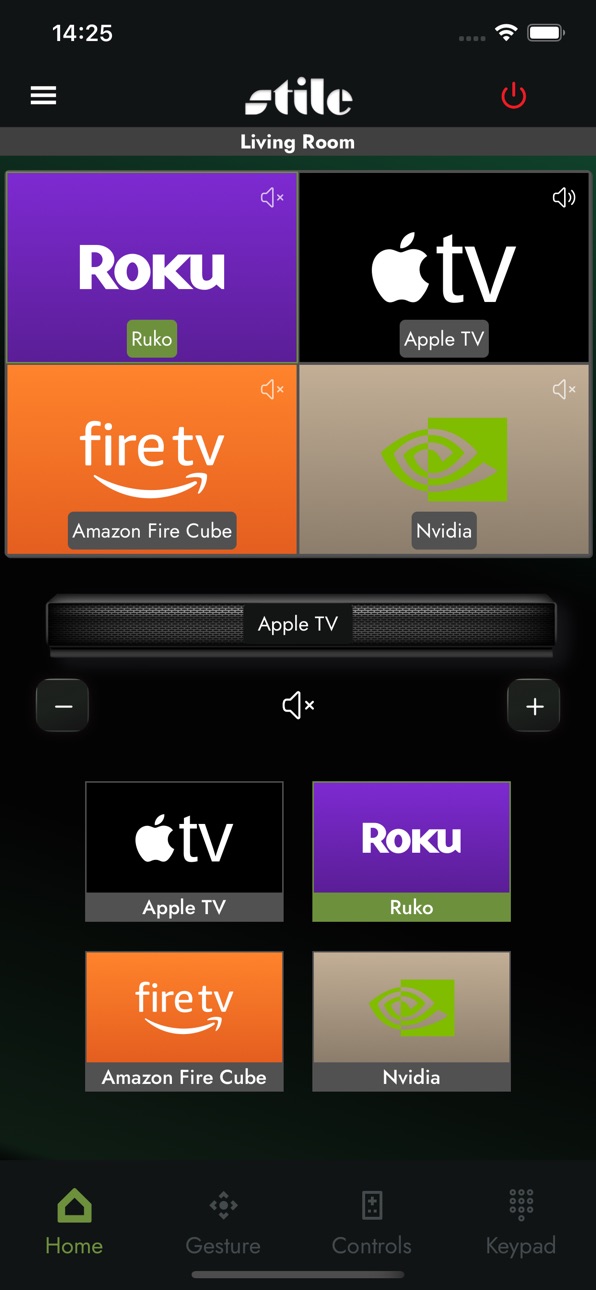
The STILE app allows you to seamlessly manage HDMI sources, displays, and audio systems via the AVPro Edge Multiview Processor. Enjoy custom viewing options like 4-source quad view, picture-in-picture modes, and personalized layouts, giving you the ultimate flexibility in how you experience entertainment.
Accessibility
ipadiphonemacrealityDevicetvoswatch
Version history 7 versions
Build 880408067v1.1.02025-12-11 03:51:12
Updated IR Library improves compatibility with more Cable Boxes, Projectors, and AVRs than ever!
Added support for Mute and Power toggle commands.
Build 879591993v1.0.122025-11-19 15:04:31
Updated IR Library improves compatibility with more Cable Boxes, Projectors, and AVRs than ever!
Added support for Mute and Power toggle commands.
Build 875885824v1.052025-06-30 13:38:31
Added
• Sidebar auto close implemented on gesture, control and keypad tabs when:
o A layout is selected
o A device is discovered
o A new preset is added
Fixed
• Hook rendering errors in standalone modals.
• Code warning triggered during MV41 deletion.
• Modal state persistence during mobile tab switching.
• Sidebar not opening via gesture, control, or keypad tabs
• Visual jerk removed by disabling scaling animation on the settings button in sidebar menu.
Known Issues & Improvements
• Further refinement planned for sidebar gesture responsiveness across device types
• Ensure modal behaviour is consistent under rapid tab switching.
Build 873592118v1.042025-06-02 15:37:40
Device Onboarding Improvements
• Startup window now prompts user to allow for device discovery.
• Upon successful device detection, the app will immediately navigate to the setup screen to streamline the configuration process.
• Devices added through the Discovered Devices section in the sidebar will also automatically jump to the setup screen, ensuring a consistent and efficient setup flow.
Added new Bijou selection to the audio output options; this allows users to control the AudioControl Bijou 2100, 3100, 5100D integrated amplifiers with a unique volume slider over CEC.
Build 873404143v1.0.22025-03-25 01:41:17
Updated Privacy Policy to better specify data usage.
This release is primarily aimed around fixes related to source layout distortion and the functionality of the navigation buttons on the controls tab.
Mobile locked to Portrait.
Build 873308331v1.0.12025-03-18 18:44:26
Updated production device library.
Resolved issue importing and exporting between devices.
Build 870509178v1.02025-03-17 12:00:19
No pricing data captured yet — comparisons appear once the app has paid storefronts or in-app purchases.
Availability 1 of 1 storefronts
| Region | Language | Price | Ratings | Avg | Version |
|---|---|---|---|---|---|
| US | en-US | Free | 3 | 5.0 | 1.1.0 |
Change log 11 changes · US
✎
releaseNotes updated
Updated IR Library improves compatibility with more Cable Boxes, Projectors, and AVRs than ever!
Added support for Mute and Power toggle commands.
✎
description updated
The STILE app allows you to seamlessly manage HDMI sources, displays, and audio systems via the AVPro Edge Multiview Processor. Enjoy custom viewing options lik
✎
subtitle updated
Multiview Tiling App
✎
name updated
AVPro STILE
◆
Version 1.1.0 released
Updated IR Library improves compatibility with more Cable Boxes, Projectors, and AVRs than ever!
Added support for Mute and Power toggle commands.
◆
Version 1.0.12 released
Updated IR Library improves compatibility with more Cable Boxes, Projectors, and AVRs than ever!
Added support for Mute and Power toggle commands.
◆
Version 1.05 released
Added
• Sidebar auto close implemented on gesture, control and keypad tabs when:
o A layout is selected
o A device is discovered
o A new preset is added
Fixed
• Hook rendering errors in standalone modals.
• Code warning triggered during MV4
◆
Version 1.04 released
Device Onboarding Improvements
• Startup window now prompts user to allow for device discovery.
• Upon successful device detection, the app will immediately navigate to the setup screen to streamline the configuration process.
• Devices add
◆
Version 1.0.2 released
Updated Privacy Policy to better specify data usage.
This release is primarily aimed around fixes related to source layout distortion and the functionality of the navigation buttons on the controls tab.
Mobile locked to Portrait.
◆
Version 1.0.1 released
Updated production device library.
Resolved issue importing and exporting between devices.
◆
Version 1.0 released